↑
Back to Top
What are the main features and advantages of Stellar Repair for Access?
Database Repair – Fixes corrupted MDB and ACCDB database files.
Object Recovery – Restores tables, forms, queries, indexes, and modules.
Deleted Records – Recovers removed data from damaged database files.
Preview Access – Lets you verify recoverable items before saving.
Structure Integrity – Preserves original database organization during repair.
Workflow Excellence – Supports stable long-term database access and administration.
Download: Stellar Repair for Access

Corrupt File Repair – Fixes damaged .MDB and .ACCDB database files.
All Database Objects – Recovers tables, queries, forms, reports, macros, modules.
Deleted Record Recovery – Restores records Access cannot recover natively.
Split Database Repair – Fixes corrupted linked tables across sources.
Core Capacity – Repairs Access 2019 to 2003 plus Office 365.
Important – Multi-system and commercial technician use need the Technician edition.
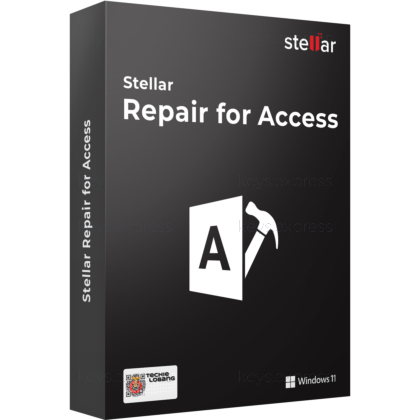
Stellar Repair for Access is a Windows tool that repairs corrupt .MDB and .ACCDB files and rebuilds their objects into a new, usable database. It targets databases that Microsoft's own Compact and Repair can no longer reopen.
Granular Object Recovery – Rebuilds tables, queries, forms, macros, modules.
Selective Repair – Choose specific objects instead of whole database.
Preview Before Save – Verify recovered objects before committing the file.
Handles Split Databases – Restores linked tables from multiple data sources.
Protected Object Support – Repairs password-protected forms and modules safely.
Error Resolution – Clears errors like 2950 and inconsistent-state failures.
Stellar Repair for Access repairs corrupt or damaged Microsoft Access database files (.MDB and .ACCDB) and rebuilds their contents into a new, working database. It recovers individual objects — tables, queries, forms, reports, macros, modules, indexes and relationships — rather than only pulling out raw records. The tool also handles split databases and reconnects linked tables drawn from different source files. Formerly sold as Stellar Phoenix Access Database Repair, it targets files that Access itself reports as unreadable.
It repairs both legacy .MDB and modern .ACCDB files created in Microsoft Access. Compatibility covers Office 365 and Access 2019, 2016, 2013 and earlier releases, and it runs on Windows 11 down to older Windows versions. For Access 2019 files it also restores the attachment data type and the long number data type, which some older repair tools drop. That matters when the recovered database must reopen cleanly in the same Access version that created it.
The Professional edition is licensed for a single system and is aimed at individuals repairing their own databases, while the Technician edition is licensed for multiple systems and intended for IT service providers who repair clients' files. Both editions use the same repair engine and recover the same object types, so the difference is deployment scope and use rights, not recovery power. The Technician edition also adds priority technical support. Choose Professional for one workstation, and Technician if you repair databases on machines you do not own.
| Feature | Professional | Technician |
|---|---|---|
| Repairs .MDB & .ACCDB | ✓ | ✓ |
| Recovers all objects | ✓ | ✓ |
| Recovers deleted records | ✓ | ✓ |
| Repairs split databases | ✓ | ✓ |
| Systems covered | Single | Multiple |
| IT service provider use | ✕ | ✓ |
| Priority support | ✕ | ✓ |
Stellar Repair for Access runs on Windows only, so there is no native macOS or Linux build for repairing Access files on those systems. The software must be installed on the same machine that holds the corrupt database, because it locates the file locally and cannot scan a database stored on a remote system. As with any repair tool, extremely damaged files may not be fully recoverable, which is why the preview lets you confirm what is salvageable before saving. It also reacts to corruption rather than preventing it, so it does not replace a regular backup routine.
When Access shows errors such as "Unrecognized Database Format", "Error 2950" or reports the database is in an inconsistent state, Stellar Repair for Access can rebuild the file that the built-in Compact and Repair utility can no longer reopen. It scans the damaged structure, extracts intact objects and writes them to a fresh database, which avoids re-keying records by hand. Because it preserves table relationships and indexes where possible, the rebuilt database behaves like the original rather than a flat data export. That is the practical reason administrators reach for it after a power loss or failed write corrupts a live .ACCDB.
Yes. Microsoft Access has no built-in option to restore records once they are deleted, and this tool can scan the database, locate those deleted records and recover them, with a preview before you save the rebuilt file.
Yes. It repairs password-protected forms and modules and restores them without altering the data inside, so secured VBA code and locked form designs survive the repair intact.
No. The free demo version only scans the database and previews the recoverable objects; saving the repaired file requires the Professional or Technician edition.
| Operating Systems |
Windows 11 and 10: Home / Pro / Education / Enterprise. |
| Processor | Intel compatible x64-based processor. |
| Memory RAM | 4 GB minimum. 8 GB recommended. |
| Hard Disk | 250 MB free space. |
| Display | Standard display compatible with the respective operating system. |
| Note | No verified current support found for Windows 7 SP1, macOS, Android, or iOS. |


