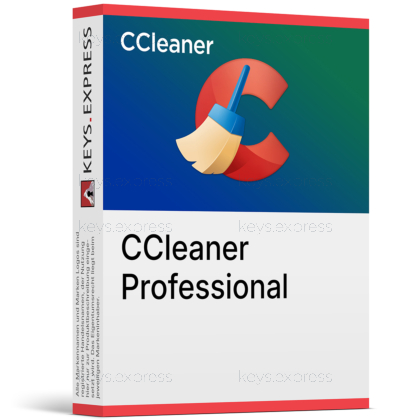
What are the main features and advantages of CCleaner Professional?
System Cleanup – Removes junk files to free storage quickly.
Health Monitoring – Checks PC issues and recommends useful fixes.
Software Updating – Finds outdated apps to reduce security risks.
Driver Updates – Updates old drivers to improve device stability.
Privacy Cleaning – Clears browsing traces and temporary activity data.
Performance Continuity – Helps keep Windows efficient and dependable longer.
Download: CCleaner Professional
Deep PC cleaning – Removes junk files, caches, and registry clutter.
Scheduled cleaning – Runs automatic cleanups and real-time junk monitoring.
Driver Updater – Scans hardware and replaces outdated device drivers.
Performance Optimizer – Sleeps idle background apps to free resources.
Core Capacity – Driver database covers over 110 million drivers.
Important – Licensed for home use only, not businesses.
CCleaner Professional is a Windows cleaning and optimization tool from Piriform that automates junk removal, driver updates, and background-app management. It keeps an aging PC faster and tidier without manual maintenance.
Hands-off upkeep – Scheduled cleaning runs without manual checks.
Faster startup – Trims startup items and frees disk space.
Fewer crashes – Updated drivers reduce hardware faults and instability.
Stronger privacy – Clears trackers, cookies, and browsing history automatically.
Cloud cleanup – Finds duplicates in Google Drive and OneDrive.
Priority support – Faster email help than free users get.
CCleaner Professional cleans, optimizes, and maintains Windows PCs from a single interface. It removes temporary files, browser caches, tracking cookies, and broken registry entries, then handles upkeep automatically through scheduled cleaning and real-time monitoring. The Smart Cleaning feature can trigger a cleanup once junk passes a set threshold, 500MB by default. Beyond cleaning it adds a Driver Updater, a Software Updater, and a Performance Optimizer that puts idle background apps to sleep and wakes them on demand. The combination targets the gradual slowdown that builds up on a Windows machine over months of normal use.
CCleaner Professional fits home users who want their Windows PC maintained automatically instead of cleaning it by hand. The practical gain over the free edition is automation: scheduled cleaning and real-time monitoring stop junk accumulating without you remembering to run a scan. It also helps owners of older laptops, where the Performance Optimizer frees memory by sleeping unused background apps and can improve battery life. It is the wrong choice for office or work PCs, which need a separate business license to stay within the terms of use.
Both editions clean the same junk files, browser data, and registry entries, so raw cleaning power is identical. Professional adds the parts the free version leaves out: scheduled cleaning, real-time Smart Cleaning, the full Driver Updater, automatic software updates, and priority email support. The free Health Check can flag issues, but applying many of its recommended fixes needs the paid edition. If you are happy running cleanups manually, Free is enough; Professional is about automation and convenience, not deeper cleaning.
No. CCleaner Professional is licensed for home use on personal computers only, and the End User License Agreement excludes business, commercial, and work-at-home use. For a company environment you need a business product such as CCleaner Business Edition or CCleaner Cloud, and if you charge clients for servicing their PCs you need CCleaner Technician. The consumer edition will still install on a work machine, but doing so breaches the license. Confirm how the PC is used before buying if any paid or business activity is involved.
No, file recovery is not part of CCleaner Professional; the Recuva recovery tool is bundled only with CCleaner Professional Plus. Professional is built to remove data, and its Secure Deletion option can overwrite files so they cannot be brought back afterwards. That makes a current backup important, because anything cleaned or securely wiped is gone for good. Treat CCleaner as routine maintenance rather than a safety net, and keep your own backup of files that matter.
Yes. The full Driver Updater has been part of the CCleaner Professional license since version 5.82, drawing on a database of more than 110 million drivers. It scans your hardware for outdated or missing drivers across components such as graphics, sound, network, and printers, then installs verified versions. Before each update it backs up the existing driver and creates a Windows System Restore point, so you can roll back if a new driver causes problems. Unlike Smart Cleaning it does not run silently in the background; you launch it manually when you want to check.
| Feature | Free | Professional | Professional Plus |
|---|---|---|---|
| Junk & registry cleaning | ✓ | ✓ | ✓ |
| Scheduled cleaning | ✕ | ✓ | ✓ |
| Real-time monitoring | ✕ | ✓ | ✓ |
| Performance Optimizer | ✕ | ✓ | ✓ |
| Driver & software updater | ✕ | ✓ | ✓ |
| Priority support | ✕ | ✓ | ✓ |
| File recovery (Recuva) | ✕ | ✕ | ✓ |
| System info (Speccy) | ✕ | ✕ | ✓ |
| Commercial use | ✕ | ✕ | ✕ |
No. CCleaner Professional is a cleaning and optimization tool, not a security suite, so it has no VPN, antivirus engine, or firewall. Its privacy side is limited to clearing trackers, cookies, and browsing history, not encrypting your connection.
The Professional desktop edition described here is for Windows. Piriform does make separate CCleaner apps for macOS and Android, and the Professional versions of those apps come bundled with CCleaner Professional Plus rather than the standard Professional edition.
No. CCleaner Professional targets desktop Windows such as Windows 10 and 11, not Windows Server. Recent builds added support for ARM64 devices, but server operating systems fall outside its supported range.
| Operating Systems | Windows 11: Home / Pro / Education / Enterprise Windows 10: Home / Pro / Education / Enterprise Windows 8.1: Core / Pro / Enterprise Windows 7 SP1: Starter / Home Basic / Home Premium / Professional / Ultimate / Enterprise Windows Server 2008 R2: Standard / Enterprise / Datacenter Windows Server 2012: Foundation / Essentials / Standard / Datacenter Windows Server 2012 R2: Foundation / Essentials / Standard / Datacenter Windows Server 2016: Essentials / Standard / Datacenter Windows Server 2019: Essentials / Standard / Datacenter Windows Server 2022: Essentials / Standard / Datacenter |
| Processor | Intel Pentium 4 or later, or equivalent AMD processor |
| Memory RAM | No minimum memory requirement specified by vendor |
| Hard Disk | No minimum hard disk requirement specified by vendor |
| Display | Standard display compatible with the respective operating system |
| Special Features | Health Check. Custom Clean and browser cleaning. Registry Cleaner. Performance Optimizer. Driver Updater. Software Updater. Startup management. |
| Note | 32-bit and 64-bit versions are supported. Internet connection required for activation and updates. For Windows XP or Windows Vista, the vendor recommends using the sunset version instead of the current release. |
| Operating Systems | macOS Sonoma 14 macOS Ventura 13 macOS Monterey 12 macOS Big Sur 11 macOS Catalina 10.15 macOS Mojave 10.14 macOS High Sierra 10.13 macOS Sierra 10.12 OS X El Capitan 10.11 OS X Yosemite 10.10 |
| Processor | Intel based Mac with 64-bit processor or Apple silicon chip including M1 |
| Memory RAM | 512 MB RAM or above. 1 GB RAM or higher preferred. |
| Hard Disk | 68 MB minimum free disk space. |
| Display | Standard display compatible with the respective operating system. |
| Special Features | Quick Scan. Clean unwanted clutter. Find duplicate files. Uninstall redundant apps. Analyze Photos. Clean browsers automatically. Import browser bookmarks. Empty Trash automatically. |
| Note | Requires a 64-bit Mac. Professional-only features include Analyze Photos, automatic browser cleaning, bookmark import, and automatic Trash emptying. |
| Operating Systems | Android 10.0 or later |
| Memory RAM | Requirements met by any device running the supported OS version |
| Hard Disk | Varies with device |
| Display | Standard display compatible with the respective operating system |
| Special Features | Remove junk. Reclaim storage space. App Manager. System Monitor. Battery and storage monitoring. Photo cleanup including similar, old, and poor-quality photos. Photo compression. Safer Browsing. |
| Note | Not supported on iOS, Symbian, Microsoft Windows Phone or Mobile, Bada, WebOS, or other mobile operating systems. Accessibility permission is used to help stop background apps with one tap. Custom ROM support is not guaranteed by the vendor. |



