

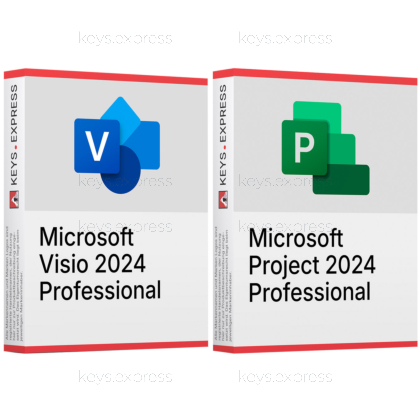
Two one-time purchases for the same Windows workstation: the diagramming application and the scheduling application, so the plan and the drawings that explain it are produced on one machine.
Microsoft Visio 2024 Professional – Windows diagramming for flowcharts, network diagrams, org charts and BPMN or UML models. Linking shapes to Excel or SQL Server data is among the capabilities Microsoft lists for Professional rather than Visio Standard 2024, and there is no macOS version.
Microsoft Project 2024 Professional – desktop scheduling with Gantt charts, dependencies, baselines, resource assignment and built-in reports. Timesheet capture and synchronisation with Project Server or Project Online separate it from Project Standard 2024; that server side is licensed on its own.
This product is not posted to the MS account and is not transferable to other devices.
This product allows a one-time activation for one device. Once used, it cannot be used again, not even for the same device.
In stock
Visio 2024 Professional – Flowcharts, network maps, org charts, floor plans.
Data-linked shapes – Shapes connected to Excel or SQL data.
Project 2024 Professional – Schedules, dependencies, baselines, resources and reports.
Server connectivity – Plans sync with Project Online or Server.
Shared .mpp files – Visio imports and exports Project schedules.
Important – No Office applications included; Windows only.
Both applications document the same piece of work: Project holds the schedule, Visio explains the process, the network or the site that the schedule refers to. Microsoft connects them in both directions — Visio's timeline and Gantt wizards read Project (.mpp) files, and Microsoft states that Project must be installed on the machine for that to work, while Project's Report > Visual Reports command renders project data as a Visio PivotDiagram.
Timelines from .mpp – Visio imports Project files into timeline diagrams.
Gantt import – Visio's Gantt template reads Project schedules.
Visio PivotDiagrams – Project Visual Reports open directly in Visio.
Export back – Visio timelines can be saved as Project files.
Side by side – Both install on the same Windows PC.
Combined price – Lower than the two keys bought separately.
Yes, and Microsoft documents the exchange in both directions. Microsoft's requirements for Project Professional 2024 name Windows 11, Windows 10 and Windows Server 2019, and both products are Windows desktop applications with no macOS counterpart. They also share the same major version, 16.0, and contain no overlapping applications, which is why they install alongside each other and alongside Office 2024 or Office LTSC 2024 on the same machine. The one rule Microsoft states without exception is that every installed product must be the same build: a 32-bit Visio cannot sit next to a 64-bit Project or Office.
Through two wizards in Visio and one report command in Project. In Visio, the Timeline template offers Import Data, which reads a Project (.mpp) file and builds a timeline from the task types you select; the Gantt Chart template has its own import wizard for the same file format. In Project, Report > Visual Reports offers six Visio templates in metric and US variants — Baseline, Cash Flow, Critical Tasks Status, Resource Availability, Resource Status and Task Status — which open as Visio PivotDiagrams. Microsoft notes for each of these paths that the other program has to be installed on the machine, which is the practical reason the two keys are sold as one bundle. The exchange also runs the other way: a Visio timeline can be written out as a Project file with Export Data.
The order itself does not matter, but the build of whichever you install first does, because the second one has to match it. Decide on 32-bit or 64-bit before the first installation; if Office is already on the PC, take the build that Office uses, since products on the same computer must also share the same update channel. Install Project before you test the Visio import wizards, otherwise the timeline and Gantt imports have nothing to read and the .mpp step of the wizard fails. Reinstalling one of the two later does not disturb the other, as they write separate program entries and share only the Office 16.0 runtime.
A PC on which schedules and drawings describe the same project rather than two unrelated jobs. The workflow it handles better than either product alone is the reporting round: the .mpp plan stays the single source of dates, the Visio timeline import turns it into a one-page milestone drawing for a client or works council, and the Visual Reports templates produce task and resource status diagrams without anyone retyping a date. If your diagrams have nothing to do with your schedules — network documentation on one side, a construction plan on the other — then the two applications are independent tools that happen to be bought at the same time, and the interaction arguments above do not apply to you.
Whenever one half would sit unused, or a lower edition would do the job. A PC that already runs a current Project or Visio needs only the missing key, and neither application requires the other to run. If the diagram work is flowcharts and org charts without any connection to external data, Visio Standard 2024 covers it, and if one person schedules one plan without resource pooling, timesheets or a Project Server, Project Standard 2024 covers that. Buyers who want continuing new features rather than a fixed feature set should also look elsewhere: Microsoft points them to subscription plans such as Visio Plan 2 or Planner and Project Plan 3 and 5, because the desktop purchase versions receive security and quality updates but no feature updates.
Any Office application. Neither product contains Word, Excel, Outlook, PowerPoint, Access or OneNote, which matters in one concrete place: the Visual Reports dialog in Project also offers ten Excel templates, and those need an installed Excel that this bundle does not provide. There is no macOS version of either application, and no web app either — Visio for the web and the Planner web experience that replaced Project for the web both require their own subscriptions. Synchronising a plan with Project Online or Project Server needs that server side licensed separately, and the presence indicator that lets you start a chat from a task row needs a Microsoft Teams licence of its own. Both applications are installed programs that work on local files; co-authoring a Visio diagram additionally requires storage on Microsoft 365 or SharePoint.
| Task | Visio 2024 Pro | Project 2024 Pro |
|---|---|---|
| Diagrams and process maps | ✓ | ✕ |
| Network diagrams and floor plans | ✓ | ✕ |
| Shapes linked to external data | ✓ | ✕ |
| Task scheduling and dependencies | ✕ | ✓ |
| Resource and cost tracking | ✕ | ✓ |
| Timesheet capture | ✕ | ✓ |
| Opens Project (.mpp) files | Needs Project | ✓ |
| Documents and spreadsheets | ✕ | ✕ |
| macOS version | ✕ | ✕ |
No. Project has its own Gantt, Timeline and Network Diagram views, but they are schedule views, not a drawing application, and none of them produce an editable Visio file. The Visio report templates in Project's Visual Reports dialog only open once Visio is installed on the same PC.
Yes. Each is a separate program with its own key and runs perfectly well on a PC where the other is absent; only the cross-product wizards and the Visio-based visual reports need both. That is also why the bundle is worth splitting if you already own one of the two.
For the timeline exchange, yes: Microsoft lists the Import Data and Export Data wizards for Visio Standard 2024 as well as for Visio Professional 2024, and both still require an installed Project. The Professional edition is the one to take when the diagrams themselves need data linking, standards validation or the wider template set.
Yes. Microsoft states for Project Professional 2024 that it supports the Long-Term Servicing Channel and is compatible with Office LTSC and Office 2024, and Visio 2024 belongs to the same 16.0 generation. The single condition remains the build: Office, Visio and Project on one PC must all be 32-bit or all be 64-bit.
keys.express and keys.discount are online platforms for product keys. The product keys available in our shops for Windows and other software are inexpensive, secure, legal and come with an activation guarantee.
Below you will find the most important legal information about our products.
We offer exclusively unused and non-activated product keys. The keys have never been redeemed for activation and are fully available to the purchaser for the first-time activation of the respective product. A key that has already been redeemed could no longer be used for a new activation and is therefore not offered by us.
Trading in these product keys is permissible in the European Union and in Switzerland under current case law, provided that the necessary conditions are met. These conditions are as follows:
This trade is legally permissible because the underlying license was already placed on the market with the consent of the rightholder within the EU/EEA or Switzerland in return for appropriate remuneration. As a result, the so-called principle of exhaustion has taken effect, which permits the resale of individual product keys — in particular those originating from volume license agreements. Microsoft or the respective software provider has already received appropriate remuneration for this.
keys.express and keys.discount ensure that the aforementioned conditions are met and that the lawful use of the software is guaranteed. The requirements arising from European legislation are also observed in Switzerland.
Important note: The acquisition of a product key through the transmission of a combination of numbers and letters in digital form does not, in itself, constitute a license for the lawful use of the program. The license only arises from the respective installation and the associated acceptance of the manufacturer's terms of use.
Further information can be found here: