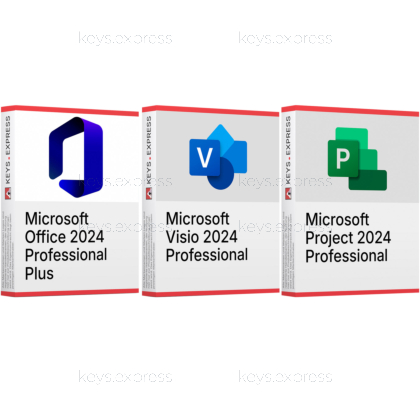
One Windows workstation equipped for documents, technical diagrams and project schedules, with all three products taken from the same 2024 generation so they sit on the machine together.
Microsoft Office 2024 Professional Plus – Word, Excel, PowerPoint, Outlook, OneNote and Access as installed desktop applications. Access is what separates Professional Plus from Office 2024 Standard; Publisher is not part of the suite and Teams is only a separate download.
Microsoft Visio 2024 Professional – Diagramming for flowcharts, network maps, floor plans and engineering drawings. Data linking to Excel, Access, SQL Server and SharePoint lists is among the capabilities Visio Standard 2024 does not offer; browser-based editing is not included.
Microsoft Project 2024 Professional – Scheduling for Gantt plans, dependencies, costs and resources. Shared resource pools and connectivity to Project Online or Project Server are among the additions over Project Standard 2024; neither server product is part of this purchase.
This product is not posted to the MS account and is not transferable to other devices.
This product allows a one-time activation for one device. Once used, it cannot be used again, not even for the same device.
In stock
Office applications – Word, Excel, PowerPoint, Outlook, OneNote and Access.
Desktop database – Access stores records in local .accdb files.
Visio Professional – Data-linked diagrams, BPMN, UML and CAD import.
Project Professional – Gantt schedules, resource pools, timesheets and costs.
Visual Reports – Project data drawn in Excel or Visio.
Important – Publisher, Teams and cloud features are not included.
Microsoft states that Project 2024 is compatible with Office LTSC and Office 2024, and all three products install with the same Click-to-Run technology under the same version number, which is what allows them to share one workstation without the conflicts that arise between different Office generations. The working link between them is Project's Visual Reports command: Project hands its own schedule data to Excel as a PivotChart or to Visio as a PivotDiagram, so those reports only exist on a machine where the other two programs are actually installed.
Visual Reports – Project builds PivotCharts in Excel, PivotDiagrams in Visio.
Documented compatibility – Microsoft lists Project 2024 as Office 2024 compatible.
Data-linked diagrams – Visio shapes read Excel workbooks and Access tables.
Plan into slides – Project schedules paste into PowerPoint and Word.
Matched generation – One 2024 release avoids Click-to-Run version conflicts.
Combined price – Lower than the three keys bought separately.
Yes. Microsoft supports Office LTSC 2024 together with Project 2024 and Visio 2024 on Windows 11, Windows 11 LTSC 2024, Windows 10 LTSC 2021, Windows 10 LTSC 2019, Windows Server 2025 and Windows Server 2022, and confirms separately that Project 2024 is compatible with Office LTSC and Office 2024. Two rules govern whether Office-family products coexist on one computer: products of the same version cannot use different installation technologies, and every installed product must be the same bit version. Because all three items in this bundle belong to the 2024 generation and use Click-to-Run, those conditions are met from the start. The classic failure is mixing bit versions, for example a 32-bit Visio on a PC that already runs a 64-bit Office.
Install Office 2024 Professional Plus first, then Visio 2024 Professional and Project 2024 Professional into the finished installation. Office sets the bit version and update channel that the other two have to match, and reading it afterwards under File > Account > About Word takes seconds, while correcting a mismatch means removing and reinstalling a product. Older Office, Project or Visio installations should be removed before you start, because a Windows Installer version of the same 16.0 version number cannot sit next to a Click-to-Run installation. If you deploy with the Office Deployment Tool, all three products can be listed in one configuration file, which removes the bit-version question entirely.
They turn one set of project data into three different documents without retyping it. Project's Report tab offers Visual Reports, which collects the schedule into a local OLAP cube and opens it either as an Excel PivotChart or as a Visio PivotDiagram, and the report templates for an application that is not installed simply do not appear. In the other direction, Visio's Data tab links shapes to rows in an Excel workbook or an Access table through the Data Selector Wizard, so a network map or floor plan shows the current values from the file the Office suite maintains. One limit is worth knowing before you plan a workflow around it: Visio holds a snapshot of the source data and can refresh from it, but editing the diagram does not write anything back into the Excel or Access file.
It fits a workstation where the same job produces a schedule, a drawing and a document, rather than three unrelated tasks. A concrete case is a plant or office relocation: the move plan with its dependencies and resources lives in Project, the floor plan and network layout are drawn in Visio with the equipment shapes linked to the Excel asset list, and the cost and progress reporting comes back out of Project into Excel through Visual Reports. Access adds the option of keeping that asset list as a local database file instead of a workbook once it outgrows a spreadsheet. If nobody in the company maintains a Gantt schedule or draws technical diagrams, that argument does not apply and Office 2024 Professional Plus on its own is the more sensible purchase.
Whenever one of the three is already on the machine or is not needed. A PC that already runs a current Office suite gains nothing from a second one, and Visio and Project are sold on their own for exactly that situation. The edition question matters just as much: if diagrams never leave the level of basic flowcharts and org charts, Visio Standard 2024 covers them, and a single manager scheduling one project without shared resources or timesheets is served by Project Standard 2024. Both applications also run perfectly well without any Office installation, so a machine used only for drawing or only for scheduling does not need the Office half of this bundle at all.
Publisher and Teams, and the whole cloud-backed side of Microsoft 365. Microsoft removed Publisher from the 2024 generation because the application is retired and will no longer be supported after October 2026, and Teams is offered as a separate download rather than being preinstalled with the suite. Office LTSC 2024 also has no real-time collaboration, no AI-driven automation and none of the hybrid-work security and compliance tooling, and the browser editors for diagrams and plans belong to the Visio and Project subscription plans, not to a perpetual licence. Project Professional can connect to Project Online or Project Server, but neither of those is part of this bundle and both need their own licence. Visio and Project are Windows desktop applications with no Mac edition, and Access is likewise unavailable on macOS.
| Task | Office 2024 Pro Plus | Visio 2024 Pro | Project 2024 Pro |
|---|---|---|---|
| Documents and spreadsheets | ✓ | ✕ | ✕ |
| Email and calendar | ✓ | ✕ | ✕ |
| Local databases | ✓ | ✕ | ✕ |
| BPMN and UML diagrams | ✕ | ✓ | ✕ |
| Shapes linked to data | ✕ | ✓ | ✕ |
| AutoCAD import and export | ✕ | ✓ | ✕ |
| Gantt scheduling | ✕ | ✕ | ✓ |
| Shared resource pools | ✕ | ✕ | ✓ |
| Desktop publishing | ✕ | ✕ | ✕ |
| Browser-based editing | ✕ | ✕ | ✕ |
| Mac desktop version | ✕ | ✕ | ✕ |
No. Microsoft lists Office LTSC Professional Plus 2024 as Access, Excel, OneNote, Outlook, PowerPoint and Word, with Skype for Business as an optional install during setup. Visio and Project are sold as separate products in the same 2024 family, which is why they form the second and third part of this bundle.
Yes, both are standalone Windows applications and neither needs Word, Excel or an Office installation to start. What they lose without Office is the exchange: Project's Visual Reports need Excel or Visio present to open a report at all, and Visio's data linking needs an Excel workbook or Access table to point at.
For plain flowcharts and a single self-contained schedule, yes. The Professional editions in this bundle add data linking, BPMN and UML stencils and CAD import on the Visio side, and shared resource pools, timesheets and server connectivity on the Project side. There is no upgrade path from Standard to Professional, so a later change of mind means a second purchase.
Yes. Microsoft lists Access alongside Word, Excel, PowerPoint, Outlook and OneNote for Office LTSC Professional Plus 2024, and it is not part of the Office 2024 Standard edition. Access runs on Windows only and is not available in the macOS version of Office.
keys.express and keys.discount are online platforms for product keys. The product keys available in our shops for Windows and other software are inexpensive, secure, legal and come with an activation guarantee.
Below you will find the most important legal information about our products.
We offer exclusively unused and non-activated product keys. The keys have never been redeemed for activation and are fully available to the purchaser for the first-time activation of the respective product. A key that has already been redeemed could no longer be used for a new activation and is therefore not offered by us.
Trading in these product keys is permissible in the European Union and in Switzerland under current case law, provided that the necessary conditions are met. These conditions are as follows:
This trade is legally permissible because the underlying license was already placed on the market with the consent of the rightholder within the EU/EEA or Switzerland in return for appropriate remuneration. As a result, the so-called principle of exhaustion has taken effect, which permits the resale of individual product keys — in particular those originating from volume license agreements. Microsoft or the respective software provider has already received appropriate remuneration for this.
keys.express and keys.discount ensure that the aforementioned conditions are met and that the lawful use of the software is guaranteed. The requirements arising from European legislation are also observed in Switzerland.
Important note: The acquisition of a product key through the transmission of a combination of numbers and letters in digital form does not, in itself, constitute a license for the lawful use of the program. The license only arises from the respective installation and the associated acceptance of the manufacturer's terms of use.
Further information can be found here: