↑
Back to Top
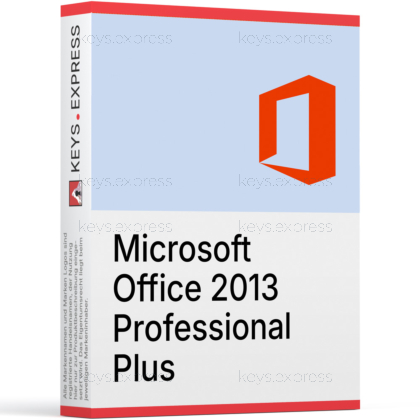
What are the main features and advantages of Microsoft Office 2013 Professional Plus?
Complete Suite – Includes Word, Excel, PowerPoint, Outlook, OneNote.
Business Tools – Adds Access databases and Publisher for professional layouts.
Enterprise Deployment – Supports volume licensing, KMS/MAK, and centralized installs.
Offline Licensing – One-time purchase, works without monthly subscriptions.
File Compatibility – Opens modern Office formats with strong backward support.
Important – Microsoft Visio and Microsoft Project not included.
Thank you for understanding our FAIRPLAY conditions:
You must have a customer account and have purchased products from us within the last twelve months.
Free products are available to each customer only once.
You may order a maximum of three free products.
This product is not posted to the MS account and is not transferable to other devices.
This product allows a one-time activation for one device. Once used, it cannot be used again, not even for the same device.
Download: Office 2013 Professional Plus
Core applications – Word, Excel, PowerPoint, OneNote, Outlook for daily office work.
Access 2013 – Full desktop database tool for tables, queries, forms.
Publisher 2013 – Page layout for flyers, brochures, newsletters, simple catalogs.
Lync 2013 – Business messaging and conferencing client, later renamed Skype for Business.
InfoPath 2013 – Form designer for structured SharePoint and intranet data entry.
Important – Microsoft Teams and Microsoft 365 cloud services are not included.
Office 2013 Professional Plus is the classic perpetual desktop edition of Microsoft Office for Windows, aimed at users and organizations that need the full Pro application range, including Access, Publisher, Lync, and InfoPath. It runs locally without any Microsoft 365 subscription and stores files on the user's own drives or local network.
Complete Pro suite – All Professional Plus apps in one installer.
Local-only operation – Works fully without cloud accounts or sign-in.
Office Open XML – Saves .docx, .xlsx, .pptx by default.
PDF export – Built-in Save As PDF from every core app.
Touch mode – Larger ribbon spacing introduced for tablet hardware.
SharePoint integration – Native support for on-premises SharePoint document libraries.
It installs a complete locally running Office suite on a Windows PC, with Word, Excel, PowerPoint, Outlook, OneNote, Access, Publisher, Lync, and InfoPath. Office 2013 introduced the flat, white Ribbon UI, the Start screen with template gallery, and inline PDF editing in Word ("PDF Reflow"). Files are saved by default in Office Open XML (.docx, .xlsx, .pptx), but the suite still opens legacy .doc, .xls, and .ppt files from earlier Office versions. There is no Microsoft 365 component and no built-in Teams client.
It fits users who maintain older Windows 7 or Windows 8.1 workstations where current Office 2021 or 2024 is no longer supported and a modern Microsoft 365 subscription is not wanted. It is also useful for keeping legacy Access 2013 database front-ends running unchanged, since later Office editions sometimes break older Access macros and forms. Buyers should be aware that Microsoft ended extended support for Office 2013 on April 11, 2023, so no further security updates are released. For machines exposed to the internet or to external file sharing, a newer Office version is the safer technical choice.
Professional Plus is the larger of the two classic on-premises Office 2013 editions and adds Access, InfoPath, and Lync on top of the Standard application set. Standard does not include Access or InfoPath, which matters for anyone running Access database files or SharePoint InfoPath forms. Both editions share the same Word, Excel, PowerPoint, Outlook, OneNote, and Publisher versions, so general office work looks identical. The deciding question is usually whether Access or InfoPath are needed.
| Application | Professional Plus | Standard |
|---|---|---|
| Word, Excel, PowerPoint | ✓ | ✓ |
| Outlook | ✓ | ✓ |
| OneNote | ✓ | ✓ |
| Publisher | ✓ | ✓ |
| Access | ✓ | ✕ |
| InfoPath | ✓ | ✕ |
| Lync | ✓ | ✕ |
| Microsoft Teams | ✕ | ✕ |
Mainstream support ended on April 10, 2018, and extended support ended on April 11, 2023, so Microsoft no longer ships security patches for Office 2013. Microsoft Teams is not part of this suite, and the included Lync 2013 client connects to on-premises Lync or Skype for Business servers rather than the modern Teams service. There is no native OneDrive cloud sync of the kind Microsoft 365 ships today; "Save to SkyDrive" worked at launch but is no longer maintained for current Microsoft cloud back-ends. Real-time co-authoring in the modern sense and the AI Copilot features added in later Office releases are also absent.
It uses Office Open XML as the default save format (.docx, .xlsx, .pptx, .one, .pub, .accdb), and it still opens older binary files such as .doc, .xls, .ppt, and .mdb. Word 2013 can open existing PDF files and convert them into editable Word documents via the "PDF Reflow" feature, and every core app can export directly to PDF with Save As. Outlook 2013 supports Exchange, IMAP, and POP3 mail accounts and stores local mail in .pst and .ost files. Older .doc and .xls files saved long ago will open in Compatibility Mode, which disables a few newer features until the file is upgraded.
No. Microsoft Teams did not exist when Office 2013 was released and is not part of this suite. The included business communication client is Lync 2013, which Microsoft later rebranded as Skype for Business and which connects to on-premises Lync or Skype for Business Server, not to Microsoft Teams. Buyers who need Teams must install it separately as a standalone client or use it through a Microsoft 365 plan.
Yes. Access 2013 is part of the Professional Plus edition and installs the full desktop database application that creates and edits .accdb files. The Standard edition of Office 2013 does not include Access, which is the main reason buyers who maintain Access databases choose Professional Plus.
Yes. It is a one-time perpetual desktop installation of Office that runs locally on Windows without a Microsoft 365 subscription. It is unrelated to the modern Microsoft 365 Apps that update monthly and depend on a Microsoft account.
Yes. Files saved by Office 2013 use the standard Office Open XML formats (.docx, .xlsx, .pptx) and open without conversion in Office 2016, 2019, 2021, 2024, and Microsoft 365 Apps. Some features unique to newer versions, such as XLOOKUP in Excel, will appear only as static results when the file is opened back in Office 2013.
No. Extended support for Office 2013 ended on April 11, 2023, so Microsoft no longer issues security patches or fixes for the suite. For workstations connected to the internet or handling external email and documents, this is an important risk factor to weigh.
| Operating Systems | Windows 8.1: Standard / Pro Windows 8: Standard / Pro Windows 7: SP1 Windows Server 2012: Standard / Datacenter Windows Server 2008 R2: Standard / Datacenter |
| Processor | 1 GHz x86 or x64 processor with SSE2 support |
| Memory RAM | 1 GB 32-bit / 2 GB 64-bit |
| Hard Disk | 3.0 GB free disk space |
| Display | 1024 x 576 screen resolution minimum |
| Graphics | DirectX 10-compliant graphics card for hardware acceleration 64 MB video memory minimum for hardware acceleration |
| NET Version | .NET Framework 3.5 or later |
| Note | If the required DirectX 10-capable hardware is not present, Office 2013 apps can still run without graphics hardware acceleration |
keys.express and keys.discount is a web platforms for new and used product keys. The product keys for Windows and other software available in the shop of keys.express and keys.discount are cheap, safe, legal and with activation guarantee.
Here you can find some general information about used software, an overview of the most important legal information as well as answers to frequently asked questions from our customers ("FAQ“)
Used software is available for sale in the European Union as well as in Switzerland according to current jurisdiction provided that the necessary conditions are met. The necessary conditions are as follows:
keys.express and keys.discount ensure that the above mentioned requirements are met and that a legal use of the software is guaranteed. The requirements of the European legislation are also met in Switzerland.
You can find further information on:
There is a lot of legal information about the topic of used software. We are more than happy to answer any questions you may have. You can contact us at any time via welcome(at)keys.express. In the meantime, you can also find a short overview of the most important legal information regarding used software here:
For distance contracts concluded by telephone, on the Internet or when ordering from a catalogue, EU law provides for the possibility for consumers to withdraw from the contract for a certain period of time ("right of withdrawal"). A consumer in this sense is any natural person who concludes a legal transaction for purposes that are predominantly neither commercial nor self-employed. In Switzerland we usually speak of consumers.
Consumers have the right to cancel the contract within fourteen calendar days without giving reasons. The revocation period begins on the day the contract is concluded.
In order to exercise your right of withdrawal from keys.express or keys.discount, you must inform us by means of a clear statement (e.g. a letter, fax or e-mail sent by post) of your decision to withdraw from this contract. For this purpose, you can contact us using the following information:
Keys Distribution Ltd
Suite 2, 215 Main Street
Gibraltar Heights, Gibraltar
Phone +423 7989130
Email: welcome@keys.discount
keys.express and keys.discount also provides a template revocation form. In order to comply with the revocation period, it is sufficient to send the notification of the exercise of the right of revocation to Keys Distribution Ltd before the end of the revocation period.
If you revoke this contract, we must reimburse you for all payments which we have received from you for the corresponding order, including delivery costs (with the exception of additional costs which result from the fact that you have chosen a different type of delivery than the cheapest standard delivery offered by us), immediately and at the latest within fourteen calendar days from the day on which we receive notification of your revocation of this contract. For this repayment we will usually use the same means of payment that you used for the original transaction, unless expressly agreed otherwise with you. In no case will you be charged for this refund.



