↑
Back to Top
What are the main features and advantages of Stellar Photo Recovery 11?
Media Recovery – Restores deleted photos, videos, and audio files.
Raw Support – Recovers camera RAW formats from many brands.
Deep Scanning – Finds lost media from formatted storage devices.
Device Coverage – Works with cards, USB drives, and disks.
Preview Access – Lets you verify recoverable files before saving.
Creative Freedom – Supports long-term protection of valuable media workflows.
Download: Stellar Photo Recovery 11

Media recovery – Restores deleted photos, videos and audio files.
Deep Scan – Sector-wise scan recovers files Quick Scan misses.
RAW support – Recovers RAW images from major camera brands.
Photo/video repair – Fixes corrupt media after recovery in higher editions.
Core Capacity – Recovers JPEG, TIFF, PNG, RAW and common video formats.
Important – No Windows Server or RAID array recovery support.
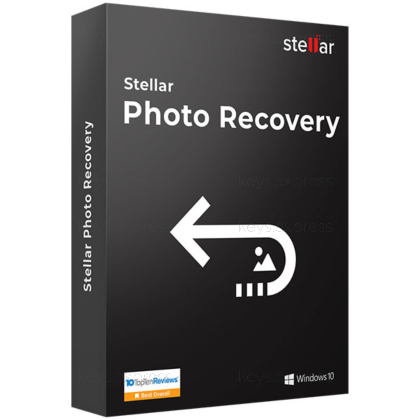
Stellar Photo Recovery 11 is a desktop tool for restoring deleted, formatted or corrupted photos, videos and audio from hard drives, memory cards and camera media. Higher editions add file repair and multi-system deployment aimed at photographers, studios and recovery technicians.
Preview before buying – Scan and view recoverable files first.
Pause and resume – Save scans, recover later without rescanning.
Bad-sector imaging – Clone failing media, then scan the image.
SMART monitoring – Flags drive health to prevent further loss.
Cross-platform – Same recovery workflow on Windows and macOS.
Edition scaling – Choose repair or multi-system tiers as needed.
Stellar Photo Recovery 11 restores lost, deleted and formatted media files using a three-step Select, Scan and Recover workflow. Its Deep Scan performs sector-wise scanning to rebuild files that a faster Quick Scan cannot locate, which matters when a memory card has been formatted or a partition is no longer readable. It recovers photos, videos and audio together in one pass, so you do not need separate tools for a card holding both stills and clips. The software runs on Windows 11, 10, 8.1 and 7 as well as macOS, with the same recovery features on both systems.
It recovers standard image formats such as JPEG, TIFF and PNG plus camera RAW files from brands including Canon, Nikon, Sony, Fujifilm, Olympus, Panasonic and Pentax. Source media can be SD and CF cards, USB drives, internal and external HDDs and SSDs, and optical discs on the higher editions. This makes it suited to the common photographer problem of a corrupted card pulled straight from a DSLR or mirrorless body. It reads storage media and camera cards directly, but it does not pull photos from the internal storage of a connected iPhone or Android phone, which Stellar handles with separate mobile recovery products.
The editions differ mainly by repair tools and deployment scope, not by core scanning. Standard performs recovery only; Professional adds corrupt-photo repair and disk imaging; Premium adds unlimited video repair on top of photo repair; Technician keeps the Premium feature set and can be installed on up to three systems for on-site recovery work. A wedding photographer who needs to rescue both damaged JPEGs and a corrupted ceremony clip would need Premium, since Professional repairs images but not video. The table below summarizes the verified differences.
| Feature | Standard | Professional | Premium | Technician |
|---|---|---|---|---|
| Recover photos, videos & audio | ✓ | ✓ | ✓ | ✓ |
| Disk imaging (Create Image) | ✕ | ✓ | ✓ | ✓ |
| Repair corrupt photos | ✕ | ✓ | ✓ | ✓ |
| Repair corrupt videos | ✕ | ✕ | ✓ | ✓ |
| Install on multiple systems | ✕ | ✕ | ✕ | ✓ |
Stellar Photo Recovery 11 does not recover from RAID arrays in any edition, so multi-disk array failures need Stellar's separate Technician or Toolkit data-recovery products instead. It runs only on desktop Windows and macOS and has no Windows Server build, which rules it out for server-side photo archives. Video repair is also gated: the Standard edition recovers files but repairs nothing, and photo repair appears only from Professional upward. Knowing these boundaries before purchase prevents buying Standard when a damaged-video repair is the actual goal.
Decide first whether you only need recovery or also file repair, because repair is the main paywall between tiers. If you need to fix damaged stills, start at Professional; if corrupted video must also be rebuilt, Premium is the minimum, since its video repair is drawn from Stellar's dedicated video repair engine. Technicians and studios working across several machines should weigh the Technician edition, which allows installation on up to three systems. You can run the free scan and preview recoverable files first, so you can confirm your photos are detectable before committing to a paid edition.
Yes. Use the Create Image feature to build a sector-by-sector image of the failing drive or card first, then run the recovery scan against that image rather than the unstable original. This reduces further stress on hardware that is already deteriorating and improves the chance of a clean recovery.
Yes. The scan and file preview are available before activation, so you can see which photos and videos are detectable before buying a key. The free edition also lets you recover a small number of files at no cost, which is enough to confirm the tool works on your specific card or drive.
| Operating Systems |
Windows 11: Home / Pro / Education / Enterprise |
| Processor | Intel compatible x64-based processor |
| Memory RAM | 4 GB minimum. 8 GB recommended. |
| Hard Disk | 250 MB free space for installation files. |
| Display | Standard display compatible with the respective operating system. |
| Special Features | Recovers photos, videos, and audio files. Supports camera RAW recovery. Deep Scan for formatted and corrupted storage. Preview before recovery. Save scan information and resume recovery later. Add new file headers manually or automatically for custom file type recovery. Supports BitLocker-encrypted drives. Supports FAT32, ExFAT, NTFS, HFS+, APFS, Linux, and BTRFS file systems during scan and preview. Supports recovery from storage devices above 18 TB. Supports 4K hard drives. |
| Note | 64-bit operating system required. Internet connection required for activation. |
| Operating Systems | macOS Tahoe 26 macOS Sequoia 15 macOS Sonoma 14 macOS Ventura macOS Monterey macOS Big Sur macOS Catalina 10.15 macOS 10.14 macOS 10.13 |
| Memory RAM | 4 GB minimum. 8 GB recommended. |
| Hard Disk | 250 MB free space. |
| Display | Standard display compatible with the respective operating system. |
| Special Features | Recovers photos, videos, and audio files. Supports recovery from internal and external Mac storage drives. Supports recovery from camera media and Time Machine. Supports recovery from corrupt, formatted, RAW, and encrypted drives. Supports encrypted drives using Drive Utility, FileVault, and similar tools. Deep Scan for sector-by-sector recovery. Pause scan and resume recovery later. Add new file types when the required format is not found. Create image of a drive or selected disk segment for later recovery. Supports Apple silicon scanning including T2, M1, M2, and M3 based Macs. |
| Note | 64-bit operating system required. Internet connection required for activation. |


