↑
Back to Top
What are the key benefits and main advantages of Microsoft Windows 10 Home Retail?
Familiar Interface – Easy Start menu and straightforward daily navigation.
Everyday Security – Built-in protection against malware and risky downloads.
Gaming Features – Great performance with DirectX and Game Mode.
Device Sync – Sign in once and sync settings across devices.
Fast Updates – Regular improvements with automatic security patches.
App Compatibility – Runs most Windows apps and popular hardware.
"Original Equipment Manufacturer" key. Is stored in the BIOS for reuse.
A Microsoft account is required for activation.
Download: Windows 10 Home OEM
Desktop OS – Windows 10 version 22H2 for personal devices.
Microsoft Defender – Built-in antivirus, firewall, and SmartScreen protection.
Windows Hello – Sign-in via PIN, fingerprint, or face recognition.
Microsoft Edge – Chromium-based browser with sync and tracking prevention.
Core Capacity – Supports up to 128 GB RAM and one CPU socket.
Important – Full BitLocker, Hyper-V, and Remote Desktop hosting are not included in this edition.
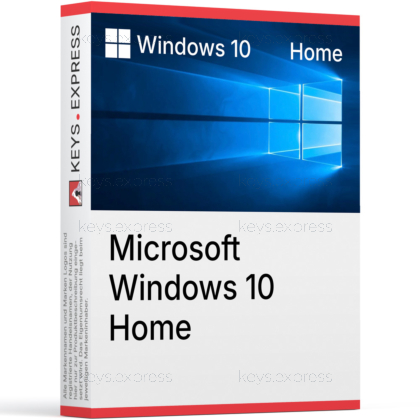
Windows 10 Home Retail is the consumer edition of Microsoft's previous-generation desktop operating system, intended for personal PCs and household devices. Mainstream support ended on 14 October 2025, but enrolled devices can still receive security-only updates through the Consumer ESU programme until 13 October 2026.
Familiar interface – Start menu and taskbar most users already know.
Wide compatibility – Runs older hardware that cannot meet Windows 11 rules.
Built-in security – Defender Antivirus and Firewall active out of the box.
Gaming support – DirectX 12, Game Mode, Xbox app, and Auto HDR on capable PCs.
Cloud integration – OneDrive sync and Microsoft account backup for files and settings.
Bridge to Windows 11 – Free in-place upgrade if the device meets TPM 2.0 and CPU rules.
It is the consumer-licensed version of Windows 10 version 22H2, the final feature release of Windows 10. The retail (FPP) variant is tied to the user, not the original PC, so it can be moved to a replacement device after uninstalling it from the previous one. It runs standard x64 desktop applications, supports Microsoft Store apps, and includes Defender, Edge, Photos, Mail, and the Xbox app. Since Microsoft no longer ships feature updates or quality fixes for Windows 10, buyers should expect a stable but frozen feature set with security updates only via ESU enrolment.
It fits home users with hardware that fails the Windows 11 compatibility check — typically pre-2018 CPUs or systems without TPM 2.0 — who want a legitimate, activatable licence on a fresh install or a replacement drive. It is also a practical choice for a secondary household PC used for browsing, Office, streaming, and casual gaming, where the missing Pro features (BitLocker, Hyper-V, Remote Desktop hosting, domain join) are not needed. It is not the right pick for IT administrators, developers running local VMs, or anyone who must encrypt a laptop with full BitLocker management.
Both editions share the same kernel, driver model, gaming stack, and update mechanism, so day-to-day speed is identical on the same hardware. The differences are entirely in business and power-user features: Pro adds full BitLocker, Hyper-V, Remote Desktop hosting, Group Policy Editor, Assigned Access, local Active Directory domain join, and Microsoft Entra ID join, plus support for up to 2 TB RAM and two CPU sockets. Home tops out at 128 GB RAM and one socket and only provides basic Device Encryption on supported hardware. If you only need home use, the Home edition covers the same gaming and productivity tasks as Pro.
| Feature | Windows 10 Home | Windows 10 Pro |
|---|---|---|
| Full BitLocker | ✕ | ✓ |
| Device Encryption | Limited | ✓ |
| Hyper-V | ✕ | ✓ |
| Remote Desktop host | ✕ | ✓ |
| Domain / Entra join | ✕ | ✓ |
| Group Policy Editor | ✕ | ✓ |
| Maximum RAM | 128 GB | 2 TB |
| CPU sockets | 1 | 2 |
No. The full BitLocker management console, Hyper-V virtualization platform, and Remote Desktop host role are all reserved for Windows 10 Pro, Enterprise, and Education. Home only offers a stripped-down Device Encryption, which activates automatically when the device has TPM 2.0 and the user is signed in with a Microsoft account, with no recovery key escrow control or per-drive policy management. For virtualization on Home, users typically install VirtualBox or VMware Workstation Player; for remote work, the PC can act as a Remote Desktop client only, not as the host. If any of these are required, the correct purchase is the Pro edition, not Home.
Mainstream support for Windows 10 (version 22H2) ended on 14 October 2025, so no feature updates, quality updates, or general technical assistance are issued by default. Microsoft provides a Consumer ESU programme that supplies critical and important security updates through 13 October 2026 for devices running 22H2 Home, Pro, Pro Education, or Workstation. Enrolment is done from Settings > Update & Security > Windows Update and requires signing in with a Microsoft account. ESU is security-only — it does not add new features and does not include technical support.
Yes, in practice the Home edition's Out-of-Box Experience (OOBE) prompts for a Microsoft account and an internet connection. A local account can be configured afterwards through Settings > Accounts, but the initial setup path is built around the Microsoft account so that OneDrive, Microsoft Store, Find My Device, and ESU enrolment work without a second sign-in. The Pro edition still allows a "Domain join instead" option at install time, which Home does not show. Plan to have a working internet connection and a Microsoft account ready before the first boot to avoid setup loops.
Yes, the in-place upgrade from Windows 10 Home to Windows 11 Home is free for activated devices that meet the Windows 11 hardware rules, including a supported 64-bit CPU, TPM 2.0, Secure Boot, 4 GB RAM, and 64 GB storage. The upgrade keeps installed apps, files, and settings, and the existing Windows 10 Home digital licence converts to a Windows 11 Home digital licence linked to the same Microsoft account. PCs that fail the CPU or TPM check cannot upgrade through Windows Update and should either stay on Windows 10 with ESU or be replaced. Verify eligibility first with the PC Health Check tool before buying additional licences.
Check three things in order. First, confirm the PC cannot or should not run Windows 11 — if it passes the PC Health Check, installing Windows 11 directly is usually the better long-term choice because Windows 10 is past mainstream support. Second, confirm that none of the Pro-only features (full BitLocker, Hyper-V, Remote Desktop hosting, domain or Entra ID join, Group Policy) are required for the intended workflow. Third, check that the device has 22H2 installed or can be updated to it, because the Consumer ESU programme only applies to 22H2 and runs until 13 October 2026.
| Processor | 1 GHz or faster processor or SoC |
| Memory RAM | 1 GB for 32-bit or 2 GB for 64-bit |
| Hard Disk | 16 GB for 32-bit OS or 20 GB for 64-bit OS |
| Display | 800 x 600 |
| Graphics | DirectX 9 or later with WDDM 1.0 driver |
keys.express and keys.discount is a web platforms for new and used product keys. The product keys for Windows and other software available in the shop of keys.express and keys.discount are cheap, safe, legal and with activation guarantee.
Here you can find some general information about used software, an overview of the most important legal information as well as answers to frequently asked questions from our customers ("FAQ“)
Used software is available for sale in the European Union as well as in Switzerland according to current jurisdiction provided that the necessary conditions are met. The necessary conditions are as follows:
keys.express and keys.discount ensure that the above mentioned requirements are met and that a legal use of the software is guaranteed. The requirements of the European legislation are also met in Switzerland.
You can find further information on:
There is a lot of legal information about the topic of used software. We are more than happy to answer any questions you may have. You can contact us at any time via welcome(at)keys.express. In the meantime, you can also find a short overview of the most important legal information regarding used software here:
For distance contracts concluded by telephone, on the Internet or when ordering from a catalogue, EU law provides for the possibility for consumers to withdraw from the contract for a certain period of time ("right of withdrawal"). A consumer in this sense is any natural person who concludes a legal transaction for purposes that are predominantly neither commercial nor self-employed. In Switzerland we usually speak of consumers.
Consumers have the right to cancel the contract within fourteen calendar days without giving reasons. The revocation period begins on the day the contract is concluded.
In order to exercise your right of withdrawal from keys.express or keys.discount, you must inform us by means of a clear statement (e.g. a letter, fax or e-mail sent by post) of your decision to withdraw from this contract. For this purpose, you can contact us using the following information:
Keys Distribution Ltd
Suite 2, 215 Main Street
Gibraltar Heights, Gibraltar
Phone +423 7989130
Email: welcome@keys.discount
keys.express and keys.discount also provides a template revocation form. In order to comply with the revocation period, it is sufficient to send the notification of the exercise of the right of revocation to Keys Distribution Ltd before the end of the revocation period.
If you revoke this contract, we must reimburse you for all payments which we have received from you for the corresponding order, including delivery costs (with the exception of additional costs which result from the fact that you have chosen a different type of delivery than the cheapest standard delivery offered by us), immediately and at the latest within fourteen calendar days from the day on which we receive notification of your revocation of this contract. For this repayment we will usually use the same means of payment that you used for the original transaction, unless expressly agreed otherwise with you. In no case will you be charged for this refund.



