Back to Top
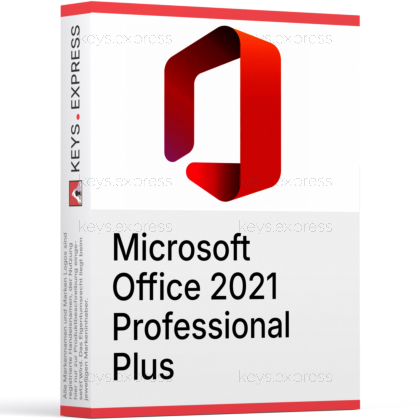
What are the main features and key benefits of Microsoft Office 2021 Professional Plus?
Perpetual License – One-time purchase, no recurring subscription fees required.
Enterprise Suite – Full desktop apps for advanced business productivity.
Business Apps – Includes Outlook, Access, Publisher, Word, Excel, PowerPoint, OneNote.
Offline Access – Work anywhere, even without an internet connection.
Better Collaboration – Coauthor documents and presentations in shared locations.
Download: Microsoft Office 2021 Pro Plus Retail
 Bestseller in this category
Word 2021 – Document creation with modern templates and co-authoring.
Excel 2021 – Dynamic arrays, XLOOKUP, LET and XMATCH functions.
PowerPoint 2021 – Improved Record Slide Show and sketched style outlines.
Outlook 2021 – Email, calendar and contacts with on-the-fly translation.
Access and Publisher – Desktop database management and print layout design.
Important – Microsoft Teams and Microsoft 365 cloud services are not bundled in this edition.
Office 2021 Professional Plus is the classic, one-time purchase desktop suite for Windows PCs, covering Word, Excel, PowerPoint, Outlook, Access and Publisher. It is the most complete perpetual Office 2021 edition for users who do not want a Microsoft 365 subscription.
One-time purchase – Pay once, no recurring monthly billing.
Full desktop apps – Apps run locally after activation, offline.
Modern Excel functions – XLOOKUP and dynamic arrays speed up lookup work.
Access database – Build local databases with the Linked Table Manager.
Publisher layout – Print-ready brochures, flyers and newsletters on Windows.
Offline operation – Daily work needs no internet connection after install.
It installs the full classic desktop Office suite on a Windows PC for document, spreadsheet, presentation, email, database and publishing work. The Professional Plus edition adds Access and Publisher on top of Word, Excel, PowerPoint and Outlook, which the Home & Business edition does not include. Excel 2021 introduces XLOOKUP, LET, XMATCH and dynamic array functions such as FILTER, SORT and UNIQUE, which replace older nested INDEX/MATCH constructions and array-formula workarounds. After activation, all apps run locally and do not require an internet connection for everyday use.
It suits Windows users who need Access for local databases or Publisher for print layouts and do not want a Microsoft 365 subscription. A typical case is a small accounting practice that keeps client records in an Access database while preparing invoices in Word and tax sheets in Excel, where a perpetual license avoids monthly billing affecting the operating cost. It also fits Windows-only workplaces where the IT team prefers a stable feature set without forced cloud feature changes. Mac users should choose a different edition because Access and Publisher do not exist for macOS.
Professional Plus is the most complete Office 2021 edition for Windows and is the only one that historically bundled Microsoft Teams. Home & Student includes only Word, Excel, PowerPoint and OneNote. Home & Business adds Outlook on top of those. Professional adds Publisher and Access for Windows. Professional Plus matches Professional and adds Teams in its original packaging, although Teams is now obtained as a separate download due to Microsoft's global unbundling that took effect on April 1, 2024.
| Application | Home & Student | Home & Business | Professional | Professional Plus |
|---|---|---|---|---|
| Word, Excel, PowerPoint | ✓ | ✓ | ✓ | ✓ |
| Outlook | ✕ | ✓ | ✓ | ✓ |
| Publisher | ✕ | ✕ | ✓ | ✓ |
| Access | ✕ | ✕ | ✓ | ✓ |
| Teams (bundled) | ✕ | ✕ | ✕ | See note |
| Mac support | ✓ | ✓ | ✕ | ✕ |
Office 2021 Professional Plus is a one-time purchase that keeps the feature set frozen at the 2021 release, while Microsoft 365 is a subscription that receives ongoing feature updates and cloud services. Office 2021 does not include 1 TB of OneDrive storage, web/mobile Office apps, or the Microsoft 365 Copilot integration that subscribers get. In exchange, Office 2021 runs fully offline after activation and is not affected by changing subscription terms. For users who want stable behavior and no cloud add-ons, Office 2021 Professional Plus is the practical choice; for users who rely on OneDrive collaboration and want the newest features as they ship, Microsoft 365 is the better match.
Office 2021 Professional Plus does not include Microsoft Teams as an installed component anymore. Following Microsoft's unbundling that became global on April 1, 2024, Teams must be downloaded separately as the free Microsoft Teams (free) or as a paid Teams license. The suite also does not include 1 TB of OneDrive storage, Microsoft 365 Copilot, or any of the cloud services tied to a Microsoft 365 subscription. Access and Publisher are Windows-only and have no macOS version, so this edition cannot be installed on a Mac. Office 2021 receives security and bug-fix updates but no new feature releases, and retail support ends on October 13, 2026.
Professional Plus is a Windows-only edition. It is compatible with Windows 10 version 1809 and Windows Server 2019 through Windows 11 and Windows Server 2025, in 32-bit and 64-bit builds. It cannot be installed on macOS, ChromeOS, iPadOS, Android, or Linux, because Access and Publisher are not available on those platforms. Mac users who need a perpetual Office instead use Office Home & Student 2021 or Office Home & Business 2021, which lack Access and Publisher.
Confirm three things: that the target machine runs Windows, that Access or Publisher is actually needed, and that Microsoft 365 cloud services such as 1 TB OneDrive are not required. If only Word, Excel, PowerPoint and Outlook are needed on a Windows PC, Office 2021 Home & Business is a cheaper fit. If the workflow depends on Microsoft Teams as part of the suite, plan for a separate Teams installation, because Microsoft no longer bundles Teams with new Office installations after the April 2024 global unbundling. Mac users should pick a different edition entirely.
Teams is no longer installed as part of the Office 2021 Professional Plus package on new installations. Since Microsoft's global Teams unbundling on April 1, 2024, Teams is provided as a separate download from Microsoft. Users can install Microsoft Teams (free) at no extra cost or use a paid Teams licence for business features.
No. Microsoft 365 cloud services such as 1 TB OneDrive storage and the web versions of Word, Excel and PowerPoint are tied to a Microsoft 365 subscription, not to a perpetual Office 2021 licence. Files can still be saved manually to a free personal OneDrive account, but the included storage and Microsoft 365 Copilot are not part of Office 2021.
No. Professional Plus is exclusive to Windows because Access and Publisher have no macOS versions. Mac users can install Office Home & Student 2021 or Office Home & Business 2021, which provide Word, Excel, PowerPoint, Outlook and OneNote on macOS Catalina through macOS Sequoia.
No. Office 2021 receives only security updates and bug fixes; new features ship in Office 2024 and in the Microsoft 365 subscription instead. Retail support for Office 2021 ends on October 13, 2026, after which no further updates are provided.
| Operating Systems | Windows 11 Windows 11 LTSC 2024 Windows 10 LTSC 2021 Windows 10 LTSC 2019 Windows Server 2025 Windows Server 2022 Windows Server 2019 |
| Processor | 1.1 GHz or faster, 2-core. |
| Memory RAM | 4 GB. |
| Hard Disk | 4 GB of available disk space. |
| Display | 1280 x 768 screen resolution. |
| Graphics | Graphics hardware acceleration requires DirectX 9 or later. |
| Note | A 64-bit version of Office is required for 4K and higher resolutions. Requires the current version of Microsoft Edge, Chrome, or Firefox. Internet connection required for updates and some features. Some features may require .NET 3.5 or 4.6 and higher to be installed. |
keys.express and keys.discount are online platforms for product keys. The product keys available in our shops for Windows and other software are inexpensive, secure, legal and come with an activation guarantee.
Below you will find the most important legal information about our products.
We offer exclusively unused and non-activated product keys. The keys have never been redeemed for activation and are fully available to the purchaser for the first-time activation of the respective product. A key that has already been redeemed could no longer be used for a new activation and is therefore not offered by us.
Trading in these product keys is permissible in the European Union and in Switzerland under current case law, provided that the necessary conditions are met. These conditions are as follows:
This trade is legally permissible because the underlying license was already placed on the market with the consent of the rightholder within the EU/EEA or Switzerland in return for appropriate remuneration. As a result, the so-called principle of exhaustion has taken effect, which permits the resale of individual product keys — in particular those originating from volume license agreements. Microsoft or the respective software provider has already received appropriate remuneration for this.
keys.express and keys.discount ensure that the aforementioned conditions are met and that the lawful use of the software is guaranteed. The requirements arising from European legislation are also observed in Switzerland.
Important note: The acquisition of a product key through the transmission of a combination of numbers and letters in digital form does not, in itself, constitute a license for the lawful use of the program. The license only arises from the respective installation and the associated acceptance of the manufacturer's terms of use.
Further information can be found here: