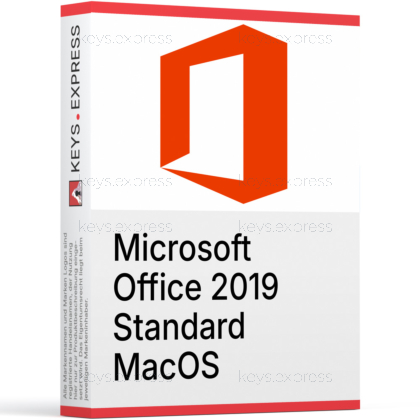
What are the main features and advantages of Microsoft Office 2019 Standard MacOS?
Perpetual License – Pay once and keep using desktop apps.
Core Apps – Word, Excel, PowerPoint, Outlook, OneNote for daily work.
Offline Work – Create and edit files without internet access.
Mac Compatible – Requires macOS High Sierra 10.13.6 or newer.
File Sharing – Share documents smoothly with Windows Office users.
Important – Microsoft Access, Microsoft Publisher, Microsoft Visio, Microsoft Project not included.
This product is not posted to the MS account and is not transferable to other devices.
This product allows a one-time activation for one device. Once used, it cannot be used again, not even for the same device.
Download: Office 2019 Standard MacOS
Word 2019 – Create and edit text documents on macOS.
Excel 2019 – Build spreadsheets with new formulas and charts.
PowerPoint 2019 – Design slides using Morph and Zoom transitions.
Outlook 2019 – Handle email, calendar, and contacts offline.
OneNote – Capture and organize notes across notebooks.
Important – Microsoft Access and Microsoft Publisher are not included in this edition.
Office 2019 Standard for Mac is a perpetual desktop suite that installs the classic Word, Excel, PowerPoint, Outlook, and OneNote apps natively on macOS. It is aimed at users who prefer a one-time purchase over the Microsoft 365 subscription model and want to work offline without cloud dependencies.
One-time purchase – Pay once instead of recurring monthly fees.
Offline workflow – Edit documents without an internet connection.
Native Mac apps – Built for macOS with .pkg installer.
Fixed feature set – No surprise UI changes from update cycles.
Outlook included – Manage mail and calendar in one app.
File compatibility – Open .docx, .xlsx, .pptx from Windows colleagues.
It installs the perpetual desktop versions of Word, Excel, PowerPoint, Outlook, and OneNote directly on a Mac. PowerPoint 2019 adds the Morph transition and Zoom navigation, Excel 2019 adds new functions such as TEXTJOIN, CONCAT, and IFS, and Word 2019 adds Learning Tools like Read Aloud. The suite uses Apple's standard .pkg installer and runs as a native macOS application, not as a web app. It is the same generation of code as Microsoft 365 Apps for Mac at the time of the 2018 release, but frozen at that feature level.
It fits Mac users and small organizations that need Word, Excel, PowerPoint, and Outlook on a single Mac and want to avoid a Microsoft 365 subscription. Because the feature set is locked to the 2019 release, it is a sensible choice for users who train staff on a fixed interface, run macros built against Office 2019 behavior, or simply want to budget software as a single line item. It is less suitable for users who depend on co-authoring in real time through OneDrive, Microsoft Teams integration, or the newest Excel functions like XLOOKUP and dynamic arrays, which arrived only in Office 2021 and later.
All three Mac editions share the same core apps (Word, Excel, PowerPoint, OneNote), but they differ in whether Outlook is bundled. Home & Student omits Outlook, Home & Business adds Outlook, and Standard also includes Outlook. None of the Mac editions include Access or Publisher, because those two applications do not exist on macOS at all. The table below summarizes the differences.
| Application | Home & Student | Home & Business | Standard |
|---|---|---|---|
| Word | ✓ | ✓ | ✓ |
| Excel | ✓ | ✓ | ✓ |
| PowerPoint | ✓ | ✓ | ✓ |
| OneNote | ✓ | ✓ | ✓ |
| Outlook | ✕ | ✓ | ✓ |
| Access | ✕ | ✕ | ✕ |
| Publisher | ✕ | ✕ | ✕ |
Office 2019 for Mac reached the end of Microsoft support on October 10, 2023, which means no more security or feature updates from Microsoft. Microsoft Access and Microsoft Publisher are not included and, in fact, were never built for macOS, so users who need a desktop database or print-layout tool must look elsewhere. Microsoft Teams, OneDrive cloud storage tied to a Microsoft 365 plan, and Copilot are not part of this edition. Excel 2019 also does not include dynamic arrays, XLOOKUP, or LET, which were added in Office 2021 and later.
Office 2019 Standard is a one-time-purchase, frozen-feature desktop suite; Microsoft 365 is a subscription that continuously ships new features and includes services like 1 TB of OneDrive, Teams, and Copilot integration. With Office 2019 the apps stay as they were on the 2018 release date, so users keep a stable training and macro environment. With Microsoft 365, Excel for Mac receives functions like XLOOKUP and dynamic arrays, Word gets Editor and Designer suggestions, and PowerPoint gains the latest design tools. If a workflow relies on real-time co-authoring through OneDrive or Teams chat inside Office apps, Microsoft 365 is the better fit.
Yes, it reads and writes the same Open XML formats (.docx, .xlsx, .pptx) as Office on Windows, so documents move between platforms without conversion. The Mac versions of Word, Excel, and PowerPoint share most ribbon commands with their Windows counterparts, which makes mixed-platform teams practical. Some Windows-only features do not have a direct Mac equivalent, including VBA add-ins compiled for Windows COM, certain ActiveX controls inside Excel sheets, and the Power Pivot data model UI. For everyday documents, spreadsheets, and presentations the file compatibility is full.
Confirm that the Mac runs a supported macOS version, since Office 2019 for Mac targets macOS Sierra (10.12) through roughly macOS Sequoia, with the latest 16.x builds requiring Monterey or later. Check that no required workflow depends on Access, Publisher, Teams, or Microsoft 365 cloud services, because none of those are part of this edition. Users planning to share complex Excel files should verify that no formulas rely on XLOOKUP or dynamic arrays. Finally, because Office 2019 for Mac no longer receives Microsoft updates after October 2023, organizations under audit or compliance rules that require ongoing security patches may need to choose Office 2021, Office 2024, or Microsoft 365 Apps instead.
| Operating Systems | From macOS Mojave 10.14 to macOS Monterey 12.5. |
| Processor |
Intel or Apple silicon.
|
| Memory RAM |
4 GB.
|
| Hard Disk |
10 GB of available disk space.
|
| Display |
1280 x 800.
|
| Graphics |
Not applicable.
|
| Note |
Support for Office 2019 for Mac ended October 10, 2023.
October 2023 update version 16.78 is the last build that supports Office 2019 license types. Office 2019 for Mac is supported on the three most recent versions of macOS, and Microsoft drops support for the oldest version when a new major macOS version becomes generally available. |
keys.express and keys.discount are online platforms for product keys. The product keys available in our shops for Windows and other software are inexpensive, secure, legal and come with an activation guarantee.
Below you will find the most important legal information about our products.
We offer exclusively unused and non-activated product keys. The keys have never been redeemed for activation and are fully available to the purchaser for the first-time activation of the respective product. A key that has already been redeemed could no longer be used for a new activation and is therefore not offered by us.
Trading in these product keys is permissible in the European Union and in Switzerland under current case law, provided that the necessary conditions are met. These conditions are as follows:
This trade is legally permissible because the underlying license was already placed on the market with the consent of the rightholder within the EU/EEA or Switzerland in return for appropriate remuneration. As a result, the so-called principle of exhaustion has taken effect, which permits the resale of individual product keys — in particular those originating from volume license agreements. Microsoft or the respective software provider has already received appropriate remuneration for this.
keys.express and keys.discount ensure that the aforementioned conditions are met and that the lawful use of the software is guaranteed. The requirements arising from European legislation are also observed in Switzerland.
Important note: The acquisition of a product key through the transmission of a combination of numbers and letters in digital form does not, in itself, constitute a license for the lawful use of the program. The license only arises from the respective installation and the associated acceptance of the manufacturer's terms of use.
Further information can be found here: