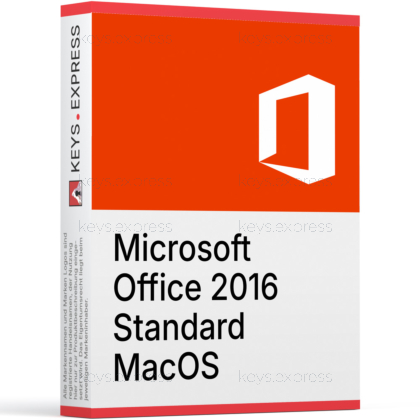
What are the main features and advantages of Microsoft Office 2016 Standard MacOS?
Perpetual License – Pay once, keep using the desktop apps.
Core Apps – Word, Excel, PowerPoint, Outlook, OneNote included.
Mac Compatible – Not compatible with Windows, Linux, or ChromeOS.
Older macOS – Not compatible with macOS versions below 10.10.
Offline Work – Create and edit files without internet access.
Important – Microsoft Access, Microsoft Publisher, Microsoft Visio, Microsoft Project not included.
Thank you for understanding our FAIRPLAY conditions:
You must have a customer account and have purchased products from us within the last twelve months.
Free products are available to each customer only once.
You may order a maximum of three free products.
This product is not posted to the MS account and is not transferable to other devices.
This product allows a one-time activation for one device. Once used, it cannot be used again, not even for the same device.
Download: Office 2016 Standard MacOS
Word 2016 – Document editing with the Mac ribbon interface.
Excel 2016 – Spreadsheets, pivot tables, and over 50 chart types.
PowerPoint 2016 – Slide design with Presenter View on Mac.
Outlook 2016 – Email, calendar, and contacts via Exchange Web Services.
OneNote 2016 – Notebooks with handwriting and clipping support.
Important – Access, Publisher, Teams, and Microsoft 365 cloud apps are not included.
Microsoft Office 2016 Standard for MacOS is a perpetual desktop productivity suite built specifically for macOS, with the same five Office apps installed locally instead of streamed from the cloud. It targets Mac users who want a stable, offline-capable Office environment that opens and saves the same .docx, .xlsx, and .pptx files as their Windows colleagues.
Native Mac build – Retina, full screen, and Multi-Touch gestures supported.
Offline first – Works without an internet connection after install.
File parity – Reads and writes Windows Office file formats unchanged.
Familiar ribbon – Matching layout reduces switching cost between Mac and PC.
Outlook included – Calendar, contacts, and Exchange email in one client.
Touch Bar – Context controls on supported MacBook Pro models.
It includes the macOS desktop versions of Word, Excel, PowerPoint, OneNote, and Outlook, installed locally on the Mac. There is no Access and no Publisher — those two applications were never released for macOS in any Office generation, so this is a platform limitation rather than an edition cut. Microsoft Teams, OneDrive cloud sync, and the Microsoft 365 web apps are also outside the scope of this perpetual product. Files are saved in the same .docx, .xlsx, and .pptx formats used on Windows, which keeps cross-platform collaboration straightforward.
It fits Mac users who need to open and edit Office files from Windows colleagues without subscribing to Microsoft 365. The concrete workflow case is a Mac user receiving .xlsx files with macros or complex pivot tables from a Windows team: Excel 2016 for Mac opens them with the same formula engine and chart types rather than the reduced behavior of Numbers or web-based viewers. It is also a fit for older MacBooks that pre-date the macOS versions required by Office 2021 or 2024, where the newer suites simply will not install. For ongoing Microsoft 365 features such as Copilot or real-time co-authoring in the cloud, this edition is not the right choice.
All three Mac editions of Office 2016 share the same Word, Excel, PowerPoint, and OneNote builds, so the document-handling capabilities are identical. The difference is Outlook: Home & Student excludes it, while Home & Business and Standard both include it. Standard is the business-targeted SKU of the three; the apps installed on disk are functionally the same as Home & Business. None of the three Mac editions includes Access or Publisher, because those applications are Windows-only.
| Feature | Home & Student Mac | Home & Business Mac | Standard Mac |
|---|---|---|---|
| Word | ✓ | ✓ | ✓ |
| Excel | ✓ | ✓ | ✓ |
| PowerPoint | ✓ | ✓ | ✓ |
| OneNote | ✓ | ✓ | ✓ |
| Outlook | ✕ | ✓ | ✓ |
| Access | ✕ | ✕ | ✕ |
| Publisher | ✕ | ✕ | ✕ |
The most relevant limitation is that Outlook 2016 for Mac cannot create or modify Exchange server distribution lists, and it does not support CalDAV or CardDAV, so iCloud and Google calendars cannot be added natively. Outlook for Mac connects to Exchange via Exchange Web Services rather than MAPI, which means some Windows-only Exchange features are simply not present in the Mac client. Microsoft also ended mainstream support for Office 2016 for Mac on October 13, 2020, with no extended support phase, so the suite no longer receives security updates from the manufacturer. Buyers who require ongoing security patches or Microsoft 365 cloud features such as real-time co-authoring or Copilot should look at Office 2021 for Mac, Office 2024 for Mac, or a Microsoft 365 plan instead.
Yes — Word, Excel, and PowerPoint 2016 for Mac use the same Open XML formats (.docx, .xlsx, .pptx) as their Windows counterparts, so files move between platforms without conversion. There are a few practical edge cases: certain Windows-only VBA libraries, ActiveX controls, and some advanced PivotTable layouts may behave differently when a Windows workbook is opened in Excel for Mac. Embedded fonts that ship with Windows but not macOS will substitute on open, which can shift layouts in Word documents. For everyday office work — letters, reports, dashboards, decks — files round-trip cleanly.
No. Microsoft Teams is not part of any Office 2016 desktop suite on Mac or Windows; it is a separate application tied to Microsoft 365. OneDrive cloud storage and the Microsoft 365 web apps (Word for the web, Excel for the web) are also outside the scope of this perpetual product. Office 2016 for Mac can still save documents into a OneDrive folder if the user installs the OneDrive client separately, but there is no built-in real-time co-authoring or Copilot integration. Buyers who specifically need Teams meetings, chat, or cloud collaboration should plan for a Microsoft 365 plan alongside or instead of this suite.
Office for Mac uses a serializer (a small installer package) because Microsoft built the Mac edition without the same key-entry dialog used on Windows. The serializer writes the entitlement directly into the Office application bundle on macOS, which is why the installation step looks different from Windows. This is a normal part of how Microsoft distributes the Mac desktop suite and applies to Office 2016, 2019, 2021, and 2024 for Mac. The end result is the same desktop Word, Excel, PowerPoint, OneNote, and Outlook applications running locally on the Mac.
It is a classic desktop release — the applications install locally on the Mac and run without a Microsoft 365 sign-in. Unlike Microsoft 365 Apps, the feature set does not change over time and the suite does not stream from the cloud.
It runs on Apple Silicon only through Rosetta 2, as it is an Intel x86_64 build and was never updated to native Apple Silicon. Apple Silicon native Office apps were introduced in later Office for Mac releases, so users on M-series Macs who want native performance should consider Office 2021 for Mac or newer.
No. Microsoft ended mainstream support for Office 2016 for Mac on October 13, 2020, and the Mac edition did not receive an extended support phase. New security fixes are no longer issued, which is the main reason users handling sensitive data often move to Office 2021 or Office 2024 for Mac.
Yes — .docx, .xlsx, and .pptx files created in Office 2024 open in Office 2016 for Mac, because both use the same Open XML formats. The only practical caveat is that features added after 2016, such as newer Excel dynamic-array functions or PowerPoint cameo and recording features, may appear as static content or compatibility placeholders when opened in the 2016 apps.
| Operating Systems | From OS X Yosemite 10.10 to macOS Mojave 10.14. |
| Processor |
Intel processor.
|
| Memory RAM |
4 GB.
|
| Hard Disk | 6 GB of available disk space. |
| Display |
1280 x 800 screen resolution or higher.
|
| Graphics |
No specific graphics requirements beyond macOS minimum requirements.
|
| Note |
Office 2016 for Mac support ended October 13, 2020.
Not officially supported on macOS versions newer than Mojave 10.14. |
keys.express and keys.discount are online platforms for product keys. The product keys available in our shops for Windows and other software are inexpensive, secure, legal and come with an activation guarantee.
Below you will find the most important legal information about our products.
We offer exclusively unused and non-activated product keys. The keys have never been redeemed for activation and are fully available to the purchaser for the first-time activation of the respective product. A key that has already been redeemed could no longer be used for a new activation and is therefore not offered by us.
Trading in these product keys is permissible in the European Union and in Switzerland under current case law, provided that the necessary conditions are met. These conditions are as follows:
This trade is legally permissible because the underlying license was already placed on the market with the consent of the rightholder within the EU/EEA or Switzerland in return for appropriate remuneration. As a result, the so-called principle of exhaustion has taken effect, which permits the resale of individual product keys — in particular those originating from volume license agreements. Microsoft or the respective software provider has already received appropriate remuneration for this.
keys.express and keys.discount ensure that the aforementioned conditions are met and that the lawful use of the software is guaranteed. The requirements arising from European legislation are also observed in Switzerland.
Important note: The acquisition of a product key through the transmission of a combination of numbers and letters in digital form does not, in itself, constitute a license for the lawful use of the program. The license only arises from the respective installation and the associated acceptance of the manufacturer's terms of use.
Further information can be found here: