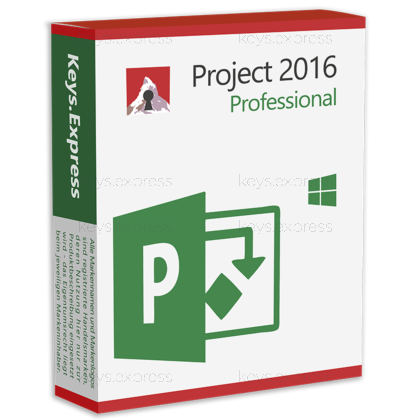
What are the main features and advantages of Microsoft Project 2016 Professional?
Powerful scheduling - Manage complex timelines with Gantt charts and dependencies.
Resource control - Assign people, equipment and costs with clear visibility.
Built-in templates - Start new projects quickly using preconfigured professional templates.
Progress tracking - Monitor milestones, critical path and slippage in detail.
Rich reporting - Generate visual reports on schedule, workload and budget.
Office integration - Works smoothly with other Microsoft Office and services.
Thank you for understanding our FAIRPLAY conditions:
You must have a customer account and have purchased products from us within the last twelve months.
Free products are available to each customer only once.
You may order a maximum of three free products.
This product is not posted to the MS account and is not transferable to other devices.
Does not work with Microsoft365.
Download: Project 2016 Professional
Gantt Chart scheduling – Manual and automatic task modes side by side.
Team Planner view – Drag tasks between resources to fix overallocations.
Resource Engagements – Request and confirm resources with resource managers.
SharePoint task sync – Publish project schedules to SharePoint task lists.
Core Capacity – 400,000 tasks and 700,000 resources per project.
Important – This is a standalone application; the full Microsoft Office suite is not included.
Project Professional 2016 is a one-time-purchase Windows desktop application for building schedules, assigning resources, and tracking progress in .mpp files. It contains everything in Project Standard 2016 and adds the Professional-only layer: Team Planner, inactive tasks, SharePoint synchronisation, and connectivity to Project Server 2016 or Project Online.
One-time purchase – Pay once instead of a recurring plan.
Offline planning – Complete scheduling work without any internet connection.
Multiple timelines – Separate timeline bars for phases or workstreams.
Inactive tasks – Test what-if cuts without deleting schedule data.
Tell Me box – Type a command name to find it.
Broad export range – Excel, CSV, XML, PDF and XPS.
It calculates and maintains a project schedule from task durations, dependencies, calendars and constraints, then keeps that schedule current as actuals are entered. Concretely, a single plan holds up to 400,000 tasks and 700,000 resources, accepts 50,000 predecessors per task, and stores 11 baselines, so a manager can compare the current finish date against the plan as it looked at approval, at re-baseline, and at every change request in between. Up to 998 files can be consolidated into one master schedule sharing a common resource pool, which is how multi-workstream programmes are run without duplicating resource data. Day to day, the practical gain over a spreadsheet is that moving one predecessor recalculates every downstream date automatically instead of forcing a manual re-entry of the whole plan.
It fits project managers who have to connect a desktop scheduling client to an existing Project Server 2016 or Project Online environment, because Project Standard 2016 cannot make that connection at all. A second clear fit is the contractor or planner who must hand .mpp files back to a client whose PMO is standardised on the 2016 file generation, where a newer Project release would introduce version friction in the delivery chain. Resource-heavy delivery teams also benefit specifically from Team Planner, which is the only view in the product that lets an overallocated assignment be dragged onto a different person and rescheduled in one action. If none of those three situations apply and the work is a single self-contained plan, Project Standard 2016 covers the same scheduling engine for less.
Both editions share the identical scheduling engine, report set, multiple timelines and export options; the differences are entirely in collaboration and resource negotiation. Team Planner and the Inactivate Task command are documented by Microsoft as Project Professional features only, and SharePoint task-list synchronisation runs through Project Professional 2016 against SharePoint Server 2013, 2016, 2019 or SharePoint Online. Resource Engagements are present in Professional but only become usable when the client is connected to Project Server 2016 or Project Online, which is licensed separately and is not part of this product. The table below lists the verified differences.
| Feature | Project Standard 2016 | Project Professional 2016 |
|---|---|---|
| Gantt Chart scheduling | ✓ | ✓ |
| Multiple timelines | ✓ | ✓ |
| Built-in reports | ✓ | ✓ |
| Team Planner view | ✕ | ✓ |
| Inactivate tasks | ✕ | ✓ |
| Sync with SharePoint | ✕ | ✓ |
| Project Server connection | ✕ | ✓ |
| Resource Engagements | ✕ | Server needed |
| Export to Excel, XML, PDF | ✓ | ✓ |
| Full Office suite included | ✕ | ✕ |
| End of support | Oct 14, 2025 | Oct 14, 2025 |
Project Professional 2016 is a fixed desktop client bought once, while the Project subscription plans bundle a web service that this product does not contain. The practical split is that everything running locally in an .mpp file – scheduling, levelling, baselines, reports, exports – is fully covered here, whereas anything served from the web side is not: portfolio dashboards, timesheet submission and browser-based editing all sit on Project Online or Project Server 2016 and are licensed separately. Microsoft also retired Project for the web on 1 August 2025 and folded its capabilities into Planner, so the current cloud path is a different product line rather than an add-on to this one. Buyers who plan and report from a single Windows workstation lose nothing by staying on the desktop client; buyers who need a shared web portal for status reporting will need a server or cloud component in addition.
Compare Office versions from 2010 to 2024
For help choosing the right Office version, read our guide:
The Export and Import Wizards handle Excel workbooks, Excel PivotTable reports, tab-delimited text, comma-separated values and XML, and the Export tab additionally creates PDF and XPS documents from any view. Native saving covers the .mpp project file and .mpt template. The important practical point is that field-level control runs through export maps: a map defines exactly which task, resource or assignment fields move across, so a recurring cost report to finance can be exported to the same Excel column layout every month instead of being rebuilt by hand. Exchange with non-Microsoft scheduling tools such as Primavera P6 runs through the XML format rather than a direct file open, so an interchange step has to be planned into any mixed-tool programme.
The most significant one is lifecycle: Microsoft ended support for Project 2016 on 14 October 2025, so the application still installs and runs but receives no further security or quality updates. Beyond that, this is a standalone project scheduling application – Word, Excel, PowerPoint and Outlook are not included and must be licensed separately. Resource Engagements, timesheets and portfolio-level reporting are visible in the interface but inert without a Project Server 2016 or Project Online connection, which is the single most common surprise for buyers who expected enterprise resource management out of the box. A local .mpp file is also a single-editor file: two people cannot edit the same plan simultaneously without a Project Server or Project Online check-in and check-out model behind it.
First, confirm the target machine runs Windows, since Project desktop has no macOS edition and Mac users need a virtualised Windows environment or a third-party viewer. Second, check whether the organisation actually has Project Server 2016 or Project Online available, because the Professional-only features that justify this edition over Standard 2016 depend on that connection. Third, confirm which .mpp generation the receiving PMO or client expects, as this matters more in practice than any individual feature. Finally, weigh the 14 October 2025 support end date against the intended use period and decide whether an unpatched scheduling client is acceptable for the environment it will run in.
No. Microsoft sells Project as a stand-alone application, and it installs and runs on its own without a base Office installation. An existing Office installation is only relevant if you want to open exported data directly in Excel.
No. Project Professional 2016 contains the Project scheduling application only. Word, Excel, PowerPoint and Outlook are separate products and are not bundled with any Project edition.
No. Microsoft Project desktop is a Windows-only application and has no macOS edition. Mac users need a Windows environment on the machine or a third-party .mpp viewer to open project files.
No. Project Professional 2016 is the desktop client only. It can connect to Project Server 2016 or Project Online where those are already in place, but neither the server product nor the cloud service is part of this purchase.
| Operating Systems | Windows 10 Windows 8.1 Windows 7 Windows Server 2016 Windows Server 2012 |
| Processor | 1 GHz or faster x86-bit or x64-bit processor with SSE2 instruction set. |
| Memory RAM | 2 GB. |
| Hard Disk | 3 GB of available disk space. |
| Display | 1024 x 768 screen resolution or higher. |
| Graphics | DirectX 10 graphics card required for hardware acceleration. |
| Note | Requires the current version of Microsoft Edge, Safari, Chrome, or Firefox. Requires .NET 3.5; some features may require .NET 4.0, 4.5, or 4.6 CLR to also be installed. Some Project Professional 2016 features require connectivity to Project Server 2016, Project Server 2013, or Project Online. Support for Project 2016 ended on October 14, 2025. |
keys.express and keys.discount are online platforms for product keys. The product keys available in our shops for Windows and other software are inexpensive, secure, legal and come with an activation guarantee.
Below you will find the most important legal information about our products.
We offer exclusively unused and non-activated product keys. The keys have never been redeemed for activation and are fully available to the purchaser for the first-time activation of the respective product. A key that has already been redeemed could no longer be used for a new activation and is therefore not offered by us.
Trading in these product keys is permissible in the European Union and in Switzerland under current case law, provided that the necessary conditions are met. These conditions are as follows:
This trade is legally permissible because the underlying license was already placed on the market with the consent of the rightholder within the EU/EEA or Switzerland in return for appropriate remuneration. As a result, the so-called principle of exhaustion has taken effect, which permits the resale of individual product keys — in particular those originating from volume license agreements. Microsoft or the respective software provider has already received appropriate remuneration for this.
keys.express and keys.discount ensure that the aforementioned conditions are met and that the lawful use of the software is guaranteed. The requirements arising from European legislation are also observed in Switzerland.
Important note: The acquisition of a product key through the transmission of a combination of numbers and letters in digital form does not, in itself, constitute a license for the lawful use of the program. The license only arises from the respective installation and the associated acceptance of the manufacturer's terms of use.
Further information can be found here: