



What are the key advantages and essential tools of Readiris PDF 365?
Smart OCR – Captures text accurately from scans and images.
Seamless Editing – Modifies PDF content quickly without complex steps.
Format Control – Keeps layout intact during document conversion tasks.
Document Security – Protects sensitive files with signing and redaction.
Cloud Integration – Connects documents smoothly with popular storage services.
Professional Standards – Advanced tools keep documents polished and dependable.
Download: Readiris PDF 365
PDF Editor – Edit text, images and pages inside existing PDFs.
AI OCR – Turns scans into searchable, editable text.
Format Conversion – Exports PDFs to Word, Excel and PowerPoint.
Document Assembly – Merge, split, reorder and compress PDF pages.
Core Capacity – 138 OCR languages, three mixed per page.
Important – Windows Server and terminal server deployment unsupported.
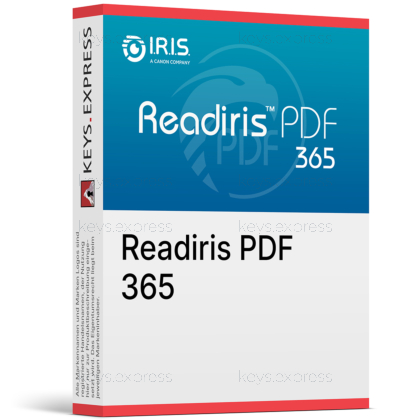
Readiris PDF 365 is the subscription-licensed version of the Readiris PDF document manager from I.R.I.S., a Canon company. It combines scanner capture, OCR text recognition, PDF editing and format conversion in one Windows application instead of separate tools.
One Workspace – Scan, edit and convert without switching tools.
Scanner Support – Works with TWAIN scanners and office MFPs.
Batch OCR – Processes whole folders of scans at once.
Table Extraction – Pulls PDF tables straight into Excel sheets.
Familiar Interface – Office ribbon layout shortens staff training time.
Tiered Editions – Standard covers basics, Business adds redaction tools.
Readiris PDF 365 captures paper and image files, runs OCR on them and outputs editable or searchable documents. A scanned supplier invoice imported from an MFP can be deskewed, cleaned of blank pages, recognised and saved as a searchable PDF that later shows up in a full-text search of the accounting archive. The same file can be exported to Excel so the line items land in a sheet instead of being retyped. This is the practical difference to a plain PDF viewer: the text layer is generated by the OCR engine, not merely displayed.
It imports Microsoft Office files, JPG, TIFF, BMP and PNG images, existing PDFs and direct scanner output. On the export side it writes PDF, searchable PDF, Word, Excel, PowerPoint, JPG, TIFF and PNG, and it can extract a table from a PDF straight into Excel or Word. Zonal OCR lets you mark a single area of a page and convert only that region, which is faster than processing a full 40-page report when you only need one address block. Batch conversion is available in every version, so a folder of scans can be processed in one run.
Both tiers share the OCR engine, the conversion formats and batch processing; the Business tier adds the document-security and automation tools. The clearest split is redaction: blacking out confidential passages so the text is removed rather than covered is a Business-only function, which matters for anyone sending contracts or personnel files outside the company. Barcode reading and creation, automatic document separation and naming, and silent .MSI installation are also reserved for the Business tier. If your work is conversion and editing only, the Standard tier covers it; if you handle regulated documents or high-volume intake, the missing redaction and separation tools in Standard become a real bottleneck.
| Feature | Standard | Business |
|---|---|---|
| OCR & searchable PDF | ✓ | ✓ |
| Batch conversion | ✓ | ✓ |
| Table extraction to Excel | ✓ | ✓ |
| Redaction (black zone) | ✕ | ✓ |
| Barcode tools | ✕ | ✓ |
| Auto separation & naming | ✕ | ✓ |
| Invisible eSignature | ✕ | ✓ |
| Silent .MSI installation | ✕ | ✓ |
| Windows Server support | ✕ | ✕ |
Three points decide most cases. Readiris PDF 365 is released for Windows 10 and Windows 11 desktops only, so Windows Server and terminal server rollouts are outside the supported scope, and macOS users need the separate Readiris PDF Essential or Elite line instead. The software signs documents locally with an image signature or a certificate, but it does not include a hosted signature-request service that sends a contract to an external party and tracks the signing status, so a dedicated e-sign platform is still required for that workflow. Finally, redaction and barcode handling sit in the Business tier, which is the detail most buyers of the Standard tier discover too late.
It fits offices that digitise paper and need the result to be usable text, not just an image in a PDF wrapper. A bookkeeping office running a desktop scanner gains most: incoming receipts go through batch OCR, get a searchable text layer in one of 138 recognition languages, and the figures can be pushed into Excel through table extraction rather than being keyed in. Firms handling multilingual paperwork benefit from OCR that recognises up to three languages on the same page, which matters for cross-border invoices and forms. For a workflow that is purely reading and commenting on existing digital PDFs, a simpler editor without an OCR engine would cover the need.
It works with TWAIN-compliant scanners, including multifunction office devices from the common manufacturers. Scans can be auto-rotated, deskewed and stripped of blank pages during import, which saves a manual clean-up pass on double-sided batches.
Yes, export to Dropbox is available across the Readiris PDF versions, and further destinations such as OneDrive, Box and Google Drive depend on the tier you choose. Check the exact destination list against the tier before buying if a specific storage service is part of your filing routine.
Yes, PDFs can be locked with a password and given user permissions that restrict copying, editing, printing or viewing. This covers everyday confidentiality needs, but it is access protection and not the same as removing content, which is what the Business-tier redaction tool does.
| Operating Systems |
Windows 11: Home / Pro / Education / Enterprise |
| Processor | 1.5 GHz processor or higher |
| Memory RAM | 8 GB |
| Hard Disk | 5 GB free space |
| Display | Standard display compatible with the respective operating system |
| Key Features & Modules | AI OCR in more than 138 languages PDF editing, conversion and management Batch OCR and batch document conversion PDF form filling and form data extraction workflows PDF/A archive support Redaction, password protection and eSign Barcode reading and scanner import with TWAIN compatible devices |
| Note | Requires an Internet connection for download, registration and activation. Scanner features require a properly installed TWAIN driver from the scanner manufacturer. Requires Windows 10 or Windows 11 64 bit. |
| Operating Systems | macOS Tahoe 26 macOS Sequoia 15 macOS Sonoma 14 macOS Ventura 13 macOS Big Sur 11 macOS Catalina 10.15 |
| Processor | 1.5 GHz processor or higher |
| Memory RAM | 8 GB |
| Hard Disk | 5 GB free space |
| Display | Standard display compatible with the respective operating system |
| Key Features & Modules | AI OCR in more than 138 languages PDF editing, conversion and management Batch OCR and batch document conversion PDF form filling and form data extraction workflows PDF/A archive support Redaction, password protection and eSign Scanner import with ICA and TWAIN compatible devices on supported Mac setups |
| Note | Requires an Internet connection for download, registration and activation. Supports Intel and Apple Silicon Macs. On Apple M series Macs, TWAIN scanner support requires Rosetta. ICA scanner support is also available on supported Mac setups. |



