Back to Top
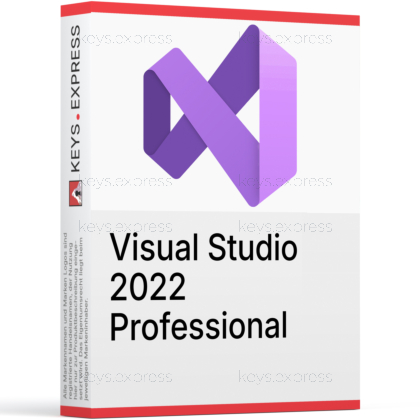
What are the key benefits of Visual Studio 2022 Professional?
64-bit Performance – Handles large solutions faster with fewer crashes
Smart Coding – IntelliSense and IntelliCode speed up accurate typing
Power Debugging – Find bugs quickly with advanced diagnostics tools
Git Integration – Built-in GitHub support for smooth version control
Team Collaboration – Live Share enables real-time co-editing sessions
Cross Platform – Build web, desktop, and mobile apps easily
This product allows a one-time activation for one device. Once used, it cannot be used again, not even for the same device.
A key can activate the software once.
Download: Visual Studio 2022 Professional
64-bit IDE – Devenv.exe runs natively without the 4 GB ceiling.
Multi-language support – C#, C++, F#, Python, JavaScript and TypeScript.
CodeLens – Commit history and references shown inside the editor.
Workload installs – .NET, C++, Azure, MAUI and Python.
Core Capacity – Runs on 64-bit Windows 10 1909 or newer.
Important – IntelliTrace, Live Unit Testing and architecture validation are missing.
Visual Studio 2022 Professional is Microsoft's paid Windows IDE for C#, C++, Python and web projects, and the first release where the main IDE process is 64-bit. It contains the full editor, debugger, profiler, Test Explorer and Git tooling, but not the Enterprise-only testing and diagnostics layer.
Large solutions – Hundreds of projects load without memory-limit crashes.
Stable toolset – The v143 C++ toolset stays fixed per release.
CodeLens history – See who changed code without leaving it.
Copilot ready – Copilot Free activates at launch from 17.14.
Long servicing – Version 17.14 receives fixes until January 2032.
Azure and Git – Commit, debug and publish from one window.
It is a Windows integrated development environment for writing, debugging, testing and shipping desktop, web, cloud and mobile applications from a single window. The install is workload-based, so a machine used for ASP.NET Core work does not need to carry the C++ or game-development components. In 2022, devenv.exe became a native 64-bit process, which removed the roughly 4 GB memory ceiling that used to make very large solutions crash or stall during IntelliSense operations. In daily use, a typical loop is: open the solution, set a conditional breakpoint, inspect values in the debugger, run the affected tests in Test Explorer, then commit and push through the built-in Git tooling.
It suits individual developers and small teams building .NET or C++ software on Windows who want the complete IDE without Enterprise diagnostics tooling. The concrete workflow gain over the free tier is CodeLens: reference counts, recent commits and the author of a change appear above each method, which shortens code review and helps when picking up an unfamiliar file. Teams that gate merges on in-IDE coverage percentages or need historical debugging of intermittent production faults will hit the edition wall quickly, because those tools sit in Enterprise. If your quality checks already run in a CI pipeline rather than inside the editor, Professional covers the daily work.
Both editions share the same editor, compilers, debugger, profiler and Git integration; Enterprise adds a testing and diagnostics layer on top. In the 2022 generation this layer includes Live Unit Testing, IntelliTrace historical debugging, Microsoft Fakes, IntelliTest, Code Map authoring, .NET memory dump analysis and built-in code coverage. Code coverage is the detail most buyers get wrong, because it was Enterprise-only in Visual Studio 2022 and earlier and only became available to Professional in the 2026 generation. A practical guide to the same split in the newer release is here: Visual Studio 2026 Professional or Enterprise: Advantages, Differences, and Suitability.
| Feature (2022) | Professional | Enterprise |
|---|---|---|
| Core IDE and debugger | ✓ | ✓ |
| CodeLens | ✓ | ✓ |
| Live Unit Testing | ✕ | ✓ |
| IntelliTrace | ✕ | ✓ |
| Built-in code coverage | ✕ | ✓ |
| Microsoft Fakes | ✕ | ✓ |
| Architecture validation | ✕ | ✓ |
| .NET memory dump analysis | ✕ | ✓ |
No. Microsoft's documentation lists Live Unit Testing, IntelliTest and code coverage as Enterprise-only in the 2022 generation, and IntelliTrace is Enterprise-only as well. In practice this means unit tests do not re-run automatically as you type, and the Analyze menu will not produce a coverage report inside the IDE. Teams on Professional normally collect coverage in their build pipeline instead, using the dotnet CLI or an open-source collector, and read the result in CI rather than in the editor. Unit testing itself is unaffected: Test Explorer runs MSTest, NUnit and xUnit projects in every edition.
Yes for the build targets, but the IDE itself runs only on Windows. The .NET MAUI workload targets Android, iOS, macOS and Windows from one C# codebase, with iOS and macOS builds requiring a networked Mac build host, and the C++ workload can build and debug Linux binaries over SSH or WSL. Xamarin is the exception buyers still ask about: Microsoft ended Xamarin support on 1 May 2024, the installer components are marked out of support and the Xamarin Profiler was removed, so new cross-platform work should start in .NET MAUI. Visual Studio for Mac is also no longer an option, having been retired on 31 August 2024.
Yes, and Copilot support does not depend on the edition. From version 17.10, GitHub Copilot is an optional component in the Visual Studio Installer selectable under any workload, and a status badge in the top-right corner shows whether it is active, inactive or not installed. From version 17.14 the Copilot Free plan can be activated at first launch or from the Chat window, subject to monthly usage limits that reset. If you are running an older 17.x baseline, install the Copilot component through the Installer rather than the extension gallery, which is how versions 17.9 and earlier handled it.
Check the operating system first: Visual Studio 2022 installs only on 64-bit editions of Windows 10 version 1909 or higher and Windows Server 2016 or higher, and it will not install on 32-bit Windows at all. The x64 build is not supported on ARM operating systems, so ARM-based laptops are a poor fit for this release. Second, check whether your quality process depends on in-IDE coverage numbers or historical debugging, because those tools require Enterprise and cannot be added later to a Professional install. Third, plan disk space around workloads rather than the base install, since the C++ and game-development components add several gigabytes each.
Yes. Visual Studio 2022 follows the fixed lifecycle policy, with mainstream support ending on 12 January 2027 and extended support running to 13 January 2032. Version 17.14 on the Current Channel is supported for the remainder of that lifecycle, and there is no separate 17.14 LTSC channel.
The main first-party languages are C#, Visual Basic .NET, F#, C and C++, plus JavaScript, TypeScript and Python through their workloads. The v143 platform toolset in Visual Studio 2022 covers C++14, C++17, C++20, C11 and C17.
The clearest functional difference is code coverage: it is Enterprise-only in the 2022 generation, while Visual Studio 2026 makes it available in Community, Professional and Enterprise. IntelliTest, which was already Enterprise-only in 2022 and limited to .NET Framework projects, is deprecated in the 2026 release.
Not automatically. Because devenv.exe is a native 64-bit process in Visual Studio 2022, extensions built for the 32-bit IDE must be updated by their authors to load. Check that any extension your team depends on has a 2022-compatible release before migrating a project.
| Operating Systems | Windows 11: Home / Pro / Pro Education / Pro for Workstations / Enterprise / Education Windows 11 ARM64 Windows Server 2025: Standard / Datacenter Azure Edition / Datacenter Windows Server 2022, 2019, and 2016: Standard / Datacenter |
| Processor | ARM64 or x64 processor. Quad-core or better recommended. ARM32 processors are not supported. |
| Memory RAM | Minimum 4 GB. Recommended 16 GB RAM for typical professional solutions. |
| Hard Disk | Minimum 850 MB up to 210 GB available hard drive space, depending on installed features. Typical installations require 20 GB to 50 GB of free space. Solid-state drive is recommended for better performance. |
| Display | WXGA 1366 x 768 minimum display resolution. Visual Studio works best at 1920 x 1080 or higher resolution. |
| Graphics | Video card that supports WXGA 1366 x 768 minimum display resolution. |
| Note | Administrator rights are required to install or update Visual Studio. Requires .NET Framework 4.7.2 or above to install Visual Studio. Requires .NET Framework 4.8 to run Visual Studio. WebView2 Runtime is required to install Visual Studio. Universal Windows app development requires Windows 10. Windows 10 ARM64, Windows 11 Home in S mode, Windows Enterprise IoT, Windows 10 IoT Core, Windows 10 Enterprise LTSC edition, Windows 10 S, Windows 10 Team Edition, Server IoT, Minimal Server Interface options for Windows Server, Windows containers, non-persistent virtual machine environments, application virtualization solutions, multiple simultaneous users on the same machine, and FSLogix roaming profiles are not supported. |