


↑
Back to Top
What are the main features and core benefits of Kaspersky Total Security?
Real-Time Defense – Blocks threats instantly using cloud and behavior analysis.
Ransomware Shielding – Prevents file encryption with real-time activity monitoring.
Firewall Control – Stops intrusions by filtering risky network connections.
Safe Payments – Secures online banking with protected browser isolation.
Password Vault – Manages passwords securely with encrypted autofill vault.
Proactive Security – Continuous updates keep protection one step ahead.
Download: Kaspersky Total Security

Real-time protection – Blocks viruses, ransomware and exploits as they run.
Two-way firewall – Controls incoming and outgoing application network traffic.
Safe Money – Opens banking sites in a protected browser.
Password Manager – Stores and auto-fills logins with no item cap.
Safe Kids – Premium parental controls with GPS and screen-time limits.
Important – The bundled VPN is limited to 300 MB daily, not unlimited.
Kaspersky Total Security is the legacy top-tier suite that Kaspersky now sells as Premium. It combines core malware defense with privacy, payment, family and password tools across Windows, macOS, Android and iOS.
Layered defense – Real-time, web and behavioral engines work together.
Banking protection – Safe Money isolates payment pages from screen loggers.
Family coverage – Safe Kids filters content and tracks device location.
Privacy tools – Webcam control and anti-tracking limit silent surveillance.
File safety – Encryption and a shredder protect sensitive documents.
Cross-platform – One key covers PC, Mac and mobile devices.
Kaspersky Total Security scans, blocks and removes malware in real time while adding privacy, payment and family-protection layers on top of the antivirus engine. Its multi-layer system pairs signature scanning with behavioral detection, so threats that have no known signature are caught by how they act. The Safe Money browser checks a banking site's certificate before loading it, which stops you entering card details on a cloned page. In daily use this means online shopping and bank logins run inside a hardened window separate from your normal browser tabs.
It suits households that need one license to cover mixed Windows, Mac, Android and iOS devices plus children's phones. The included Safe Kids premium parental controls solve a specific problem a plain antivirus does not: a parent can set screen-time schedules and see a child's GPS location from the same account that protects the family PCs. The Password Manager removes the need for a separate subscription, which matters if you currently reuse passwords across banking and email. For a single user who only browses on one PC, the family and password layers add value most people in that situation will not use.
Compare antivirus programs for Windows
For help choosing security software, read our comparison:
Yes, but the bundled Kaspersky VPN Secure Connection is the limited version, capped at 200 MB of encrypted traffic per day, rising to 300 MB once the device is linked to a My Kaspersky account. That allowance covers short tasks such as a bank login or checking email on public Wi-Fi, but it runs out quickly during streaming or large downloads. The limited tier also picks the server location automatically, so you cannot choose a country to bypass geo-restrictions. If you need unlimited traffic and server choice, that requires a separate Kaspersky VPN subscription rather than this suite.
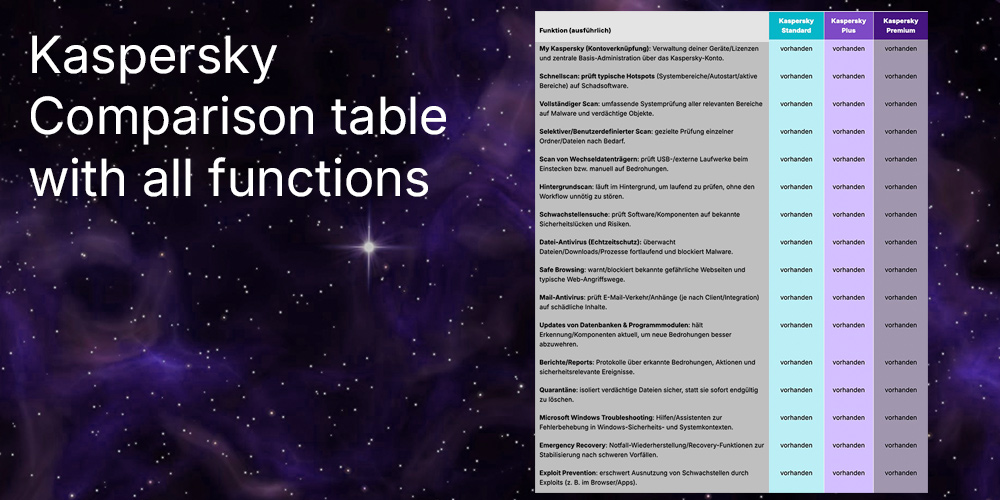
Kaspersky retired the Antivirus, Internet Security and Total Security names and replaced them with Standard, Plus and Premium, with Total Security mapping to today's Premium tier. A Total Security key still activates and migrates the licence into the current Kaspersky app, so buyers are not getting an unsupported product. The practical difference between tiers is mostly the bundled services: Standard is core protection, Plus adds unlimited VPN and Password Manager, and the Premium-level set adds identity and family extras. Because Total Security sits at the top of the old range, it already carries the firewall, Safe Money, Password Manager and Safe Kids that the basic tier omits.
| Feature | Standard | Plus | Total Security |
|---|---|---|---|
| Real-time protection | ✓ | ✓ | ✓ |
| Firewall | ✕ | ✓ | ✓ |
| Password Manager | ✕ | ✓ | ✓ |
| Parental controls | ✕ | ✕ | ✓ |
| VPN | Limited | Unlimited | Limited |
The main limitation is the VPN: Total Security bundles only the capped Secure Connection at up to 300 MB per day, so it is not a replacement for an unlimited VPN service. The backup feature relies on linking your own cloud storage rather than supplying dedicated encrypted backup space, so ransomware recovery depends on the account you connect. Buyers in some regions should also note the VPN component cannot be installed in countries with legal VPN restrictions such as Iran and China. None of these affect the core antivirus, firewall or Safe Money functions, which work the same across supported platforms.
Yes, a single Total Security key covers Windows, macOS, Android and iPhone or iPad from the same subscription. Feature parity is not identical across systems: the two-way firewall and Safe Money hardened browser are Windows and Mac features, while iOS protection focuses on web filtering, VPN and the Safe Kids controls due to Apple's platform restrictions. Webcam protection runs only on Windows and Mac computers. For a household this means the strongest desktop protection sits on the PCs and Macs, while phones mainly gain web, privacy and parental-control coverage.
Norton and Kaspersky compared
For a direct security-suite comparison, read our article:
Total Security includes data-leak and password-leak checking that alerts you when linked accounts appear in breaches, but full identity-theft monitoring is a Premium-tier service that varies by country. Treat the leak checker as an early warning, not a substitute for dedicated identity protection.
Yes. A valid Total Security key is accepted by the current Kaspersky application and migrates the licence into the new plan structure, so you do not need to uninstall or reinstall. Existing Internet Security or Total Security installs convert to the matching new tier on activation.
| Operating Systems | Windows 11 and 10: Home / Pro / Enterprise Windows 8.1 and 8: Pro / Enterprise Windows 7: Starter / Home Basic / Home Premium / Professional / Ultimate Service Pack 1 or later |
| Processor | 1 GHz or higher, x86 or x64, with SSE2 instruction set support. |
| Memory RAM | Windows 11: 4 GB for 64 bit operating system. Windows 10, 8.1, 8, and 7: 1 GB for 32-bit operating systems or 2 GB for 64-bit operating systems. |
| Hard Disk | 1500 MB free disk space. |
| Display | Minimum screen resolution 1024 x 768. |
| Note | Microsoft Windows Installer 4.5 or later required. Microsoft .NET Framework 4 or later required. Only 64-bit Windows 11 operating systems are supported. Windows Subsystem for Linux 2 is not supported. Windows 7 requires Service Pack 1 or later and required OS updates KB4490628 and KB4474419. Cannot be installed on a system or boot drive using the FAT32 file system. |
| Operating Systems | From macOS 13 Ventura to macOS 26 Tahoe. |
| Processor | Intel or Apple silicon. |
| Memory RAM | 4 GB minimum. |
| Hard Disk | 1360 MB free disk space. |
| Note | Internet connection required. |
| Operating Systems |
From Android 7 to Android 16. |
| Hard Disk | 120 MB of free space. |
| Display | Minimum screen resolution 320 x 480. |
| Note | Android 7.x and Android 8.x are supported as global versions only. The app must be installed only to the device main memory. Modified firmware increases the risk that the device will be hacked and data will be stolen or corrupted. Supported operating systems may depend on the region. |
| Operating Systems | From iOS 16.x to iOS 26.5. From iPadOS 16.x to iPadOS 26.5. |
| Hard Disk | 150 MB of free disk space. |
| Note | Internet connection required. Kaspersky app includes Kaspersky VPN Secure Connection functionality. You must uninstall one of the apps to use the other. |




