
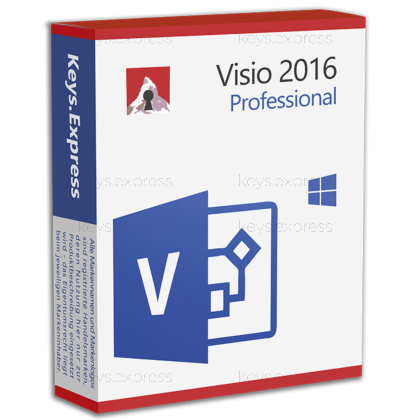
What are the core benefits of Microsoft Visio 2016 Professional?
Diagram Templates – Create professional flowcharts, org charts, and diagrams.
Pro Stencils – Use extensive IT and network shapes fast.
Data Linking – Connect diagrams to Excel and refresh automatically.
Team Collaboration – Co-author files via SharePoint or OneDrive storage.
Flexible Export – Save to PDF, images, or Office formats.
Important – Microsoft Visio included; Microsoft Project not included.
Thank you for understanding our FAIRPLAY conditions:
You must have a customer account and have purchased products from us within the last twelve months.
Free products are available to each customer only once.
You may order a maximum of three free products.
This product is not posted to the MS account and is not transferable to other devices.
Does not work with Microsoft365.
Download: Visio 2016 Professional
Professional templates – Adds software, engineering, and database diagram categories.
External data linking – Connects shapes to Excel, SQL Server, and SharePoint lists.
Data graphics – Displays linked field values as icons and colors.
Starter diagrams – Prebuilt examples with contextual tips for common diagrams.
Core Capacity – Imports AutoCAD .dwg and .dxf up to 2007.
Important – This is a standalone application; the full Microsoft Office suite is not included.
Visio Professional 2016 is the one-time-purchase Windows desktop application for flowcharts, network diagrams, org charts, floor plans, and process models, and it adds the Software, Engineering, and Database template categories plus external data linking on top of Visio Standard 2016. Microsoft ended support for Visio 2016 on October 14, 2025, so the product no longer receives security updates, bug fixes, or technical support.
One-time purchase – No recurring plan and no cloud sign-in needed.
Offline diagramming – Full desktop editing without an internet connection.
Refreshable data – Updates shape values from the linked source.
Standards-based stencils – Includes BPMN 2.0 and IEEE-compliant electrical shapes.
Legacy file support – Opens Visio 2000 through 2013 drawings.
Free viewer sharing – Recipients read diagrams without buying Visio.
It turns lists and tables into diagrams that stay accurate when the underlying data changes. The concrete mechanism is the Data tab: Quick Import points at an Excel workbook, matches a column of unique values against the text on your shapes, and attaches each row to the matching shape, after which data graphics show those field values as icons, colors, or text callouts. In practice this replaces the habit of retyping port counts, asset tags, or owner names into shape labels every time a network or process diagram is reviewed – you refresh the recordset instead. Visio 2016 also introduced starter diagrams with contextual tips and the "Tell Me" command search, which shorten the time spent hunting for the right stencil in the ribbon.
It suits Windows workplaces that already standardised on the 2016 generation of Microsoft desktop applications and need the Professional-only template categories. The specific reason to pick Professional over Standard is access to the Software, Engineering, and Database categories – Microsoft states these are available only in Visio Plan 2 and in Visio Professional 2016, 2019, and 2021 – plus the ability to link shapes to an external data source at all, which Standard cannot do. Typical fits are network and infrastructure documentation, ITIL-style process work, and facilities teams that overlay Visio shapes on an imported AutoCAD floor plan. Because Visio 2016 left support on October 14, 2025, it is a fit mainly for isolated or offline machines and for keeping an existing 2016-era diagram estate editable, not for a new long-term rollout.
Both editions share the same drawing canvas, themes, shape effects, and core template set, and both reached end of support on the same date. The split is that Professional adds three template categories and the entire external data-connectivity feature set; Standard can hold data typed directly into shapes but cannot import or link data from Excel, SQL Server, or SharePoint. The table below lists the verified differences.
| Feature | Visio Standard 2016 | Visio Professional 2016 |
|---|---|---|
| Flowchart and org chart templates | ✓ | ✓ |
| Software and UML templates | ✕ | ✓ |
| Engineering templates | ✕ | ✓ |
| Database templates | ✕ | ✓ |
| Link shapes to external data | ✕ | ✓ |
| Data graphics on linked data | ✕ | ✓ |
| Shape data typed manually | ✓ | ✓ |
| AutoCAD import | 2007 format | 2007 format |
| Model from existing database | ✕ | ✕ |
| Word, Excel, PowerPoint included | ✕ | ✕ |
| Support end date | Oct 14, 2025 | Oct 14, 2025 |
The most significant one is the lifecycle: Visio 2016 shipped on September 22, 2015, left mainstream support on October 13, 2020, and reached the end of extended support on October 14, 2025, so no further security updates are issued. Several capabilities that buyers often assume are present arrived only in later releases – UML 2.5-conforming templates, the ability to build a database model from an existing database, the Draw tab for pen and finger annotation, and access to third-party templates all belong to Visio 2019 or newer, while Azure and AWS stencils and wireframe templates start with Visio 2021. AutoCAD import is capped at the 2007 file format, so a .dwg saved from a modern AutoCAD release has to be down-saved before it will open. There is no macOS desktop version of Visio in any generation, and this is a standalone diagramming application – Word, Excel, PowerPoint, and the rest of the Microsoft Office suite are not part of the package and must be licensed separately.
On the data side it links shapes to Excel workbooks, Excel Services, SharePoint lists, SharePoint Business Connectivity Services, and SQL Server, and it can generate an org chart automatically from Excel, Exchange, or Active Directory. Linked recordsets refresh on a schedule or on demand, which is what makes a Visio rack or process diagram usable as living documentation rather than a snapshot. For drawings it uses the .vsdx and .vsdm formats introduced with Visio 2013 and opens files back to Visio 2000, so an inherited archive of .vsd drawings stays readable. CAD interchange is limited to .dwg and .dxf files written in the AutoCAD 2007 format or earlier – Microsoft's own guidance is to save the file down in AutoCAD first if the import fails.
Visio Professional 2016 is a locally installed desktop application bought once; the Visio Plans are recurring subscriptions, and Visio Plan 1 has no desktop app at all – it is browser-only. Visio Plan 2 includes the always-current desktop app and adds capabilities that Visio 2016 never had, including export of process diagrams to Word, export to Power Automate, Visio visuals inside Power BI reports, the Data Visualizer link with Excel, the ShapeSheet in the web app, and a shape ecosystem of more than 250,000 shapes. Visio 2016 can still co-author a diagram and use the Visio web app, but Microsoft lists both as requiring an eligible Microsoft 365 or SharePoint Online subscription, which is not part of this product. If diagrams have to live in Teams or refresh from cloud services, the subscription route is the technical match; if they live on a file server and must keep working without any online service, the 2016 desktop edition is the one that behaves that way.
First, confirm that an unsupported release is acceptable in the environment, since October 14, 2025 was the last date Microsoft issued fixes for Visio 2016. Second, check whether the diagrams need Software, Engineering, or Database templates or external data links – if not, Visio Standard 2016 covers the same drawing work at a lower tier. Third, verify the AutoCAD source files: anything newer than the 2007 .dwg format needs converting before it can be placed under Visio shapes. Fourth, confirm the target machine runs Windows, because there is no Visio desktop client for macOS; Microsoft's version comparison does list Visio 2016 as compatible with Windows 11, alongside high-DPI and dark theme support.
No. Microsoft states that Visio is not included in the Microsoft 365 suite and is sold as a standalone application. Buying Visio Professional 2016 gives you the diagramming application only – Word, Excel, PowerPoint, and Outlook are licensed separately.
No. Microsoft has never released a Visio desktop application for macOS, and that applies to the 2016 generation as well as every other one. Mac users can only reach Visio through Visio for the web in Safari or Chrome, which requires a Visio subscription plan and is not part of this product.
Yes. Visio 2016 opens files created in Visio 2013, 2010, 2007, 2003, and 2000, so an existing .vsd archive stays editable after the move. It saves in the .vsdx and .vsdm formats, which older Visio releases cannot read without the Visio Compatibility Pack – worth knowing if colleagues are still on Visio 2010.
Yes. Visio 2016 can publish to Visio Viewer, and the Microsoft Visio Viewer is a free download that displays Visio drawings on machines with no Visio installed. With the viewer present, recipients can also preview an attached diagram directly in Outlook and in the Windows Explorer preview pane, which avoids sending screenshots for every review round.
Not on its own. Microsoft lists web app sharing and co-authoring for Visio 2016 as requiring an eligible Microsoft 365 or SharePoint Online subscription, which is a separate purchase. Without one, Visio Professional 2016 works as an offline desktop application saving to local or network storage.
| Operating Systems | Windows 10 Windows 8.1 Windows 8 Windows 7 Windows Server 2012 Windows Server 2008 R2 |
| Processor | 1 GHz or faster x86-bit or x64-bit processor with SSE2 instruction set. |
| Memory RAM | 2 GB. |
| Hard Disk | 3 GB available disk space. |
| Display | 1280 x 800 screen resolution. |
| Graphics | DirectX 10 graphics card for hardware acceleration. |
| Note | Supports 32-bit and 64-bit editions .NET Framework 3.5 or higher. |
keys.express and keys.discount are online platforms for product keys. The product keys available in our shops for Windows and other software are inexpensive, secure, legal and come with an activation guarantee.
Below you will find the most important legal information about our products.
We offer exclusively unused and non-activated product keys. The keys have never been redeemed for activation and are fully available to the purchaser for the first-time activation of the respective product. A key that has already been redeemed could no longer be used for a new activation and is therefore not offered by us.
Trading in these product keys is permissible in the European Union and in Switzerland under current case law, provided that the necessary conditions are met. These conditions are as follows:
This trade is legally permissible because the underlying license was already placed on the market with the consent of the rightholder within the EU/EEA or Switzerland in return for appropriate remuneration. As a result, the so-called principle of exhaustion has taken effect, which permits the resale of individual product keys — in particular those originating from volume license agreements. Microsoft or the respective software provider has already received appropriate remuneration for this.
keys.express and keys.discount ensure that the aforementioned conditions are met and that the lawful use of the software is guaranteed. The requirements arising from European legislation are also observed in Switzerland.
Important note: The acquisition of a product key through the transmission of a combination of numbers and letters in digital form does not, in itself, constitute a license for the lawful use of the program. The license only arises from the respective installation and the associated acceptance of the manufacturer's terms of use.
Further information can be found here:



