Back to Top
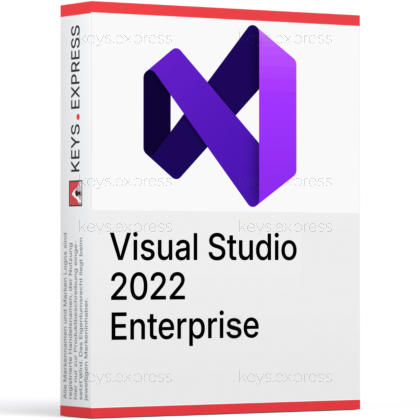
What are the key benefits and essential features of Microsoft Visual Studio 2022 Enterprise?
Advanced Debugging – Diagnose issues faster with powerful diagnostic tools.
Enterprise Testing – Built-in test management supports reliable release quality.
Code Analysis – Catch bugs early with static analysis checks.
Team Collaboration – Work smoothly with Git, PRs, and reviews.
Performance Profiling – Find bottlenecks quickly using profiling and traces.
DevOps Integration– Connect builds, work items, and deployments easily.
This product allows a one-time activation for one device. Once used, it cannot be used again, not even for the same device.
A key can activate the software once.
Download: Visual Studio 2022 Enterprise
Advanced debugging – IntelliTrace, Code Map integration and .NET dump analysis.
Live Unit Testing – Affected tests rerun automatically while you edit.
Built-in code coverage – Covers managed and native code in 2022.
Architecture validation – Author Code Maps and enforce dependency rules.
Core Capacity – Live Unit Testing supports MSTest, xUnit, NUnit.
Important – Snapshot Debugger and Xamarin tooling are no longer available.
Visual Studio 2022 Enterprise is the top edition of Microsoft's Windows IDE, adding diagnostics, testing and architecture tooling on top of everything Professional contains. It is the edition that unlocks Live Unit Testing, IntelliTrace and built-in code coverage in the 2022 generation.
Faster bug reproduction – IntelliTrace records events without rerunning the failing scenario.
Continuous test feedback – Live Unit Testing marks uncovered lines while typing.
Coverage without extras – No third-party coverage tool needed in 2022.
Legacy code insight – Code Maps expose dependencies before risky refactoring.
Cross-platform targets – .NET MAUI, C++, Python and Node.js.
Predictable update cadence – LTSC channels defer feature updates eighteen months.
It is Microsoft's full Windows development environment for building, debugging, testing and profiling applications, with the Enterprise-only diagnostics layer switched on. Beyond the shared editor, compilers and Git tooling, Enterprise adds IntelliTrace historical debugging, .NET memory dump analysis and Tier Interaction Profiling to the Performance and Diagnostics Hub. The practical effect is on intermittent production faults: instead of trying to reproduce a crash locally, you open the collected dump or IntelliTrace log and step through the recorded event sequence. It covers Windows desktop, ASP.NET and web, Azure, Docker, C++ cross-platform libraries, Python and Node.js work in one installation.
Professional and Enterprise share the identical core IDE; the split sits in testing, diagnostics and architecture tooling. In the 2022 generation, built-in code coverage is limited to Enterprise, which is the single difference most teams hit first, because Professional users have to add an external coverage tool to get the same numbers in a pull request gate. Enterprise also holds Live Unit Testing, IntelliTrace, Microsoft Fakes, .NET memory dump analysis and the ability to create and edit Code Maps, while Professional can only open those diagrams read-only. A newer generation exists, and the comparison logic changes there, which is covered in our guide on Visual Studio 2026 Professional or Enterprise.
| Feature | Professional 2022 | Enterprise 2022 |
|---|---|---|
| Live Unit Testing | ✕ | ✓ |
| IntelliTrace | ✕ | ✓ |
| Built-in code coverage | ✕ | ✓ |
| Code Maps | View only | ✓ |
| Microsoft Fakes | ✕ | ✓ |
| .NET dump analysis | ✕ | ✓ |
| .NET MAUI | ✓ | ✓ |
Yes, both are included, and Enterprise is the only 2022 edition that has them. Live Unit Testing works on projects targeting .NET Framework, .NET Core or .NET 5 and later, and drives MSTest, xUnit or NUnit through their NuGet test adapters. Once started from Test > Live Unit Testing, the editor marks each line as covered, uncovered or failing as you type, so a broken assertion shows up before you build. IntelliTrace complements this by recording exceptions and debugger events, which is what makes a race condition that only appears once per hundred runs analysable after the fact.
Visual Studio 2022 Enterprise targets Windows desktop, Universal Windows apps, web with ASP.NET, business and Office 365 applications, Azure, Docker and C++ cross-platform libraries, plus Python and Node.js projects. Cross-platform mobile and desktop work runs through .NET MAUI, which is available in every 2022 edition rather than being an Enterprise extra. C++ developers get the MSVC toolset with the Windows SDK; native code is also covered by the Enterprise code coverage engine, which supports both static and dynamic instrumentation and can export results in Cobertura format for a build pipeline. Team-wide reporting can also use Microsoft.CodeCoverage.Console, shipped from version 17.3 under Common7\IDE\Extensions\Microsoft\CodeCoverage.Console in the Enterprise installation.
Yes, and the Visual Studio edition does not change which Copilot features you get. From version 17.10 onward, GitHub Copilot and Copilot Chat ship as one built-in, recommended component installed by default with every workload, rather than as a Marketplace extension. Older standalone Copilot extensions from the Marketplace are incompatible with 17.10 and later, so a team upgrading from 17.9 should remove them and enable the installer component instead. Access to Copilot itself comes from GitHub, so an Enterprise installation gives no Copilot advantage over Professional or Community.
Several tools that older comparison articles still list as Enterprise selling points are gone. Snapshot debugging is deprecated and is no longer available in current Visual Studio 2022 builds, so live production snapshotting of Azure App Service apps has to move to dotnet-monitor, ProcDump or Time Travel Debugging. Xamarin support ended on 1 May 2024, and the Xamarin and Xamarin Profiler installer components are flagged out of support, which means new mobile work belongs in .NET MAUI. Coded UI Test is also limited: existing tests still run, but the Coded UI Test Editor is absent, so no new recordings can be made.
Check the operating system first, because it is a hard stop: Visual Studio 2022 installs only on 64-bit Windows 10 version 1909 or higher and Windows Server 2016 or higher, and will not install on any 32-bit Windows. The x64 build is also unsupported on ARM operating systems, so ARM-based laptops are a poor fit. Second, check whether the Enterprise-only diagnostics actually match your workload; if nobody on the team runs coverage gates, analyses dumps or maintains large legacy solutions, Professional covers the same editing and debugging surface. Third, note that Visual Studio 2022 version 17.14 on the Current Channel remains serviced until 13 January 2032, so it is a stable baseline for teams that are not moving to a newer generation yet.
No, this is a Windows-only IDE. Visual Studio for Mac was retired on 31 August 2024 and there is no macOS counterpart to the 2022 Enterprise edition. Mac developers typically use Visual Studio Code or JetBrains Rider instead.
Yes, Visual Studio 2022 can still run Coded UI tests that were created earlier, but it cannot record new ones because the Coded UI Test Editor is not included. Visual Studio 2019 was the last release with full Coded UI Test support. Microsoft points teams toward Playwright for web UI tests and Appium with WinAppDriver for desktop and UWP apps.
Not without a change. Test projects that still reference Microsoft.VisualStudio.QualityTools.UnitTestFramework must be moved to the MSTest.TestAdapter and MSTest.TestFramework NuGet packages, with version 1.1.11 or higher for both. Teams that cannot migrate those projects have to keep using Visual Studio 2019 or 2017 for Live Unit Testing.
Enterprise, Professional and Build Tools can use the Long-Term Servicing Channels, while Community is restricted to the Current Channel. Every even-numbered minor version becomes an LTSC and stays serviced for 18 months, letting an organisation take security fixes without adopting new features mid-project. Version 17.14 is the exception: it has no separate LTSC and is serviced on the Current Channel until January 2032.
| Operating Systems | Windows 11: Home / Pro / Pro Education / Pro for Workstations / Enterprise / Education Windows 11 ARM64 Windows Server 2025: Standard / Datacenter Azure / Datacenter Windows Server 2022, 2019, and 2016: Standard / Datacenter |
| Processor | ARM64 or x64 processor. Quad-core or better recommended. ARM32 processors are not supported. |
| Memory RAM | Minimum 4 GB. Recommended 16 GB RAM for typical professional solutions. |
| Hard Disk | Minimum 850 MB up to 210 GB available hard drive space, depending on installed features. Typical installations require 20 GB to 50 GB of free space. Solid-state drive is recommended for better performance. |
| Display | WXGA 1366 x 768 minimum display resolution. Visual Studio works best at 1920 x 1080 or higher resolution. |
| Graphics | Video card that supports WXGA 1366 x 768 minimum display resolution. |
| Note | Administrator rights are required to install or update Visual Studio. Requires .NET Framework 4.7.2 or above to install Visual Studio. Requires .NET Framework 4.8 to run Visual Studio. WebView2 Runtime is required to install Visual Studio. Universal Windows app development requires Windows 10. Windows 10 ARM64, Windows 10 Enterprise LTSC edition, Windows 10 S, Windows 10 Team Edition, Windows Enterprise IoT, Windows 10 IoT Core, Server IoT, Minimal Server Interface, Windows containers, non-persistent virtual machine environments, application virtualization solutions, multiple simultaneous users on the same machine, and FSLogix roaming profiles are not supported. |