Back to Top
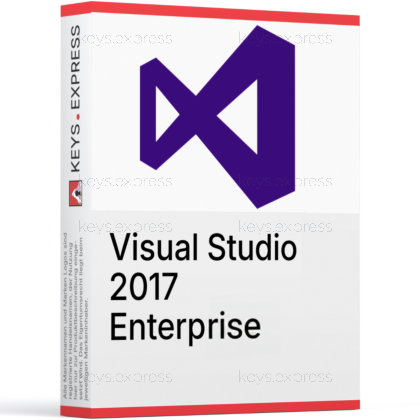
What are the key benefits and essential features of Microsoft Visual Studio 2017 Enterprise?
Advanced Debugging – Diagnose complex issues with powerful built-in tools.
IntelliTrace Diagnostics – Step back through code execution history.
Enterprise Testing – Comprehensive unit, load and UI testing.
Architecture Validation – Visualize and enforce code dependencies easily.
DevOps Integration – Seamless connection with Azure and TFS.
Broad Language – Develop apps for web, cloud, desktop.
This product allows a one-time activation for one device. Once used, it cannot be used again, not even for the same device.
A key can activate the software once.
Download: Visual Studio 2017 Enterprise
Full IDE – Build Windows, web, cloud and mobile apps.
IntelliTrace – Record execution history to debug non-reproducible failures.
Live Unit Testing – Runs affected unit tests as you type.
Code Map – Maps call paths and dependencies during debugging.
Core Capacity – Microsoft Fakes, IntelliTest, Coded UI, load testing.
Important – GitHub Copilot and .NET 5+ targeting are unsupported.
Visual Studio 2017 Enterprise is the top edition of Microsoft's Windows IDE for .NET, C++, Python and Xamarin development. It adds the diagnostic, testing and architecture tooling that Professional leaves out, and its final baseline, version 15.9, still receives security updates through April 2027.
Legacy support – Keeps .NET Framework and v141 C++ projects building.
Deep debugging – Inspect recorded runs instead of chasing repro steps.
Test generation – IntelliTest derives unit tests from existing code paths.
Architecture control – Dependency rules flag violations while code is written.
Cross-platform reach – Xamarin targets Android and iOS from Windows.
Toolset parity – Matches existing MSBuild 15 build servers exactly.
It is a Windows-based IDE for building .NET Framework, .NET Core 2.x, C++, Python, Node.js and Xamarin applications from a single installation. Enterprise bundles the complete 2017 toolchain plus the diagnostics that only this edition carries: IntelliTrace, Code Map debugger integration, .NET memory dump analysis and the Snapshot Debugger for Azure App Service. In practice that means a crash reported from a test environment can be examined from recorded execution history rather than reconstructed by guesswork. Version 15.9 is the final servicing baseline and the only one still receiving security fixes.
It suits teams maintaining WinForms, WPF, WCF or C++ codebases that were built against the 2017 toolset and cannot be retargeted quickly. Because .NET Core 3.0 and later cannot be targeted from this version, it is the right pick when a solution is pinned to .NET Framework 4.7 or .NET Core 2.x, and the wrong pick for new .NET 8 or .NET 9 work. The second common case is build-server parity: matching the developer IDE to an existing MSBuild 15 and v141 toolchain removes compiler-version drift between local builds and CI. Enterprise specifically pays off where test projects already use Microsoft Fakes, since that isolation framework is absent from Professional.
Enterprise 2017 contains everything in Professional 2017 and adds diagnostics, testing and architecture tooling. The concrete additions are IntelliTrace, Snapshot Debugger, .NET memory dump analysis, Code Map debugger integration, Live Unit Testing, IntelliTest, Microsoft Fakes, Coded UI Test, web performance and load testing, and code clone detection. One nuance is regularly missed: dependency validation rules can only be authored in Enterprise, but any edition, Professional included, will enforce rules that already exist in a solution. Core editing, IntelliSense, the standard debugger, Xamarin and the Azure workloads are identical in both editions.
| Feature | Professional 2017 | Enterprise 2017 |
|---|---|---|
| Editor and debugger | ✓ | ✓ |
| Xamarin and Azure workloads | ✓ | ✓ |
| IntelliTrace | ✕ | ✓ |
| Snapshot Debugger | ✕ | ✓ |
| Code Map debugging | ✕ | ✓ |
| Live Unit Testing | ✕ | ✓ |
| IntelliTest and Microsoft Fakes | ✕ | ✓ |
| Load and performance testing | ✕ | ✓ |
| Dependency validation | Enforce only | ✓ |
| Code clone detection | ✕ | ✓ |
C#, Visual Basic, F#, C++, Python, R, Node.js, TypeScript and JavaScript are all available from the same installer as selectable workloads. Supported targets include .NET Framework 3.5 through 4.7, .NET Core 1.x and 2.x, UWP, Android and iOS through Xamarin, and Linux through the C++ Linux development workload. iOS builds still require a networked Mac running the Xamarin Mac Agent, because Visual Studio 2017 cannot compile iOS binaries on Windows on its own. Console and ASP.NET applications targeting macOS can be built, but Microsoft does not support debugging them from this IDE.
The two hard limits are the framework ceiling and the absence of AI tooling. Visual Studio 2017 cannot target .NET Core 3.0 or anything newer, so .NET 5, 6, 8 and 9 projects will not build; the 2.2.1xx SDK line is the last that works with it, and installing a 2.2.2xx SDK breaks the .NET Core tooling. GitHub Copilot is also unavailable, since the Visual Studio Copilot integration requires Visual Studio 2022 version 17.6 or later and no 2017 extension exists. Silverlight, Windows Store 8.x and Windows Phone 8.x projects are unsupported as well, and still need Visual Studio 2015 for maintenance.
Check three things: the target framework of your solutions, the operating system you develop on, and your update horizon. Visual Studio 2017 left mainstream support on 12 April 2022 and stays in extended support until 13 April 2027, with security fixes delivered only to version 15.9. Microsoft's current requirements list supported Windows 11 editions and Windows Server 2016 or newer, while Windows 10 Enterprise LTSC and Windows 10 S are excluded as development machines. If the codebase can move to a current target framework, compare the newer editions first in our guide Visual Studio 2026 Professional or Enterprise: Advantages, Differences, and Suitability.
Yes. Microsoft's current system requirements list the supported Windows 11 editions along with Windows Server 2016, 2019, 2022 and 2025. The IDE itself needs .NET Framework 4.7.2, which setup installs automatically.
Yes, side-by-side installation with Visual Studio 2019, 2022 and later is supported and is the usual setup when one solution is pinned to the v141 toolset. Watch the .NET Core SDK version in that scenario: the 2.2.2xx SDK line works with 2019 and later but breaks .NET Core project loading in 2017, so keep a 2.2.1xx SDK installed as well.
Yes, through Team Explorer, covering Git and TFVC repositories, work items and builds on Azure DevOps Services or on-premises Azure DevOps Server. Version 15.9 already uses TLS 1.2, so it was not affected by the Azure DevOps cut-off of TLS 1.0 and 1.1 that stopped older clients from connecting.
| Operating Systems | Windows 11: Home / Pro / Pro Education / Pro for Workstations / Enterprise / Education Windows Server 2025 / 2022 / 2019 / 2016: Standard / Datacenter |
| Processor | 1.8 GHz or faster processor. Dual-core or better recommended. |
| Memory RAM | Minimum 2 GB. Recommended 4 GB RAM. Minimum 2.5 GB RAM when running on a virtual machine. |
| Hard Disk | Up to 130 GB available hard drive space, depending on installed features. Typical installations require 20 GB to 50 GB of free space. Solid-state drive is recommended for better performance. |
| Display | 720p 1280 x 720 minimum display resolution. Visual Studio works best at WXGA 1366 x 768 or higher resolution. |
| Graphics | Video card that supports 720p 1280 x 720 minimum display resolution. |
| Note | Administrator rights are required to install or update Visual Studio. .NET Framework 4.5.2 or above is required to install Visual Studio. Visual Studio requires .NET Framework 4.7.2 to run, and this will be installed during setup. Internet Explorer 11 or Edge is required for internet-related scenarios. Windows 10 Enterprise LTSC edition and Windows 10 S are not supported for development. Server Core and Minimal Server Interface options are not supported when running Windows Server. Visual Studio is not supported in virtualized environments such as Microsoft App-V or MSIX for Windows, or third-party app virtualization technologies. Running Visual Studio in a virtual machine environment requires a full Windows operating system and a persistent VM. Simultaneous usage of Visual Studio by multiple users is not supported. FSLogix roaming profiles are not supported. Windows containers are not supported, except for Visual Studio 2017 Build Tools. |