↑
Back to Top
What are the main features and advantages of Ashampoo Music Studio?
Audio Editing – Cuts, trims, and enhances sound files easily.
Format Conversion – Converts audio between popular file formats quickly.
CD Ripping – Extracts tracks from discs with automatic tagging.
Audio Recording – Captures sound from microphone or system output.
Playlist Tools – Organizes music collections with smart sorting features.
Creative Freedom – Supports long-term audio quality and efficient music workflows.
Download: Ashampoo Music Studio
Audio Editor – Cuts, splits, mixes, and normalizes tracks visually.
Stream Recording – Records Spotify, Deezer, and Amazon Music playback.
CD Ripping – Digitizes audio CDs with automatic metadata and covers.
Disc Burning –Creates audio CDs with printable cover designs.
Core Capacity –Converts between MP3, WAV, FLAC, OGG, OPUS, WMA.
Important – Windows-only program; no macOS or mobile version exists.
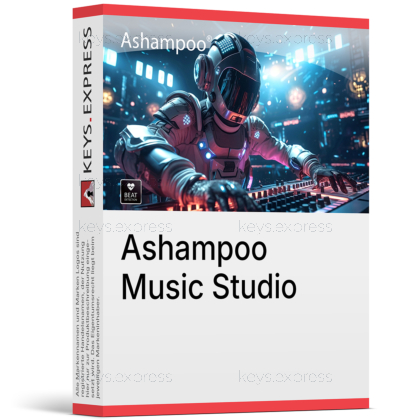
Ashampoo Music Studio is a Windows audio suite that combines recording, editing, converting, CD ripping, disc burning, and music organization in eight modules. It is built for users who keep and maintain a local music collection instead of depending entirely on streaming services.
One Program – Replaces separate recording, editing, and burning tools.
Automatic Naming – Recordings and CD rips receive correct titles automatically.
Reliable Recording – Capture continues even if audio devices disconnect.
Collection Cleanup – Renames and sorts files using configurable naming schemes.
Playlist Export – Creates M3U, PLS, WPL, and XSPF playlists.
Guided Workflow – Step-by-step wizards simplify less common audio tasks.
Ashampoo Music Studio is an audio program for Windows that records, cuts, converts, burns, and organizes music files. Its eight modules cover the complete chain from capturing audio to maintaining a tidy library: you can record from apps or a microphone, trim and split the result in the editor, convert it to formats such as MP3, FLAC, or OPUS, and burn finished compilations to CD with a matching printed cover. A dedicated organizer module renames and sorts entire folders based on metadata, which is the practical fix for collections full of files named track01.mp3. The normalize function additionally levels volume differences between tracks, so a mixed compilation plays back evenly.
Yes, the recording module captures playback from applications such as Spotify, Deezer, and Amazon Music and can target a single app while filtering out other system sounds. For Spotify-style sources, the program recognizes artist and song title automatically and names the resulting files accordingly; for unclear sources such as browser windows, it parses the window title and removes irrelevant parts. Silence detection can split a long recording session into individual tracks without manual cutting. The recorder also detects muted recording devices, unmutes them for the session, and restores the original state afterwards, which removes the most common cause of failed Windows audio recordings. Note that you can only record what actually plays on your PC, so the output quality depends on the source stream.
The ripping module is designed for digitizing CD collections with minimal manual work. It compares multiple online database entries per disc, merges them intelligently, and additionally reads CD-Text directly from the disc, so track names, album data, and cover art are filled in automatically rather than typed by hand. Ripped tracks can be saved directly to space-saving formats such as MP3 or to lossless FLAC if you want an archival copy. Combined with the auto-renaming module, a shelf of discs becomes a consistently named, searchable digital library — useful insurance against scratched or aging CDs.
It suits users who manage music files locally: people digitizing CD collections, hobby DJs preparing mixes and party compilations, and anyone who records audio from streams, microphones, or online sessions. The concrete advantage over single-purpose tools is integration — the same program that records a stream also splits it into tracks, tags it, converts it, and exports a playlist, with no file juggling between separate applications. The editor's looping previews and selection-based splitting make tasks like building ringtones or trimming audiobook chapters quick even for non-technical users. It is not a digital audio workstation, so musicians producing multitrack recordings with virtual instruments need different software.
Music Studio 12 is the current paid version, and its main improvements concentrate on CD ripping and recording: more accurate CD recognition with merged database entries and CD-Text reading, automatic title detection for streaming recordings, automatic mute handling for recording devices, and a redesigned recording list that sorts by name, date, or length. Version 11 introduced the app-specific recording filter, the robust recording mode that survives device dropouts, 18 supported tag types, and support for multiple artwork images per song — all of which remain in version 12. Ashampoo also distributes a free Music Studio edition based on an older program generation, which lacks the current recording and CD-recognition features. Buyers who mainly record streams or rip many discs benefit most from the version 12 changes.
Ashampoo Music Studio runs exclusively on Windows 10 and Windows 11, including the ARM variants of both — there is no macOS, Android, or iOS version. It is an editing and organizing suite, not a music production environment, so it does not replace DAW software for composing or multitrack studio work. Stream recording captures live playback in real time, meaning a one-hour playlist takes roughly an hour to record, and users remain responsible for respecting the terms of their streaming subscriptions. Burning features naturally require an optical drive, which many modern PCs no longer include.
The following answers are based on Ashampoo's official product FAQ and documentation.
Yes, tags such as title, artist, album, and genre can be edited manually or updated automatically. The program supports 18 different tag types and keeps existing tags intact when converting between audio formats.
Yes, a dedicated function pulls the audio track out of videos and saves it as a standalone music file. This is the quickest route to keeping a film soundtrack or turning a video clip's audio into a ringtone.
Yes, the editor lets you cut, blend, and rearrange tracks and export the result in your preferred format or as a playlist. Looping previews play your selection continuously, so transitions can be checked while you adjust them.
Yes, the interface is organized into clearly separated modules, and step-by-step wizards guide users through more complex tasks. Context-sensitive menus only show the functions that apply to the current editing situation, which keeps the workspace uncluttered.
| Operating Systems | Windows 11: Home / Pro / Education / Enterprise Windows 10: Home / Pro / Education / Enterprise |
| Processor | Compatible x64 processor for Windows 10 or Windows 11 |
| Memory RAM | Requirements met by any PC running the supported operating system |
| Hard Disk | 113.00 MB free space |
| Display | Standard display compatible with the respective operating system |
| Special Features | Record apps like Spotify, Deezer and Amazon Music without interruption. Targeted app recording instead of just All you can hear. Smart pausing and resuming of recordings. Full StereoMix support. Fast CD ripping with Quick Rip. Extract audio tracks from videos. Edit metadata. Auto-split audio files with smart splitting. Normalize and adjust volumes between multiple tracks. Convert audio files into different formats including Opus, Flac, Ogg, WAV, AAC m4a, and APE. Create compatible playlists. Create CUE-based playlists. DJ Mix Tape with tempo analysis and smart harmonization. Burn audio discs, MP3 discs, and WMA discs. Cover Studio with templates for CD labels, jewel cases, and slim cases. |
| Note | Internet required for activation. Internet required for some services. License is verified repeatedly at regular intervals. Windows-only product. Not compatible with macOS, Android, or iOS. |