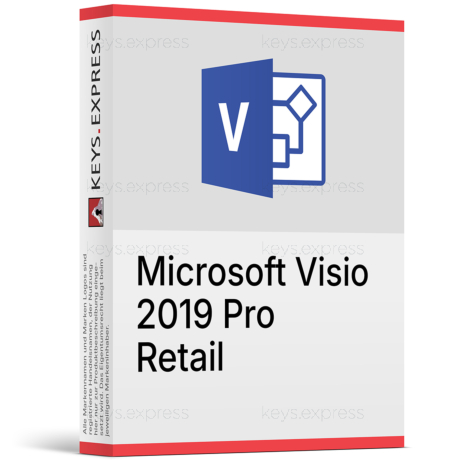
What are the main features and essential benefits of Microsoft Visio 2019 Professional?
Template Library – Start with ready-made diagrams and modern stencils.
Data Linking – Connect shapes to Excel and refresh values easily.
Standards Support – Build BPMN and UML diagrams with validation.
Team Collaboration – Co-author and comment using OneDrive or SharePoint.
AutoCAD Import – Open DWG files and add context fast.
Smarter Editing – Change shapes without breaking connectors and layout.
This product is not posted to the MS account and is not transferable to other devices.
Does not work with Microsoft365.
Download: Visio 2019 Professional
Diagram templates – Flowcharts, org charts, network and floor-plan diagrams.
Data linking – Connect shapes to Excel, SharePoint, and SQL Server.
Data graphics – Display shape values as icons and colours.
UML 2.5 – Component, communication, and deployment software diagrams.
AutoCAD import – Opens .dwg and .dxf up to AutoCAD 2017.
Important – This is a standalone application; the full Microsoft Office suite (Word, Excel, PowerPoint) is not included.
Visio Professional 2019 is the one-time-purchase desktop edition of Microsoft's Windows diagramming app, adding data-linked diagrams and advanced templates that Visio Standard 2019 leaves out. It installs locally and needs no subscription to create or edit .vsdx diagrams.
One-time purchase – Pay once with no recurring subscription fee.
Data-driven diagrams – Shapes refresh when linked Excel data changes.
Advanced templates – Detailed network, database, and engineering diagram types.
AutoCAD reuse – Import .dwg floor plans as diagram backgrounds.
Data Visualizer – Build flowcharts directly from Excel process tables.
Works offline – Create and edit diagrams without an internet connection.
It turns processes, systems, and spaces into structured diagrams instead of hand-drawn sketches or static Office shapes. The practical gain over Visio Standard is data connectivity: you can link diagram shapes to an Excel table, SharePoint list, or SQL Server database, then apply data graphics so a network map or asset diagram shows live status as icons and colours. Visio 2019 also added UML 2.5 templates (component, communication, and deployment diagrams) and the ability to create a database model from an existing database. For engineering and facilities work, the improved AutoCAD import opens .dwg and .dxf files from AutoCAD 2017 or earlier, with faster import and corrected drawing-scale handling compared with older Visio releases.
It fits network administrators, business analysts, and engineers who need detailed, data-linked diagrams and prefer a perpetual licence over a Visio subscription. The concrete deciding factor is data linking and the advanced template set (detailed network, database/ERD, UML, and engineering diagrams), which exist only in Professional and not in Visio Standard 2019. A sysadmin documenting server racks against a SQL inventory, or an analyst generating a swim-lane process map from Excel, gets output that updates with the source data rather than manual re-drawing. Buyers who only need basic flowcharts, block diagrams, and org charts can use Visio Standard 2019 instead and pay less, because those features are shared by both editions.
Both editions share the same drawing engine, basic templates, themes, and co-authoring, but Professional adds the data and advanced-diagram layer. Standard cannot link shapes to external data, has no data graphics, and omits the detailed network, database, UML, and engineering templates. The table below lists the verified differences between the two 2019 editions.
| Feature | Visio Standard 2019 | Visio Professional 2019 |
|---|---|---|
| Basic flowcharts & block diagrams | ✓ | ✓ |
| Org charts & themes | ✓ | ✓ |
| Co-authoring (Microsoft 365 / SharePoint) | ✓ | ✓ |
| Detailed network diagrams | ✕ | ✓ |
| Database modeling (ERD) | ✕ | ✓ |
| UML 2.5 diagrams | ✕ | ✓ |
| Data linking (Excel / SQL / SharePoint) | ✕ | ✓ |
| Data graphics | ✕ | ✓ |
| AutoCAD .dwg / .dxf import | ✕ | ✓ |
| Support end date | Oct 14, 2025 | Oct 14, 2025 |
Visio Professional 2019 and Visio 2021 are both perpetual desktop licences, while Visio Plan 2 is a subscription that adds the Visio web app and an always-updated desktop client. Compared with 2021, the 2019 desktop app does not include hex colour values for shapes, the expanded Azure and AWS shape stencils, or touch support on Windows, all of which arrived in Visio 2021. It also will not receive new features or, importantly, security updates: Microsoft ended support for Visio 2019 on October 14, 2025. Choose 2019 if you already standardised on it and want a fixed feature set; choose 2021 or 2024 if you need ongoing patches, or Visio Plan 2 if you need browser access and the online shape library.
Yes. Visio Professional 2019 links diagram shapes to external data from Excel, SharePoint lists, and SQL Server, and can refresh that data manually or on a set schedule so the diagram stays current. This is a Professional-only capability; Visio Standard 2019 has no data linking at all. Two constraints matter in practice: connecting to Excel, Exchange, or SharePoint as a data source can require the relevant Office 365 or standalone subscription for those services, and simultaneous co-authoring only works when the file is stored in Microsoft 365 or SharePoint. For a purely local diagram with no data source, none of that applies and the app runs fully offline.
It saves in the modern .vsdx format and can open legacy .vsd files created in Visio 2000 and later, so older diagram archives remain usable. Diagrams can be exported as PNG or JPEG images and as PDF for sharing outside Visio. For CAD work, Visio 2019 imports .dwg and .dxf files from AutoCAD 2017 or earlier, a notable jump from older Visio releases that only handled AutoCAD 2007 files, and it aligns the Visio drawing scale to the AutoCAD viewport scale. Note that automatic export of process diagrams into Word and PowerPoint is a Visio Plan 2 feature and is not part of the perpetual 2019 desktop app.
Visio Professional 2019 is a standalone diagramming application: Word, Excel, PowerPoint, and the rest of the Office suite are not included and must be licensed separately. It is Windows-only, with no desktop version of Visio for macOS. Compared with newer releases it lacks hex colour input, the larger Azure and AWS shape libraries, and the 250,000-plus online shape ecosystem, which are tied to Visio 2021 and Visio Plan 2. Because Microsoft ended support on October 14, 2025, no further security updates are issued, so buyers planning long-term use should weigh Visio 2021 or 2024 for continued patching.
First, confirm you are on Windows, since there is no Mac desktop edition of Visio 2019. Second, decide between Standard and Professional based on one question: do you need to link diagrams to Excel, SharePoint, or SQL data, or use the detailed network, database, UML, or engineering templates? If yes, Professional is required; if you only need basic flowcharts and org charts, Standard covers it for less. Third, factor in that Visio 2019 reached end of support on October 14, 2025, so it no longer receives security updates. Verify your Windows build is compatible before installing.
No. Visio Professional 2019 installs and runs on its own and does not require a Word, Excel, or PowerPoint installation to open the app or build diagrams. An Office or Microsoft 365 licence only becomes relevant when you link a diagram to a live Excel, Exchange, or SharePoint data source, which uses those services.
No. Visio 2019 is the Windows-based desktop version, and Microsoft does not offer a Visio desktop app for macOS. Mac users can only view or edit diagrams through Visio for the web, which requires a Visio subscription, so a perpetual 2019 licence is intended for Windows PCs.
Yes. It opens .vsd files created in Visio 2000 and later versions and saves in the current .vsdx format, so migrating from an earlier Visio release keeps your existing diagrams usable. This backward compatibility means legacy network maps, process charts, and org charts do not have to be rebuilt when you move to the 2019 app.
| Operating Systems | Windows 10 Windows Server 2019 |
| Processor | 1.6 GHz or faster, dual-core. |
| Memory RAM | 4 GB; 2 GB for 32-bit. |
| Hard Disk | 4 GB of available disk space. |
| Display | 1280 x 768 screen resolution. |
| Graphics | Graphics hardware acceleration requires DirectX 9 or later. |
| Note | Internet access required. Microsoft account required. Some features may require .NET 3.5 or 4.6 and higher to be installed. |
keys.express and keys.discount are online platforms for product keys. The product keys available in our shops for Windows and other software are inexpensive, secure, legal and come with an activation guarantee.
Below you will find the most important legal information about our products.
We offer exclusively unused and non-activated product keys. The keys have never been redeemed for activation and are fully available to the purchaser for the first-time activation of the respective product. A key that has already been redeemed could no longer be used for a new activation and is therefore not offered by us.
Trading in these product keys is permissible in the European Union and in Switzerland under current case law, provided that the necessary conditions are met. These conditions are as follows:
This trade is legally permissible because the underlying license was already placed on the market with the consent of the rightholder within the EU/EEA or Switzerland in return for appropriate remuneration. As a result, the so-called principle of exhaustion has taken effect, which permits the resale of individual product keys — in particular those originating from volume license agreements. Microsoft or the respective software provider has already received appropriate remuneration for this.
keys.express and keys.discount ensure that the aforementioned conditions are met and that the lawful use of the software is guaranteed. The requirements arising from European legislation are also observed in Switzerland.
Important note: The acquisition of a product key through the transmission of a combination of numbers and letters in digital form does not, in itself, constitute a license for the lawful use of the program. The license only arises from the respective installation and the associated acceptance of the manufacturer's terms of use.
Further information can be found here: