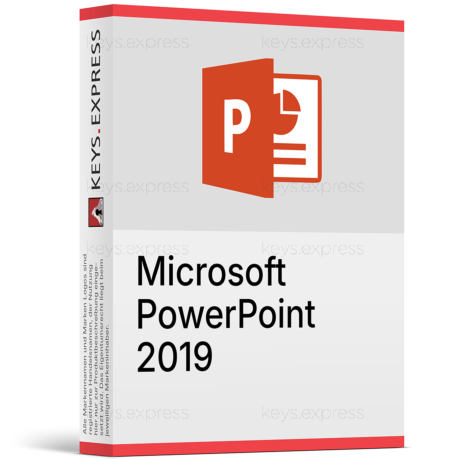
What are the main features and advantages of Microsoft PowerPoint 2024?
Designer Ideas – Create polished slides faster with smart layouts.
Morph Transition – Add smooth motion between slides automatically.
Presenter View – See notes and timing while audience sees slides.
Media Editing – Trim and format audio and video quickly.
Export Options – Save slides as PDF or video easily.
Slide Templates – Start faster with professional built-in themes.
This product is not posted to the MS account and is not transferable to other devices.
This product allows a one-time activation for one device. Once used, it cannot be used again, not even for the same device.
Download: PowerPoint 2024
Cameo camera feed – Place a live webcam feed onto slides.
Recording Studio – Capture voice, ink, and on-camera video.
Video export – Save a finished deck as a video file.
Media captions – Add closed captions to audio and video.
Refreshed design – New default theme, colours, and Aptos font.
Important – Standalone app; the full Microsoft Office suite is not included.
Microsoft PowerPoint 2024 is the one-time-purchase, offline desktop version of PowerPoint, installed locally without a Microsoft 365 subscription. It brings the presentation features added to Microsoft 365 since 2021 – cameo, Recording Studio, and media captions – into a fixed release that receives security and quality updates through October 9, 2029.
One-time purchase – Pay once instead of a monthly subscription.
Works offline – Build and present slides without internet.
Stable feature set – No surprise interface changes for years.
Cameo built in – Put your live camera onto slides.
Recording Studio – Narrate decks and export them as video.
Add-in compatible – Version 16.0 keeps most 2016–2021 add-ins working.
It is the offline desktop app for building and delivering slide decks on a Windows PC, sold as a one-time purchase instead of a subscription. The most concrete additions over PowerPoint 2021 are cameo, which drops your live camera feed onto a slide, and Recording Studio, which records your voice, ink gestures, and on-camera video and exports the result as a single video file. You can also add closed captions to embedded audio and video, and zoom up to 400% during Slide Show view while animations and video keep playing. In practice, a presenter can record a narrated, on-camera version of a deck and send one video file instead of scheduling a live call.
It fits users who need only PowerPoint – not the full Word, Excel, and Outlook suite – and want it installed locally on Windows without a Microsoft 365 subscription. Because it is a locked-in-time release with security and quality updates through October 9, 2029, it suits teachers, sales and marketing staff who mainly produce decks, and shared or kiosk PCs where a frozen feature set is preferable. It is also practical for someone who already gets Word and Excel elsewhere and just needs a standalone slide tool. If a workflow depends on Copilot AI drafting or live cloud co-authoring, a Microsoft 365 plan is the better match.
Both use the same desktop PowerPoint engine, but PowerPoint 2024 is a fixed one-time purchase while Microsoft 365 is a recurring plan that adds cloud services and Copilot AI. PowerPoint 2024 receives only security and quality fixes – no new features – through October 9, 2029, so capabilities added to Microsoft 365 after the 2024 release will not appear in it. The free PowerPoint for the web is a third option but cannot record slide shows and needs an internet connection. The table below summarises the verified differences.
| Capability | PowerPoint 2024 (one-time) | PowerPoint in Microsoft 365 | PowerPoint for the web |
|---|---|---|---|
| Cameo & Recording Studio | ✓ | ✓ | Limited |
| Copilot AI assistant | ✕ | ✓ | ✕ |
| Cloud co-authoring & OneDrive | ✕ | ✓ | ✓ |
| New features over time | ✕ | ✓ | ✓ |
| Works fully offline | ✓ | ✓ | ✕ |
| Purchase model | One-time | Subscription | Free |
No. PowerPoint 2024 does not include Copilot AI, and it will not enable Copilot features even for someone who holds a separate Copilot subscription. It also does not bundle Microsoft 365 cloud services, so cloud-based real-time co-authoring, cloud Designer slide suggestions, and bundled OneDrive/SharePoint storage are not part of this release. You can still save files to a local OneDrive folder if you install the OneDrive app separately, but the AI and cloud collaboration layer stays with Microsoft 365. For solo, offline deck-building this is not a limitation; for teams editing the same file live, it is the main reason to choose a subscription instead.
PowerPoint 2024 is a locked-in-time release: it receives security and quality updates through October 9, 2029 but gets no new feature rollouts over its lifetime. Beyond Copilot and cloud collaboration, the "insert photos from your Android phone" feature is not available in the consumer PowerPoint 2024, and Designer's cloud slide suggestions remain a Microsoft 365 feature. The app installs on one PC and is Windows-focused, though a separate one-time-purchase PowerPoint 2024 for Mac exists for macOS users. On the compatibility side it does add OpenDocument Format (ODF) 1.4 support alongside the standard .pptx and legacy .ppt formats.
Yes – it opens and saves the standard .pptx format, the legacy .ppt format, and OpenDocument Presentation (.odp) files under ODF 1.4. Its major version is 16.0, the same internal version as PowerPoint 2016, 2019, and 2021, so templates, VBA macros, and third-party add-ins built for those versions usually keep working with little or no rework. This matters when upgrading a machine from PowerPoint 2019 or 2021: existing branded templates and slide-automation macros rarely have to be rebuilt from scratch.
First, confirm you only need PowerPoint, because this is a standalone app and does not include Word, Excel, Outlook, or OneNote. Second, confirm your Windows version is supported before installing, since PowerPoint 2024 targets current Windows releases rather than older ones. Third, decide whether you need Copilot or live cloud co-authoring; if you do, a Microsoft 365 plan fits better than this perpetual version. Finally, plan around the October 9, 2029 support end date so the upgrade path is clear in advance.
Yes. It is a one-time-purchase, on-premises version of PowerPoint installed locally on the PC. It does not stream from the cloud and does not require a Microsoft 365 subscription for the app to launch.
No. After it is installed and activated, PowerPoint 2024 runs fully offline. An internet connection is only useful for optional tasks such as saving to a separately installed OneDrive folder.
Yes, as a separate product. Microsoft sells a one-time-purchase PowerPoint 2024 for Mac in addition to the Windows version, so the correct edition has to match the operating system.
No. Copilot is a Microsoft 365 feature and is not part of PowerPoint 2024, even alongside a separate Copilot subscription. Users who need AI slide drafting should choose a Microsoft 365 plan.
No. PowerPoint 2024 receives only security and quality updates until October 9, 2029. New features released to Microsoft 365 after the 2024 launch are not added to this product.
| Operating Systems | Windows 11 Windows 11 LTSC 2024 Windows 10 LTSC 2021 Windows 10 LTSC 2019 Windows Server 2025 Windows Server 2022 |
| Processor | 1.1 GHz or faster, dual-core. |
| Memory RAM | 4 GB. |
| Hard Disk | 4 GB of available disk space. |
| Display | 1280 x 768 screen resolution. |
| Graphics | Direct3D 9.1 or later with WDDM 1.3 or later required for graphics hardware acceleration. |
| Note | A 64-bit version of PowerPoint is required for 4K and higher resolutions. Requires the current version of Microsoft Edge, Chrome, or Firefox. For ARM-based devices, Windows 11 is the minimum supported operating system. Internet connection required for download, activation, updates, and some features. Some features may require .NET 3.5 or 4.6 and higher to be installed. |
keys.express and keys.discount are online platforms for product keys. The product keys available in our shops for Windows and other software are inexpensive, secure, legal and come with an activation guarantee.
Below you will find the most important legal information about our products.
We offer exclusively unused and non-activated product keys. The keys have never been redeemed for activation and are fully available to the purchaser for the first-time activation of the respective product. A key that has already been redeemed could no longer be used for a new activation and is therefore not offered by us.
Trading in these product keys is permissible in the European Union and in Switzerland under current case law, provided that the necessary conditions are met. These conditions are as follows:
This trade is legally permissible because the underlying license was already placed on the market with the consent of the rightholder within the EU/EEA or Switzerland in return for appropriate remuneration. As a result, the so-called principle of exhaustion has taken effect, which permits the resale of individual product keys — in particular those originating from volume license agreements. Microsoft or the respective software provider has already received appropriate remuneration for this.
keys.express and keys.discount ensure that the aforementioned conditions are met and that the lawful use of the software is guaranteed. The requirements arising from European legislation are also observed in Switzerland.
Important note: The acquisition of a product key through the transmission of a combination of numbers and letters in digital form does not, in itself, constitute a license for the lawful use of the program. The license only arises from the respective installation and the associated acceptance of the manufacturer's terms of use.
Further information can be found here: