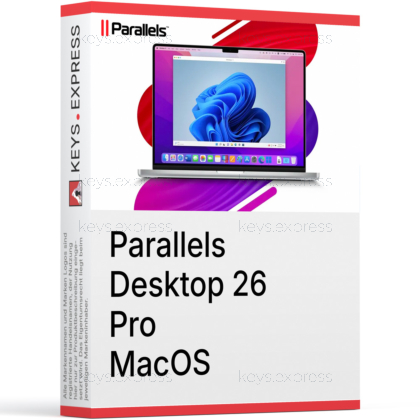
What are the main features and advantages of Parallels Desktop 26 Pro MacOS?
Developer Tools – Supports advanced virtual machines for testing workflows.
Seamless Integration – Runs Windows and Mac apps side by side.
Apple Optimization – Delivers smooth performance on modern Mac hardware.
Resource Control – Gives finer tuning for demanding virtual environments.
Fast Switching – Moves between systems without restarting your Mac.
Workflow Excellence – Supports long-term productivity across complex cross-platform tasks.
Download: Parallels Desktop 26 Pro MacOS
Windows on Mac – Run Windows 11 on Intel or Apple silicon.
Developer tools – Built-in CLI, debugging, Vagrant, and Packer support.
Nested virtualization – Run Docker, Kubernetes, and ESXi inside VMs.
Parallels Toolbox – 50+ utilities for cleanup, capture, and conversion.
Performance Metric – Up to 128 GB vRAM, 32 vCPUs per VM.
Important – Windows is not bundled; license purchased separately.
Parallels Desktop 26 Pro Edition runs Windows, Linux, and additional macOS versions as virtual machines on Intel and Apple silicon Macs. It targets developers, QA testers, and power users who need higher resource limits and automation that the Standard edition does not provide.
Coherence Mode – Run Windows apps beside macOS without rebooting.
Resource control – Assign more vCPUs and vRAM per machine.
Workflow automation – Script VMs with prlctl, Vagrant, and Jenkins.
Snapshots, rollback – Save VM states and revert after risky tests.
Cross-platform testing – Test apps on Windows, Linux, macOS together.
Tahoe ready – Supports macOS 26 and Windows 11 25H2.
It runs Windows, Linux, and extra macOS versions as virtual machines on a Mac, without rebooting or dual-booting. Parallels Desktop is the only Microsoft-authorized way to run Windows 11 on Apple silicon Macs, and it can launch more than 200,000 Windows applications such as AutoCAD, SolidWorks, and Visual Studio side by side with Mac apps via Coherence Mode. Version 26 adds support for macOS 26 Tahoe and Windows 11 25H2, plus accurate Mac disk-space visibility inside Windows VMs to reduce freezes during large installs. The Pro edition extends this with developer-focused control over each virtual machine.
Pro raises the per-VM ceiling to 128 GB vRAM and 32 vCPUs, compared with 8 GB vRAM and 4 vCPUs in Standard, and adds the command-line interface (prlctl, prlsrvctl), built-in developer tools, and nested virtualization. Standard is aimed at light home use, while Pro adds automation hooks for Vagrant, Packer, Jenkins, and a Visual Studio Code extension. In practice, that lets a developer spin up and orchestrate several test VMs from the terminal or IDE instead of configuring each one by hand. Note that on Apple silicon the per-VM maximum is lower, at 62 GB vRAM and 18 vCPUs.
| Feature | Standard | Pro | Business |
|---|---|---|---|
| Max vRAM / vCPUs | 8 GB / 4 | 128 GB / 32 | 128 GB / 32 |
| 3D acceleration (DirectX, OpenGL) | ✓ | ✓ | ✓ |
| Command line interface | ✕ | ✓ | ✓ |
| Built-in developer tools | ✕ | ✓ | ✓ |
| Nested virtualization | ✕ | ✓ | ✓ |
| Centralized license management | ✕ | ✕ | ✓ |
| Jamf / Intune deployment | ✕ | ✕ | ✓ |
No. Parallels Desktop does not bundle Windows, so you supply your own Windows 11 license or buy one separately. On Apple silicon Macs, Microsoft authorizes the Arm versions of Windows 11 Pro and Enterprise, and the cheaper Home edition is not a supported option there. You can download and install the Arm Windows 11 image directly from inside Parallels, but a valid key is still required to activate it. Team-level license management and volume licensing are also not part of Pro; those belong to the Business edition.
It runs Windows 11 (Arm on Apple silicon), many Linux distributions, and additional macOS versions, with access to more than 200,000 Windows applications. Graphics-heavy software is supported through DirectX 11 and OpenGL 4.1 acceleration, which matters for CAD, GIS, and 3D modeling tools like Revit or ArcGIS Pro. Pro's nested virtualization lets you run Docker for Windows, a local Kubernetes cluster via Minikube, and VMware ESXi guests inside a VM. Nested VT-x for Hyper-V-style workloads is limited to Intel Macs only.
Check your Mac's processor first, because the 128 GB vRAM and 32 vCPU ceiling and Nested VT-x apply to Intel Macs, while Apple silicon Macs cap at 62 GB vRAM and 18 vCPUs per VM. Pro is sold as a subscription, and Parallels does not generally offer a perpetual Pro license, so ongoing Pro features depend on an active plan. If you need centralized license management, volume licensing, or Jamf and Intune deployment, choose Business or Enterprise instead of Pro. Finally, budget separately for a Windows 11 license, since it is not included.
Yes. Parallels Desktop Pro runs several virtual machines simultaneously and lets you allocate more CPU and memory to each, up to 32 vCPUs and 128 GB vRAM per VM on Intel Macs. This is useful for testing one application across Windows, Linux, and macOS at once without shutting down and restarting individual machines.
Yes. You can move from Standard to Pro by purchasing a Pro license, and the higher resource limits, command-line interface, and developer tools become available without reinstalling the application or rebuilding your existing virtual machines.
| Operating Systems | macOS 26.0 Tahoe or newer when released macOS 15.5 Sequoia or newer macOS 14.7 Sonoma or newer macOS 13.7 Ventura or newer |
| Processor | Apple silicon M-series or A18 Pro, Intel Core i5, Core i7, Core i9, Core M or Xeon processor. |
| Memory RAM | Minimum: 4 GB RAM. Recommended: 16 GB RAM or more. |
| Hard Disk | 600 MB for Parallels Desktop installation. Additional space required for virtual machines. At least 16 GB required for Windows OS. |
| Graphics | Apple silicon M-series or A18 Pro, Intel, AMD Radeon or NVIDIA graphics card. |
| Note | Parallels Desktop for Mac Pro Edition supports up to 128 GB virtual RAM and 32 virtual CPUs. Internet connection required for activation, updates and select features. On macOS 12.7 Monterey or newer, macOS 11.7 Big Sur or newer, macOS 10.15.7 Catalina or newer and macOS 10.14.6 Mojave or newer, the installer sets up an earlier product version instead of Parallels Desktop 26. |