

Back to Top
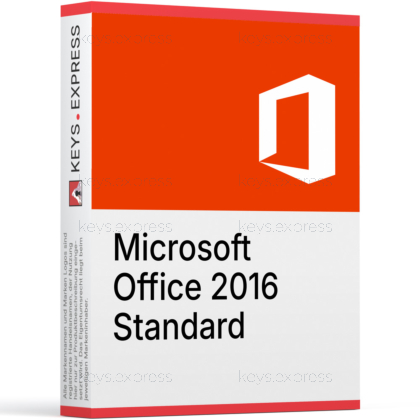
What are the main features and advantages of Microsoft Office 2016 Standard?
Perpetual License – Pay once and keep using core apps.
Essential Apps – Word, Excel, PowerPoint, Outlook, OneNote included.
Publisher Tools – Create flyers, brochures, and simple publications.
Offline Productivity – Work without relying on cloud connectivity.
Windows Only – Not compatible with macOS or Linux.
Important – Microsoft Access, Microsoft Visio, Microsoft Project not included.
Thank you for understanding our FAIRPLAY conditions:
You must have a customer account and have purchased products from us within the last twelve months.
Free products are available to each customer only once.
You may order a maximum of three free products.
This product is not posted to the MS account and is not transferable to other devices.
This product allows a one-time activation for one device. Once used, it cannot be used again, not even for the same device.
Download: Office 2016 Standard
Word 2016 – Create letters, reports, and long documents.
Excel 2016 – Build spreadsheets, pivot tables, and calculations.
PowerPoint 2016 – Design slide decks with Morph and Designer.
Outlook 2016 – Manage mail, calendar, and contacts locally.
OneNote 2016 and Publisher 2016 – Capture notes and design print layouts.
Important – Microsoft Access and Skype for Business are not included in this edition.
Core Capacity – Perpetual desktop suite without Microsoft 365 cloud features.
Office 2016 Standard is a perpetual desktop suite originally distributed through Microsoft volume programs, bundling the core productivity apps with Outlook and Publisher. It is aimed at users who need classic offline Office on a single PC without an ongoing subscription.
Offline workflow – Runs without a constant internet connection.
Publisher included – Lay out flyers, newsletters, and brochures.
Outlook PST – Local mail storage independent of Exchange.
Familiar ribbon – No interface relearning for Office 2010 or 2013 users.
File compatibility – Opens .docx, .xlsx, .pptx, and legacy formats.
One-time setup – No recurring renewal to keep apps working.
It installs the 2016 desktop versions of Word, Excel, PowerPoint, OneNote, Outlook, and Publisher on one Windows PC as a permanently installed suite. Office 2016 was the first release to add the "Tell Me" command search across Word, Excel, PowerPoint, Outlook, Access, Visio, and Project, which is useful when a feature has moved between ribbons. It also introduced new Excel chart types such as treemap, sunburst, waterfall, box plot, and histogram, the Morph transition in PowerPoint, and SVG insertion across the suite. Unlike Microsoft 365, the feature set is fixed at the 2016 baseline and does not receive new functions over time.
It fits users who need a classic, offline Office installation including Outlook and Publisher on a Windows machine that does not need Access or Skype for Business. Typical cases are an office PC tied to legacy macros, templates, or PST archives that work reliably under the 2016 codebase, or a workstation kept off Microsoft 365 for policy reasons. Because Office 2016 Standard was originally distributed through volume programs, it is mainly chosen by buyers who specifically want the Standard app mix rather than the Home & Business retail bundle. If a buyer needs database design or unified communications, Office 2016 Professional Plus is the matching edition instead.
The differences come down to which applications ship with each edition. Office 2016 Standard adds Outlook and Publisher to the core apps but does not include Access or Skype for Business. Office 2016 Professional Plus, also a volume edition, adds Access and Skype for Business on top of Standard. The retail Home & Business edition skips Publisher entirely.
| Application | Home & Business 2016 | Standard 2016 | Professional Plus 2016 |
|---|---|---|---|
| Word, Excel, PowerPoint | ✓ | ✓ | ✓ |
| OneNote | ✓ | ✓ | ✓ |
| Outlook | ✓ | ✓ | ✓ |
| Publisher | ✕ | ✓ | ✓ |
| Access | ✕ | ✕ | ✓ |
| Skype for Business | ✕ | ✕ | ✓ |
Office 2016 is out of mainstream and extended support, which means Microsoft no longer ships security or feature updates for these apps. It also does not include Microsoft 365 services such as OneDrive cloud storage tied to a subscription, Teams, or copilot features that arrived in later releases. Office 2016 Standard does not include Access for database files or Skype for Business for unified communications. Outlook 2016 can still send and receive mail via IMAP, POP3, and supported Exchange environments, but newer authentication methods enforced by Microsoft 365 mailboxes can be a connectivity issue that requires the latest available 2016 build.
Office 2016 Standard is a one-time, locally installed desktop suite, while Microsoft 365 is a subscription that streams continuously updated apps and adds cloud services. With Office 2016 you keep the same 2016 versions of Word, Excel, PowerPoint, Outlook, OneNote, and Publisher, with no Teams, no included OneDrive storage plan, and no automatic upgrades to later releases. Microsoft 365 plans by contrast roll up new features, cloud mailboxes, and Teams into one recurring service. Buyers who specifically want offline, fixed-version desktop Office without a recurring relationship with cloud services pick the 2016 perpetual route.
Office 2016 is the last Office release to officially support Windows 7 SP1, Windows 8, Windows 8.1, and Windows Server 2008 R2 SP1 through Windows Server 2016. It also installs and runs on Windows 10 and Windows 11, where it remains usable as long as the underlying OS is supported. This makes it a practical pick for older PCs that cannot move to Office 2021 or Office 2024, since those require newer Windows builds. Before buying, confirm that the target machine runs a Windows version that is still maintained by Microsoft, because Office 2016 itself no longer receives security patches.
No. Access 2016 is only part of Office 2016 Professional and Office 2016 Professional Plus. Buyers who need to open or build .accdb databases should choose Professional Plus or install standalone Access separately.
No. Teams is delivered through Microsoft 365 and the standalone Teams app and was never part of the 2016 perpetual suites. Office 2016 Standard ships with Outlook for email and calendar, but not with Teams chat or meetings.
It is a classic desktop Office installation. The apps run locally on Windows and store files on the PC by default, with optional OneDrive sign-in for documents. There is no streaming app delivery as in Microsoft 365 Apps.
Yes. It opens .docx, .xlsx, and .pptx files from Office 2019, Office 2021, Office 2024, and Microsoft 365. Features introduced after Office 2016, such as newer Excel functions like XLOOKUP or LET, may appear as compatibility placeholders and will not recalculate inside Excel 2016.
| Operating Systems | Windows 11 Windows 10 Windows 10 LTSB 2016 Windows 10 LTSB 2015 Windows Server 2016 |
| Processor | 1 GHz or faster x86-bit or x64-bit processor with SSE2 instruction set. |
| Memory RAM | 2 GB. |
| Hard Disk | 3 GB of available disk space. |
| Display | 1024 x 768 screen resolution. |
| Graphics | Graphics hardware acceleration requires a DirectX 10 graphics card. |
| Note | Requires the current version of Microsoft Edge, Safari, Chrome, or Firefox. Requires .NET 3.5. Some features may require .NET 4.0, 4.5, or 4.6 CLR to also be installed. Support for Office 2016 ended on October 14, 2025. |
keys.express and keys.discount are online platforms for product keys. The product keys available in our shops for Windows and other software are inexpensive, secure, legal and come with an activation guarantee.
Below you will find the most important legal information about our products.
We offer exclusively unused and non-activated product keys. The keys have never been redeemed for activation and are fully available to the purchaser for the first-time activation of the respective product. A key that has already been redeemed could no longer be used for a new activation and is therefore not offered by us.
Trading in these product keys is permissible in the European Union and in Switzerland under current case law, provided that the necessary conditions are met. These conditions are as follows:
This trade is legally permissible because the underlying license was already placed on the market with the consent of the rightholder within the EU/EEA or Switzerland in return for appropriate remuneration. As a result, the so-called principle of exhaustion has taken effect, which permits the resale of individual product keys — in particular those originating from volume license agreements. Microsoft or the respective software provider has already received appropriate remuneration for this.
keys.express and keys.discount ensure that the aforementioned conditions are met and that the lawful use of the software is guaranteed. The requirements arising from European legislation are also observed in Switzerland.
Important note: The acquisition of a product key through the transmission of a combination of numbers and letters in digital form does not, in itself, constitute a license for the lawful use of the program. The license only arises from the respective installation and the associated acceptance of the manufacturer's terms of use.
Further information can be found here: