↑
Back to Top
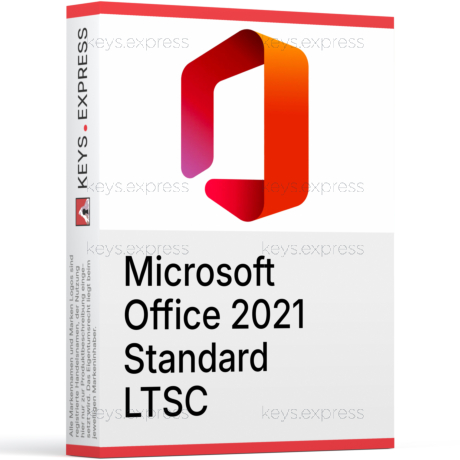
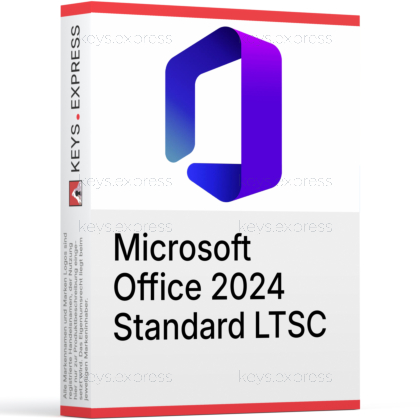
What are the main features and advantages of Microsoft Office 2024 Standard?
Perpetual License – One-time purchase with long-term use rights.
On-Prem Stability – Predictable updates suited for locked-down environments.
Offline Workflows – Runs fully locally without constant internet access.
Essential Apps – Includes Word, Excel, PowerPoint, Outlook, OneNote.
Admin Friendly – Supports volume deployment and centralized configuration control.
Important – Microsoft Publisher, Microsoft Teams not included.
This product is not posted to the MS account and is not transferable to other devices.
This product allows a one-time activation for one device. Once used, it cannot be used again, not even for the same device.
Bulk Discount - The More You Buy, The More You Save
| Minimum quantity | Unit price | Your savings |
|---|---|---|
| Buy 2 or more | 44,85 € | Savings: 5% |
| Buy 3 or more | 42,57 € | Savings: 10% |
| Buy 5 or more | 40,10 € | Savings: 15% |
Download: Office 2024 Standard
Word 2024 – document editing with improved session recovery after crashes.
Excel 2024 – spreadsheets with 14 new text and array functions.
PowerPoint 2024 – slide design with refreshed templates and modern themes.
Outlook 2024 – email, calendar, and contacts with improved search relevance.
OneNote desktop – note-taking app installed alongside the suite.
Important – Microsoft Access, Microsoft Publisher, and Microsoft Teams are not included in this edition.
Office 2024 Standard is the perpetual, on-premises edition of Microsoft's core productivity suite, bundling Word, Excel, PowerPoint, Outlook, and OneNote for installation on one Windows PC. It is part of the Long-Term Servicing Channel (LTSC) family and receives only security and quality updates – no new feature rollouts – through October 9, 2029.
One-time purchase – pay once instead of paying every month.
Offline ready – works fully without an internet connection.
Stable feature set – no surprise UI changes during the support window.
Locked update channel – uses the PerpetualVL2024 channel for cumulative patches.
Add-in compatible – major version 16.0 keeps most 2016–2021 add-ins working.
No cloud dependency – files stay local, OneDrive and SharePoint are optional.
It replaces older Office Standard editions (2019, 2021) for offices that need a fixed, non-subscription suite for daily document, spreadsheet, presentation, and email work. The most concrete day-to-day gain is in Excel: 14 new text and array functions (TEXTSPLIT, TEXTBEFORE, TEXTAFTER, VSTACK, HSTACK, TOROW, TOCOL, WRAPROWS, WRAPCOLS, TAKE, DROP, CHOOSEROWS, CHOOSECOLS, EXPAND) plus the IMAGE function replace nested LEFT/RIGHT/SEARCH formulas and let users embed pictures directly into cells. Word now reopens all unsaved documents automatically after a crash, and Outlook's search and meeting-creation flow are faster than in Office 2019/2021. The suite installs on a single PC and is intended for users who do not need real-time co-authoring or cloud-only features.
It is built for organisations and individual users who run Office locally on Windows and explicitly do not want a Microsoft 365 subscription. Typical fits include accountants, public-sector workplaces, regulated environments, and back-office PCs where IT teams need a frozen feature set during a five-year support window (security updates through October 9, 2029). It is also a practical choice for single-PC users who only need Word, Excel, PowerPoint, Outlook, and OneNote, and who treat database work (Access) and desktop publishing (Publisher) as outside their workflow. If a workflow depends on Access tables, Publisher layouts, or Teams meetings inside Office, the Professional Plus edition or Microsoft 365 fits better.
Both editions share the same core apps and the same five-year support lifecycle, but Professional Plus adds Microsoft Access for database work. Publisher is not part of either edition – it was removed from the Office 2024 family because Microsoft is retiring Publisher after October 2026. The table below summarises the verified differences.
| Application / Feature | Office 2024 Standard | Office 2024 Professional Plus |
|---|---|---|
| Word | ✓ | ✓ |
| Excel | ✓ | ✓ |
| PowerPoint | ✓ | ✓ |
| Outlook | ✓ | ✓ |
| OneNote | ✓ | ✓ |
| Access | ✕ | ✓ |
| Publisher | ✕ | ✕ |
| Teams (preinstalled) | ✕ | ✕ |
| Update channel | PerpetualVL2024 | PerpetualVL2024 |
| Support end date | Oct 9, 2029 | Oct 9, 2029 |
Office 2024 Standard is a fixed, one-time-purchase desktop suite; Microsoft 365 is a recurring plan that includes the apps plus cloud services. Office 2024 Standard does not include OneDrive cloud storage, Exchange Online, SharePoint Online, the Microsoft 365 Copilot assistant, real-time co-authoring across the cloud, or Python in Excel – those remain Microsoft 365 features. Office 2024 also receives only security and quality updates through October 9, 2029 and will not get new features over its lifetime. If a workflow depends on Copilot, Loop, or cross-device cloud sync, Microsoft 365 is the correct product; for stable, local-only document work, Office 2024 Standard is the match.
Office 2024 Standard ships with no Access, no Publisher, and no preinstalled Teams – Publisher has been removed from the entire Office 2024 family because Microsoft is ending Publisher support after October 2026. It also has no Copilot, no Python in Excel, no Loop components, and no built-in OneDrive/SharePoint cloud storage. ActiveX controls are disabled by default and must be re-enabled manually if a legacy workbook or document depends on them. The suite installs on one PC only and is a Windows-focused product (a separate Office LTSC Standard for Mac edition exists for macOS users). New features released to Microsoft 365 after October 2024 will not arrive on this version.
Yes – it opens and saves the standard .docx, .xlsx, .pptx, and legacy .doc, .xls, .ppt formats, plus OpenDocument Format (ODF) 1.4 in Word, Excel, and PowerPoint. The major version is 16.0, the same internal version as Office 2016, 2019, and LTSC 2021, so existing Group Policy templates and most VBA macros, COM add-ins, and third-party Office add-ins built for those versions usually continue to work with little or no rework. This matters in practice when migrating a department PC by PC: existing accounting templates, Outlook macros, and ribbon customisations rarely have to be rebuilt from scratch.
First, confirm the Windows version – Office 2024 requires Windows 10, Windows 11, Windows Server 2022, or Windows Server 2025, and will not install on Windows 7, 8, or 8.1. Second, check whether the workflow uses Access databases or Publisher layouts; if it does, this edition is not the right choice and Professional Plus (for Access) or a different layout tool (for Publisher) is needed. Third, verify whether Microsoft Teams is required for daily work – it is not part of the suite and must be downloaded separately. Finally, plan around the October 9, 2029 support end date so the upgrade path is clear in advance.
Yes. It is a one-time-purchase, on-premises edition of Microsoft's Long-Term Servicing Channel suite, installed locally on the PC. It does not stream from the cloud and does not require a Microsoft 365 sign-in for the apps to launch.
No. Microsoft Access is only part of Office 2024 Professional Plus, not the Standard edition. Users who build or maintain .accdb databases should choose Professional Plus instead.
No. Publisher is not included in any Office 2024 edition because Microsoft is retiring Publisher after October 2026 and removed it from the 2024 family entirely.
No. Teams is not preinstalled with Office LTSC 2024. Organisations that need it can download the Teams client separately from Microsoft.
No. Office 2024 Standard receives only security and quality updates through the PerpetualVL2024 channel until October 9, 2029. New Microsoft 365 features released after the 2024 launch are not added to this product.
| Operating Systems | Windows 11 Windows 11 LTSC 2024 Windows 10 LTSC 2021 Windows 10 LTSC 2019 Windows Server 2025 Windows Server 2022 |
| Processor | 1.1 GHz or faster, 2-core. |
| Memory RAM | 4 GB. |
| Hard Disk | 4 GB of available disk space. |
| Display | 1280 x 768 screen resolution. |
| Graphics | Graphics hardware acceleration requires a Direct3D 9.1 or higher graphics adapter, with a WDDM 1.3 or higher graphics driver. |
| Note | A 64-bit version of Office is required for 4K and higher resolutions. Requires the current version of Microsoft Edge, Chrome, or Firefox. For ARM-based devices, Windows 11 is the minimum supported operating system. Internet connection required for updates and some features. Some features may require .NET 3.5 or 4.6 and higher to be installed. |
keys.express and keys.discount is a web platforms for new and used product keys. The product keys for Windows and other software available in the shop of keys.express and keys.discount are cheap, safe, legal and with activation guarantee.
Here you can find some general information about used software, an overview of the most important legal information as well as answers to frequently asked questions from our customers ("FAQ“)
Used software is available for sale in the European Union as well as in Switzerland according to current jurisdiction provided that the necessary conditions are met. The necessary conditions are as follows:
keys.express and keys.discount ensure that the above mentioned requirements are met and that a legal use of the software is guaranteed. The requirements of the European legislation are also met in Switzerland.
You can find further information on:
There is a lot of legal information about the topic of used software. We are more than happy to answer any questions you may have. You can contact us at any time via welcome(at)keys.express. In the meantime, you can also find a short overview of the most important legal information regarding used software here:
For distance contracts concluded by telephone, on the Internet or when ordering from a catalogue, EU law provides for the possibility for consumers to withdraw from the contract for a certain period of time ("right of withdrawal"). A consumer in this sense is any natural person who concludes a legal transaction for purposes that are predominantly neither commercial nor self-employed. In Switzerland we usually speak of consumers.
Consumers have the right to cancel the contract within fourteen calendar days without giving reasons. The revocation period begins on the day the contract is concluded.
In order to exercise your right of withdrawal from keys.express or keys.discount, you must inform us by means of a clear statement (e.g. a letter, fax or e-mail sent by post) of your decision to withdraw from this contract. For this purpose, you can contact us using the following information:
Keys Distribution Ltd
Suite 2, 215 Main Street
Gibraltar Heights, Gibraltar
Phone +423 7989130
Email: welcome@keys.discount
keys.express and keys.discount also provides a template revocation form. In order to comply with the revocation period, it is sufficient to send the notification of the exercise of the right of revocation to Keys Distribution Ltd before the end of the revocation period.
If you revoke this contract, we must reimburse you for all payments which we have received from you for the corresponding order, including delivery costs (with the exception of additional costs which result from the fact that you have chosen a different type of delivery than the cheapest standard delivery offered by us), immediately and at the latest within fourteen calendar days from the day on which we receive notification of your revocation of this contract. For this repayment we will usually use the same means of payment that you used for the original transaction, unless expressly agreed otherwise with you. In no case will you be charged for this refund.