↑
Back to Top
What are the main features and key benefits of Kaspersky Security Cloud Personal?
Adaptive Protection – Adjusts security automatically based on your activity.
Real-Time Defense – Blocks malware fast using cloud and heuristics.
Payment Protection – Secures online banking and shopping against fraud.
Privacy VPN – Encrypts your traffic on public Wi-Fi networks.
Password Vault – Stores logins safely with strong encryption protection.
Proactive Security – Continuous updates keep protection one step ahead.
Download: Kaspersky Security Cloud Personal

Adaptive Antivirus – Real-time scanning that reacts to your activity.
Anti-Ransomware Engine – Blocks encryption attacks before files are locked.
Safe Money – Opens banking sites in a protected browser.
Account Check – Warns when your email appears in leaks.
Password Manager – Stores logins in an encrypted vault.
Important – Parental controls (Safe Kids) and unlimited VPN are not included.
Kaspersky Security Cloud Personal is a cloud-managed security suite for one user across Windows, macOS, Android, and iOS. It combines antivirus, payment protection, a data-leak checker, and a daily-capped VPN, managed through a single My Kaspersky account.
Cross-Platform Cover – One license protects Windows, Mac, and mobile.
Two-Way Firewall – Controls inbound and outbound network traffic.
Stalkerware Detection – Flags spy apps that track your phone.
Home Wi-Fi Monitor – Alerts you when unknown devices connect.
Adaptive Alerts – Sends warnings based on what you do.
Performance Metric – VPN traffic is capped at roughly 500 MB daily.
It protects a single person's devices against malware, ransomware, phishing, and unsafe network activity from one cloud-linked account. The suite layers real-time antivirus with a two-way firewall, a Safe Money browser for banking, and an Account Check tool that scans whether your email addresses appear in known data breaches. Its Adaptive Security feature changes protection automatically, for example tightening settings when you join an open Wi-Fi network. This makes it useful for someone who banks and shops online and wants warnings before a leaked password is exploited, rather than after.
It includes a VPN, but it is capped at roughly 500 MB of encrypted traffic per device each day, not unlimited. That allowance covers occasional secure tasks like logging into accounts on public Wi-Fi or checking email at an airport, but it runs out quickly during video streaming or large downloads. If you need full-time private browsing, you would have to add a separate unlimited VPN subscription. Buyers who expected an always-on VPN should know this limit before purchasing, because it is the most common point of confusion with this edition.
No. Kaspersky's own documentation confirms that Kaspersky Safe Kids is available only in the Family edition and is not included in the Personal edition. This means the Personal edition has no website filtering, screen-time limits, YouTube safe search, or child GPS tracking. If you are buying protection for children, the Personal edition is the wrong choice and you should select the Family edition or a dedicated Safe Kids plan instead. This is the single most important difference to check before choosing between the two editions.
The core protection engine is identical; the difference is family management and child safety. The Family edition adds Kaspersky Safe Kids and lets the account owner share protection, including individual apps, with up to nine family members from a single My Kaspersky account. The Personal edition is built around one user's own devices and does not offer Safe Kids or this multi-member sharing. Choose Personal if you are protecting only yourself, and Family if you need to cover and supervise other people's devices.
| Feature | Personal | Family |
|---|---|---|
| Antivirus & firewall | ✓ | ✓ |
| Safe Money & Account Check | ✓ | ✓ |
| VPN (daily cap) | Limited | Limited |
| Safe Kids parental controls | ✕ | ✓ |
| Share with family members | ✕ | ✓ |
It runs on Windows, macOS, Android, and iOS, all managed from one My Kaspersky account. Feature depth differs by platform, since the firewall, Safe Money, and Hard Drive Health Monitor are Windows-focused, while mobile builds emphasize app lock, anti-theft, and the data-leak Account Check. The free Kaspersky antivirus app does not cover macOS, so a paid edition like this one is what enables Mac protection in the first place. If most of your devices are Apple, confirm which components are active on macOS and iOS before relying on them.
Check that you do not need parental controls, because Safe Kids is excluded from this edition. Also confirm you can work within the daily VPN cap and that you are comfortable with account-based activation, since the subscription is tied to a My Kaspersky account rather than a device. Note that Kaspersky has replaced the Security Cloud line with its Standard, Plus, and Premium plans, so this is an older edition still sold by some retailers. If you want the current feature set and longer-term updates, compare it against the newer Kaspersky plans before buying.
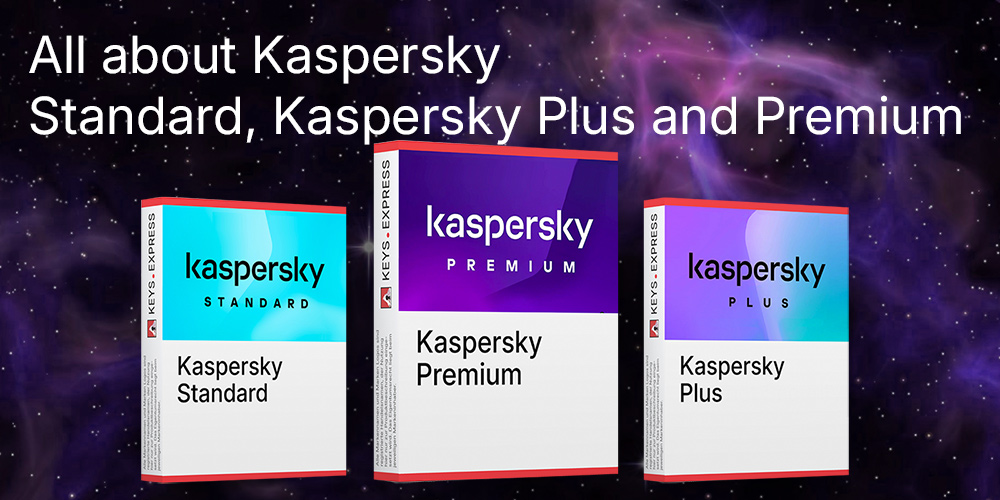
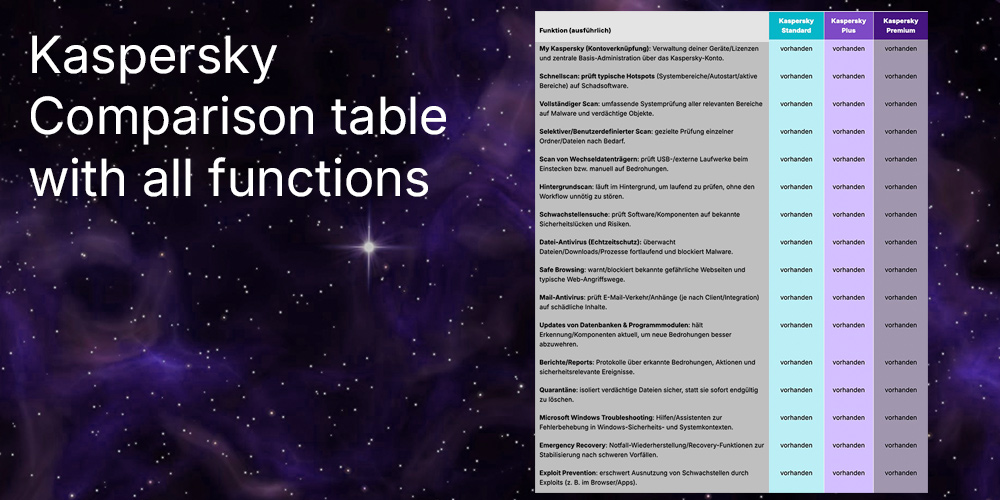
No. Kaspersky has replaced Security Cloud with the Kaspersky Standard, Plus, and Premium plans, and the Security Cloud features are now folded into Premium. Existing licenses are still supported, and the product remains available through some software resellers.
Yes. It includes existing-virus removal alongside real-time protection, so it can scan and clean an already-infected system, not only block new threats. On Windows it also runs a Safe Money browser and a two-way firewall to reduce reinfection through banking sites or network access.
Most of the heavy analysis runs in the cloud, which keeps the local footprint lighter than a traditional offline suite. It also bundles device cleanup and a Hard Drive Health Monitor that reports drive condition and temperature so you can back up data before a failing disk causes loss.
| Operating Systems | Windows 11: Home / Pro / Enterprise Windows 10: Home / Pro / Enterprise Windows 8.1: Pro / Enterprise Windows 8: Pro / Enterprise Windows 7: Starter / Home Basic / Home Premium / Professional / Ultimate |
| Processor | 1 GHz or higher must support SSE2 instruction set |
| Memory RAM | Windows 11: 4 GB for 64-bit operating system Windows 10, 8.1, 8, 7: 1 GB for 32-bit operating systems or 2 GB for 64-bit operating systems |
| Hard Disk | 1500 MB free disk space on the hard drive |
| Display | Standard display compatible with the respective operating system |
| Protection Modules | File Anti-Virus Virus scan Web Anti-Virus Mail Anti-Virus Protection against phishing Firewall Network Attack Blocker Anti-Banner Safe Money Webcam Protection |
| Note | Microsoft Windows Installer 4.5 or later is required. Microsoft .NET Framework 4 or later is required. For Safe Browsing, Anti-Banner, and Safe Money protection components to work, the Base Filtering Engine service must be running in the operating system. Webcam access protection is only provided for compatible webcam models. Kaspersky Security Cloud has been replaced by Kaspersky Standard, Plus, and Premium plans for new purchases. |
| Operating Systems | macOS Sequoia 15 macOS Sonoma 14 macOS Ventura 13 macOS Monterey 12 macOS Big Sur 11 macOS Catalina 10.15 macOS Mojave 10.14 |
| Processor | Mac with Apple silicon or Intel-based Mac |
| Memory RAM | 2 GB |
| Hard Disk | 2200 MB of free disk space to install the application |
| Display | Standard display compatible with the respective operating system |
| Protection Modules | File Anti-Virus Web Anti-Virus Safe Money Network Attack Blocker |
| Note | Internet connection is required. Participation in Kaspersky Security Network is voluntary and provides access to reputation data for files, web resources, and software. Kaspersky Security Cloud has been replaced by Kaspersky Standard, Plus, and Premium plans for new purchases. |
| Operating Systems | Android 5.0 and later |
| Processor | ARMv7 platforms and newer versions, Intel Atom x86 |
| Memory RAM | Requirements met by any device running the supported OS version |
| Hard Disk | 150 MB of free space in the device's main memory |
| Display | Standard display compatible with the respective operating system |
| Protection Modules | Real-Time Protection premium version On-demand scanning of entire device, apps, or selected folder Internet Protection Call and Text Filter Anti-Theft App Lock Privacy Protection |
| Note | The app must only be installed to the device's main memory. Anti-virus protection in Kaspersky Security Cloud for Android is provided by the Kaspersky Internet Security for Android app and must be installed from Google Play after installing the main Kaspersky Security Cloud app. |
| Operating Systems | iOS 12.x and later iPadOS 13.x and later |
| Memory RAM | Requirements met by any device running the supported OS version |
| Hard Disk | 150 MB of free disk space |
| Display | Standard display compatible with the respective operating system |
| Protection Modules | Adaptive Security Security LIVE weak settings detection and security news VPN secure Internet connection Account Check Password manager provided by Kaspersky Password Manager app Kids protection provided by Kaspersky Safe Kids app |
| Note | By default, some Kaspersky Security Cloud protection features are not installed with the main app and are offered as separate apps from the App Store via links inside the app. The documented iOS protection components focus on VPN and security status features rather than an on-device file anti-virus component. |