


↑
Back to Top
What are the main features and key benefits of eset Multi-Device Security?
Real-Time Defense – Blocks malware instantly with smart threat detection.
Ransomware Shielding – Stops encryption attempts before files get locked.
Anti Phishing – Blocks fake sites stealing passwords and payments.
Web Protection – Detects risky downloads and malicious web content.
Lightweight Performance – Runs smoothly with minimal impact on speed.
Proactive Security – Continuous updates keep protection one step ahead.
Download: eset Multi-Device Security

Cross-Platform Coverage – Protects Windows, macOS, Android and Linux.
Ransomware Shield – Blocks encryption attacks before files lock.
Banking Protection – Secures online banking and shopping sessions.
Personal Firewall – Detects intrusions and unauthorized network access.
Core Capacity – UEFI scanner detects rootkits evading standard antivirus.
Important – VPN, password manager and identity protection not included.
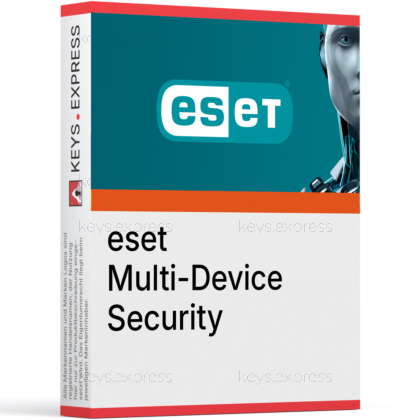
ESET Multi-Device Security is a single license that protects a mix of Windows, Mac, Android and Linux machines using ESET's NOD32 detection engine. You assign protection to each device from one myESET account, so a household can secure laptops, desktops and phones from a single dashboard.
One License – Mix Windows, Mac and Android protection.
Central Management – Manage every device from myESET portal.
Light Footprint – Runs without slowing older hardware down.
Anti-Theft Tools – Locate, lock or wipe lost devices.
Android Parental Control – Filters categories and limits children's screen time.
Transferable Protection – Move a seat to a new device.
It is one ESET license that lets you install the matching ESET app on each device you own, instead of buying separate products. On a Windows PC you run ESET Internet Security, on a Mac ESET Cyber Security, and on a phone ESET Mobile Security, all managed through the myESET portal. Every copy uses ESET's NOD32 engine for real-time scanning, ransomware shielding, anti-phishing and banking protection. The pack does not cover iPhone or iPad, because ESET does not ship an iOS antivirus app.
ESET Multi-Device Security covers Windows, macOS, Android and Linux, and it also includes ESET Smart TV Security for Android TV. There is no iOS app in the pack, so any iPhone or iPad in your household stays unprotected by this license. On Windows the protection level matches ESET Internet Security, which adds a firewall and network inspector on top of the core antivirus. If you mainly own Apple mobile devices, this pack is the wrong fit and you would need a different ESET tier with iOS privacy features.
No. The VPN, the ESET password manager and identity protection are reserved for the newer ESET HOME Security Premium and Ultimate tiers, while this pack is built on the ESET Internet Security generation. That means there is no built-in encrypted tunnel for public Wi-Fi and no password vault inside the license. What it does include is the personal firewall, banking and payment protection, anti-theft and Android parental control. If a bundled VPN or password manager is a requirement, ESET HOME Security Ultimate is the tier that adds both.
Yes, parental control is included and is delivered mainly through ESET Parental Control on Android. The app blocks more than 20 website categories, sets time and gaming limits, and includes a child locator to see where the device is. This is useful for a family that wants to manage children's Android phones and tablets under the same license as the household PCs. The trade-off is that the strongest parental tools here are Android-focused, so a child using only a Mac will get less granular filtering.
ESET Multi-Device Security delivers protection at roughly the Essential level across several platforms: antivirus, firewall, network inspector, banking protection, anti-theft and parental control. It does not reach the Premium extras (password manager, file encryption) or the Ultimate extras (VPN, identity protection). The table below shows where each capability sits across the current ESET HOME Security tiers, so you can see exactly what a higher tier would add.
| Feature | Essential | Premium | Ultimate |
|---|---|---|---|
| Antivirus & ransomware | ✓ | ✓ | ✓ |
| Firewall & network inspector | ✓ | ✓ | ✓ |
| Banking & payment protection | ✓ | ✓ | ✓ |
| Anti-theft | ✓ | ✓ | ✓ |
| Parental control | ✓ | ✓ | ✓ |
| Password manager | ✕ | ✓ | ✓ |
| Data encryption | ✕ | ✓ | ✓ |
| Identity protection | ✕ | ✕ | ✓ |
| VPN | ✕ | ✕ | ✓ |
Norton and Kaspersky compared
For a direct security-suite comparison, read our article:
First confirm that none of the devices you want covered are iPhones or iPads, since the pack has no iOS app and those devices stay unprotected. Next, decide whether you need a bundled VPN, password manager or identity monitoring, because those are missing here and only appear in ESET HOME Security Ultimate. If your devices are Windows, Mac and Android, and you mainly want strong malware, ransomware and banking protection with a firewall, this pack fits well. It is also a good match if you specifically want Android parental control and anti-theft under one license.
Compare antivirus programs for Windows
For help choosing security software, read our comparison:
Yes. You can transfer protection to a replacement device for free through the License Manager in the myESET portal, after uninstalling ESET from the old device or disconnecting it from your account. This is useful when you replace a laptop or phone without buying a new license.
Yes. The pack includes ESET Smart TV Security, which extends malware and anti-phishing protection to Android TV devices. This matters for smart TVs that install apps and connect to the same home network as your phones and computers.
It runs locally, but it needs an internet connection to download detection and signature updates. Without regular updates, protection against the newest malware and ransomware gradually falls behind, so a permanently offline machine gets weaker coverage.
| Operating Systems | Windows 11: Home / Pro / Education / Enterprise Windows 10: Home / Pro / Education / Enterprise |
| Processor | Intel or AMD 64 bit x64 processor 1 GHz or higher ARM64 based processor 1 GHz or higher |
| Memory RAM | 1 GB minimum from reseller legacy system requirement listing |
| Hard Disk | 84 MB installer file |
| Display | Standard display compatible with the respective operating system |
| Protection Modules | Antivirus and Antispyware Ransomware Shield Firewall Anti-Phishing Safe Banking Safe Browsing Parental Control Network Inspector Webcam Protection Microphone Monitor Anti-Theft Gamer Mode Brute Force Attack Protection |
| Note | Current ESET Internet Security 19 supports Windows 10 and Windows 11 only. Windows 7 SP1 and Windows 8.1 are legacy only and are no longer supported by the current release. Support for Trusted Signing must be installed for ESET releases issued after July 2023. The final compatible version for 32 bit Windows 10 is ESET Internet Security 18.2. Some features are limited on Windows ARM. |
| Operating Systems | macOS Tahoe 26 macOS Sequoia 15 macOS Sonoma 14 macOS Ventura 13 macOS Monterey 12 macOS Big Sur 11 |
| Processor | Intel 64 bit or Apple ARM 64 bit |
| Memory RAM | 300 MB |
| Hard Disk | 497 MB installer file 600 MB free disk space |
| Display | Standard display compatible with the respective operating system |
| Protection Modules | Real-time protection Antivirus and Antispyware Web and Email Scanning Anti-Phishing Firewall |
| Note |
Grant Full Disk Access to ESET Cyber Security and ESET Real-time File System Protection after installation. |
| Operating Systems | Android 9.0 or later |
| Processor | 500+ MHz ARMv8+ 64 bit |
| Memory RAM | 512+ MB |
| Hard Disk | Not specified in current official ESET Mobile Security documentation |
| Display | Standard display compatible with the respective operating system |
| Protection Modules | Real-time scanning Antivirus and Antispyware Anti-Phishing Payment Protection App Lock Proactive Anti-Theft Network Inspector Security Audit Adware Detector Scheduled Scanning Call Filter USB On-The-Go Scanner Automatic update of detection modules |
| Note | Rooted devices are not supported. Google Play and Accessibility services are required. Some features are OS version dependent. The feature set can vary between the web and Google Play versions. Some Anti-Theft functions are unavailable on tablets without calling and messaging support. |
| Operating Systems | iOS 16.0 or later |
| Memory RAM | Requirements met by any device running the supported OS version |
| Hard Disk | 11.9 MB app size for ESET HOME |
| Display | Standard display compatible with the respective operating system |
| Protection Modules | No ESET antivirus or real-time protection for iOS under ESET Multi-Device Security ESET HOME app provides subscription management Device status access is available for Windows and Android devices only |
| Note | ESET states there is currently no ESET security product for iOS and iPadOS. For iPhone and iPad, ESET provides the ESET HOME management app rather than a mobile antivirus product. The App Store version history states the minimum supported iOS version was raised to version 16. |
Windows: Operating systems: Windows 10, 8.1, 8, 7 SP1, and Windows Home Server 2011
(CPU):1 GHz or faster Intel/AMD (x86/x64)
Memory – 300 MB of free RAM (minimum)
Disk space: 150 MB of free storage for installation
Display: 1024 × 768 px or higher recommended
Connectivity – Continuous Internet connection required for activation, updates, and LiveGrid reputation services
macOS: Operating systems: macOS 10.9 (Mavericks)
Memory (RAM): Minimum 300 MB free space
Disk space: 150 MB of free storage for installation
Connectivity: Internet connection required for activation and definition/module updates
Android phones & tablets: Operating systems: Android 4.0 or newer with Google Play Services
CPU: 500 MHz (ARMv7 or newer architecture)
Memory (RAM): At least 256 MB RAM
Display: Touchscreen with minimum resolution of 320 × 480 px
Storage: Roughly 20 MB of internal space for the app
Connectivity: Internet connection required for installation and updates
Linux: Oprating System: Ubuntu 18.04 / 20.04 / 22.04 / 24.04 LTS, Red Hat Enterprise Linux 8/9, Linux Mint 20/21, and other recent Debian- or RPM-based distros
CPU: Intel or AMD x64 processor
Memory (RAM): 1 GB free RAM recommended
Disk space: About 700 MB free for installation
Connectivity: Internet connection required for activation and updates




