↑
Back to Top
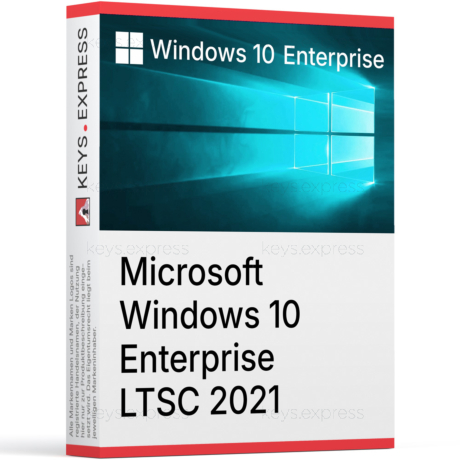
What are the key benefits and core advantages of Microsoft Windows 10 Enterprise?
Advanced Security – Enterprise-grade defenses against modern malware and intrusions.
App Control – Allow only approved apps to run reliably.
Credential Protection – Isolates credentials to reduce theft and misuse.
Update Management – Defer feature updates and keep devices stable.
Enterprise Management – Central policies for devices, users, and settings.
Remote Productivity – Secure access to work resources on the go.
This product allows a one-time activation for one device. Once used, it cannot be used again, not even for the same device.
MAK Key (Multiple Activation Key) or Volume License Key. One key with multiple activations for different devices.
Download: Windows 10 Enterprise
Domain Join – Joins on-prem Active Directory and Microsoft Entra ID.
BitLocker Encryption – Full drive encryption with Group Policy management.
Hyper-V Virtualization – Native client Hyper-V for isolated test VMs.
Remote Desktop – Hosts incoming RDP sessions, not only outgoing.
Credential Guard – Isolates LSA secrets using virtualization-based security.
Core Capacity – Supports up to 6 TB RAM and 2 CPU sockets.
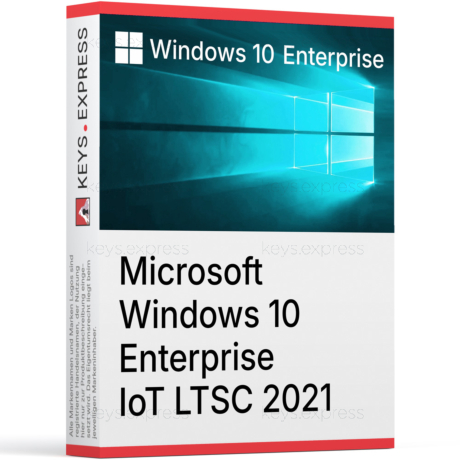
Windows 10 Enterprise is the edition built for managed business environments, with the full set of security, deployment, and virtualization features that Home and Pro do not include. It is aimed at IT-managed devices that need domain join, advanced encryption, and granular update controls.
AppLocker Control – Whitelist allowed executables and scripts per group.
DirectAccess Option – Always-on corporate connectivity without classic VPN clients.
Defender Application Guard – Opens Edge sessions inside a disposable container.
Update Controls – Defer feature updates and use WSUS or Intune rings.
Granular Policy – Full Group Policy and MDM coverage on one device.
Long Servicing – LTSC builds available for fixed-function machines.
It turns a standard Windows 10 PC into a fully manageable corporate endpoint with policy, encryption, and identity features that Pro only covers partially. The edition exposes around 5,000 Group Policy settings and adds enterprise-only protections such as Credential Guard and Application Guard, which depend on virtualization-based security. In practice this means an administrator can enforce BitLocker on every drive, restrict which apps can launch via AppLocker, and push the same configuration through Intune or SCCM. Compared to Pro, the difference is most visible on the security and deployment side, not on the everyday desktop.
It fits organizations that manage devices centrally through Active Directory, Microsoft Entra ID, Intune, or SCCM rather than individual home users. The concrete reason to choose it over Pro is access to AppLocker, Credential Guard, Application Guard, DirectAccess, and the LTSC servicing option, which Pro does not include. For a workstation that joins a corporate domain, must encrypt full system drives with managed keys, and needs a controlled update cadence, Enterprise is the edition that supports the full workflow. A single freelancer on a personal device usually does not need these features and can use Pro instead.
The main differences sit in security, management, and virtualization, not in the user interface or included apps. Home cannot join a domain, has no Group Policy editor, and offers only basic device encryption on supported hardware. Pro adds domain join, BitLocker, Hyper-V, Remote Desktop hosting, and Windows Update for Business, but leaves out AppLocker, Credential Guard, Application Guard, DirectAccess, and LTSC. Enterprise adds those remaining layers on top of everything in Pro.
| Feature | Home | Pro | Enterprise |
|---|---|---|---|
| Domain join | ✕ | ✓ | ✓ |
| BitLocker | ✕ | ✓ | ✓ |
| Hyper-V client | ✕ | ✓ | ✓ |
| Remote Desktop host | ✕ | ✓ | ✓ |
| AppLocker | ✕ | ✕ | ✓ |
| Credential Guard | ✕ | ✕ | ✓ |
| Application Guard | ✕ | ✕ | ✓ |
| DirectAccess | ✕ | ✕ | ✓ |
| LTSC option | ✕ | ✕ | ✓ |
| Max RAM (x64) | 128 GB | 2 TB | 6 TB |
Yes, Enterprise includes full BitLocker Drive Encryption for operating system, fixed data, and removable drives, plus the enterprise-only Credential Guard and Application Guard layers. BitLocker can be managed centrally through Group Policy and recovery keys stored in Active Directory or Entra ID, which Home and Pro cannot do at the same depth. Credential Guard uses virtualization-based security to isolate the Local Security Authority, which blocks common pass-the-hash and pass-the-ticket attacks against domain credentials. Both features require a 64-bit CPU with virtualization extensions and, for Credential Guard, UEFI with Secure Boot.
Yes to both. Enterprise can act as an RDP host for incoming sessions and includes client Hyper-V for running isolated virtual machines on the same workstation. Hyper-V requires a 64-bit processor with Second Level Address Translation, virtualization enabled in firmware, and a minimum of 4 GB of RAM to start a usable guest VM. This is useful for testing legacy software in a sandbox VM, running a separate Linux build environment, or isolating a browser session through Application Guard without using a second physical machine.
Mainstream support for Windows 10 ended on 14 October 2025, and Microsoft now provides only Extended Security Updates (ESU) for eligible devices. For Enterprise customers, ESU is offered as a paid program through commercial channels for up to three additional years, while consumer ESU has a shorter window. This matters when planning the next refresh cycle: a Windows 10 Enterprise device can stay patched for security issues during ESU, but it will not receive new feature updates. Organizations that need long-term stability on fixed-purpose hardware often move those endpoints to the LTSC channel instead of mainstream Windows 10 Enterprise.
Confirm that the environment actually needs the enterprise-only features, because Pro already covers domain join, BitLocker, Hyper-V, and Remote Desktop hosting. The Enterprise-specific additions are AppLocker, Credential Guard, Application Guard, DirectAccess, and access to LTSC builds, all of which depend on centralized management to be useful. Check that the hardware supports UEFI with Secure Boot and a virtualization-capable CPU if Credential Guard or Application Guard will be enabled. Also check the planned migration path, since Windows 10 has already passed mainstream end-of-support and any longer-term deployment should account for that.
| Processor | 1 GHz or faster processor, or SoC. |
| Memory RAM | 1 GB for 32-bit; 2 GB for 64-bit. |
| Hard Disk | 32 GB or larger hard disk. |
| Display | 800 x 600 screen resolution. |
| Graphics | DirectX 9 or later with WDDM 1.0 driver. |
| Note | Internet connection required for setup, activation, updates, and some features. Some features require a Microsoft account. Support for Windows 10 ended on October 14, 2025. |
keys.express and keys.discount is a web platforms for new and used product keys. The product keys for Windows and other software available in the shop of keys.express and keys.discount are cheap, safe, legal and with activation guarantee.
Here you can find some general information about used software, an overview of the most important legal information as well as answers to frequently asked questions from our customers ("FAQ“)
Used software is available for sale in the European Union as well as in Switzerland according to current jurisdiction provided that the necessary conditions are met. The necessary conditions are as follows:
keys.express and keys.discount ensure that the above mentioned requirements are met and that a legal use of the software is guaranteed. The requirements of the European legislation are also met in Switzerland.
You can find further information on:
There is a lot of legal information about the topic of used software. We are more than happy to answer any questions you may have. You can contact us at any time via welcome(at)keys.express. In the meantime, you can also find a short overview of the most important legal information regarding used software here:
For distance contracts concluded by telephone, on the Internet or when ordering from a catalogue, EU law provides for the possibility for consumers to withdraw from the contract for a certain period of time ("right of withdrawal"). A consumer in this sense is any natural person who concludes a legal transaction for purposes that are predominantly neither commercial nor self-employed. In Switzerland we usually speak of consumers.
Consumers have the right to cancel the contract within fourteen calendar days without giving reasons. The revocation period begins on the day the contract is concluded.
In order to exercise your right of withdrawal from keys.express or keys.discount, you must inform us by means of a clear statement (e.g. a letter, fax or e-mail sent by post) of your decision to withdraw from this contract. For this purpose, you can contact us using the following information:
Keys Distribution Ltd
Suite 2, 215 Main Street
Gibraltar Heights, Gibraltar
Phone +423 7989130
Email: welcome@keys.discount
keys.express and keys.discount also provides a template revocation form. In order to comply with the revocation period, it is sufficient to send the notification of the exercise of the right of revocation to Keys Distribution Ltd before the end of the revocation period.
If you revoke this contract, we must reimburse you for all payments which we have received from you for the corresponding order, including delivery costs (with the exception of additional costs which result from the fact that you have chosen a different type of delivery than the cheapest standard delivery offered by us), immediately and at the latest within fourteen calendar days from the day on which we receive notification of your revocation of this contract. For this repayment we will usually use the same means of payment that you used for the original transaction, unless expressly agreed otherwise with you. In no case will you be charged for this refund.