



Back to Top
What are the key benefits of Visual Studio 2022 Professional?
64-bit Performance – Handles large solutions faster with fewer crashes
Smart Coding – IntelliSense and IntelliCode speed up accurate typing
Power Debugging – Find bugs quickly with advanced diagnostics tools
Git Integration – Built-in GitHub support for smooth version control
Team Collaboration – Live Share enables real-time co-editing sessions
Cross Platform – Build web, desktop, and mobile apps easily
This product allows a one-time activation for one device. Once used, it cannot be used again, not even for the same device.
A key can activate the software once.
Download: Visual Studio 2022 Professional
Code editor – IntelliSense completion, navigation, and fast refactoring
Debugging tools – Breakpoints, diagnostics, and performance profiling insights
Testing suite – Unit tests, test explorer, and code coverage
Git tooling – Built-in Git, GitHub, and pull request workflows
Workloads – .NET, web, desktop, and cloud development options
Collaboration – Live Share sessions for pair programming remotely
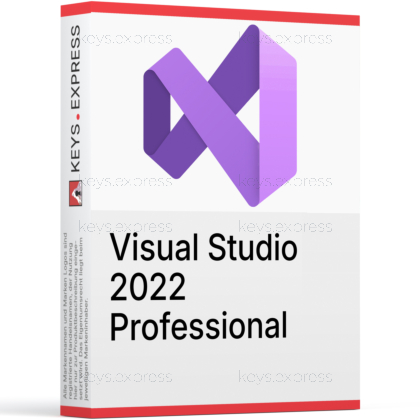
Visual Studio 2022 Professional is a full-featured IDE for building, debugging, and shipping apps. It helps individuals and teams deliver higher-quality code faster.
Faster development – Smart suggestions reduce typing and common mistakes
Reliable debugging – Powerful tools pinpoint issues and fix them quicker
Better teamwork – Share sessions and collaborate without setup hassle
Code understanding – CodeLens shows changes, authors, and related tests
Scalable projects – 64-bit IDE handles large solutions smoothly
Broad support – Build across .NET, C++, web, and cloud
Professional is intended for business use and broader organizational scenarios, while Community is free but limited by its license terms.
Professional fits commercial teams without Community restrictions
Community is great for individuals, learning, and open source
Features are similar, but usage rights differ most
Visual Studio is a full IDE for complex projects and deep debugging, while Visual Studio Code is a lightweight editor you extend with add-ons.
Visual Studio includes richer debugging and project tooling
VS Code is faster to install and very lightweight
Visual Studio suits large solutions and enterprise workflows
Yes, it is a 64-bit IDE designed to stay responsive on big codebases.
Better memory handling for huge solutions and workloads
Smoother navigation, searching, and indexing at scale
Fewer slowdowns when many projects load together
Yes, you can build and debug across multiple platforms using the right workloads.
Create cross-platform apps with .NET and related tools
Build and debug C++ and .NET targeting Linux
Develop web apps with modern .NET and tooling
Teams commonly rely on Git integrations and Live Share to speed up reviews and troubleshooting.
Built-in Git and GitHub workflows reduce tool switching
Live Share enables real-time co-editing and debugging
CodeLens helps trace authors, changes, and tests
It runs on supported 64-bit Windows client and Windows Server versions that meet Microsoft requirements.
Works on supported Windows 10 and Windows 11 editions
Supports Windows Server versions commonly used in labs
Not supported on 32-bit operating systems
"I love it! It makes my programming and coding hobby much easier!"
"Excellent product, it hooks up to GitHub and helps bug check code."
"Very nice product and simple procedure to purchase and download."
"Powerful IDE for .NET and C++, fast and feature-rich with Git support."
"I always prefer using Visual Studio over anything else."
Instant delivery - Product keys and downloads available within minutes.
Activation guarantee - If activation fails, you receive a new key.
Download included - Secure official download link always provided after purchase.
Easy installation - Clear step-by-step instructions guide you through setup.
Genuine licenses - Product keys from audited, legally compliant distribution channels.
Multilingual support - Help in seven languages via chat, email, phone.
Easy exchanges - Problematic keys replaced quickly, without unnecessary bureaucracy.
Transparent pricing - No hidden fees. Fair prices and price plans to get even better prices.
Trusted seller - Over 2800 Trustpilot ratings averaging 4.8 out of 5.
| Operating Systems | Windows 11: Home / Pro / Pro Education / Pro for Workstations / Enterprise / Education Windows 11 ARM64 Windows Server 2025: Standard / Datacenter Azure Edition / Datacenter Windows Server 2022, 2019, and 2016: Standard / Datacenter |
| Processor | ARM64 or x64 processor. Quad-core or better recommended. ARM32 processors are not supported. |
| Memory RAM | Minimum 4 GB. Recommended 16 GB RAM for typical professional solutions. |
| Hard Disk | Minimum 850 MB up to 210 GB available hard drive space, depending on installed features. Typical installations require 20 GB to 50 GB of free space. Solid-state drive is recommended for better performance. |
| Display | WXGA 1366 x 768 minimum display resolution. Visual Studio works best at 1920 x 1080 or higher resolution. |
| Graphics | Video card that supports WXGA 1366 x 768 minimum display resolution. |
| Note | Administrator rights are required to install or update Visual Studio. Requires .NET Framework 4.7.2 or above to install Visual Studio. Requires .NET Framework 4.8 to run Visual Studio. WebView2 Runtime is required to install Visual Studio. Universal Windows app development requires Windows 10. Windows 10 ARM64, Windows 11 Home in S mode, Windows Enterprise IoT, Windows 10 IoT Core, Windows 10 Enterprise LTSC edition, Windows 10 S, Windows 10 Team Edition, Server IoT, Minimal Server Interface options for Windows Server, Windows containers, non-persistent virtual machine environments, application virtualization solutions, multiple simultaneous users on the same machine, and FSLogix roaming profiles are not supported. |


