
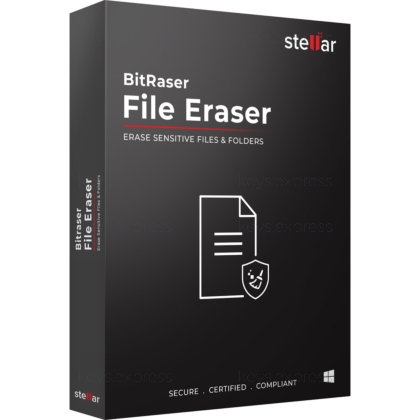
What are the main features and advantages of Stellar BitRaser File Eraser?
Secure Erasure – Permanently wipes files, folders, and traces safely.
Standards Compliance – Supports recognized wiping methods for trusted data removal.
Trace Cleaning – Removes browser history, app traces, and junk.
Scheduled Tasks – Automates recurring erasure for easier maintenance routines.
Audit Reporting – Creates erasure reports for control and verification.
Digital Reliability – Supports long-term privacy protection and consistent system hygiene.
Download: Stellar BitRaser File Eraser
File Erasure – Permanently wipes selected files, folders and volumes
Trace Cleanup – Erases internet, system and application traces
Free Space Wipe – Overwrites unused space, blocking deleted-file recovery
Erasure Scheduler – Automates wiping daily, weekly or at boot
Erasure Standards – 18 international algorithms including DoD and NIST
Important – No tamper-proof erasure certificate in this single-machine edition
Stellar BitRaser File Eraser is a Windows tool that permanently wipes selected files, folders, volumes and the traces they leave behind. It overwrites data with international erasure standards so deleted information cannot be rebuilt by recovery or forensic software.
Privacy Protection – Removes sensitive files before selling devices
Recovery-Proof – Forensic tools cannot retrieve wiped data
Selective Wiping – Erases specific files without touching others
Trace Removal – Clears browsing, cookies and saved-password traces
Hands-Off – Scheduled tasks run wiping automatically
Space Reclaim – Removing junk frees and tidies storage
It permanently destroys chosen files, folders, volumes and activity traces by overwriting them so they cannot be rebuilt with any recovery tool. Unlike a normal delete, which only removes the file reference, it overwrites the underlying data using standards such as DoD 5220.22-M, NIST and the Gutmann method. It also wipes unused free space, which removes earlier files you emptied from the Recycle Bin or deleted with Shift+Delete. This makes it suited to preparing a laptop for resale or clearing confidential client documents from a work machine.
It fits anyone who needs to erase specific sensitive files on a single Windows system rather than wipe a whole disk. A freelancer disposing of an old PC can remove tax records and saved passwords while leaving Windows and installed programs intact, because the tool erases only user data and never operating-system files. Its scheduler lets a privacy-conscious user clear browser traces and temporary files automatically at every system boot. For households and small offices that handle confidential documents, this targeted approach avoids reinstalling the system after each cleanup.
The standalone edition performs manual, local erasure on one machine, while the Network edition adds centralized control for IT administrators across domain-connected organizational units. With the Network edition, an admin can wipe files and traces on many endpoints at once and run bulk erasure by uploading a .csv list of file names and paths. The standalone version has no such central console and handles one system at a time. The table below summarizes the practical split.
| Feature | Standalone | Network |
|---|---|---|
| File, folder & trace erasure | ✓ | ✓ |
| Free space wipe | ✓ | ✓ |
| Centralized network control | ✕ | ✓ |
| Bulk CSV erasure | ✕ | ✓ |
| Ideal for | Single systems | IT admins |
No, the standalone single-machine edition does not produce a tamper-proof erasure certificate, even though that report is the feature most buyers associate with the BitRaser name. Audit-ready certificates and a central report repository are part of the File Eraser Network edition and BitRaser Drive Eraser, not the single-system tool. If you only need to remove personal data before disposing of a PC, the absence of a certificate has no practical impact. If you must prove erasure for GDPR, HIPAA or an internal audit trail, choose the Network edition or Drive Eraser instead.
It erases files and folders from desktops, laptops and external media such as USB pen drives, SD cards and attached server storage on a Windows system. Beyond documents, it clears internet traces across Chrome, Firefox, Safari, Edge, Opera and others, including cookies, temporary files, autocomplete data and saved form passwords. It also removes application traces such as chat and messenger logs, plus system temporary files that build up with daily use. A built-in search lets you locate items by name or file extension, which is useful when you remember the type of file but not its exact name.
Confirm that you need targeted file and trace erasure rather than a full bootable disk wipe, because this tool runs inside Windows and deliberately leaves operating-system files untouched. Check whether compliance reporting matters to you, since the single-machine edition issues no erasure certificate. If you manage many computers, weigh the Network edition for central control and bulk CSV-based erasure. For one PC where the goal is removing sensitive files and free-space remnants beyond forensic recovery, the standalone edition covers the job directly.
No, it is built to erase user files, folders, traces and free space, and it does not erase operating-system files. For a full bootable wipe of an entire disk, including the system drive, BitRaser Drive Eraser is the correct product. This separation lets you clean confidential data without reinstalling Windows afterward.
It works with FAT, exFAT and NTFS volumes on Windows devices and attached storage. It also integrates into the Windows right-click context menu, so you can erase a file or folder directly without opening the main application first. This is practical for quick, one-off removals during everyday work.
No, once data is overwritten with an international standard such as DoD 5220.22-M, it cannot be rebuilt by recovery software or forensic tools. The software can also verify random or all sectors after the operation, giving confirmation that the overwrite completed. Larger files and drives take longer to process because every targeted area is physically overwritten rather than just unlinked.
| Operating Systems | Windows 11: Home / Pro / Education / Enterprise Windows 10: Home / Pro / Education / Enterprise Windows 8.1: Core / Pro / Enterprise Windows 8: Core / Pro / Enterprise Windows 7: Starter / Home Basic / Home Premium / Professional / Ultimate / Enterprise Windows Server 2019: Standard / Datacenter Windows Server 2016: Standard / Datacenter Windows Server 2012: Foundation / Essentials / Standard / Datacenter Windows Server 2008: Standard / Enterprise / Datacenter Windows Server 2003: Standard / Enterprise / Datacenter |
| Processor | Intel-compatible x86 or x64 processor |
| Memory RAM | 2 GB minimum. 4 GB recommended. |
| Hard Disk | 250 MB free space. |
| Display | Standard display compatible with the respective operating system. |
| Special Features | Permanent erasure of files, folders, and volumes beyond recovery. Erases application traces, system usage traces, internet history, and cookies. Wipes unused space to prevent recovery of previously deleted data. Erases data from mapped drives and accessible SAN or USB storage. Supports remote wipe on machines and file erasure across network-connected systems. Supports scheduled erasure tasks, erasure lists, file search, and single right-click wipe. Prevents unauthorized erasure through password protection. Generates digitally signed erasure reports and certificates in PDF and XML format. Supports 18 global erasure standards. Automatic report syncing to BitRaser Cloud Console. |
| Note | MariaDB is installed during setup and requires a root password. Cloud Console login is required only if you want to save reports in the cloud. The software erases user data only and does not erase operating system files. |
| Operating Systems | macOS Tahoe 26 macOS Sequoia 15 macOS Sonoma 14 macOS Ventura 13 macOS Monterey 12 macOS Big Sur 11 macOS Catalina 10.15 macOS Mojave 10.14 macOS High Sierra 10.13 |
| Processor | Intel-compatible x64 processor or Apple Silicon |
| Memory RAM | 4 GB minimum. 8 GB recommended. |
| Hard Disk | 250 MB free space. |
| Display | Standard display compatible with the respective operating system. |
| Special Features | Permanent erasure of files, folders, and volumes beyond recovery. Erases application traces, system usage traces, internet history, cookies, and unused space. Erases data from connected network drives and external SSD, HDD, SD card, and USB storage. Supports file search, erasure lists, single right-click wipe, and scheduled erasure tasks. Supports Apple Silicon and Intel Mac systems. Prevents unauthorized erasure through password protection. Offers Dark mode and Light mode interface themes. Generates digitally signed erasure reports in PDF and XML format. Supports 18 global erasure standards. Automatic report syncing to BitRaser Cloud Console. |
| Note | Cloud Console login is required only if you want to save reports in the cloud. |