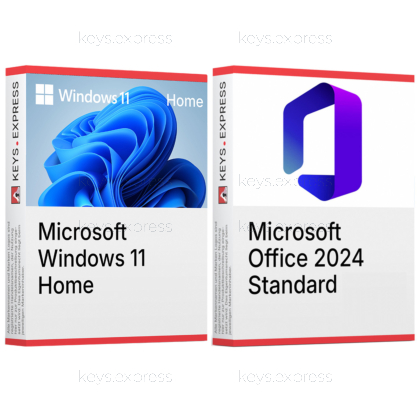
Two one-time purchases for one PC that is being set up or moved off Windows 10: the operating system and the desktop Office suite, in a pairing Microsoft documents as supported.
Microsoft Windows 11 Home – the full operating system with Microsoft Defender, Windows Update and Device Encryption on qualifying hardware. BitLocker Drive Encryption management, Hyper-V, Windows Sandbox and Remote Desktop hosting belong to the Professional edition and are not part of Home.
Microsoft Office 2024 Standard – Word, Excel, PowerPoint, Outlook and OneNote as installed desktop applications. Outlook is what separates Standard from Office Home 2024; Access belongs to Professional Plus and Publisher is not part of the 2024 generation at all.
This product is not posted to the MS account and is not transferable to other devices.
This product allows a one-time activation for one device. Once used, it cannot be used again, not even for the same device.
In stock
Windows 11 Home – Operating system with Microsoft Defender and Windows Update.
Device Encryption – Protects the system drive on qualifying hardware.
Office applications – Word, Excel, PowerPoint, Outlook and OneNote.
Classic Outlook – Desktop client for local .pst archives.
Supported pairing – Microsoft lists Windows 11 for Office 2024.
Important – Access, Publisher and Teams are not included.
Microsoft names Windows 11 as a supported operating system for Office 2024 without tying it to a particular edition, while the standard Windows 10 editions most older machines run left support on 14 October 2025 — which is exactly the situation this pair is bought for: a PC being replaced or rebuilt that needs both halves at once. The Office half also brings the classic Outlook desktop application, and that application is what Windows 11's own preinstalled mail client needs before it can open a local .pst archive at all.
Supported pairing – Office 2024 is supported on Windows 11.
No suite preinstalled – Windows 11 includes no Word or Excel.
Local mail archives – Classic Outlook opens the .pst files new Outlook cannot.
Mail apps retired – Windows Mail and Calendar ended in December 2024.
Encrypted local files – Device Encryption covers documents Office stores offline.
Combined price – Lower than the two keys bought separately.
Yes. Microsoft lists Windows 11, Windows 11 LTSC 2024, Windows 10 LTSC 2021, Windows 10 LTSC 2019, Windows Server 2022 and Windows Server 2025 as the supported operating systems for Office LTSC 2024, and Windows 11 appears there without any edition restriction, so the Home edition in this bundle qualifies. The standard Windows 10 editions that most ageing office PCs still run were supported only until 14 October 2025, which is the practical reason these two products are sold as one purchase for a machine that is being set up or replaced. For Arm-based devices Microsoft names Windows 11 as the minimum supported version, so an Arm notebook needs this operating system generation before the suite goes on it.
Through Device Encryption, the encryption feature Microsoft makes available on a wider range of devices, including those running Windows Home, provided the hardware meets the conditions. This matters more with Office 2024 than with a Microsoft 365 installation, because this Office generation has no cloud-backed storage: the Word documents, Excel workbooks and Outlook data files stay on the local disk. What Home does not offer is BitLocker Drive Encryption, which Microsoft states is only available on the Pro, Enterprise and Education editions — so there is no manual per-drive encryption and no BitLocker management applet. If a drive has to be encrypted and managed by hand, Windows 11 Professional rather than this bundle is the correct edition.
Set up Windows 11 Home first, then install Office 2024 Standard into the finished system. A clean Windows setup erases the system volume together with the program files and registry entries an Office installation writes, so doing it the other way round means installing the suite twice. Microsoft also instructs that existing Office versions be uninstalled before Office 2024 is deployed; most older suites installed with Windows Installer can be removed during the new installation, but on a machine that carried an earlier Office it is worth confirming the removal finished before the 2024 suite goes on.
It fits a PC that is being built or rebuilt and has to carry the system and the office suite from the first day. The case it covers better than the operating system alone is a mailbox that lives in local files: classic Outlook from Office 2024 Standard opens and searches .pst archives directly, while the new Outlook that Windows 11 ships with can only open a .pst when classic Outlook is installed alongside it in the same 32-bit or 64-bit architecture and the signed-in account carries a Microsoft 365 subscription. For someone whose mail sits entirely in a web mailbox and whose documents live in a cloud drive, that argument does not apply, and a smaller Office edition or the operating system on its own may be the more sensible purchase.
Whenever one half is already on the machine. A PC that already runs a current Windows 11 gains nothing from a second operating system, so only the Office key is needed, and the same applies in reverse to a system that already carries a current Office suite. If the PC has to host Remote Desktop sessions, run Hyper-V or Windows Sandbox, join a domain or encrypt drives with BitLocker, Home is the wrong edition and Windows 11 Professional plus a separate Office key is the correct combination. And if anyone in the company works with .accdb database files, Office 2024 Standard is the wrong edition, because Access is only part of Professional Plus.
Access, Publisher and Teams. Access is part of Office LTSC Professional Plus 2024 and not of the Standard edition; Publisher is not included in Office 2024 at all, because the application is being retired and will no longer be supported after October 2026; Teams is not preinstalled with the suite but offered as a separate download. Office 2024 also carries none of the cloud-backed part of Microsoft 365: no real-time collaboration, no AI-driven automation and none of the hybrid-work security and compliance tooling. On the Windows side, the Home edition leaves out Hyper-V, Windows Sandbox, Remote Desktop hosting and BitLocker Drive Encryption. Skype for Business does ship with the suite, as an optional install during setup.
| Task | Windows 11 Home | Office 2024 Standard |
|---|---|---|
| Operating system and drivers | ✓ | ✕ |
| Documents and spreadsheets | ✕ | ✓ |
| Classic Outlook client | ✕ | ✓ |
| Local .pst archives | See note | ✓ |
| Built-in virus protection | ✓ | ✕ |
| Drive encryption | Device only | ✕ |
| Local databases | ✕ | ✕ |
| Desktop publishing | ✕ | ✕ |
| Remote Desktop hosting | ✕ | ✕ |
| Real-time collaboration | ✕ | ✕ |
No. Windows 11 Home contains no word processor, spreadsheet or presentation application, which is why the office suite is the second half of this bundle. Windows 11 does ship with the new Outlook as its default mailbox application, after support for the Windows Mail, Calendar and People apps ended on 31 December 2024, but that is a mail client and not the classic Outlook desktop application included with Office 2024 Standard.
No. Microsoft lists Access for Office LTSC Professional Plus 2024, alongside Word, Excel, PowerPoint, Outlook and OneNote, while the Standard edition contains the same applications without Access. Access is also a Windows-only application and is not available in the macOS version of Office.
Yes. Classic Outlook arrives with Office 2024 Standard and the new Outlook is already on the Windows 11 system, and the two can sit side by side. Microsoft's own requirement for opening an Outlook data file in the new Outlook is that classic Outlook is installed as well, in the same 32-bit or 64-bit architecture, with a Microsoft 365 subscription on the signed-in account — which is why local .pst work belongs in the classic client on this pair.
| Operating Systems | Windows 11 Home Windows 11 LTSC 2024 Windows 10 LTSC 2021 Windows 10 LTSC 2019 Windows Server 2025 Windows Server 2022 |
| Processor | 1.1 GHz or faster processor with 2 or more cores. |
| Memory RAM | 4 GB RAM or higher. |
| Hard Disk | 64 GB or greater storage. |
| Display | 1280 × 768 screen resolution or higher. A display greater than 9 inches diagonally with 8 bits per color channel is required for Windows 11. |
| Graphics | DirectX 12 or later compatible graphics with a WDDM 2.0 driver. |
| NET Version | Some Microsoft Office features may require .NET Framework 3.5 or .NET Framework 4.6 and higher. |
| Note | A compatible 64-bit processor or System on a Chip is required for Windows 11. UEFI firmware with Secure Boot capability is required for Windows 11. Trusted Platform Module version 2.0 is required for Windows 11. Windows 11 Home requires internet connectivity and a Microsoft account during initial device setup. For Arm-based devices, Windows 11 is the minimum supported operating system for Office LTSC 2024. A 64-bit version of Office is required for 4K and higher display resolutions. |