
↑
Back to Top
What are the essential features and key benefits of Kaspersky Internet Security?
Real-Time Defense – Blocks malware instantly with cloud and behavior analysis.
Ransomware Shielding – Stops ransomware encryption using real-time behavior monitoring.
Firewall Control – Filters incoming connections to stop network intrusions.
Safe Payments – Secures online banking sessions against fraud attempts.
Lightweight Performance – Runs smoothly with low system impact and lag.
Proactive Security – Continuous updates keep protection one step ahead.
Download: Kaspersky Internet Security
Real-Time Protection – Blocks malware, ransomware and phishing as they appear.
Two-Way Firewall – Filters network traffic and stops intrusion attempts.
Safe Money – Opens banking sites in a protected browser window.
Webcam Protection – Stops unauthorized apps from accessing your camera.
Private Browsing – Blocks trackers that follow you across websites.
Important – Unlimited VPN, full password manager and parental controls are not included; the bundled VPN is capped at 300 MB per day.
Kaspersky Internet Security is a mid-range protection suite for Windows, macOS, Android and iOS that combines a top-rated malware engine with a firewall and secure-payment tools. It targets everyday threats during browsing, online banking and email without slowing the device down.
Proven Detection – Scores 100% in AV-Test real-world malware tests.
Banking Defense – Safe Money guards card data with an on-screen keyboard.
Low System Load – Light background impact, even during full scans.
Cross-Platform Cover – One license protects PC, Mac and mobile.
Anti-Phishing – Flags fake login and payment pages before entry.
Network Attack Blocker – Detects port scans and exploit attempts early.
Compare antivirus programs for Windows
For help choosing security software, read our comparison:
It protects a device against viruses, ransomware, phishing and network attacks using Kaspersky's real-time scanning engine, which reached 100% protection with no false positives in independent AV-Test and SE Labs trials. The same engine runs across Kaspersky Free, Internet Security and the company's business tools, but here it is paired with a two-way firewall and Safe Money. In practice, when you open a banking site, Safe Money launches it in an isolated browser window and offers an on-screen keyboard so keyloggers cannot capture card details. This makes it stronger than the built-in Windows Defender for users who shop and bank online regularly.
It includes the Kaspersky VPN (Secure Connection), but the bundled version is limited to 300 MB of encrypted traffic per day. That allowance is enough to secure a short banking session or login on public Wi-Fi, but it runs out quickly during streaming, large downloads or a full working day on a hotspot. Unlimited VPN data is only available in the Kaspersky Plus and Premium plans, not in this edition. If daily private browsing matters to you, treat the included VPN as an occasional safety tool rather than an always-on connection.
Compare top VPN providers
For more privacy-software context, read our VPN overview:
Parental controls (Safe Kids) and the password manager are not built into this edition as full versions; they install as separate companion apps with limited functionality. The bundled password tool can store and autofill credentials but lacks the full vault, data-leak checking and unlimited capacity of the standalone Premium Password Manager. Likewise, the free Safe Kids component covers basic content filtering and screen-time limits, but advanced family management is reserved for the Kaspersky Premium plan. If a household needs proper child-safety rules per device or a complete password vault, that is a reason to look at a higher tier rather than this product.
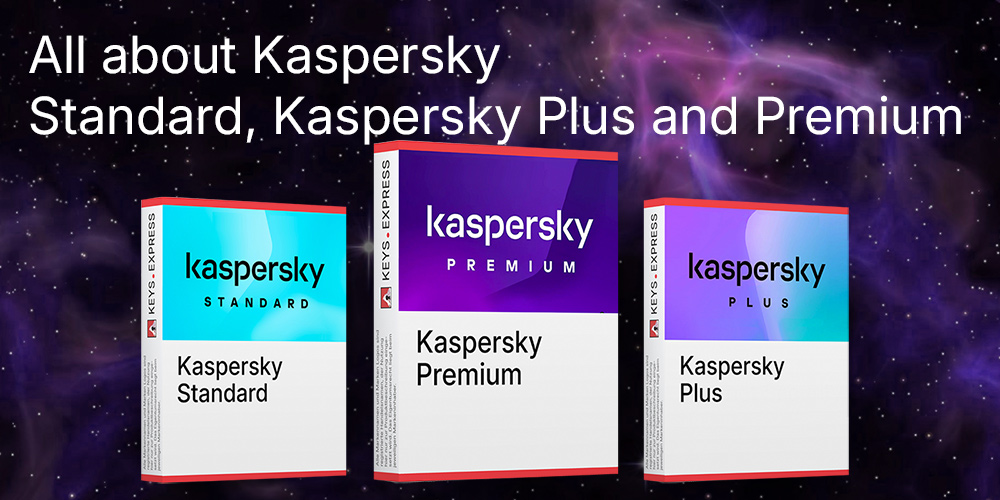
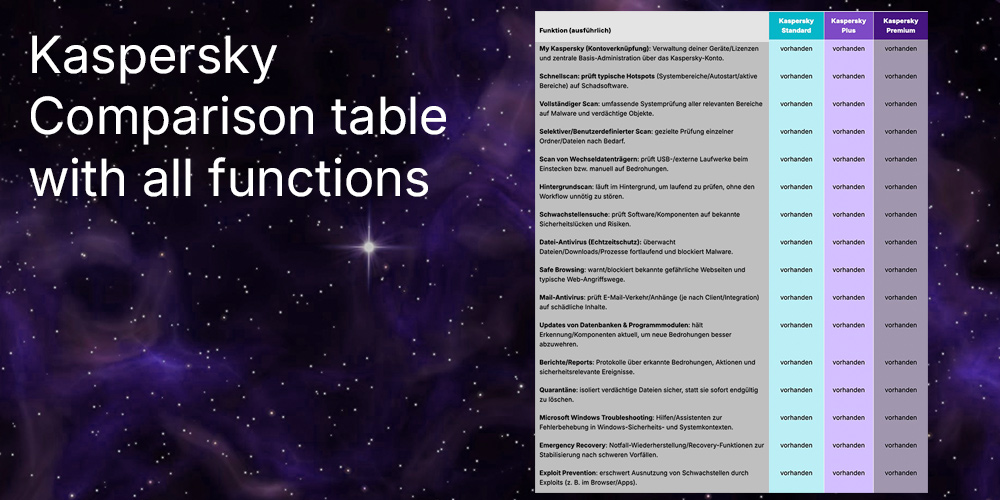
Kaspersky replaced its classic Internet Security and Total Security lineup with three plans — Standard, Plus and Premium — that all share the same protection engine. Internet Security sits closest to the mid-range in capability: it covers core protection and Safe Money but limits the VPN and ships parental controls and the password manager only as restricted add-ons. Plus adds an unlimited VPN and the full password manager, while Premium layers on identity protection, full parental controls and priority support. The table below shows where the paid tiers differ so you can decide whether the extra privacy and family tools are worth a higher plan.
| Feature | Standard | Plus | Premium |
|---|---|---|---|
| Real-time anti-malware | ✓ | ✓ | ✓ |
| Firewall & Safe Money | ✓ | ✓ | ✓ |
| VPN | 300 MB/day | Unlimited | Unlimited |
| Password manager | ✕ | ✓ | ✓ |
| Parental controls | ✕ | ✕ | ✓ |
| Identity protection | ✕ | ✕ | ✓ |
Confirm that you do not need an always-on VPN, full parental controls or identity-theft monitoring, because those are missing or capped in this edition. The product is a strong fit if your priority is malware defense plus protected online banking on Windows or Mac, where the Safe Money browser and 100%-rated engine do the heavy lifting. Buyers comparing brands should note that Kaspersky here lacks dark-web monitoring, which Norton 360 includes at a similar level. If you mainly want clean, low-impact core protection and secure payments, this edition covers it; if you want bundled privacy and family tools, the Plus or Premium plan is the better target.
Norton and Kaspersky compared
For a direct security-suite comparison, read our article:
Yes, one license covers Windows, macOS, Android and iOS, so you can protect a mixed household from a single product. Note that protection depth varies by platform: the firewall and Safe Money are strongest on Windows, while some extras run as limited companion apps on Mac and mobile. There is no free Kaspersky antivirus for macOS, so a paid plan is required to cover a MacBook.
Kaspersky has consolidated its consumer range into Standard, Plus and Premium plans, which now use the same protection engine as Internet Security. The Internet Security edition is still available through software-key shops and remains fully functional for malware protection and secure payments. If you want unlimited VPN or full identity tools out of the box, the Plus or Premium plan is the current equivalent path.
| Operating Systems | Windows 11: Home / Pro / Enterprise Windows 10: Home / Pro / Enterprise Windows 8.1: Pro / Enterprise Windows 8: Pro / Enterprise Windows 7: Starter / Home Basic / Home Premium / Professional / Ultimate / SP1 |
| Processor | 1 GHz or faster, x86 or x64 with SSE2 instruction set support |
| Memory RAM | 2 GB minimum |
| Hard Disk | 1500 MB free disk space |
| Display | Standard display compatible with the respective operating system |
| Protection Modules | Real time protection components including File Anti Virus, Web Anti Virus, Mail Anti Virus, and IM Anti Virus Firewall and Network Monitor System Watcher behavior monitoring Network Attack Blocker Anti Phishing and Anti Spam Webcam Protection Application Control |
| Note | Windows 7 requires Service Pack 1. For Windows 7, required Microsoft updates include KB4490628 and KB4474419 for successful installation. |
| Operating Systems |
macOS Tahoe 26 |
| Processor | Apple Silicon or Intel based Mac |
| Memory RAM | 2 GB minimum |
| Hard Disk | 2200 MB free disk space |
| Display | Standard display compatible with the respective operating system |
| Protection Modules | File Anti Virus real time file system protection Web Anti Virus web traffic protection Network Attack Blocker Safe Money |
| Note | Compatible with Apple Silicon and Intel platforms |
| Operating Systems | Android 16 Android 15 Android 14 Android 13 Android 12 Android 11 Android 10 Android 9 Android 8.x Android 7.x |
| Processor | Intel Atom x86 or ARMv7 and higher platforms |
| Memory RAM | Requirements met by any device running the supported OS version |
| Hard Disk | 120 MB free device memory |
| Display | Standard display compatible with the respective operating system |
| Protection Modules | Automatic Anti Virus real time protection Scanner on demand scans Safe Browsing anti phishing and malicious link blocking Safe Messaging phishing link checks in messages App Lock Where Is My Device Call Filter Weak Settings Scan Data Leak Checker |
| Note | The app cannot scan archives that are 4 GB or larger |