

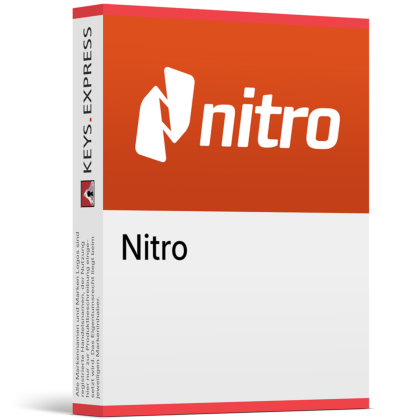
What are the main features and advantages of Nitro PDF Standard Subscription?
Smart OCR – Converts scanned files into searchable, editable text.
Seamless Editing – Updates PDF text, pages, and annotations easily.
Document Security – Protects files with redaction, passwords, and signatures.
Format Control – Preserves layout during conversion and content reuse.
Workflow Integration – Simplifies sharing, signing, and daily document tasks.
Professional Standards – Advanced tools keep documents accurate, secure, and polished.
Download: Nitro PDF Standard Subscription
PDF Creation Suite – Create, convert and combine files into PDFs.
Full Editing Tools – Edit text, images and page order directly.
Batch OCR – Turns scanned paper into searchable, editable PDFs.
AI Document Assistant – Summarises files and extracts table and form data.
Core Capacity – Windows and Mac desktop apps plus browser access.
Important – Nitro Sign eSignature sending requires a separate subscription.
Nitro PDF Standard is the subscription tier of Nitro's PDF editor, covering creation, editing, conversion, OCR, document security and AI-assisted data extraction. It sits between the Windows-only Classic licence and the enterprise-focused Plus plan.
Familiar Ribbon Layout – Microsoft Office-style interface shortens team onboarding.
Office Format Export – Sends PDFs back to Word, Excel, PowerPoint.
Cross-Platform Coverage – One plan covers Windows and Mac users.
Central Admin Portal – Reassign licences without touching each workstation.
Document Security – Password protection, redaction and certificate-based digital signatures.
24/7 Agent Support – Direct agent help from two licences upward.
It creates, edits, converts, combines and secures PDF files from a desktop application on Windows and Mac. A common task it handles is merging a mixed pile of Word files, Excel sheets and scanned paper into one PDF, then exporting a section back to Word when the original source file has gone missing. Batch OCR processes a whole folder of scans and writes a searchable text layer underneath the image, so an accounts team can search for an invoice number instead of opening every file. The AI Document Assistant adds summaries and pulls table and form data out of finished documents into structured output.
It fits individuals, freelancers and small to mid-sized teams that need full PDF editing across mixed Windows and Mac hardware. The practical difference from the Classic licence is platform reach: Classic runs on Windows desktops only, while Standard covers both operating systems under the same plan, which matters in an office where design sits on Macs and finance sits on Windows. Licence handling runs through the Nitro Admin Portal, so an administrator can reassign a seat when someone leaves without visiting the machine. Teams that need single sign-on or usage reporting are pushed towards Plus instead.
All three give core PDF creation and editing, but they differ in platform coverage, administration and AI tooling. Standard is the mid tier: it adds Mac support and AI document tools that Classic does not have, without the enterprise security and reporting layer found in Plus. Classic is a Windows desktop product and is not offered for Mac or mobile. The table below shows the differences Nitro documents on its own comparison page.
| Feature | PDF Standard | PDF Plus | PDF Classic |
|---|---|---|---|
| Windows desktop app | ✓ | ✓ | ✓ |
| Mac desktop app | ✓ | ✓ | ✕ |
| AI document tools | ✓ | ✓ | ✕ |
| Single sign-on | ✕ | ✓ | ✕ |
| Nitro Analytics | ✕ | ✓ | ✕ |
| Azure Information Protection | ✕ | ✓ | ✕ |
| 24/7 agent support | 2+ users | 2+ users | ✕ |
| Signature request sending | ✕ | ✕ | ✕ |
It includes signing and certifying documents yourself, but not the signature-request workflow, which belongs to Nitro Sign. Nitro separated its PDF and eSign products into standalone plans in April 2025, so sending an envelope to external signers, tracking it through an audit log and issuing reminders all sit inside a Nitro Sign subscription. Inside Nitro PDF Standard you can apply a digital signature, work with certificate signatures and certify a file, which is enough for internally approved documents but not for a counter-signed contract chain. Advanced and qualified signature methods under eIDAS and ZertES are limited to the Nitro Sign Enterprise tier, so regulated signing needs should be scoped before purchase.
Nitro documents full support for the Windows and Mac desktop applications, with browser-based access through Nitro Workspace. Conversion runs in both directions: any printable file can become a PDF, and finished PDFs export to Word, Excel and PowerPoint, which is the route most people take when a source document has been lost and only the PDF survives. Combining several file types into a single PDF and splitting pages back out are part of the same editor rather than separate utilities. For scanned material, batch OCR is what makes the text selectable and searchable instead of leaving it as a flat image.
Check the licence count first: Nitro provides 24/7/365 personalised agent support from two licences upward, so a single-seat buyer is directed to the knowledge base, community forum and user guides instead. Next, confirm no identity or reporting requirements exist, because single sign-on, domain control, Azure Information Protection and the Nitro Analytics usage dashboard are only available in Nitro PDF Plus. Anyone who needs enterprise identity management will have to move up a tier rather than add it to Standard. Finally, treat signature sending as a separate line item, since that capability lives in Nitro Sign.
Yes. Nitro lists integrations with Microsoft 365, SharePoint, iManage, Dropbox, Box and OneDrive, so files can be opened, edited and saved back without a manual download and re-upload step. This is the practical reason legal and professional-services teams pick it, since documents stay in the managed repository rather than on a local desktop.
Manual redaction and password protection are part of the Standard plan and permanently remove visible content rather than covering it with a black box. Automated detection is a different product: Nitro Smart Redact identifies more than 30 categories of personal data and is purchased separately, so high-volume compliance redaction is not covered by the Standard plan alone.
Nitro holds SOC 2, HIPAA, ISO 27001 and QTSP certifications across its PDF and eSign products. Its operations run from Australia, Toronto and Dublin, which is the detail procurement teams in healthcare, finance and government usually ask about before approving a document tool.
| Operating Systems | Windows 11 Windows 10 Windows Server 2019 Windows Server 2016 |
| Processor | 1.5 GHz processor or faster. |
| Memory RAM | 1 GB RAM. |
| Hard Disk | 4.5 GB of available hard disk space. |
| Display | 1024 × 768 screen resolution or higher. |
| Note | A 64-bit Windows operating system is required. Microsoft Edge WebView2 is required and is included with the installer. The latest Microsoft Visual C++ Redistributable is required and is included with the installer. An active Nitro subscription or license is required to use the application. Internet access is required for subscription activation and online services. |
| Operating Systems | macOS 10.14 Mojave or later |
| Processor | Intel 64-bit processor. Apple M1 or later. |
| Memory RAM | 1 GB RAM. |
| Hard Disk | Up to 2 GB available hard disk space. |
| Display | 1280 × 800 screen resolution or higher for a 13.3-inch laptop. |
| Note | An active Nitro subscription or license is required to use the application. Internet access is required for subscription activation and online services. |
| Operating Systems | iOS 15 or later iPadOS 15 or later |
| Note | A compatible iPhone or iPad capable of running the supported operating system is required. The application is distributed through the Apple App Store. An active Nitro subscription or license is required to use subscription functionality. |



