↑
Back to Top
Ottieni un prezzo ancora più basso con il piano tariffario
Prossimo piano tariffario Bronzo: $ 37.11
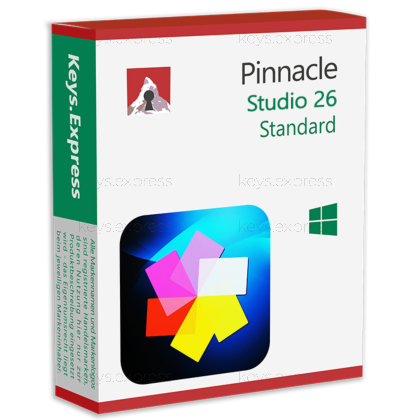
Download: Pinnacle Studio 26 Standard
Introducing Pinnacle Studio 26 Standard, the ultimate solution for video editing enthusiasts and professionals alike. Elevate your creative projects to new heights with this powerful software that combines intuitive tools with advanced features.
Pinnacle Studio 26 Standard boasts a user-friendly interface, making it easy for both beginners and experienced editors to navigate. The intuitive design ensures a seamless editing experience from start to finish.
Unleash your creativity with a wide range of editing tools that allow you to cut, trim, and merge clips effortlessly. Add transitions, effects, and audio enhancements to bring your videos to life.
Achieve the perfect look for your videos with the advanced color grading features. Fine-tune colors, adjust saturation, and create a visually stunning masterpiece with just a few clicks.
Make your videos visually captivating with a vast library of dynamic effects and transitions. From subtle fades to dramatic animations, Pinnacle Studio 26 Standard provides endless possibilities to enhance your storytelling.
Seamlessly edit footage from multiple cameras with the multi-camera editing feature. Sync and arrange clips to create professional-looking videos with ease.
Elevate the audio quality of your projects with precise audio editing tools. Add royalty-free music and sound effects from the extensive library to enhance the overall impact of your videos.
Ensure your creations shine in the best possible quality by exporting your videos in high definition. Share your work on various platforms without compromising on clarity and detail.
Experience smooth and efficient editing with Pinnacle Studio 26 Standard's optimized performance. Work on your projects without delays and enjoy a streamlined editing process.
Whether you're a content creator, filmmaker, or hobbyist, Pinnacle Studio 26 Standard provides the tools you need to bring your vision to life. Elevate your video editing experience with this feature-packed software.
|
Piattaforma |
Windows |
|
Sistema operativo supportato |
|
|
Processore |
Intel Core i3 o AMD A4 3,0 GHz o superiore · Intel Core i5 o i7 1,06 GHz o superiore richiesto per il supporto AVCHD e Intel Quick Sync Video · Processore Intel Core i7 di quarta generazione o AMD Athlon A10 o superiore per l’editing UHD, multicamera o video 360 |
|
Memoria |
4 GB di RAM (minimo); 8 GB di RAM o superiore (consigliato) |
|
Disco rigido |
10 GB |
|
Scheda grafica |
Risoluzione minima 1024 x 768, almeno 256 MB di VGA VRAM, almeno 512 MB consigliati per l’accelerazione hardware per la decodifica Dispositivo grafico DirectX consigliato: · NVIDIA GeForce serie 700/Quadro 600 (basato su Fermi) o più recente (supporto CUDA necessario per la gestione CUDA)
· 3D Titler richiede DirectX 11 |
|
Scheda audio |
Scheda audio compatibile con Windows |
|
Internet |
Per effettuare l’installazione, la registrazione e gli aggiornamenti occorre disporre di una connessione a Internet. La registrazione è obbligatoria per poter utilizzare il prodotto. |