



Back to Top
Continue using Microsoft Publisher Office 2021 and 2019 after it stops working with Microsoft 365 and Office 2024
November 23, 2026
Views:
1
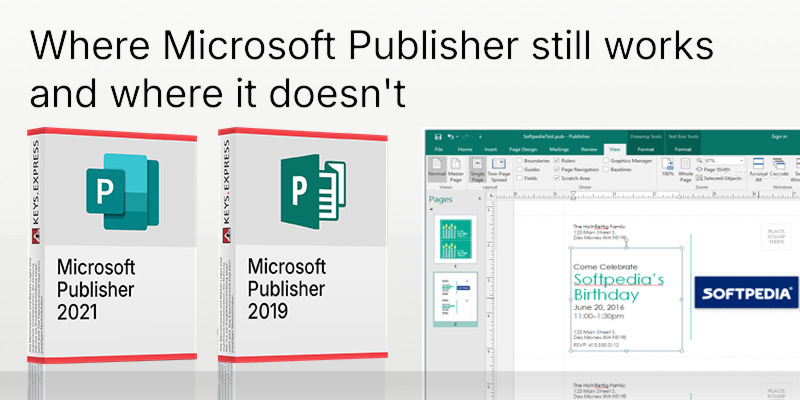
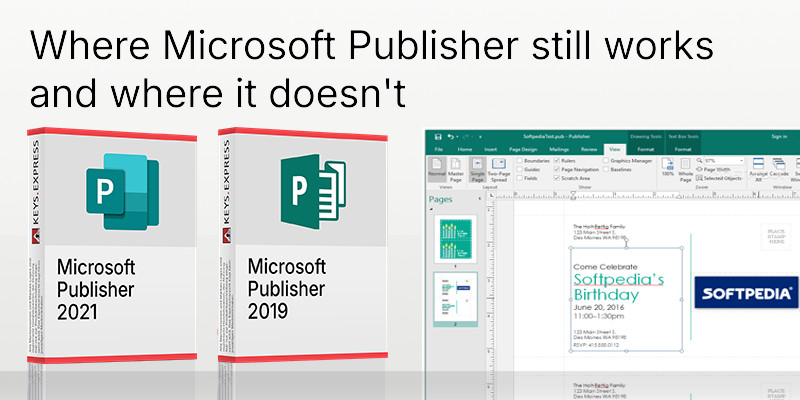
Microsoft Publisher: Still Available, but No Longer Compatible with Microsoft 365 and Office 2024
You can still install and use the 2016, 2019, or 2021 retail versions of Microsoft Publisher, but only on a PC that isn’t running Microsoft 365 or Office 2024. Microsoft removed Publisher from Microsoft 365 on October 1, 2026, and Office 2024 did not include the program from the start. There is no successor. If you still need Publisher, you must use Publisher and Office from the same generation—that is, Publisher 2021 with Office 2021 or Publisher 2019 with Office 2019. If you only want to open existing .pub files, you can often do so without purchasing anything using the free program Affinity.
Why doesn’t a purchased copy of Microsoft Publisher run alongside Microsoft 365 or Office 2024?
A standalone copy of Publisher is not an add-on that integrates with an existing Office suite. It is a separate Office product with its own installation. Microsoft 365, Office 2024, Office 2021, Office 2019, and most editions of Office 2016 all share the same internal version number, 16.0, and are set up using the same installation technology. Microsoft states that, in most cases, a Microsoft 365 subscription and a purchased version such as Office 2021, 2019, or 2016 cannot run together on the same computer. Additionally, all Office products on a PC must receive updates through the same update channel.
In practice, this means that the Publisher 2021 setup requires you to first uninstall Microsoft 365 or Office 2024. Or Publisher disappears again as soon as Office 2024 is reinstalled or repaired. The misconception lies in the assumption that you can simply “purchase” the missing program. With Microsoft 365 and Office 2024, this is not possible—with any version of Publisher.
Has Publisher been discontinued, and what’s the current status?
Yes, Microsoft has discontinued Publisher without a replacement. For Microsoft 365 subscribers, access ended on October 1, 2026. Since then, Publisher can neither be installed nor downloaded there, and .pub files can no longer be opened or edited with Microsoft 365. Office 2024 and Office LTSC 2024 do not include Publisher. Microsoft had originally announced only “October 2026” as the discontinuation date.
For purchased versions, the support dates for the respective Office generation apply. Publisher 2016 and Publisher 2019 have not received updates since October 14, 2025, and Publisher 2021 has not received updates since October 13, 2026. This means that Microsoft no longer supports any version of Publisher. However, according to Microsoft, the purchased versions can still be installed and used.
Which version of Publisher works with which version of Office?
Publisher works reliably only on its own or in conjunction with Office from the same generation. The table compares the practical options available to readers: Publisher on its own, an Office suite that already includes Publisher, and Affinity as a program for opening .pub files. Publisher 2016 is missing from the table because it behaves like Publisher 2019, but exclusively with Office 2016. Word and PowerPoint are missing because they do not open .pub files.
| Feature | Publisher 2021 as a standalone program | Publisher 2019 standalone | Office 2021 with Publisher | Affinity |
|---|---|---|---|---|
| On a PC without any other Office suite | ✓ | ✓ | ✓ | ✓ |
| In addition to Microsoft 365 | ✕ | ✕ | ✕ | ✓ |
| Alongside Office 2024 | ✕ | ✕ | ✕ | ✓ |
| Alongside Office 2021 | Depends | ✕ | Does it replace | ✓ |
| In addition to Office 2019 | ✕ | Depends | ✕ | ✓ |
| Saves in .pub format | ✓ | ✓ | ✓ | Import only |
| Runs on Mac | ✕ | ✕ | ✕ | ✓ |
| Updates from the manufacturer | Through October 13, 2026 | Through October 14, 2025 | Through October 13, 2026 | Ongoing |
“Depends” means: The same generation is a requirement, but not the only one. Microsoft also requires that all Office products on a PC use the same update channel. It’s not always possible to say for certain before installation whether an already installed Office 2021 or 2019 and a separately purchased Publisher from the same generation will meet this requirement. If you want to play it safe, choose an Office package that already includes Publisher. ““Replaces” means that an Office 2021 with Publisher replaces the existing Office 2021 without Publisher and is not installed alongside it. “Import Only” means that Affinity opens .pub files and converts them to its own format, but does not save them back as .pub files.
Which solution is right for my situation?
The right solution depends on which Office suite is already running on your PC and whether .pub files need to continue being edited in the Publisher format.
| Initial Situation | Suitable Solution | Reason |
|---|---|---|
| Office 2021 Standard, Professional, or Professional Plus installed | Don’t buy anything | Publisher is already included in these editions. |
| Microsoft 365 or Office 2024, .pub files only occasionally | Affinity | Free, opens .pub files and runs alongside any version of Office. |
| Microsoft 365 or Office 2024; Publisher is essential for daily use | Office 2021 with Publisher on your own PC | Publisher runs reliably only without Microsoft 365 and Office 2024. |
| Office 2021 Home & Business or Home & Student | Office 2021 Standard | One package instead of two products that require the same update channel. |
| Office 2019 installed without Publisher | Publisher 2019 | Same generation as the existing Office. |
| PC with no Office at all, only layout work | Publisher 2021 | Runs on its own as long as no other Office version is installed. |
| Mac | Affinity | Publisher was never available for macOS. |
Which Office versions already include Publisher?
Publisher is included in Office 2021 Professional, Office 2021 Professional Plus, and Office LTSC Standard 2021, as well as in Office 2019 Standard and Professional Plus and the corresponding editions of Office 2016. Publisher is missing from all versions of Home & Student and Home & Business, as well as from all editions of Office 2024. If you own an edition that includes Publisher, you’ll find the program in the Start menu and won’t need to purchase anything else.
If you’re buying a new copy of Office anyway and need Publisher, it’s safer to choose a package that already includes Publisher rather than purchasing two separate products. Microsoft Office 2021 Standard ⧉ includes Word, Excel, PowerPoint, Outlook, OneNote, and Publisher, and is suitable for workplaces where letters, spreadsheets, and occasionally flyers or club newsletters are created. It’s not sufficient for databases with Access. For that, there’s Microsoft Office 2021 Professional Plus ⧉, which also includes Access. If you don’t use either Access or Publisher, you don’t need Professional Plus.
Which other programs are included in the individual editions—such as Teams or Skype for Business—is irrelevant to the Publisher question and would go beyond the scope of this article.
I have Microsoft 365 and need Publisher: What can I do?
With Microsoft 365 installed on the same PC, there is no longer a version of Publisher that works reliably. Publisher was removed from the subscription on October 1, 2026, and a purchased version of Publisher cannot be run smoothly alongside it. That leaves three viable options.
First: For occasionally opening and editing old .pub files, Affinity is often sufficient—it’s free and runs alongside Microsoft 365. Second: If you need Publisher every day, set up a separate PC with Office 2021 and Publisher on which Microsoft 365 is not installed. Third: If you want to stick with the same PC, uninstall the Microsoft 365 desktop apps and install Office 2021 with Publisher instead. The subscription can continue for OneDrive and the Office web versions in the browser. However, Word, Excel, and Outlook will then come from Office 2021, with the 2021 feature set and without new Microsoft 365 features.
Whether it’s worth canceling your subscription altogether depends on more than just Publisher—for example, the number of devices you use and your need for cloud features.
Can I purchase Publisher as an add-on to Office 2024?
No. Office 2024 and Office LTSC 2024 do not include Publisher, and Microsoft does not offer a 2024 version of Publisher. Publisher 2021 or 2019 cannot be reliably run alongside Office 2024: Either the setup will refuse to install it, or Publisher will disappear if Office 2024 is subsequently installed, repaired, or reset.
If you’re already using Office 2024 and can’t do without Publisher, you have the same options as Microsoft 365 subscribers: use Affinity for occasional work with .pub files, use a separate PC with Office 2021, or switch that PC to Office 2021 with Publisher. In the latter case, Office 2024 will no longer be used on that device.
Can I combine Publisher 2019 with Office 2021 or mix versions?
We advise against this. Publisher 2019 with Office 2021, Publisher 2016 with Office 2019, or Publisher 2021 with Office 2019 are mixed generations. Microsoft states that running different versions of Office on a single PC is generally not possible and notes that problems may still occur even if all recommendations are followed. In the case of Office 2016, it also uses a different installation method than later versions in some respects, and Microsoft explicitly excludes this combination.
Even if such a combination works in an individual case, it may break down again after the next update, during a repair, or following a fresh installation of Windows. Only the same generation is reliable: Publisher 2021 with Office 2021, Publisher 2019 with Office 2019, and Publisher 2016 with Office 2016.
Is Publisher 2021 compatible with Office 2021 Home & Business?
The generations are compatible, but the combination isn’t guaranteed to work in every case. Microsoft requires that all Office products on a PC use the same update channel. An Office 2021 Home & Business suite and a separately purchased Publisher 2021 may be updated through different channels, in which case the second cannot be installed alongside the first.
The more reliable solution is an Office 2021 edition that already includes Publisher—such as Office 2021 Standard or Professional Plus—instead of Home & Business. This usually saves you the hassle of dealing with a second product that ultimately can’t be installed. If you want to stick with Home & Business, you can switch to Affinity for .pub files.
Which version of Publisher is compatible with Office 2019 or Office 2016?
Publisher 2019 works with Office 2019, and Publisher 2016 works with Office 2016—in each case, as an add-on to editions that don’t include Publisher, such as Home & Business. Microsoft Publisher 2019 ⧉ is the right choice for a Windows PC running Office 2019 that’s expected to remain on that version. It’s not suitable for PCs running Office 2021, Office 2024, or Microsoft 365.
For older computers running Office 2016, there’s Publisher 2016 ⧉. It’s only suitable where Office 2016 continues to run and older .pub files need to be edited. It is not suitable as the foundation for a new workstation because Office 2016 and Publisher 2016 will no longer receive updates after October 14, 2025.
Who should consider purchasing Publisher 2021 as a standalone program?
Publisher 2021 as a standalone program is a good choice on a Windows PC where no other Office suite is installed—for example, a computer used exclusively for layout work, labels, or a club newsletter. Microsoft Publisher 2021 ⧉ is the latest version released by Microsoft and continues to save files in the .pub format. It’s the wrong choice for a PC running Microsoft 365 or Office 2024, and if you already have Office 2021 without Publisher, a suite that includes Publisher is usually the safer option.
One point is often overlooked: Many new PCs come with Microsoft 365 preinstalled. This installation must be completely removed before installing Publisher 2021; otherwise, the setup will fail.
Why does Publisher suddenly disappear after an update or a fresh installation?
Publisher usually disappears when a newer version of Office—such as Office 2024 or Microsoft 365—is installed or repaired on the same PC. The newer installation takes over the shared Office components, and Publisher gets left behind in the process. In the case of Microsoft 365, Microsoft has also removed the program from the subscription via an update effective October 1, 2026.
Therefore,
caution is advised, especially with trial versions, preinstalled Office suites on new devices, and programs that offer to “update Office.” If you’re using Publisher 2021, do not install either Microsoft 365 or Office 2024 on that PC—not even temporarily. For a new workstation, Windows 11 Professional with Office 2021 Professional Plus ⧉ is a suitable starting point because Publisher is already included. For a PC that already has a Windows license, this package is not needed.
Will Publisher continue to work after end of support?
Yes, according to Microsoft, the retail versions of Publisher 2016, 2019, and 2021 can still be installed and used, and existing .pub files remain editable. What’s missing are security and bug fixes: The last update for Publisher 2021 was released on October 13, 2026, and for 2016 and 2019 on October 14, 2025.
For most users who edit their own flyers, program booklets, or club newsletters, this is a manageable risk. Things get tricky with .pub files from unknown sources, such as email attachments. You should not open such files with a version that has not been updated.
How do I open .pub files without Publisher?
The easiest way is with Affinity, which opens .pub files directly starting with Publisher 97. Affinity is from the graphics software company Canva; it combines the former programs Affinity Photo, Designer, and Publisher and has been free since October 30, 2025. All you need is a free Canva account, and the program runs on Windows and macOS. When opened, the .pub file is converted into a new Affinity document, which can be further edited and exported as a PDF.
There are
two limitations to note. First, Affinity does not save back to the .pub format, so you cannot create a file for colleagues who use Publisher. Second, text breaks and fonts may shift during import. Complex layouts usually require some rework afterward. The older versions of Affinity Publisher 1 and 2 do not open .pub files; only the new version of Affinity can do so. LibreOffice Draw can also import .pub files, with similar layout discrepancies. Word does not open .pub files. Microsoft recommends exporting them to PDF in Publisher first.
Is there an alternative to Microsoft Publisher?
No, Microsoft does not have a successor to Publisher. For flyers, brochures, business cards, newsletters, and posters, Microsoft recommends using Word and PowerPoint. However, these are different programs with different strengths: They do not open .pub files, and Word arranges content in continuous text rather than in freely positionable frames. If you want to continue working on a Publisher template in Word, you’ll need to rebuild it from scratch there.
Affinity is a layout program from another vendor that can import .pub files. It is not Publisher and works differently. Anyone who has worked with Publisher for years will need to familiarize themselves with how it works.
Is there a version of Publisher for the Mac?
No, Microsoft has never released Publisher for macOS, not even as part of Office for Mac or Microsoft 365. Mac users who receive .pub files can open them with Affinity, which runs on macOS, or have someone with a Windows PC export them as PDFs. Running a Windows version of Publisher on a Mac in a virtual machine is technically possible, but it’s subject to the same rules as on any Windows PC.
Does Publisher run on Windows 11?
Yes, Publisher 2016, 2019, and 2021 can be installed on Windows 10 and Windows 11. However, this does not apply to Publisher 2019 and 2021 on Windows 7, 8, and 8.1. The key factor for operation is not the Windows version, but which version of Office is otherwise installed on the PC.
Which Office generation is officially supported for which Windows and Windows Server versions goes beyond the scope of this Publisher-specific question.
What does Publisher no longer support today?
Publisher no longer receives security updates, new features, or support from Microsoft in any version. There is no collaborative editing in the cloud, no web or mobile version, and no Mac version. It does not run on a PC with Microsoft 365 or Office 2024. Anyone who shares .pub files with others must ensure that the other party also has a working copy of Publisher. For sharing with print shops and customers, exporting to PDF is therefore the more reliable option.
When do I not have to buy anything at all?
You don’t need to buy anything if you already own Office 2021 Standard, Professional, or Professional Plus, since Publisher is included in those editions. The same applies to Office 2019 Standard or Professional Plus and the comparable editions of Office 2016. Even if you only want to view, print, or make one-time edits to .pub files, you don’t need Publisher. Affinity opens them for free, even on a PC running Microsoft 365 or Office 2024. And if you just want to archive existing Publisher files, you can export them as PDFs using your existing Publisher installation.
Continuing to Use Microsoft Publisher: How Do I Decide in the End?
The first question is: Is Microsoft 365 or Office 2024 running on your PC? If so, Publisher is no longer included, and Affinity or a separate PC with Office 2021 are the realistic options. If not, Publisher from the same generation as your existing Office suite will work, and the safest option is an Office edition that already includes Publisher. If you mainly need Publisher to open old .pub files, you can get by with Affinity without having to buy anything.
Disclaimer
This article is for general information purposes only and does not constitute a sales or licensing recommendation. All information has been compiled to the best of our knowledge, but is provided without guarantee of completeness or accuracy. License conditions are subject to change and may be interpreted differently in individual cases. The content does not replace individual legal or licensing advice.
November 23, 2026
Related Products
Microsoft Publisher 2021 Key
Special Price
17,40 €
Regular Price
24,90 €
Microsoft Publisher 2019 Key
Special Price
13,90 €
Regular Price
19,90 €
Publisher 2016 Key
Special Price
0,00 €
Regular Price
19,90 €
Microsoft Publisher 2019 Retail Key
Special Price
29,70 €
Regular Price
39,90 €
Windows 11 Professional & Office 2021 Professional Plus Keys
69,80 €
48,80 €
Popular Posts