
For a detailed guide with screenshots, visit our step-by-step tutorial below.
1. From the Security Solutions list, select Kaspersky AntiVirus and click the download button.

2. After the download finishes, open your Downloads folder and find the file named kav21.3.10.391en_xxxxx.exe.
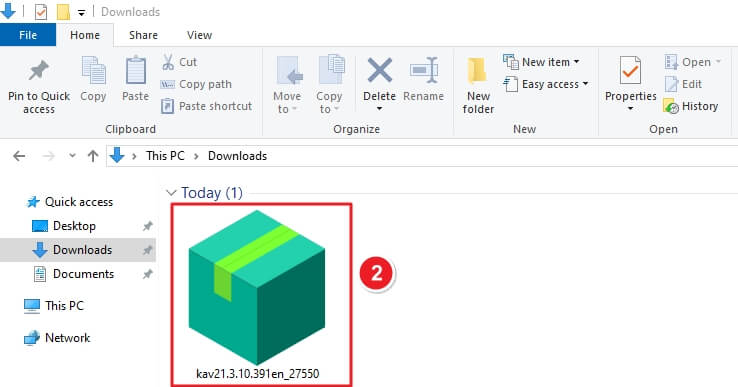
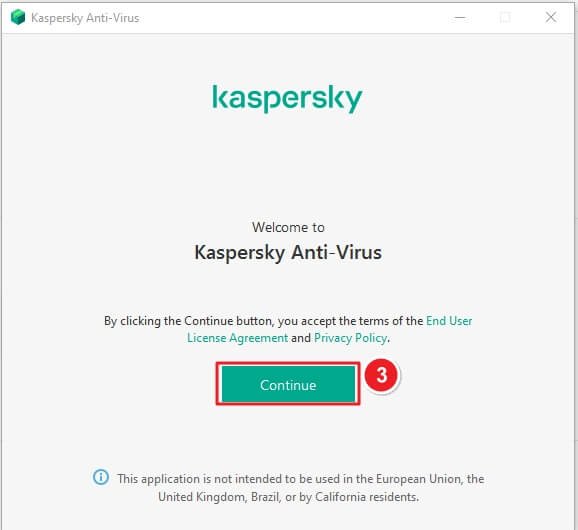
3. Double-click the setup file and click Continue when the welcome screen appears.
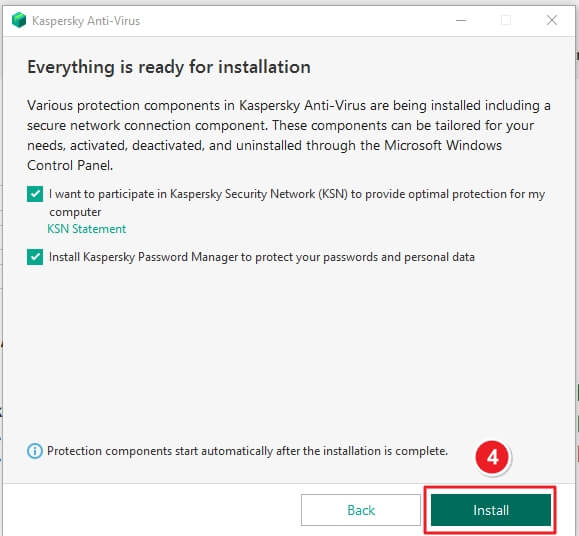
4. Ensure both checkboxes are selected for full protection, then click Install.
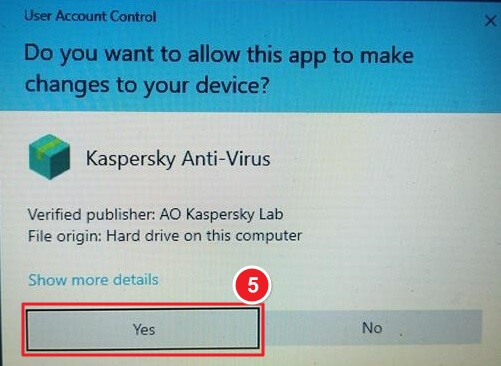
5. If Windows asks for permission, click Yes to continue.
6. Wait for the application to download and install all required components.

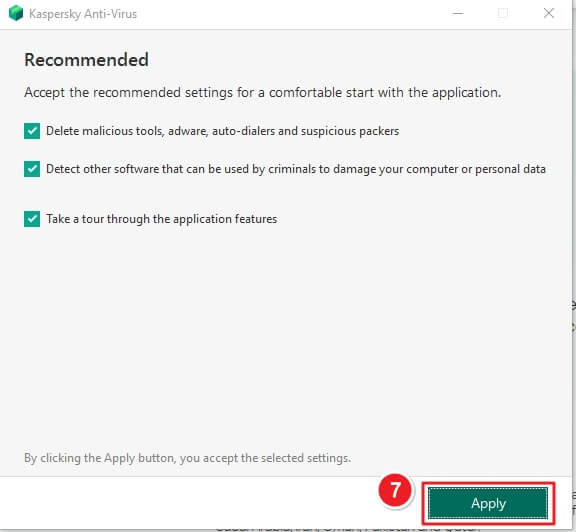
7. Keep all default options selected and click Apply to proceed.
8. Once installation completes, click Done to close the setup wizard.

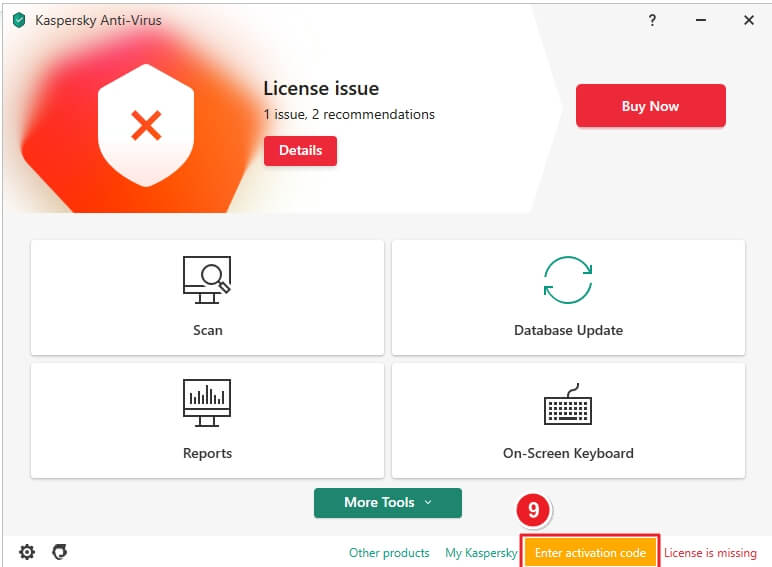
9. Click Enter activation code, type your license key, and press Activate.
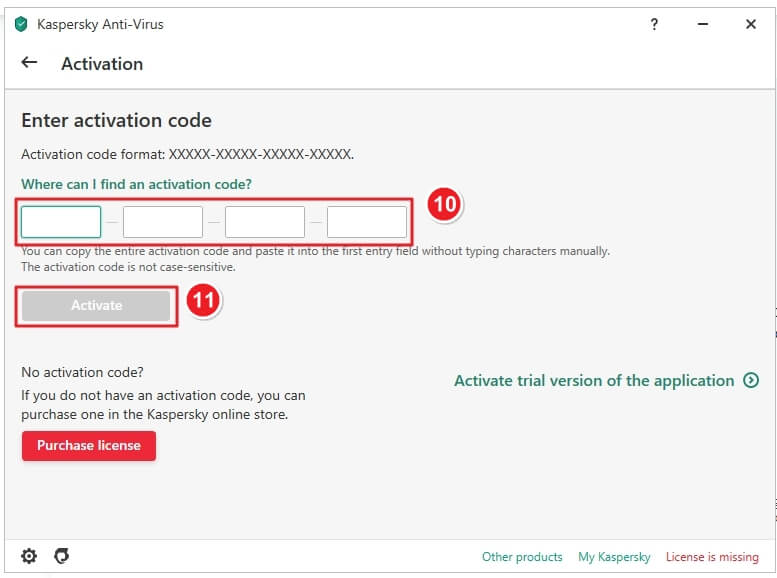
10. Enter your 20-character activation code, then click Activate to enable your protection.
If you face any installation or activation issues, please contact our support team through the Keys.Express Contact Form. Attach a screenshot of the error message for faster assistance.
Your Keys.Express Team
SKU: 5101, 4812, 4818, 5116, 4829, 5061, 4826, 5108, 5109, 5110, 5111, 5112, 5113, 5114, 5115, 4819, 4820, 4821, 4822, 4823, 4824, 4825, 5102, 5103, 5104, 5105, 5106, 4813, 4814, 4815, 4816, 4817, 5117, 5118, 5119, 5120, 5121, 5122, 5046, 4827, 4828, 4830, 4831, 4832, 4833


