What are the main features and advantages of Microsoft Server 2022 Datacenter?
Unlimited Virtualization – Run unlimited Windows VMs on licensed hosts.
Advanced Security – Strong hardening options for modern threat protection.
Hyper-V Platform – Mature virtualization for clusters and consolidation.
Storage Spaces – Build resilient, high-performance software-defined storage.
Network Virtualization – Flexible SDN features for segmented network designs.
Hybrid Integration – Connect and manage servers with cloud services.
Download: Server 2022 Datacenter
Unlimited Virtualization – Run unlimited Windows VMs per licensed host.
Storage Spaces Direct – Pool local drives into shared cluster storage.
Shielded VMs – Encrypt guest VMs against compromised host admins.
Software-Defined Networking – Centrally control virtual networks and traffic policies.
Core Licensing – Minimum 16 core licenses per physical server.
Important – Client Access Licenses (CALs) and Remote Desktop Services (RDS) rights are not included in this edition.
Windows Server 2022 Datacenter is the top on-premises edition, built for heavily virtualized hosts and clustered infrastructure. It shares the same core feature base as Standard but removes the virtualization cap and adds software-defined storage, networking, and VM isolation.
VM Density – Consolidate many guests onto one licensed host.
Cluster Storage – Build hyper-converged storage without a separate SAN.
Workload Isolation – Protect tenant VMs with TPM-backed Shielded VMs.
Inherited Activation – Activate guest VMs directly from the host.
Storage Replica – Replicate volumes with no 2 TB size limit.
Predictable Cost – Fixed per-core cost regardless of VM count.
Datacenter is the edition you license when a single physical host runs many virtual machines, because it grants rights to unlimited Windows Server VMs and containers once all physical cores are licensed. On a Standard host you must re-license every core for each additional pair of VMs, so a host running six or more Windows guests usually costs less under Datacenter. It runs the same roles as Standard — Active Directory, DNS, DHCP, file services, Hyper-V — plus Storage Spaces Direct and Software-Defined Networking. In practice, this is the edition for virtualization hosts and storage clusters, not for a single low-density file server.
The core difference is virtualization rights: Standard permits two VMs (OSEs) per fully licensed host, while Datacenter permits unlimited VMs on the same licensed cores. Datacenter also exclusively includes Storage Spaces Direct, Shielded VMs, Software-Defined Networking, and unlimited Storage Replica, where Standard caps Storage Replica at a single partnership and one 2 TB volume. Both editions use the same per-core licensing model and both still require separate Windows Server CALs. Choose Datacenter when VM count or clustered storage justifies it; choose Standard for low-density deployments.
| Feature | Standard | Datacenter |
|---|---|---|
| Virtual machines | 2 per host | Unlimited |
| Storage Spaces Direct | ✕ | ✓ |
| Shielded VMs | ✕ | ✓ |
| Software-Defined Networking | ✕ | ✓ |
| Storage Replica | 1 vol, 2 TB | Unlimited |
| Windows Server CALs | Required | Required |
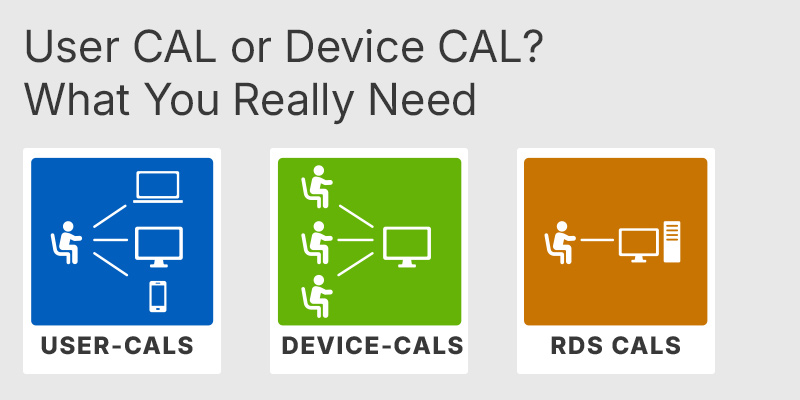
No. The Datacenter license covers the server software itself, but every user or device that accesses the server still needs a separate Windows Server CAL. Unlimited VM rights do not change this — CALs are about access, not virtualization. If you plan to host Remote Desktop sessions, you also need RDS CALs on top of the base CAL, since RDS is an additive access right. Buyers often assume the high-end edition bundles these; it does not, so budget CALs separately.
Datacenter uses per-core licensing with a hard minimum of 16 core licenses per physical server and at least 8 core licenses per physical processor, whichever is greater. You must license every physical core in the host, even if some cores are idle. Core licenses are sold in 2-core and 16-core packs, so a 24-core dual-socket server needs licenses covering all 24 cores. This matters because the "unlimited VM" benefit only applies once all physical cores on the host are correctly licensed.
Datacenter pays off once you run enough Windows VMs on one host that repeatedly re-licensing Standard's cores costs more than a single Datacenter license. Because Standard grants only two VMs per full core license, a host with roughly 12 or more Windows guests typically reaches the break-even point. The other trigger is feature need: if you require Storage Spaces Direct for hyper-converged storage or Shielded VMs for tenant isolation, only Datacenter provides them. For a host running two or three VMs with no clustered storage, Standard remains the more economical choice.
Datacenter already permits unlimited VMs, so VM count is never a constraint here. Linux guests do not consume a Windows Server license because they are not Windows operating system environments. You still must license all physical cores of the host running Hyper-V.
No. Windows Server CALs are version-specific and must match or exceed the server version, so accessing a 2022 server requires 2022 CALs. Older 2019 or 2016 CALs are not valid for it. Plan CAL purchases to the server version you are deploying.
No — both editions share the same hardware maximums of 48 TB RAM and 64 sockets. The differences between them are virtualization rights and software-defined features, not raw hardware scaling limits. Choose based on VM density and feature need rather than expecting more capacity from Datacenter.
| Processor | 1.4 GHz 64-bit processor or faster. Compatible with x64 instruction set. Supports NX and DEP. Supports CMPXCHG16b, LAHF/SAHF, PrefetchW instructions. Supports Second Level Address Translation EPT or NPT. Supports SSE4.2 Streaming SIMD Extensions 4.2 instruction set. Supports POPCNT instruction. |
| Memory RAM | 1 GB for Server Core. 2 GB for Server with Desktop Experience. ECC Error Correcting Code type or similar technology recommended for physical host deployments. |
| Hard Disk | 32 GB of space minimum on the system partition. Additional space may be required for updates, paging, dump files, and installed roles and features. |
| Display | Monitor capable of Super VGA 1024 x 768 or higher resolution, only required for certain features. |
| Graphics | Integrated or dedicated graphics adapter supporting Super VGA 1024 x 768 or higher resolution, only required for certain features. |
| Note | Actual requirements vary based on system configuration, applications, and installed roles and features. 32 GB should be treated as an absolute minimum for successful installation and will typically require more space in real deployments. Computers with more than 16 GB RAM may require more disk space for paging, hibernation, and dump files. |
keys.express and keys.discount are online platforms for product keys. The product keys available in our shops for Windows and other software are inexpensive, secure, legal and come with an activation guarantee.
Below you will find the most important legal information about our products.
We offer exclusively unused and non-activated product keys. The keys have never been redeemed for activation and are fully available to the purchaser for the first-time activation of the respective product. A key that has already been redeemed could no longer be used for a new activation and is therefore not offered by us.
Trading in these product keys is permissible in the European Union and in Switzerland under current case law, provided that the necessary conditions are met. These conditions are as follows:
This trade is legally permissible because the underlying license was already placed on the market with the consent of the rightholder within the EU/EEA or Switzerland in return for appropriate remuneration. As a result, the so-called principle of exhaustion has taken effect, which permits the resale of individual product keys — in particular those originating from volume license agreements. Microsoft or the respective software provider has already received appropriate remuneration for this.
keys.express and keys.discount ensure that the aforementioned conditions are met and that the lawful use of the software is guaranteed. The requirements arising from European legislation are also observed in Switzerland.
Important note: The acquisition of a product key through the transmission of a combination of numbers and letters in digital form does not, in itself, constitute a license for the lawful use of the program. The license only arises from the respective installation and the associated acceptance of the manufacturer's terms of use.
Further information can be found here: