
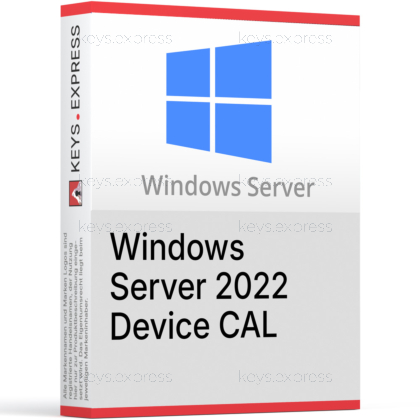
What are the key benefits and advantages of Microsoft Server 2022 Device CAL?
Device Licensing – Licenses one device for Windows Server services.
Shared Workstations – One licensed PC supports many rotating users.
Simple Compliance – Track devices instead of users for easier audits.
Cost Efficiency – Lower costs in shift-based, shared-device environments.
Server Access – Covers file, print, and directory service connections.
Audit Ready – Clear device counts simplify planning and compliance checks.

Device-based access – Licenses one device for any user logging in.
Core server services – Covers file shares, printing, and Active Directory.
Shared-device coverage – Unlimited users per licensed physical device.
Backward compatibility – Works with 2016, 2019, and 2022 servers.
Per-device counting – One CAL per endpoint, not per person.
Important – Remote Desktop (RDS) access and the server OS license are not included.
Core Capacity – Grants standard server access only, never Remote Desktop sessions.
A Device CAL is the client access license that legally permits one device to use Windows Server 2022 services such as file, print, and directory access. It is bought in addition to the server license and is counted per device rather than per user.
Lower seat cost – Cheaper when many people share few machines.
Shift-friendly licensing – One license covers round-the-clock device rotation.
Simple device count – Match licenses to physical endpoints, not headcount.
Mixed-version use – Same CALs cover older 2016 and 2019 servers.
Predictable compliance – Fixed endpoints make audit preparation straightforward.
Perpetual rights – Stays valid for the Server 2022 version it covers.
A Device CAL grants one specific device the right to access Windows Server 2022 services, and any number of users on that device are then covered. The server license alone only permits installing the operating system; it does not legally authorize clients to connect to file shares, printers, or Active Directory. Microsoft requires a CAL for every device that accesses those services in Standard and Datacenter editions. This makes the Device CAL the piece that turns an installed server into one your endpoints can lawfully use. It does not grant Remote Desktop access, which needs a separate RDS CAL.
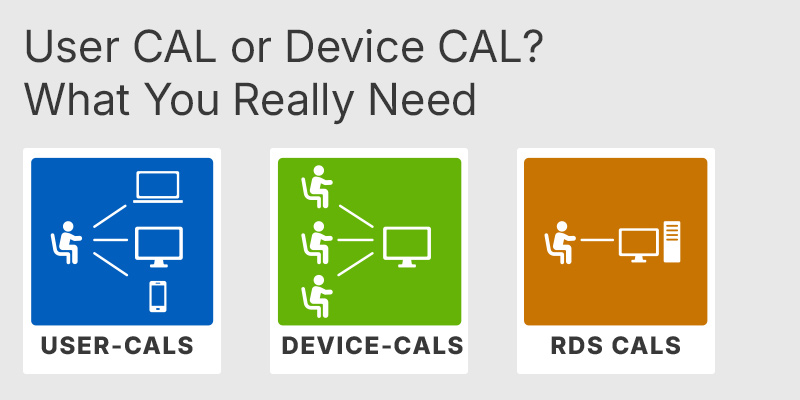
A User CAL licenses one person across unlimited devices, while a Device CAL licenses one device for unlimited users. The practical rule is to license whichever number is smaller in your environment. Device CALs win when several people share a fixed set of machines, such as call centers, factory floors, healthcare stations, or 24/7 shift operations. Five staff rotating through one kiosk need a single Device CAL, not five User CALs. Microsoft lets you mix both types, but keeping one model per population makes audits and seat planning far simpler.
| Feature | Device CAL | User CAL |
|---|---|---|
| Licensed unit | Per device | Per user |
| Unlimited users per device | ✓ | ✕ |
| Unlimited devices per user | ✕ | ✓ |
| Best for shared/shift devices | ✓ | ✕ |
| Grants Remote Desktop (RDS) access | ✕ | ✕ |
No. A standard Windows Server 2022 Device CAL covers basic server services like file, print, and Active Directory, but it does not authorize Remote Desktop sessions. Any regular end-user access over RDP requires a separate Remote Desktop Services (RDS) CAL on top of this license. Windows Server includes only two administrative remote connections, which are meant for server maintenance, not daily user work. If your team logs into a session host or jump box, budget for RDS CALs as well, or those connections will be out of compliance.
Yes. Windows Server CALs are backward compatible, so a 2022 Device CAL also covers access to Windows Server 2019 and 2016 servers. They are not forward compatible, meaning a 2022 CAL cannot be used to access a Windows Server 2025 server. This matters in mixed environments: you can standardize on 2022 CALs and stay compliant against older servers without buying separate licenses for each version. Always match the CAL version to the highest server version your devices will reach.
Confirm whether your environment is device-centric or user-centric, because that decides which CAL type costs less. Count physical endpoints accessing the server against the number of distinct people: if you have 30 shared workstations used by 100 rotating staff, 30 Device CALs cover everyone. The CAL is separate from the Windows Server core license, which itself carries a 16-core minimum per server. Also verify that no one needs Remote Desktop access through these devices, since that requires additional RDS CALs not covered here.
No. A CAL is an access license only and does not include the server software. You need a separate Windows Server 2022 license, which is sold per core with a 16-core minimum per server, plus enough CALs to cover the devices that connect.
Yes, Microsoft permits both types in the same environment. In practice it is cleaner to assign Device CALs to shared shift machines and User CALs to staff who roam between devices, keeping each population on a single model for simpler compliance.
You need one Device CAL for every physical device that accesses the server, regardless of how many people use it. Thirty shared workstations require thirty Device CALs even if hundreds of employees rotate across them on different shifts.
| Important | To use Microsoft Windows Server 2022 Device CAL, your server must meet the Windows Server host requirements and RDS licensing compatibility hardware and software specifications. |
| Compatibility | Windows Server 2022: Standard / Datacenter. Earlier Windows Server versions through downgrade rights. |
| Operating Systems | Windows Server 2022: Standard / Datacenter |
| Processor | 1.4 GHz or faster 64-bit processor. x64 instruction set compatibility is required. NX, DEP, CMPXCHG16b, LAHF, SAHF, PrefetchW, and Second Level Address Translation support are required. |
| Memory RAM | 1 GB minimum for Server Core. 2 GB minimum for Server with Desktop Experience. ECC memory or similar technology is required for physical host deployments. |
| Hard Disk | 32 GB minimum system partition space. Additional space may be required for paging, updates, server roles, and applications. |
| Display | Super VGA display with 1024 × 768 resolution or higher. |
| Note | The Device CAL does not include Windows Server installation software. A separate Windows Server 2022 Standard or Datacenter server license is required. One Device CAL permits one licensed device, used by any number of users, to access licensed Windows Server services. A Windows Server 2022 CAL permits access to Windows Server 2022 and earlier versions, but not later versions. A separate RDS Device CAL is required to access Remote Desktop Services. CALs are required for devices accessing Windows Server directly or indirectly. Multiplexing or connection pooling does not reduce the number of required CALs. An Ethernet adapter providing at least 1 gigabit per second and compatible with PCI Express is required for the host server. |
keys.express and keys.discount are online platforms for product keys. The product keys available in our shops for Windows and other software are inexpensive, secure, legal and come with an activation guarantee.
Below you will find the most important legal information about our products.
We offer exclusively unused and non-activated product keys. The keys have never been redeemed for activation and are fully available to the purchaser for the first-time activation of the respective product. A key that has already been redeemed could no longer be used for a new activation and is therefore not offered by us.
Trading in these product keys is permissible in the European Union and in Switzerland under current case law, provided that the necessary conditions are met. These conditions are as follows:
This trade is legally permissible because the underlying license was already placed on the market with the consent of the rightholder within the EU/EEA or Switzerland in return for appropriate remuneration. As a result, the so-called principle of exhaustion has taken effect, which permits the resale of individual product keys — in particular those originating from volume license agreements. Microsoft or the respective software provider has already received appropriate remuneration for this.
keys.express and keys.discount ensure that the aforementioned conditions are met and that the lawful use of the software is guaranteed. The requirements arising from European legislation are also observed in Switzerland.
Important note: The acquisition of a product key through the transmission of a combination of numbers and letters in digital form does not, in itself, constitute a license for the lawful use of the program. The license only arises from the respective installation and the associated acceptance of the manufacturer's terms of use.
Further information can be found here: