Dieses Produkt aktiviert ein Gerät und ist gültig so lange das Gerät läuft, kann nicht ein zweitesmal verwendet werden (selbst auf dem gleichen Gerät nicht).
Ein Key kann das Programm einmalig aktivieren. Mehrere CAL sind inbegriffen.
Download: Server 2016 Essentials

First Server – Domain controller and file server for small offices.
Anywhere Access – Built-in Remote Web Access through the RD Gateway.
Client Backup – Automatic PC backups with bare-metal restore.
Dashboard Management – Central console for users, devices, and folders.
No CALs – Up to 25 users and 50 devices without licenses.
Important – Storage Spaces Direct, Shielded VMs, and unlimited Virtual Machines are not included.
Windows Server 2016 Essentials is a single-server operating system for small businesses that need Active Directory, shared storage, and remote access without managing client licenses. It runs as one physical or one virtual instance and is administered through a simplified dashboard instead of full server tooling.
No CAL Costs – Covers 25 users and 50 devices outright.
Simple Setup – Wizard-driven dashboard replaces complex role configuration.
Remote Work – Staff reach files and PCs from outside the office.
Automatic Backups – Connected PCs back up nightly without user action.
Domain Control – Acts as the primary Active Directory domain controller.
Budget Fit – One license replaces server plus CAL purchases.
It runs a small business network on one server, handling Active Directory, file sharing, and remote access for up to 25 users and 50 devices. The dashboard sets up user accounts, shared folders, and automatic client PC backups without the per-feature configuration that Standard requires. Anywhere Access publishes internal resources over HTTPS using the built-in RD Gateway, so users open documents or their office PC through a browser. Because the edition is capped at 25 users, it suits a stable small team rather than one expecting to grow past that ceiling.
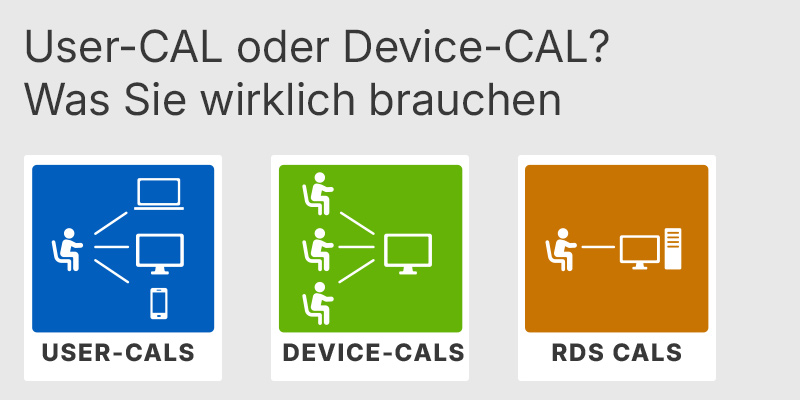
User CAL or Device CAL: What You Really Need
Explains when a User CAL or Device CAL is the more cost-effective choice when upgrading to the Standard edition.
End of Support for Windows Server 2022: Windows Server 2025 vs. 2022 vs. 2019: Is It Worth Upgrading?
Compares the 2019, 2022, and 2025 releases to help determine whether upgrading to the latest version is worthwhile.
It fits small offices of up to 25 users that want a domain controller, central file storage, and PC backups but have no dedicated IT staff. The dashboard handles account creation and backup scheduling that would otherwise need manual Group Policy and Windows Server Backup setup, so a single technician can run it. It was also positioned as the replacement for the discontinued Windows Server 2012 Foundation edition. A business planning to host SQL Server or Exchange on the same box, or to run several virtual machines, should choose Standard instead.
No. Essentials uses Microsoft's specialty-server licensing model and needs no User or Device CALs, which removes the per-seat cost that Standard carries. The trade-off is a hard cap of 25 users and 50 devices, enforced by the product key. If the account count is exceeded, the server stops working until you reduce it or move to Standard with CALs. This makes the CAL-free benefit real only while the business stays inside those limits.
The license covers one running instance only: either the physical operating system or a single virtual machine, not both at once, so there are no unlimited VM rights. Remote Desktop Services as a session host is not supported on Essentials; even with RDS CALs installed, the edition allows a maximum of two concurrent active sessions. For multi-user remote desktops you must add a separate member server running Standard or Datacenter with RDS CALs. The included Anywhere Access feature covers single-PC remote access through RD Gateway, but it is not a substitute for a full RDS deployment.
Confirm the network will stay within 25 users and 50 devices, because the limit is enforced and cannot be raised on this edition. Check that the hardware fits the ceilings of two CPU sockets and 64 GB of RAM, which are lower than Standard's limits. Verify you do not need Storage Spaces Direct, Shielded VMs, the Network Controller, or WSUS, as none of these ship in Essentials. If you expect to run multiple VMs or host RDS, plan for Standard from the start rather than migrating later.
The two editions share the same core server roles, but Standard scales far higher and Essentials is capped by design. Standard uses core-based licensing with CALs and grants two virtualization instances per license, while Essentials needs no CALs and allows a single running instance. The table below shows the differences that most often affect a buying decision.
| Feature | 2016 Essentials | 2016 Standard |
|---|---|---|
| CALs required | ✓ None | ✕ Per user/device |
| User limit | 25 users | No limit |
| Virtual machines | 1 instance | 2 instances |
| Storage Spaces Direct | ✕ | ✕ |
| RDS session host | ✕ Max 2 sessions | ✓ |
| Anywhere Access | ✓ | ✕ |
| CPU sockets | 2 max | 64 max |
| Maximum RAM | 64 GB | 24 TB |
Yes. Essentials is designed to be the primary domain controller for a small network and sets up Active Directory automatically during the dashboard configuration. It can also join an existing domain as a member or secondary domain controller in a multi-server environment.
The 25-user and 50-device limit is enforced by the edition, not just a recommendation. If you go over it, the server begins forcing restarts and stops serving the network until the count is reduced or you upgrade to Standard with CALs. Plan a migration before approaching the limit rather than after.
No. WSUS is not part of the Essentials edition, so you cannot centrally approve and deploy Windows updates from this server. Connected clients update through Windows Update directly, or you add a Standard or Datacenter member server if centralized patch management is needed.
2016 was the last release to ship the full Essentials Experience role with its dashboard and Anywhere Access. Later editions such as 2019 and 2022 Essentials dropped that built-in role, so 2016 remains the version most associated with the original small-business feature set. Buyers wanting the classic dashboard and client backup experience specifically look for the 2016 edition.
| Processor |
1.4 GHz 64-bit processor. |
| Memory RAM | 2 GB minimum. 4 GB recommended. |
| Hard Disk | 32 GB minimum system partition. |
| Display | Super VGA 1024 x 768 or higher-resolution monitor. |
| Graphics | Integrated or dedicated graphics capable of Super VGA 1024 x 768 or higher resolution. |
| Note | Actual requirements vary by system configuration, installed applications, and server roles or features. More disk space may be needed for paging, hibernation, and dump files, especially on systems with more than 16 GB RAM. .NET Framework may be required for specific server roles, applications, or features. |
keys.express und keys.discount sind Webplattformen für Product Keys. Die in unseren Shops erhältlichen Product Keys für Windows sowie weitere Software sind günstig, sicher, legal und mit Aktivierungsgarantie.
Nachfolgend finden Sie die wichtigsten rechtlichen Informationen zu unseren Produkten.
Wir bieten ausschließlich unbenutzte und nicht aktivierte Product Keys an. Die Keys wurden noch nie zur Aktivierung eingelöst und stehen dem Erwerber vollständig zur erstmaligen Aktivierung des jeweiligen Produkts zur Verfügung. Ein bereits eingelöster Key wäre für eine neue Aktivierung nicht mehr verwendbar und wird von uns deshalb nicht angeboten.
Der Handel mit diesen Product Keys ist in der Europäischen Union sowie in der Schweiz nach aktueller Rechtsprechung zulässig, sofern die notwendigen Voraussetzungen erfüllt sind. Diese lauten wie folgt:
Dieser Handel ist rechtlich zulässig, weil die zugrunde liegende Lizenz bereits mit Zustimmung des Rechteinhabers im EU-/EWR-Raum bzw. in der Schweiz gegen eine angemessene Vergütung in den Verkehr gebracht wurde. Damit ist der sogenannte Erschöpfungsgrundsatz eingetreten, der den Weiterverkauf einzelner Product Keys – insbesondere aus Volumenlizenzverträgen – erlaubt. Microsoft bzw. der jeweilige Softwareanbieter hat hierfür bereits eine angemessene Vergütung erhalten.
keys.express und keys.discount achten darauf, dass die vorgenannten Voraussetzungen erfüllt sind und ein legaler Gebrauch der Software sichergestellt ist. Die Voraussetzungen aus der europäischen Gesetzgebung werden auch in der Schweiz eingehalten.
Wichtiger Hinweis: Der Erwerb eines Product Keys durch Übermittlung einer Zahlen-/Buchstabenkombination in digitaler Form stellt für sich genommen noch keine Lizenz zur rechtmäßigen Nutzung des Programms dar. Die Lizenz bildet sich erst aus der jeweiligen Installation und der damit verbundenen Akzeptierung der Nutzungsbedingungen des Herstellers.
Weitergehende Informationen finden Sie hier:


