
For a detailed guide with screenshots, visit our step-by-step tutorial.
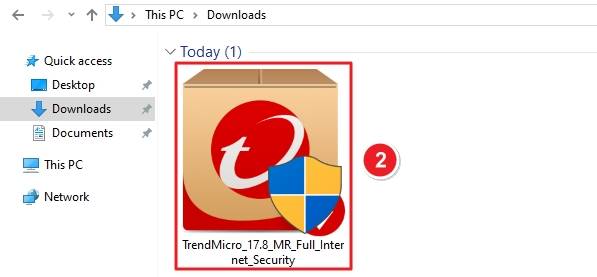
TrendMicro_17.8_MR_Full_Internet_Security.exe — in your Downloads folder and double-click it.Visit the official Download Center. Under Security Solutions, select Trend Micro Internet Security. Click on the Trend Micro Internet Security download link under Download Files.

Once downloaded, open your Downloads folder. Find the file named: TrendMicro_17.8_MR_Full_Internet_Security.exe. Double-click the installer icon to begin.
When Windows asks, “Do you want to allow this app to make changes to your device?” — select Yes. This step authorizes the installation process.

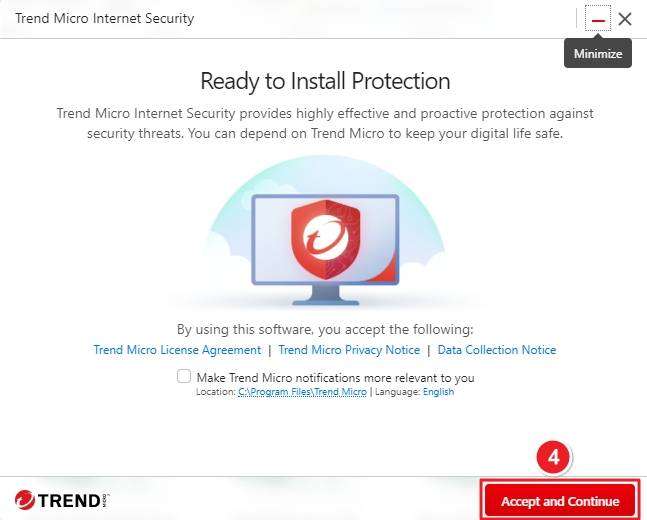
The installer will open the Ready to Install Protection window. Read the License Agreement, Privacy Notice, and Data Collection Notice if desired. Then click Accept and Continue.
You’ll see a window titled Protect Your Device. Under Option 1, enter your Activation Code into the boxes provided. Click Apply to activate your license.

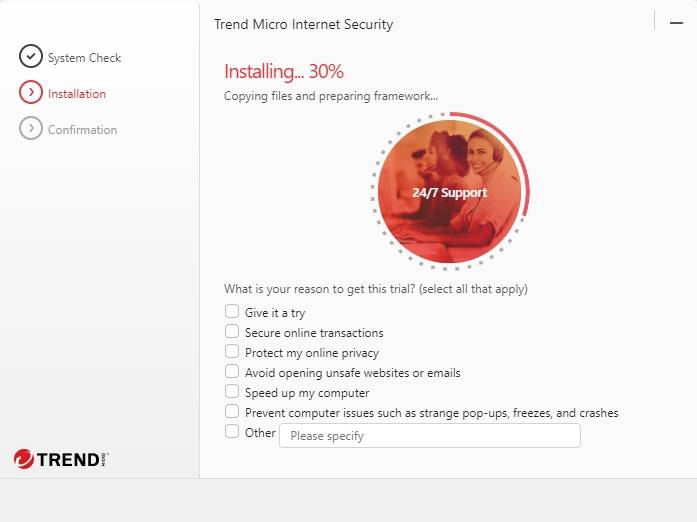
The setup will continue with System Check, then Installation. It will copy files and prepare the protection framework. Wait until the progress bar reaches 100%.
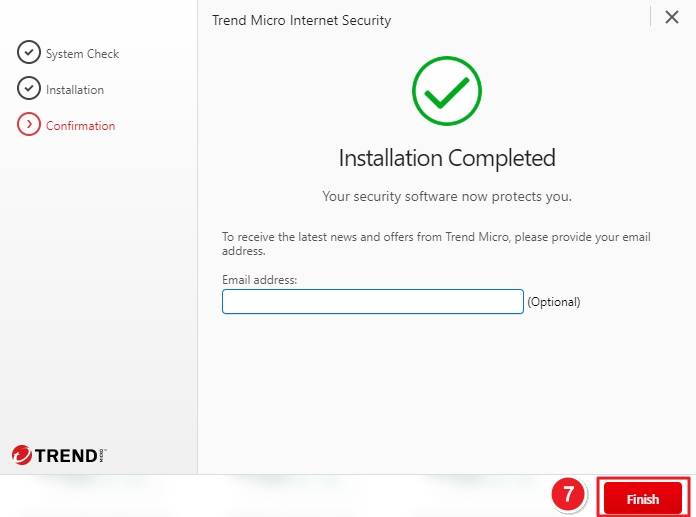
When installation finishes, you’ll see the Installation Completed screen. Enter your email address if you’d like to receive updates and offers (optional). Click Finish to close the setup.
If you have any further problems with the installation or activation, please write to us. Simply use our contact form and send a screenshot of the error message at the same time. We will be happy to help you.
Your Keys.Express Team
SKU: 5338, 5339, 5340, 5158, 5159, 5160, 5161, 5162, 5163, 5164, 5165, 5166, 4954, 4955, 4956, 4957, 4958, 4959, 4960, 4961, 4962, 4963, 4964, 4965, 4558, 4559, 4560, 4561, 4562, 4563, 4564, 4565, 4566, 4567, 4568, 4569


