
For a detailed guide with screenshots, visit our step-by-step tutorial.
Open your browser and navigate to the Keys.Express Download Center. Then click the appropriate installer link for your system.
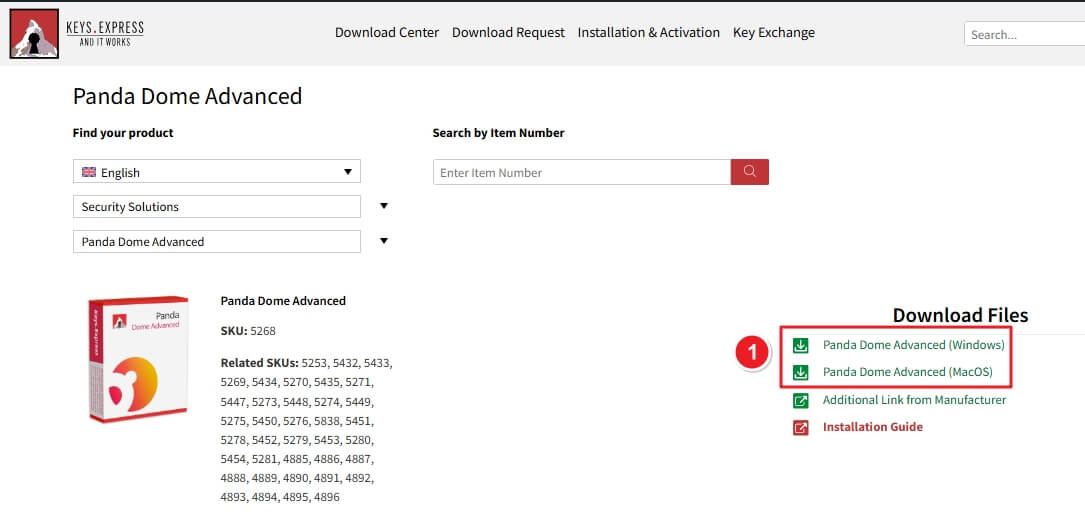
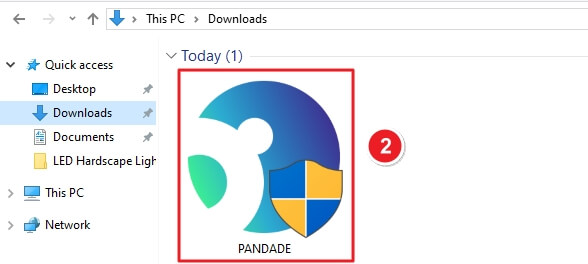
After the download finishes, open your Downloads folder. You’ll find the installer file named PANDADE.
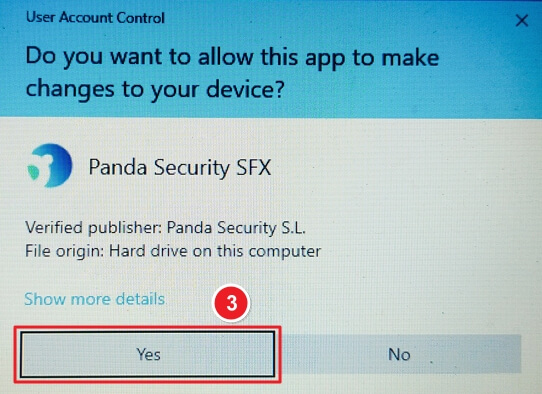
A User Account Control window will appear. Click Yes to allow the application to make changes.
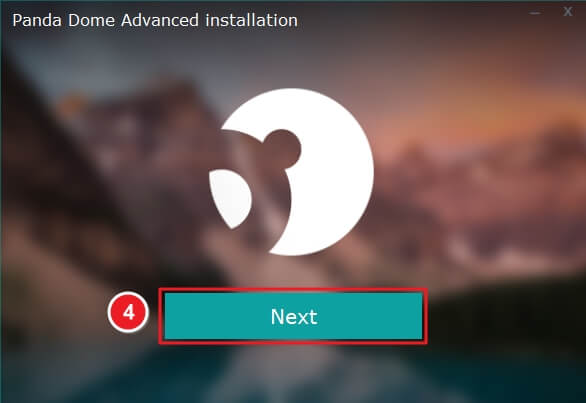
The installation wizard will launch automatically. Click Next to start the setup.
Confirm your installation folder and language preference, then click Accept and Install.

The setup will download and install all files automatically. Wait until the progress bar reaches 100%.

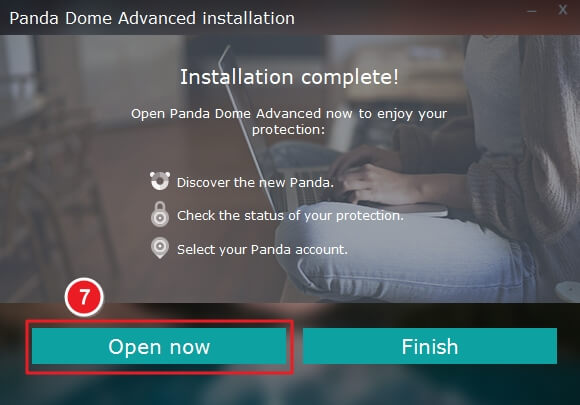
Once done, the message Installation complete! appears. Click Open now to launch the Panda Dome dashboard.
Enter your email address linked to your Panda account. If you don’t have one, a new account will be created automatically. Click Continue to proceed.

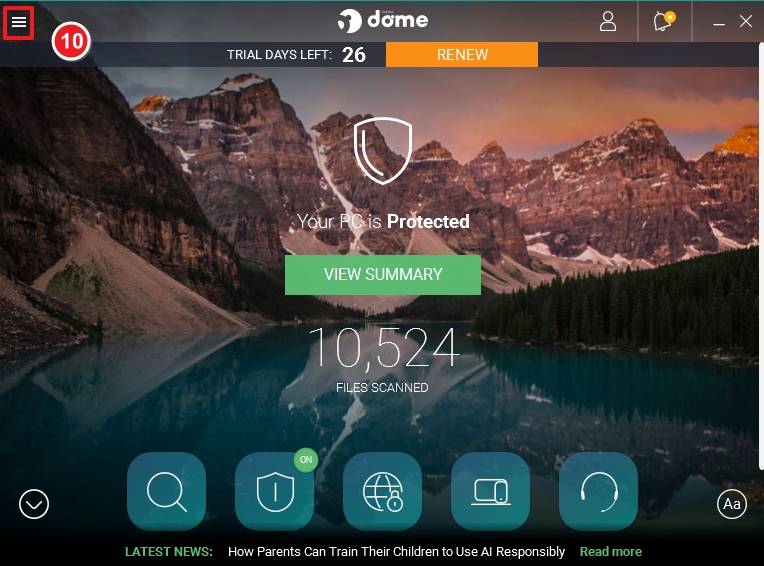
Once logged in, Panda Dome will connect to the internet. Click the Menu icon (☰) in the top-left corner.
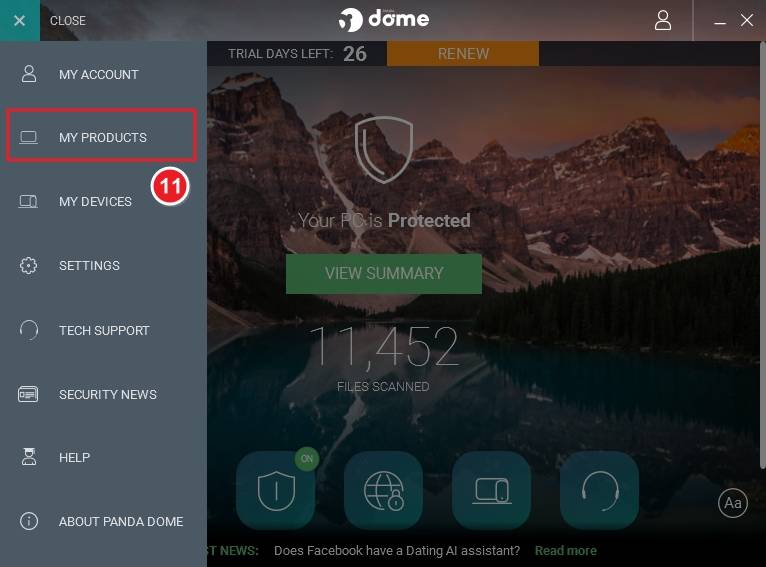
Then select My Products from the sidebar.
Click Add a product/code at the top-right corner.

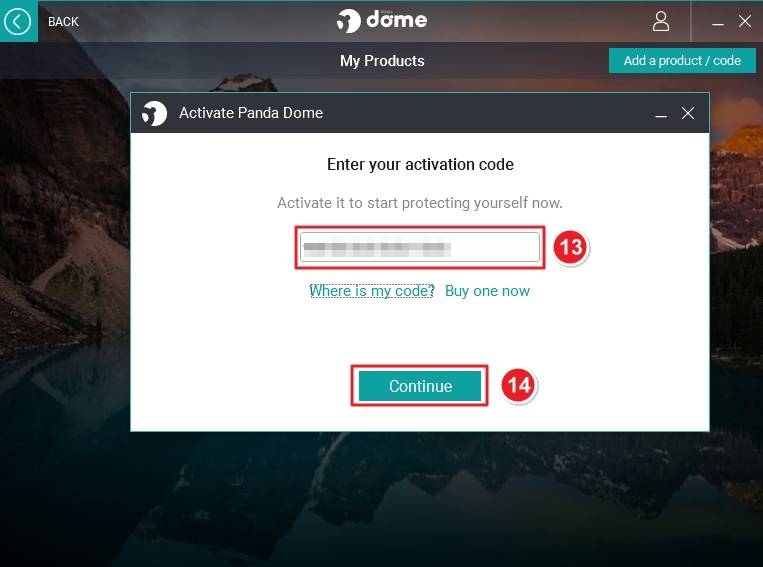
In the activation window, type or paste your license key and click Continue.
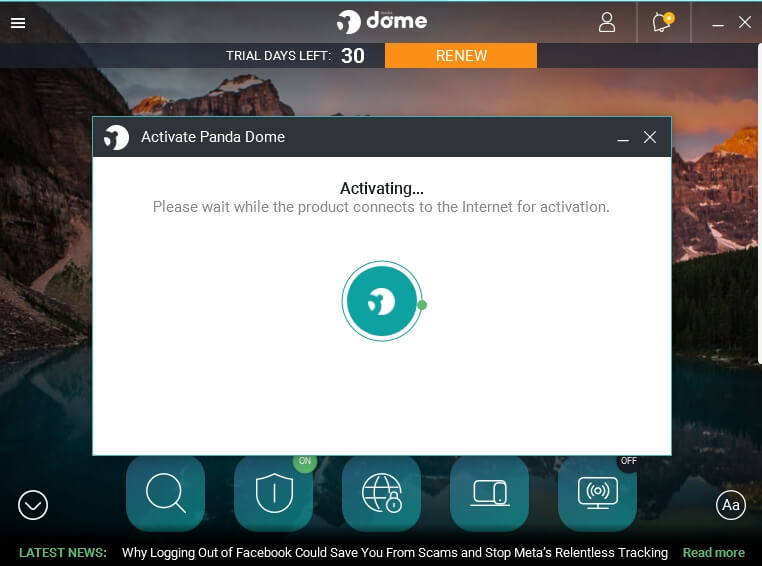
The software will connect to the internet and validate your license. Please wait while the activation completes.
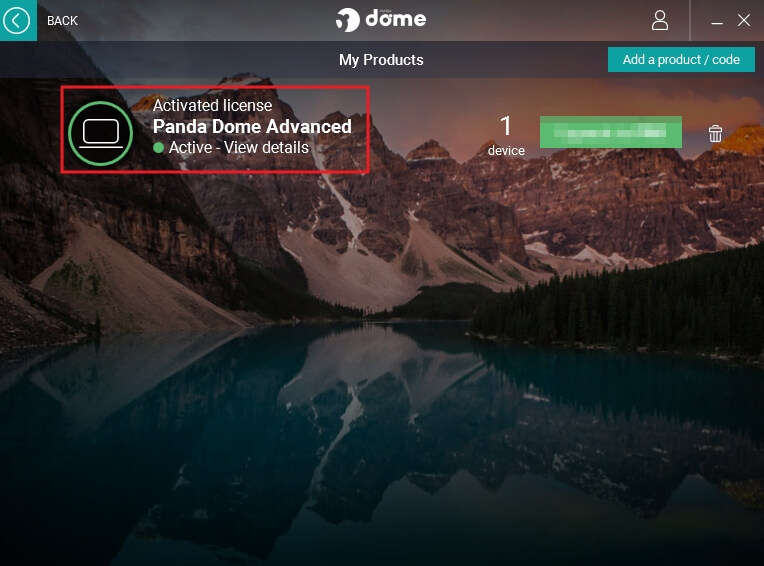
Once activated, your Panda Dome Advanced license will appear as Active. You can view license details or manage connected devices.
If there are any further problems with the installation or activation, please write to us. Simply use our contact form and send a screenshot of the error message at the same time. We will be happy to help you.
Your Keys.Express Team
SKU: 5268, 5432, 5273, 5447, 5278, 5451, 5269, 5433, 5274, 5448, 5279, 5452, 5270, 5434, 5275, 5449, 5280, 5453, 5271, 5435, 5276, 5450, 5281, 5454, 5838, 4885, 4889, 4893, 4886, 4890, 4894, 4887, 4891, 4895, 4888, 4892, 4896


