
This guide explains how to download, install, activate, and set up McAfee Total Protection along with Safe Connect VPN on your Windows PC.
1. Click on the download button in the Download Center.
2. You will be redirected to the manufacturer's website.
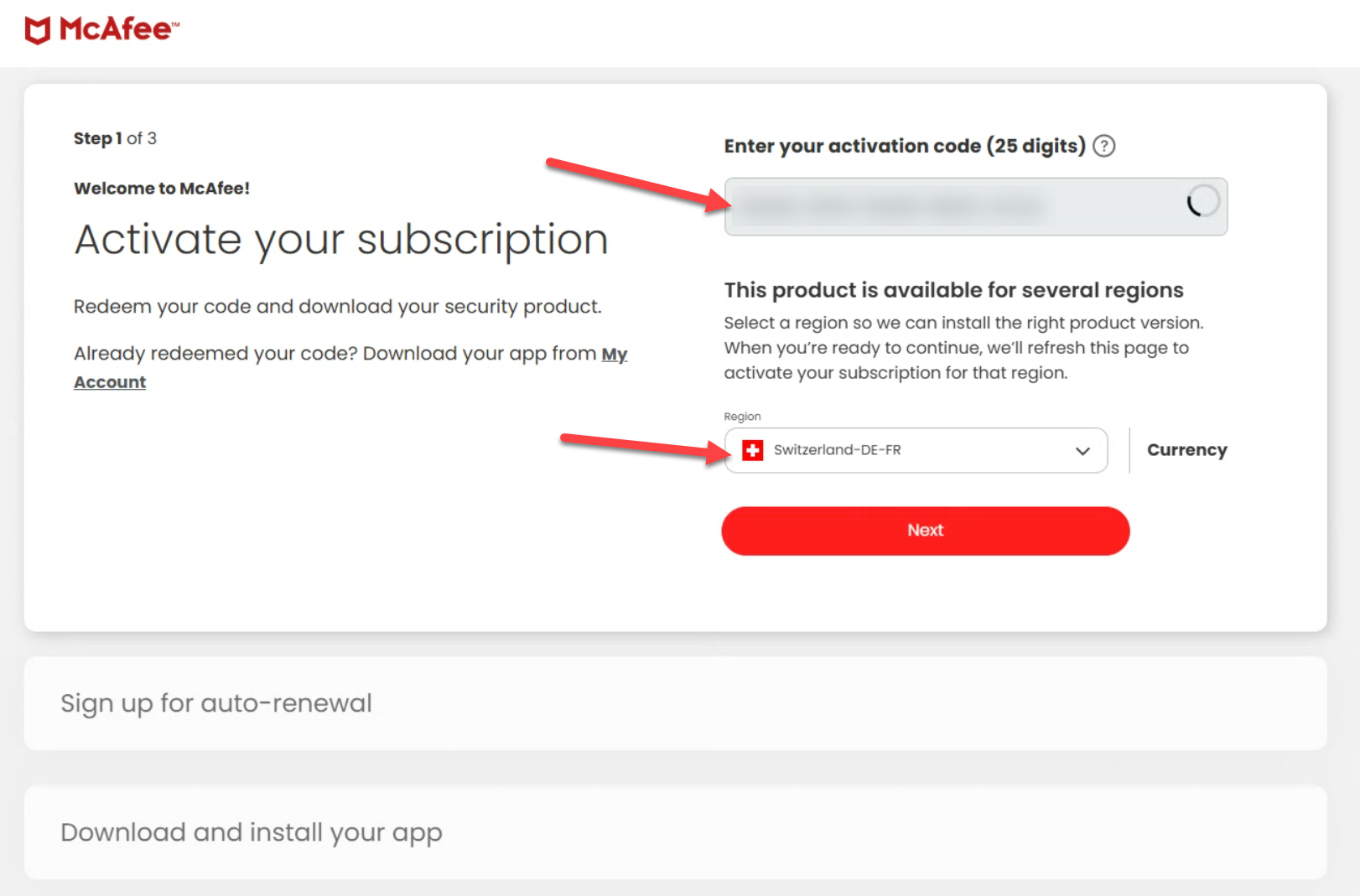
3. Enter the product-key/activation code and select your region (if it's not a global key)
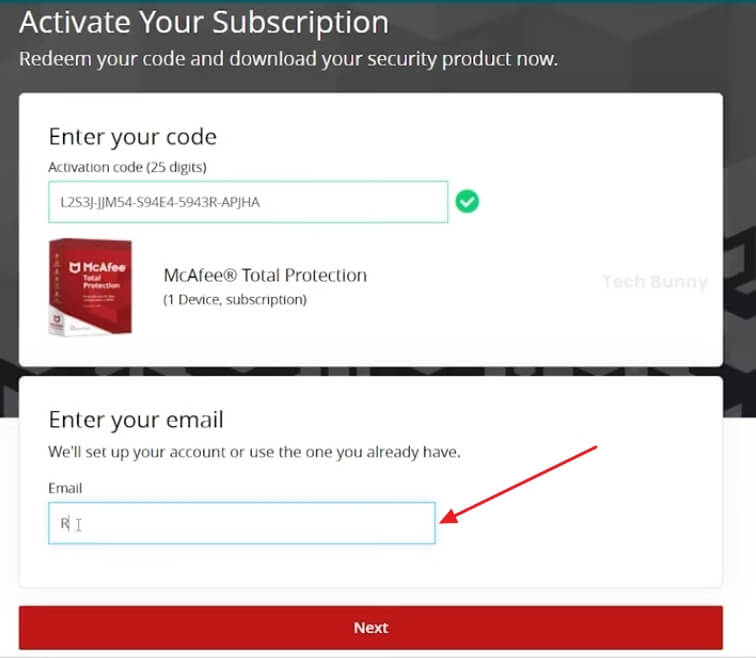
4. on the next screen enter your email address and click Next
5. when asked for credit card information for auto-renewal, click No, thanks 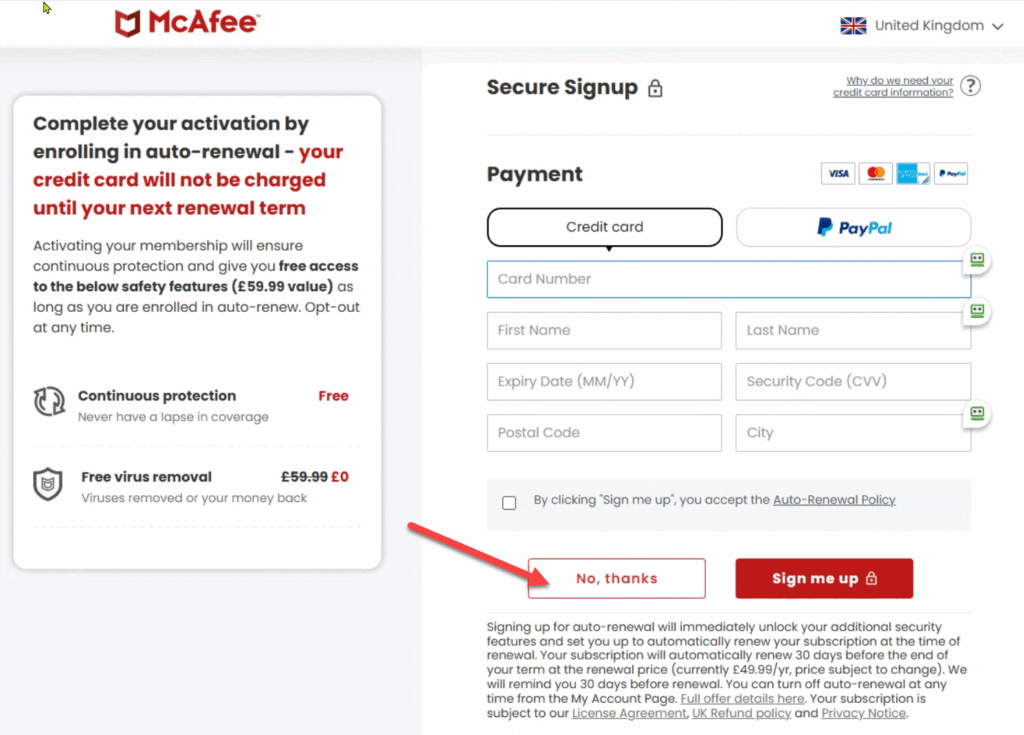
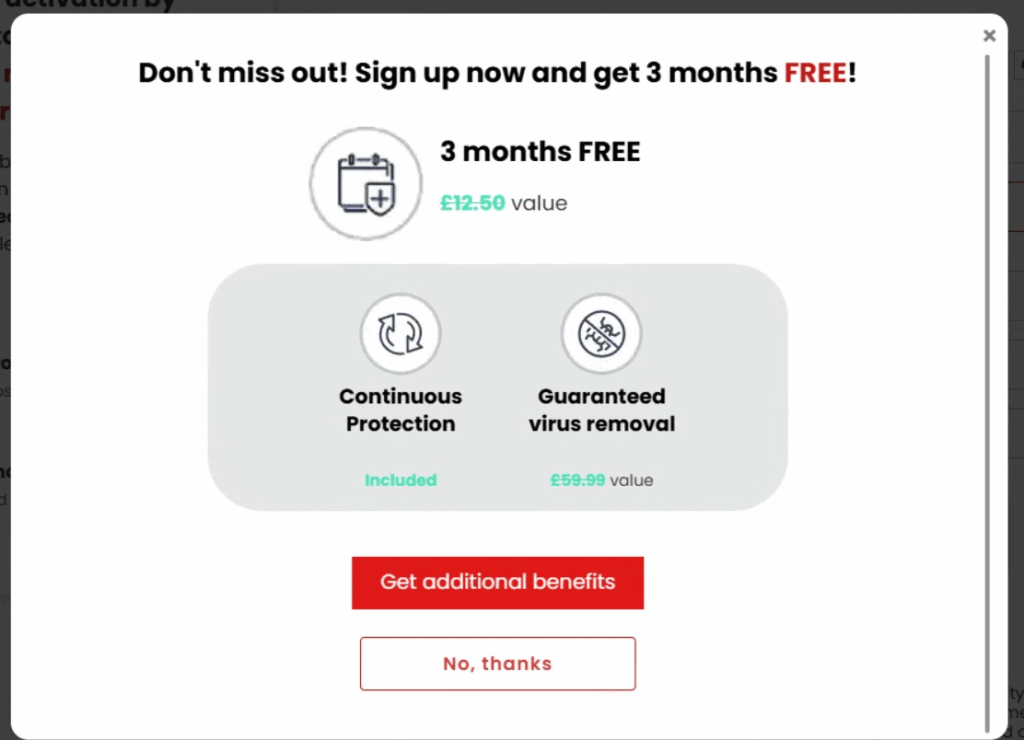
6. Click No thanks again
7. Click Download Installer
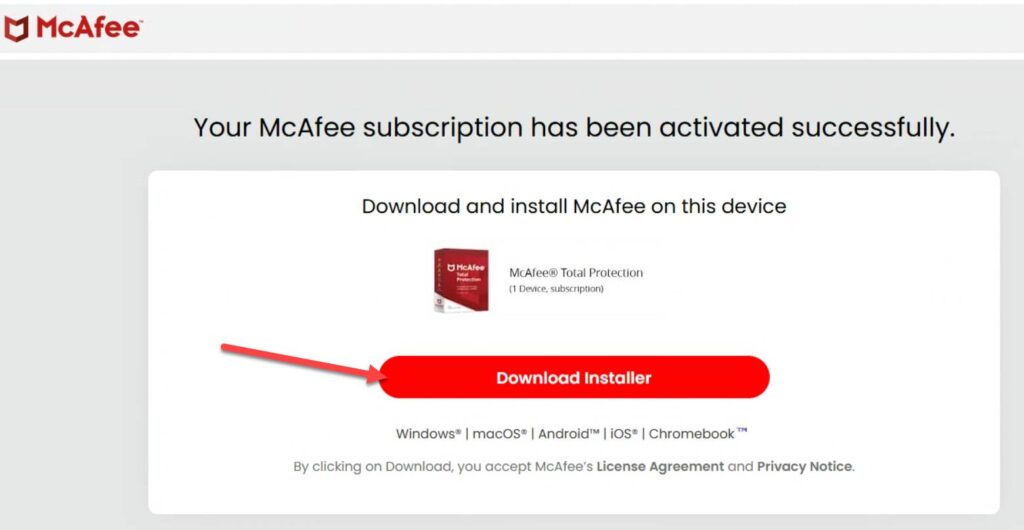
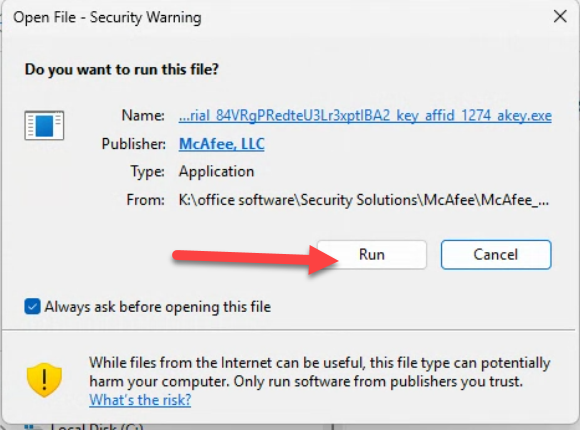
8. Open the file from your downloads and run it
9. Click Run and follow the installation wizard
In some cases, the McAfee activation page may temporarily display regions such as Malaysia, Philippines, Singapore, or another country that is not your country during the activation process.
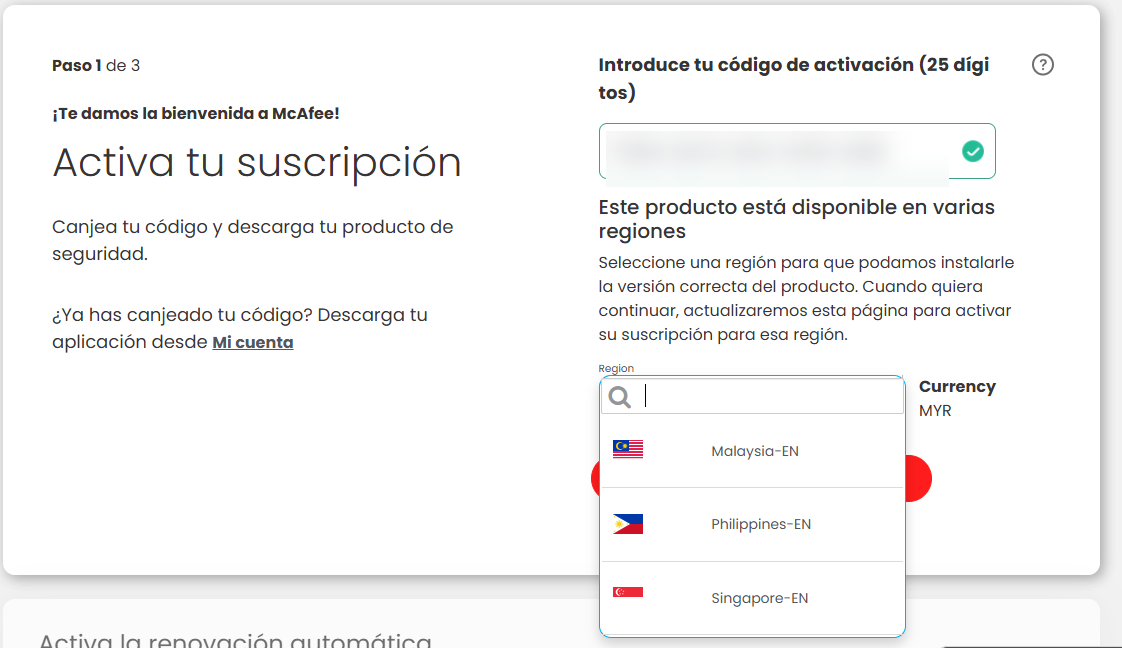
This is a known visual issue on McAfee’s side and does not affect the validity of your license key.
You can simply select any available region and continue with the installation. After installation, McAfee should automatically adjust to your actual region and language.
You can manually change the language in your McAfee account. To do this, you need to uninstall the current McAfee software and then reinstall it.
After reinstalling, the McAfee interface should appear in the selected language.
If there are any further problems with the installation or activation, please write to us. Simply use our contact form and send a screenshot of the error message at the same time. We will be happy to help you.
Your Keys.Express Team
SKU: 5149, 5491, 5496, 5749, 5750, 5751, 5753, 5178, 5754, 5179, 5755, 5756, 5757, 5758, 5180, 5759, 5760, 5761, 5762, 5763, 5764, 5765, 5766, 4732, 4733, 5567, 5568, 5569, 5570, 5571, 5572, 5573, 5574, 5575, 5576, 5577, 5578, 5579, 5580, 5581, 5582, 5583, 5584, 5585, 5586, 4734, 4735


