
For a detailed guide with screenshots, visit our step-by-step tutorial.
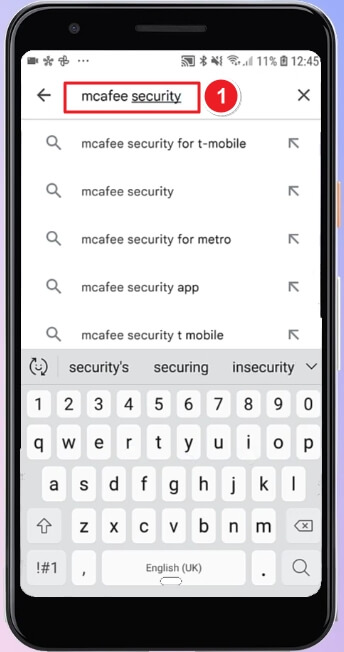
Open the Google Play Store. In the search bar, type “mcafee security”.
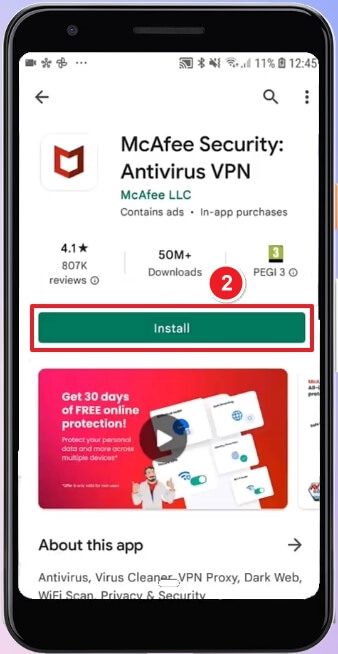
Tap Install on the McAfee Security: Antivirus VPN listing by McAfee LLC.
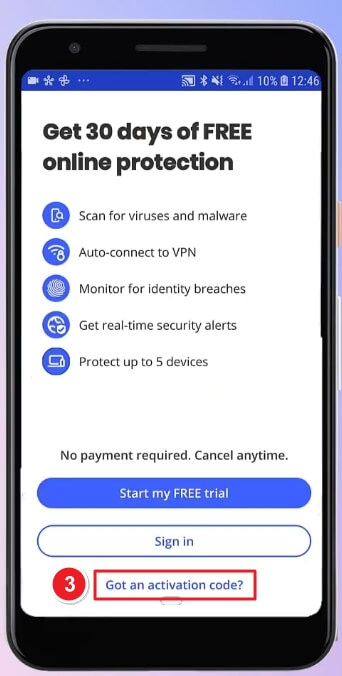
Open the app after installation. Instead of starting the trial, tap “Got an activation code?” at the bottom.
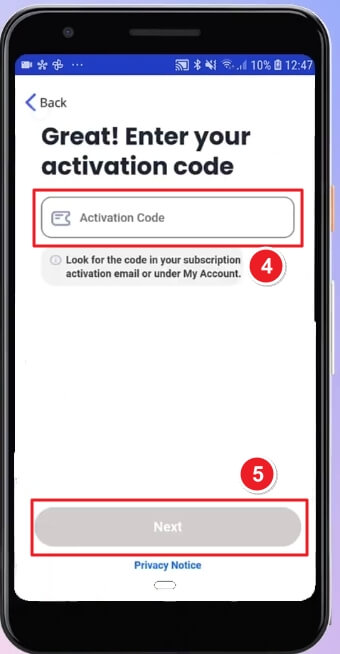
Enter the Activation Code provided in your subscription email or McAfee account. After entering the code, tap Next to continue activation.
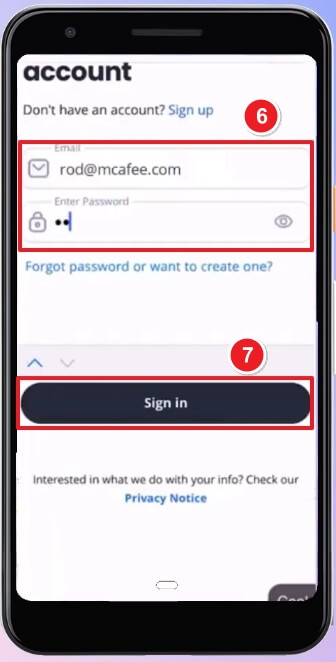
You’ll be prompted to sign in to your McAfee account. Enter your email address and password. Tap Sign in to proceed.
Once signed in, your McAfee Mobile Security app will link to your subscription.
Follow the setup prompts:
If there are any further problems with the installation or activation, please write to us. Simply use our contact form and send a screenshot of the error message at the same time. We will be happy to help you.
Your Keys.Express Team
SKU: 5411, 5706, 5707, 5708, 5709, 5710, 5711, 5712, 5713, 5714


