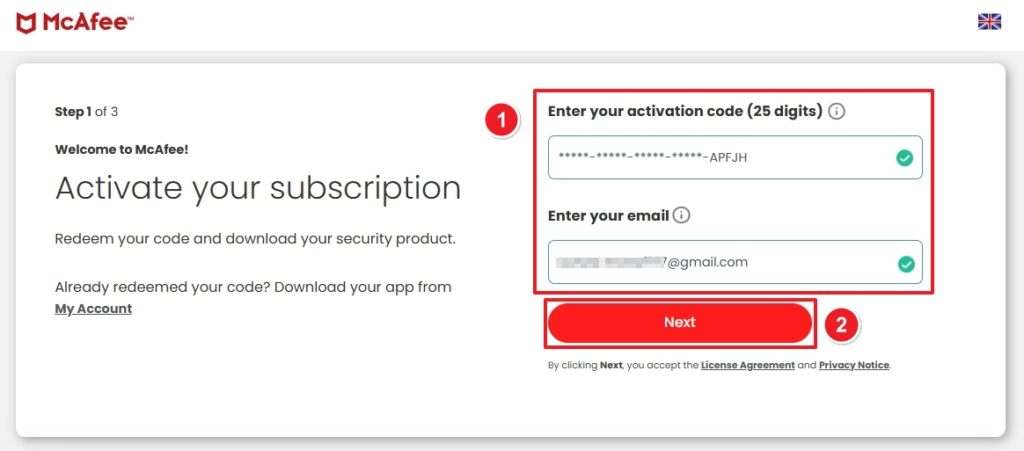
Go to: https://www.mcafee.com/en-gb/ipz/redeem/activate.html
- Enter your 25-digit product Code.
- Enter your email address.
- Click Next.
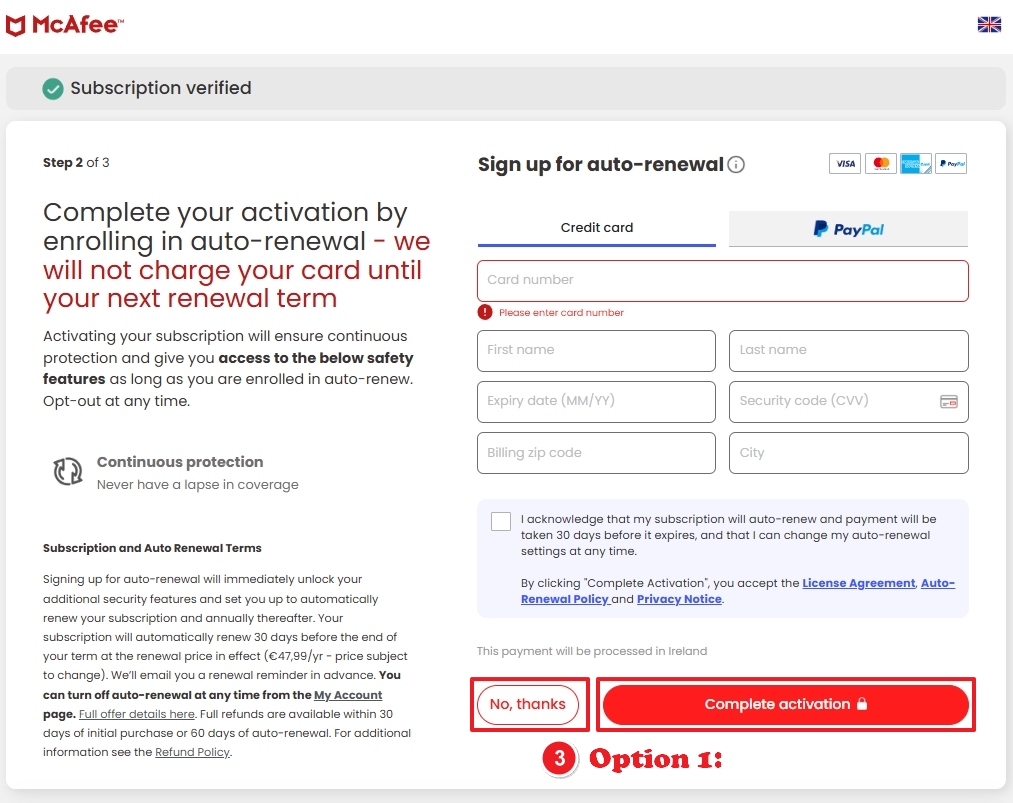
You may see different options depending on language or region.
- Option 1: Click No, thanks OR click Complete activation
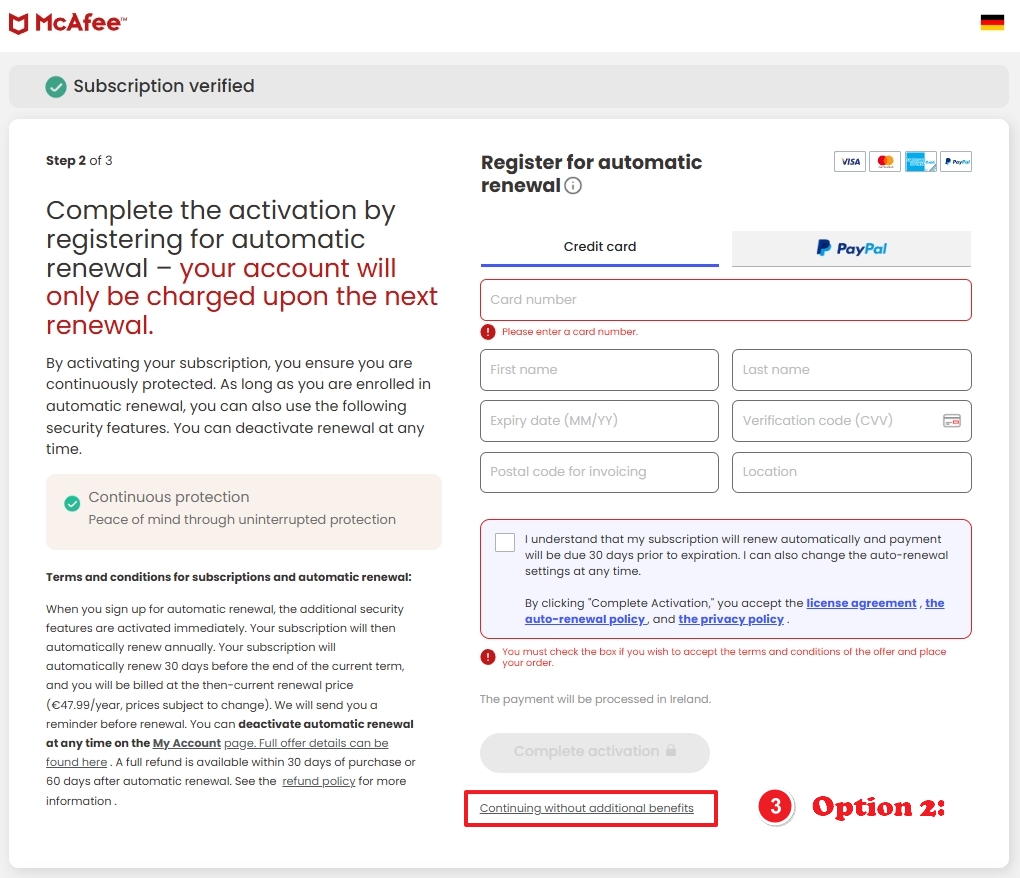
If both options are NOT available, then choose
- Option 2: Click Continue without additional benefits
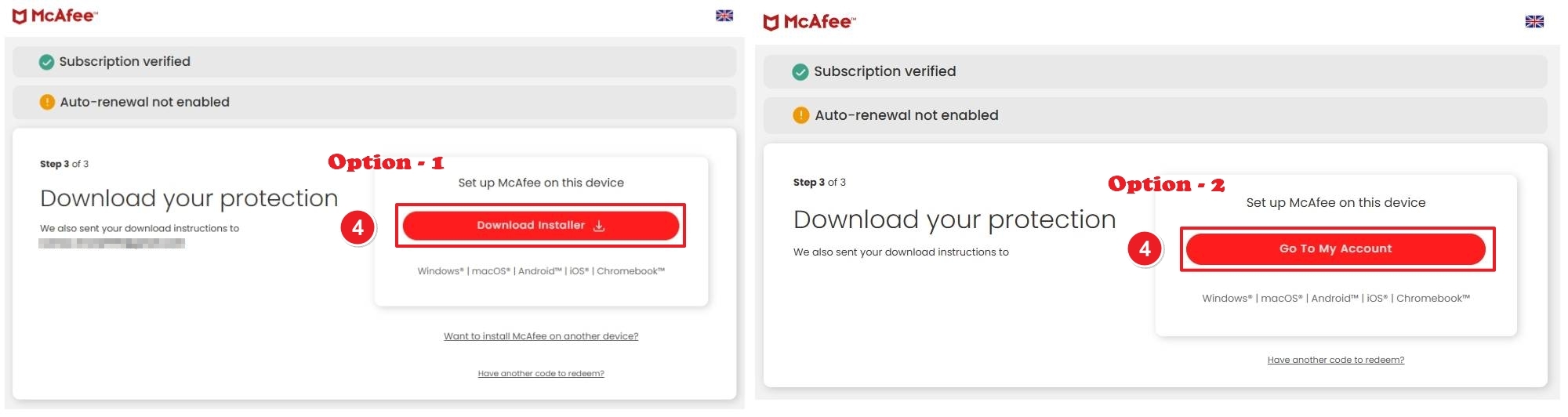
After activation, you will see the download page.
- Option 1: Click Download installer (McAfee also sends the download link to your email).
If you miss it, go with
- Option 2: Click Go To My Account
- Sign in using the same email you used for activation.
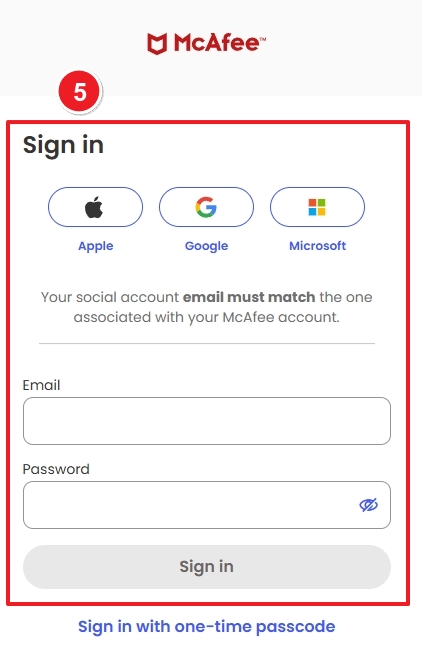
After login: In your dashboard
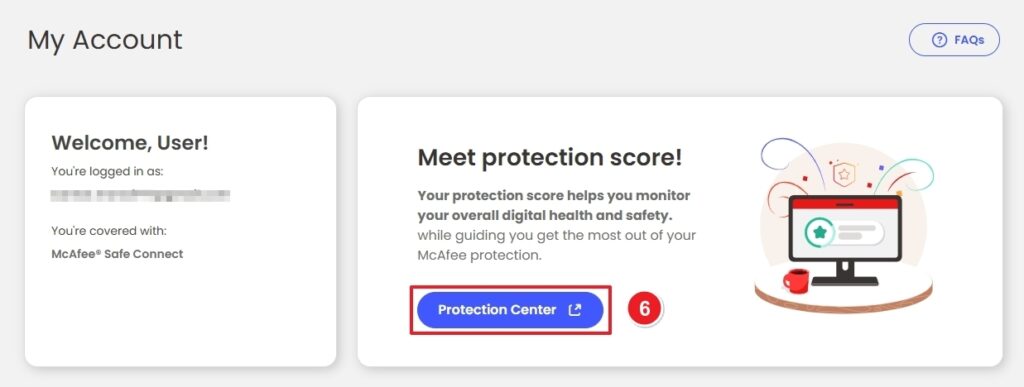
- Inside your Protection Center, scroll down and click Download.
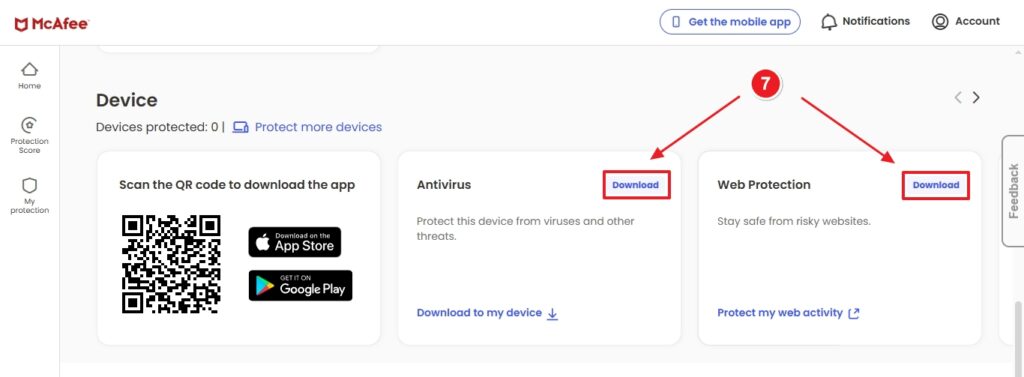
After downloading the installer file:
- Open the downloaded file.
- Follow the setup instructions.
- Accept the terms and complete the installation.
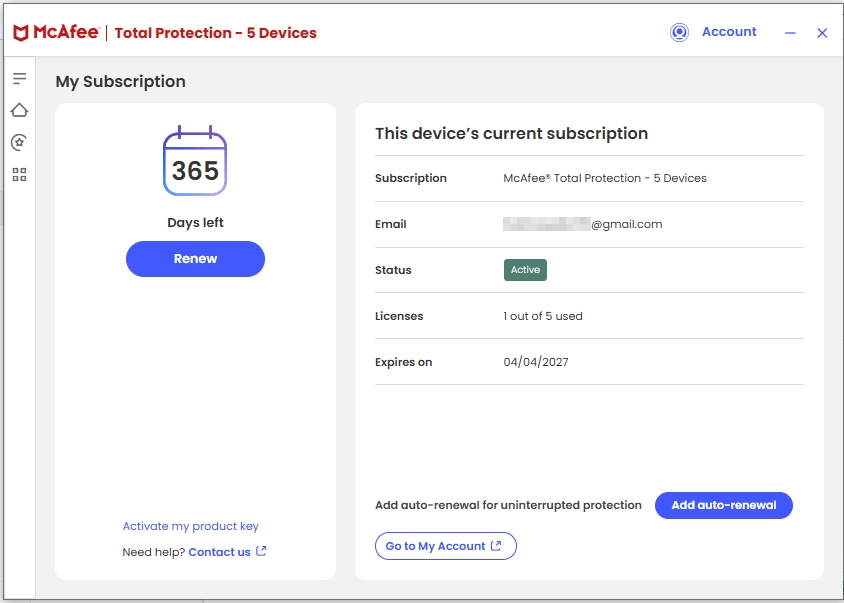
- Launch the app.
- Click Account (top right corner)
- Click Sign in
- Log in with your McAfee account credentials.
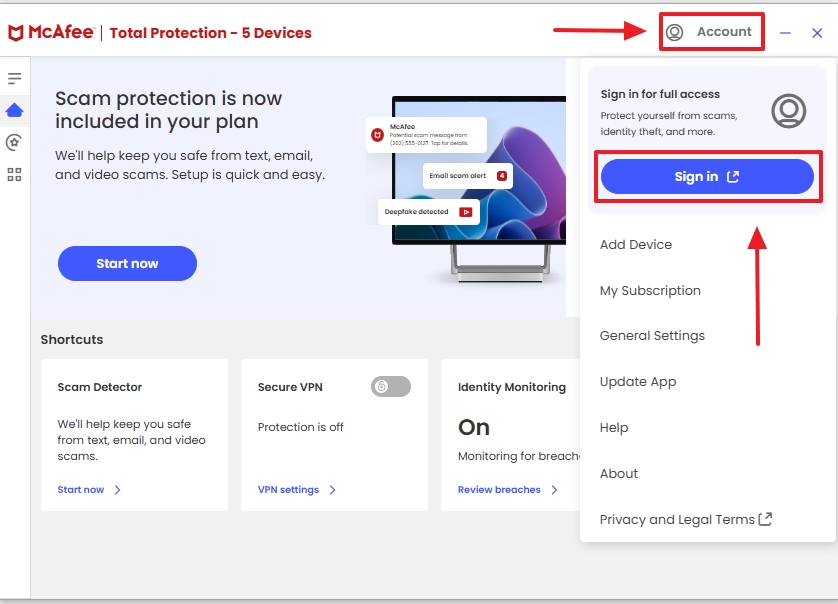
- Your subscription will sync automatically.
SKU:
5743, 5147, 5744, 5671, 5149, 5745, 5144, 5748, 5742, 5747, 4726, 4727, 4728, 5675, 5676, 5677, 5678, 5679, 5680, 5681, 5682, 5683, 4729, 4730, 4731, 5028, 4634