
For a detailed guide with screenshots, visit our step-by-step tutorial.
Open Google Play Store and search for “G DATA Mobile Security”. Make sure to select the official app by G Data CyberDefense AG to ensure authenticity.

Tap Install to begin downloading.

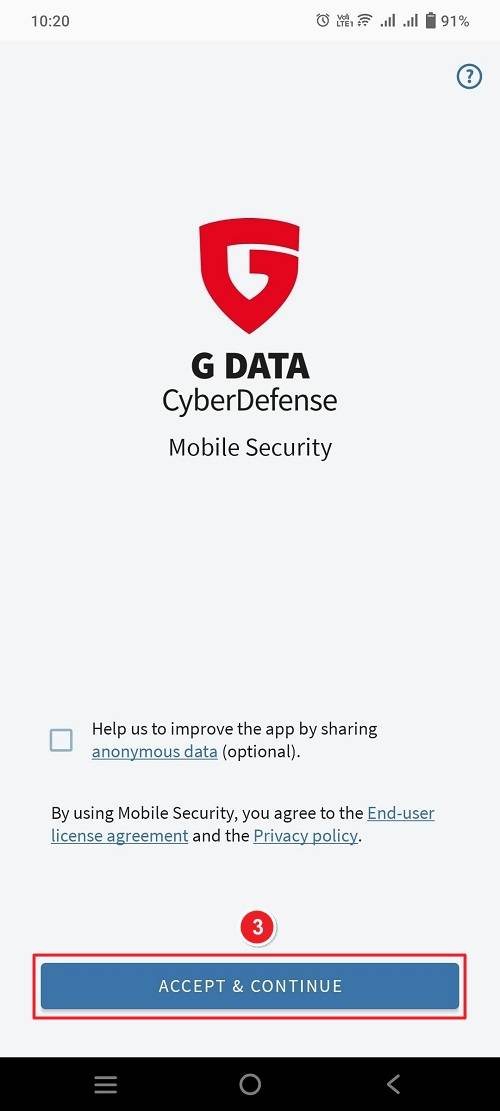
Once the installation finishes, open the app. Then, tap Accept & Continue to proceed.
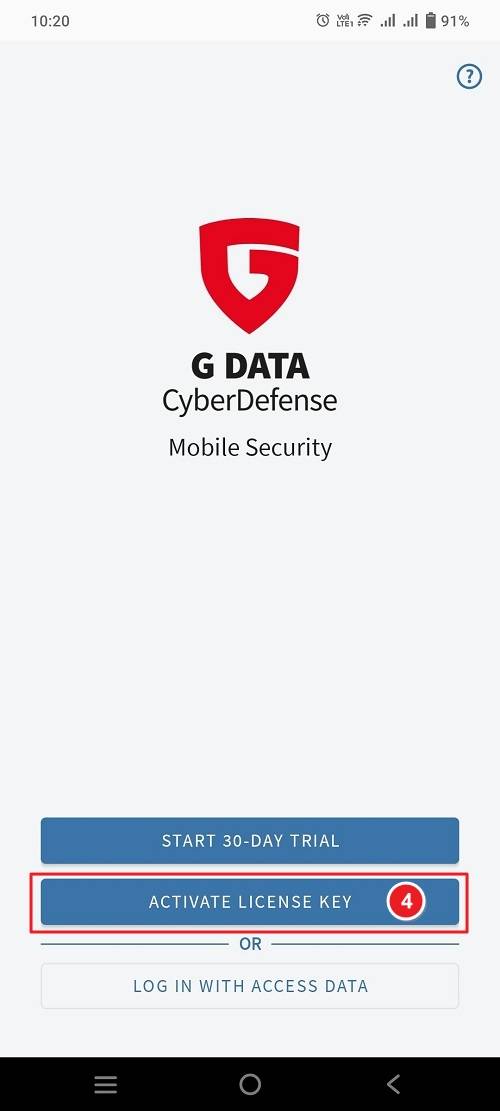
Choose Activation OptionOn the next screen, you’ll see multiple options:
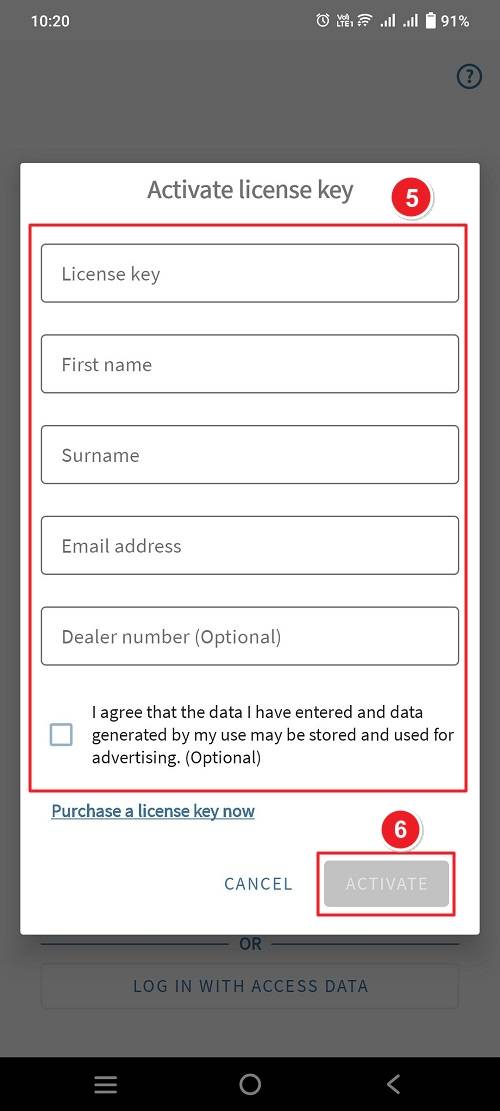
Enter License Information. After filling in all required fields, tap Activate.
If there are any further problems with the installation or activation, please write to us. Simply use our contact form and send a screenshot of the error message at the same time. We will be happy to help you.
Your Keys.Express Team
SKU: 5767, 5768, 5769, 5770, 5771, 5772


