1) Download AVG Secure VPN
- Open the KeysExpress Download Center using the link provided in your invoice email.
- Locate AVG Secure VPN and click the Download button.
- Save the installer file to your computer.
2) Install AVG Secure VPN
- Locate the downloaded installer file and double-click it to start the installation.
- If the Windows User Account Control (UAC) prompt appears, click Yes to allow the installation.
- Select your preferred language from the drop-down menu in the upper-right corner.
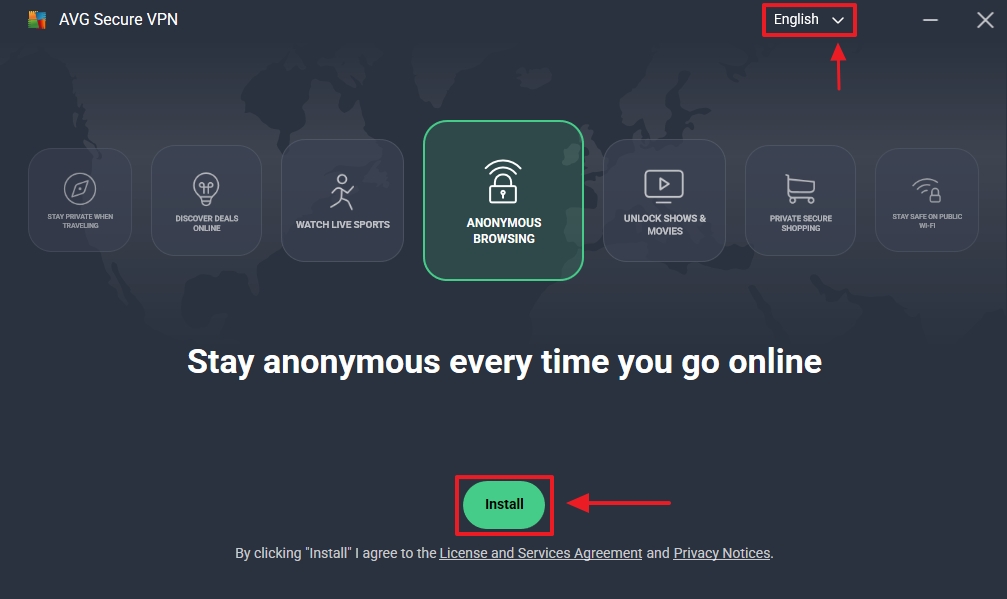
- Click the green Install button.
- Wait for the download and installation process to complete.
3) Activate AVG Secure VPN
- Open AVG Secure VPN on your computer.
- Go to Menu (☰) → Enter activation code.
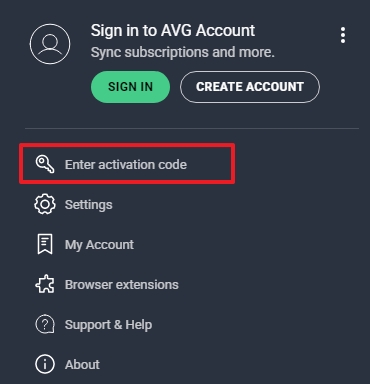
- The Enter your activation code screen will appear.
- Enter your activation code exactly as provided in your email.
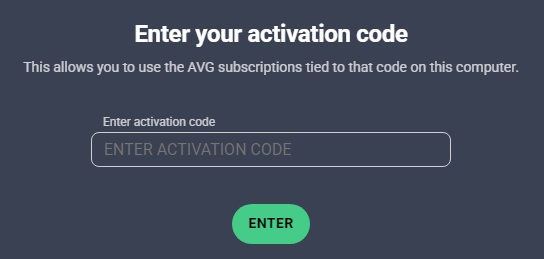
- Click the Enter button to activate your VPN.
SKU:
6658, 6659, 6660, 6661, 6662, 6663, 6664, 6665, 5239


