
1. Go to the KeyExpress download Center, follow the link in the Invoice.
2. Click on Download, file is saved on your computer.
3. Open the file from your Downloads folder. Double-click: avast_driver_updater_online_setup.exe
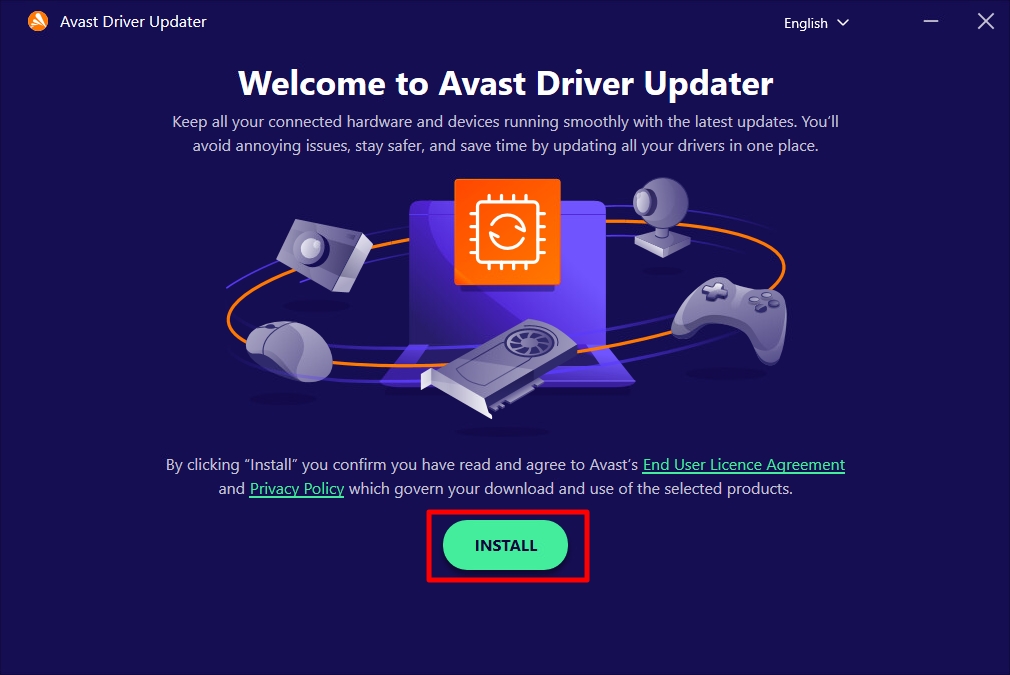
4. Click the Install button.
5. Launch the app by double-clicking the desktop icon.
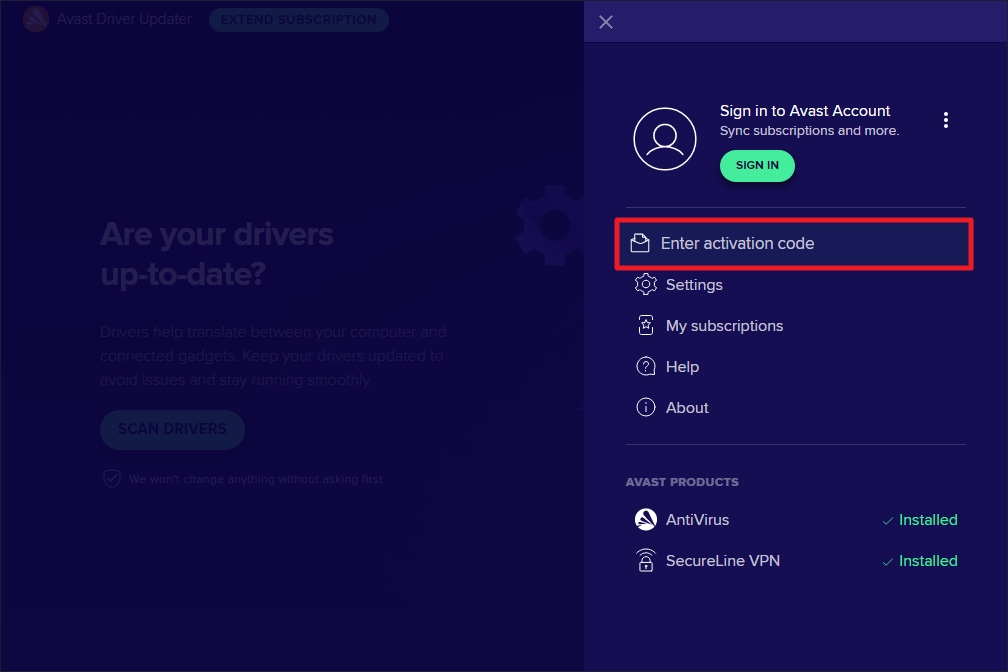
6. Click the ☰ Menu (top right corner).
7. Select Enter activation code.
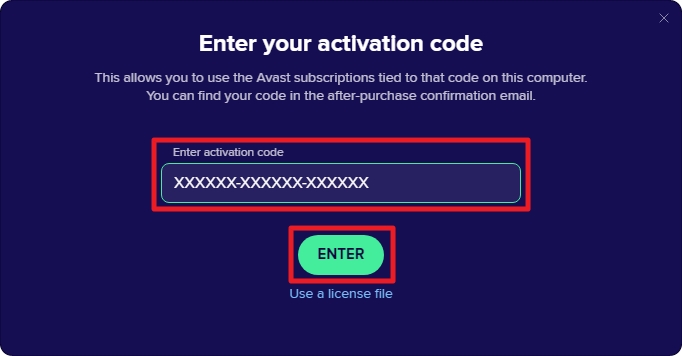
8. Enter your activation code in the text box.
9. Click Enter.
Done!
Your Avast Driver Updater is now activated and ready to scan and update drivers.
SKU: 6091, 6632, 6633, 6092, 6634, 6095, 6635


