
1. Once the download is complete, open the file avast_cleanup_online_setup.exe (usually found in your Downloads folder).
2. Click Install and follow the on-screen instructions to complete the installation.
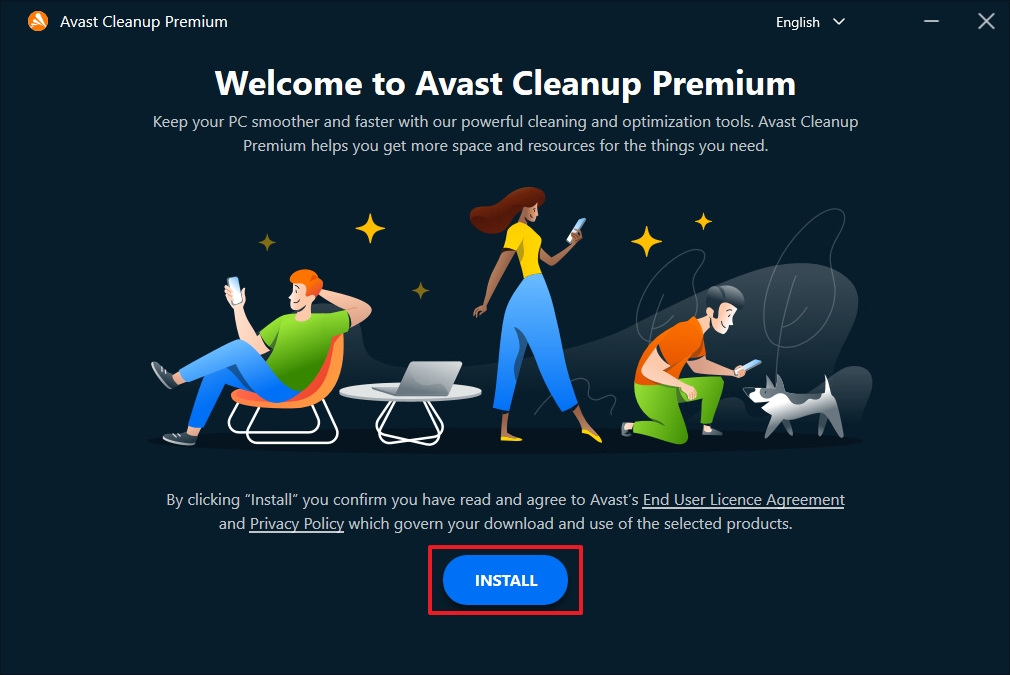
3. Double-click the Avast Cleanup Premium icon on your desktop to launch the app.
4. Go to Settings (gear icon).
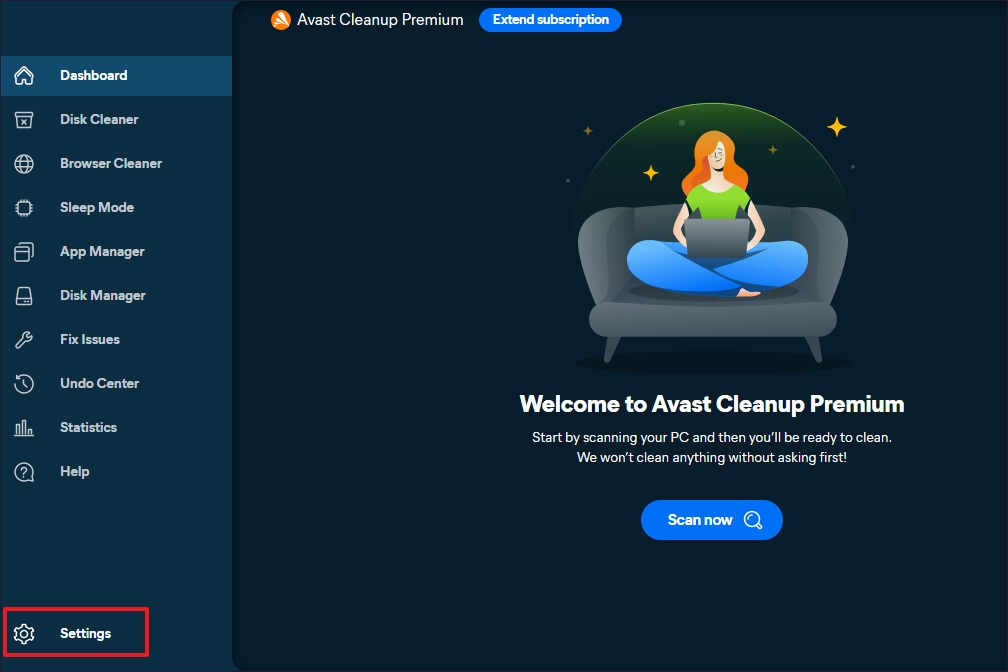
5. Select the My Subscription tab and click My Subscription.
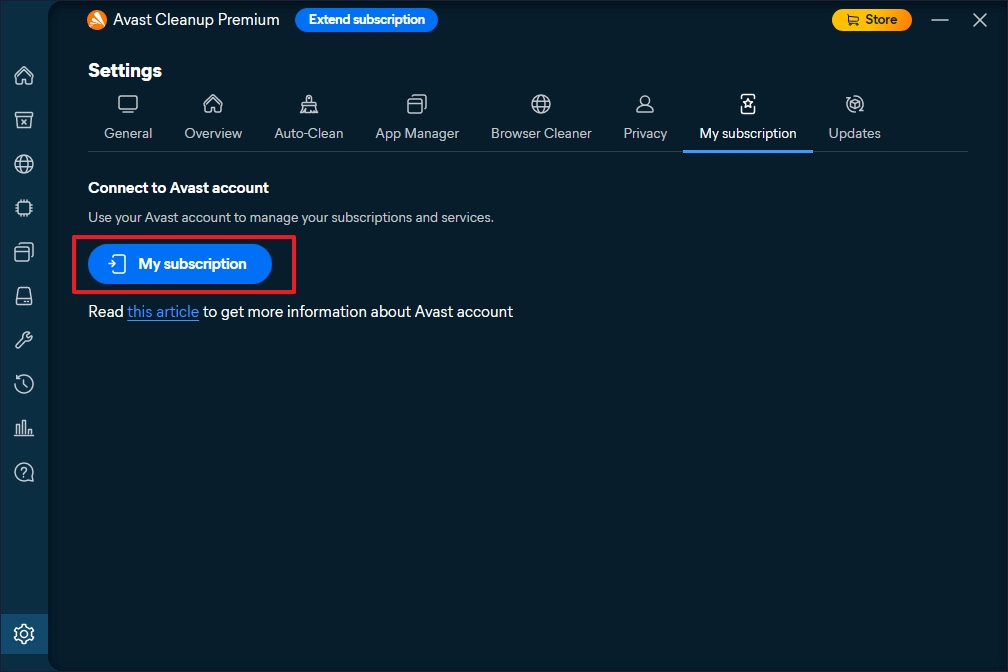
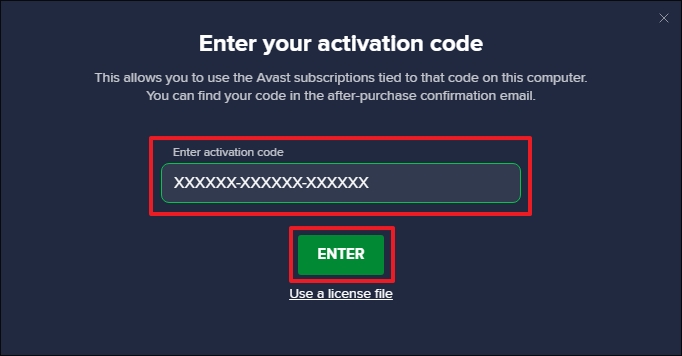
6. Click Enter activation code.
7. Enter your activation code in the text box and click Enter.
1. Open the downloaded file avastcleanup.dmg from your Downloads folder.
2. Double-click Install Avast Cleanup Premium and follow the on-screen instructions.
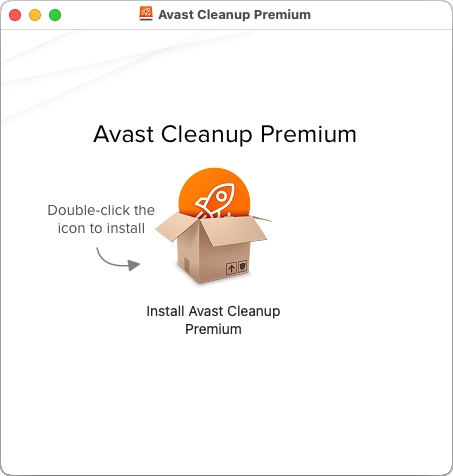
3. Open your Applications folder and double-click the Avast Cleanup icon.
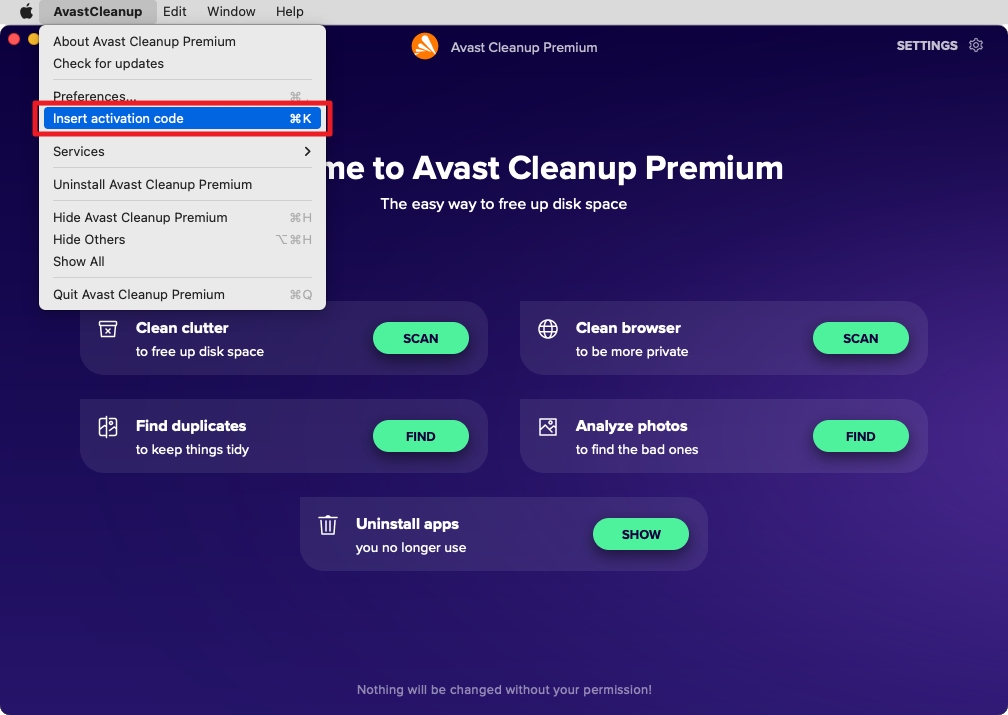
4. Click Insert activation code.
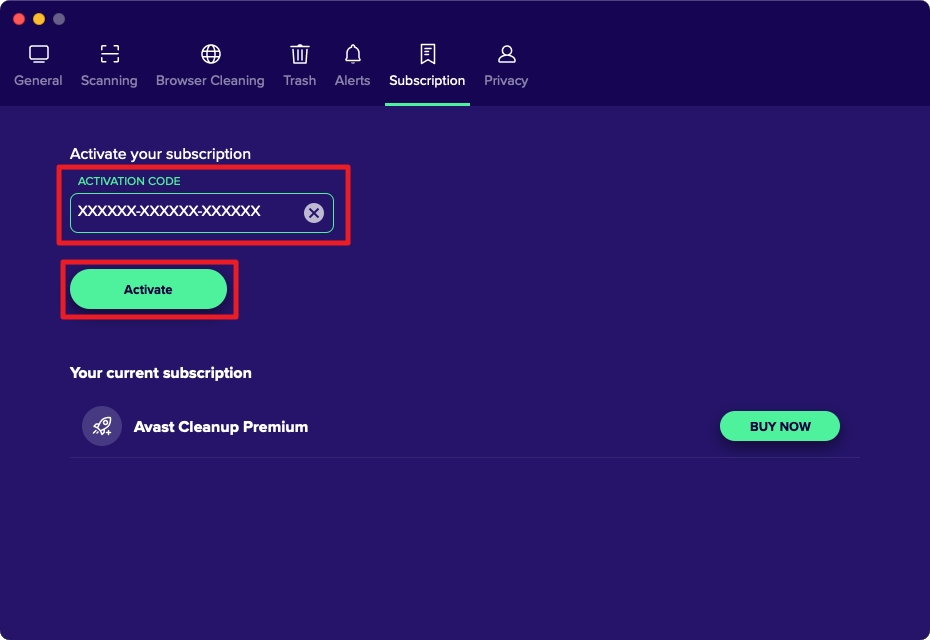
5. Enter your activation code and click Activate.
1. Tap Go to Google Play Store to open the app page.
2. Tap Install to download and install the app.
3. Open the app from your Home screen.
4. Tap Get started → Next.
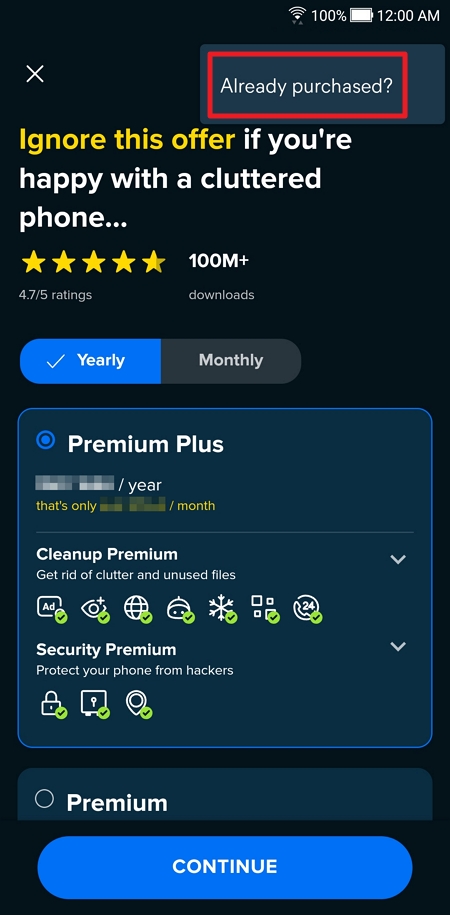
5. Tap ⋮ More options (three dots) → Already purchased?
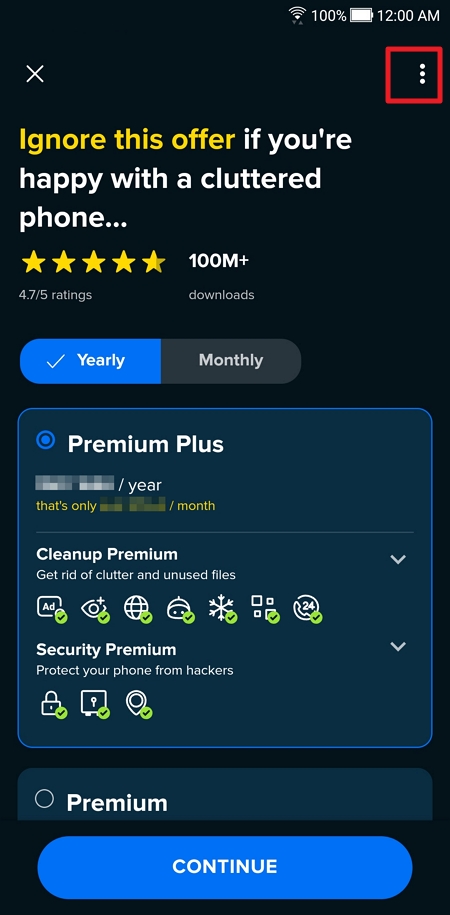
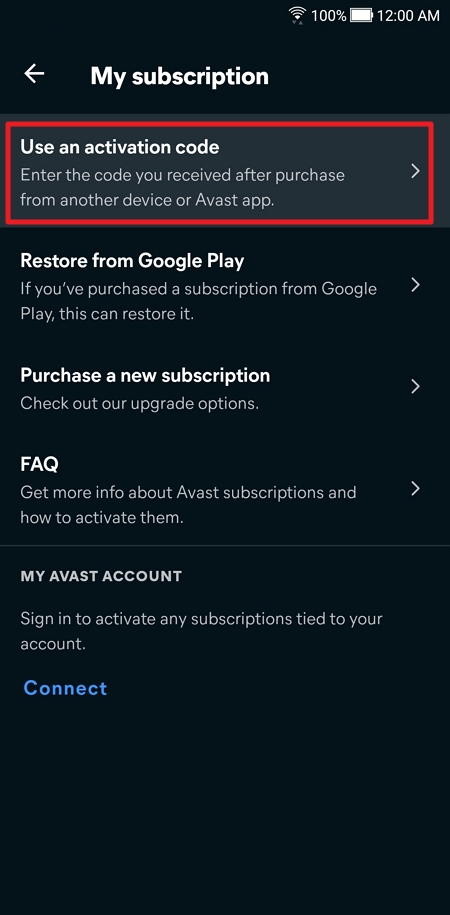
6. Select Use an activation code.
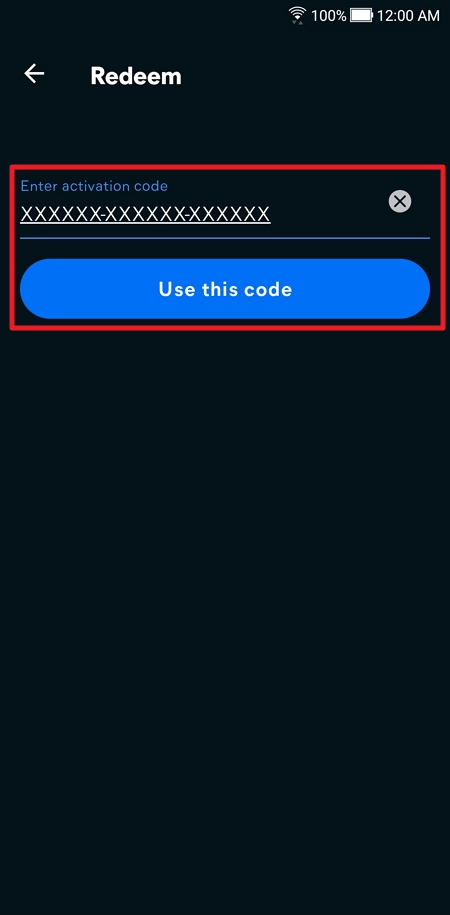
7. Enter your activation code and tap Use this code.
SKU: 6381, 6411, 6439, 6441, 6443, 6445, 6447, 6449, 6451, 6453, 6455, 6457, 6097


