
1. Use the link in your invoice to access the KeyExpress Download Center, then click Download.
2. Open the file avast_antitrack_online_setup.exe (usually located in your Downloads folder).
3. Click Install and follow the on-screen instructions to complete the installation.
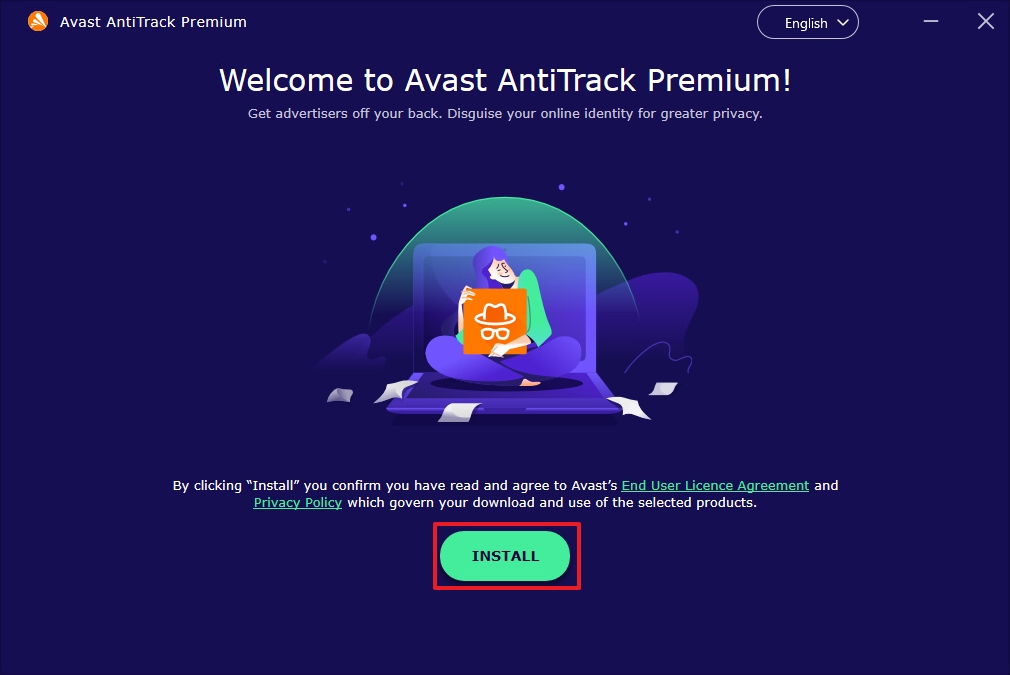
4. After installation, double-click the Avast AntiTrack Premium icon on your desktop to open the application.
5. Click Already purchased?
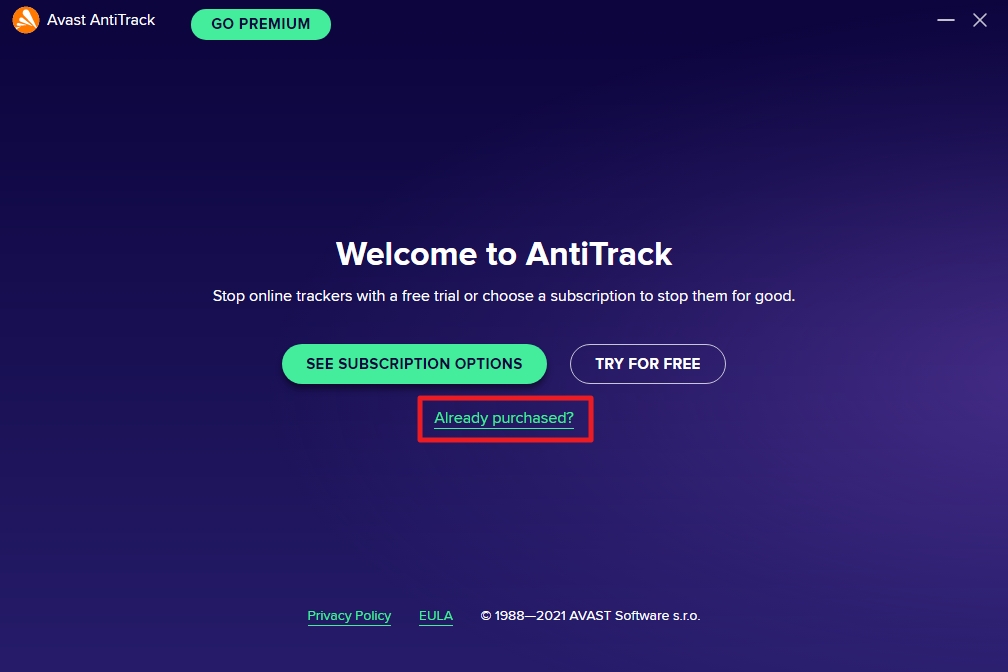
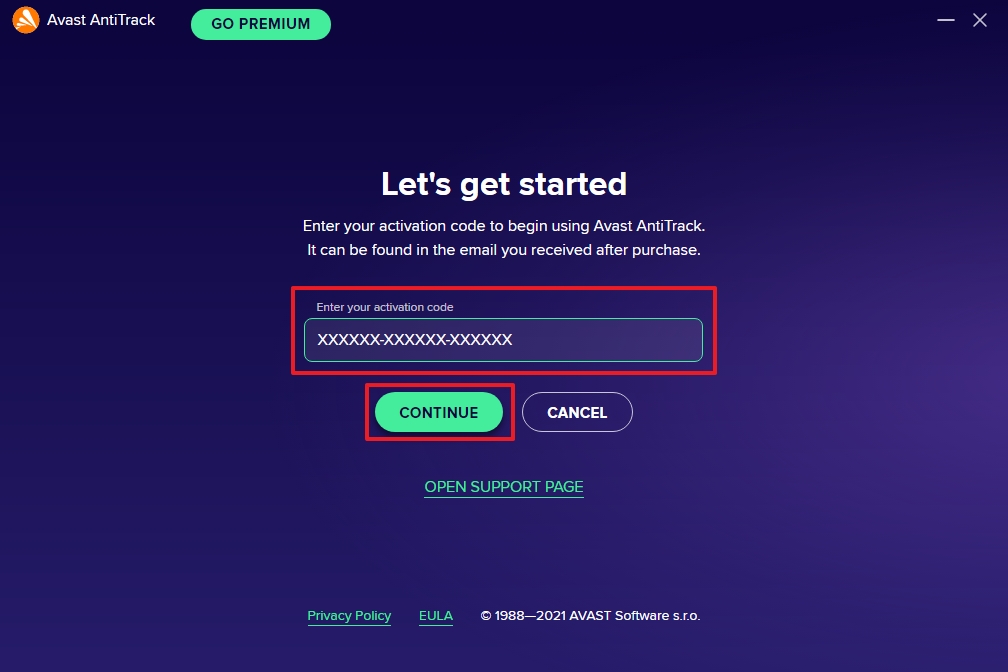
6. Enter your activation code in the provided field.
7. Click Continue and, if prompted, enter your name, email, and postal code.
1. Use the link in your invoice to access the KeyExpress Download Center, then click Download.
2. After downloading, open the file avast-antitrack.dmg from your Downloads folder.
3. Drag the Avast AntiTrack icon into the Applications folder.
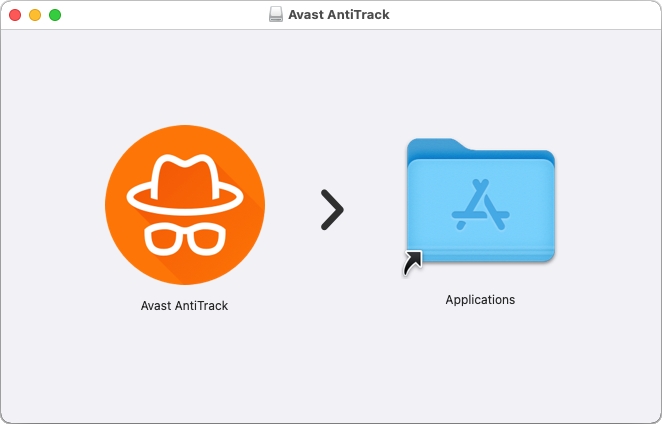
4. Follow the on-screen instructions to complete the installation.
5. Open your Applications folder and double-click the Avast AntiTrack icon.
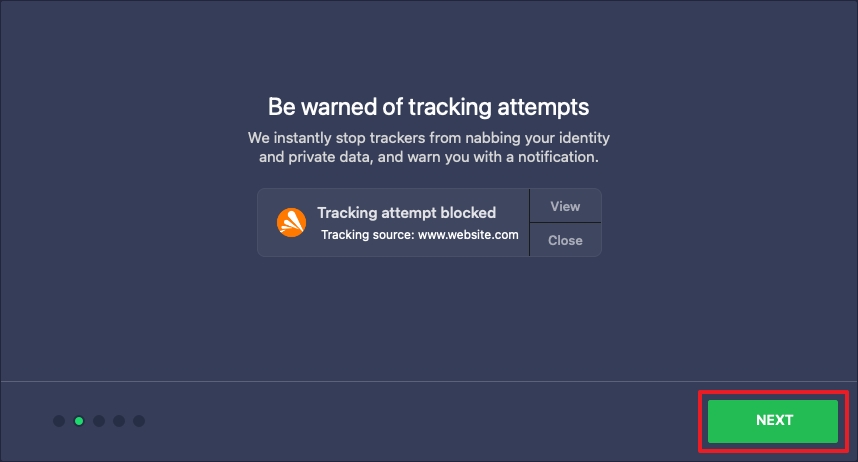
6. Click Next to proceed through the welcome screens.
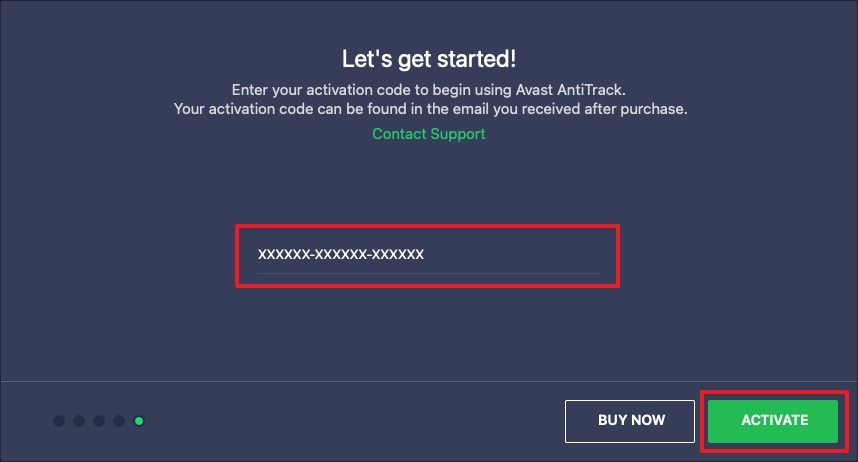
7. Enter your activation code in the text box.
8. Click Activate, and if required, provide your name, email, and postal code.
SKU: 6114, 6115, 6116, 6117, 6118, 6119


