
To upgrade Windows 10 Home or Windows 11 Home to the Windows Professional edition, you need a Windows Professional Retail Key. In particular, a Windows 11 Professional Upgrade Key.
Step 1: Preparation
Install all pending Windows updates.
Temporarily turn off or pause your antivirus software.
Step 2: Verify Account Rights and Type
Open the Start menu (Windows icon) and click Settings (gear icon).
Click Accounts from the left-hand menu.
Select Your info on the right side.
Verify two things:
Look for the word Administrator under your profile name.
Ensure the login shows an email address (indicating it is a Microsoft account) and not just a local username.
Note: If you do not see "Administrator," you must log in as an administrator. If you see a local username instead of an email address, click Sign in with a Microsoft account instead on this same page and follow the prompts to link or create a free Microsoft account.
Step 3: Perform the Upgrade
Open Settings again.
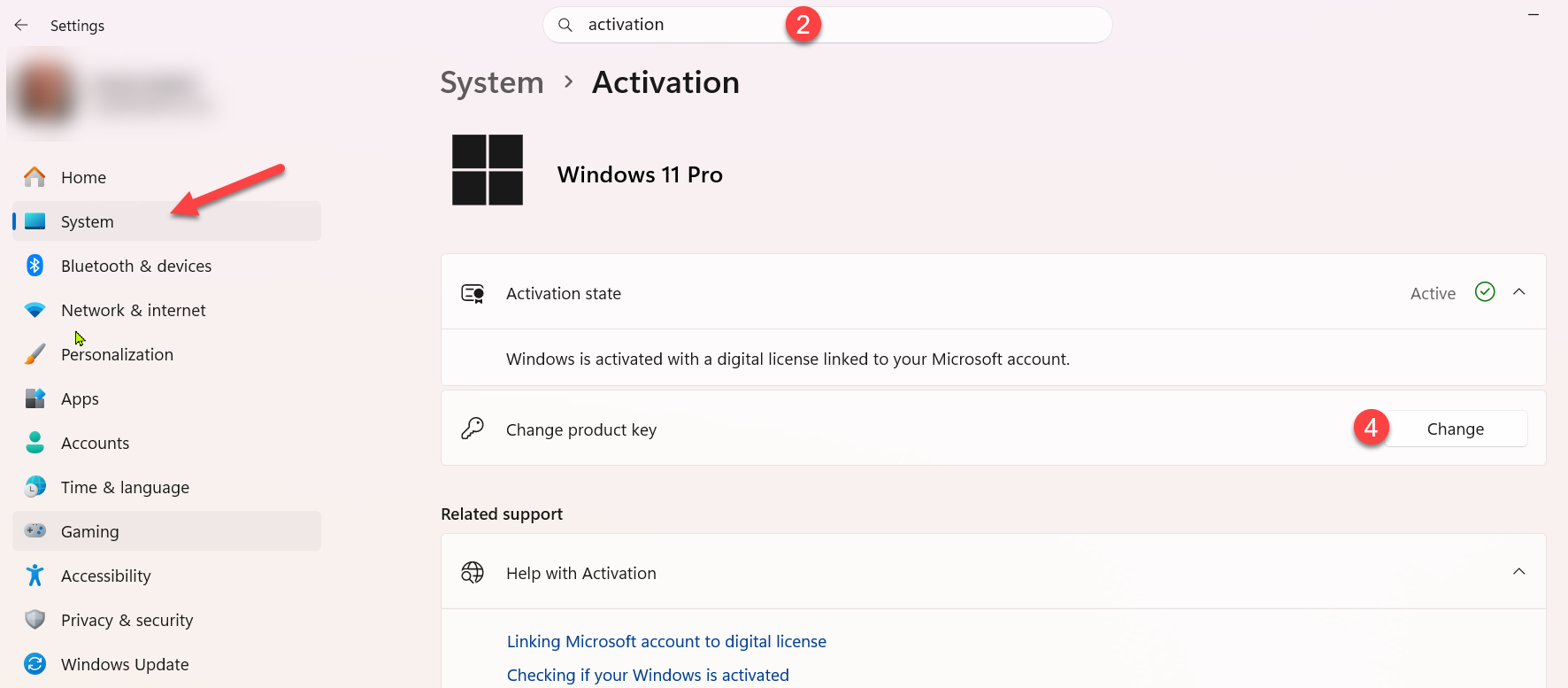
Type Activation in the top search bar
or click System from the left-hand menu then select Activation from the list on the right
Under the Change product key section click on "Change"
5. Now you can input the new Windows Professional Upgrade key.
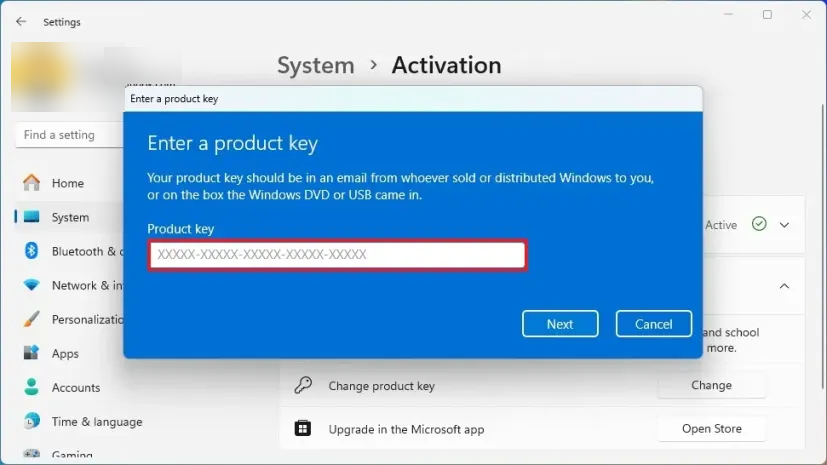
It is possible that an error is displayed. Please use the troubleshooting function and restart your computer. If you wish, you can remove the Microsoft account from your computer after the upgrade.
If you have any further questions or encounter problems with the upgrade, please don't hesitate to contact us.
SKU: 2316, 2333


