
1. Go to the KeyExpress Download Center, follow the link in the Invoice.
2. Click the download File for AVG TuneUp
3. Save the setup file (avg_tuneup_online_setup.exe) to your computer (usually in the Downloads folder)
4. Right-click the downloaded setup file and Select Run as administrator
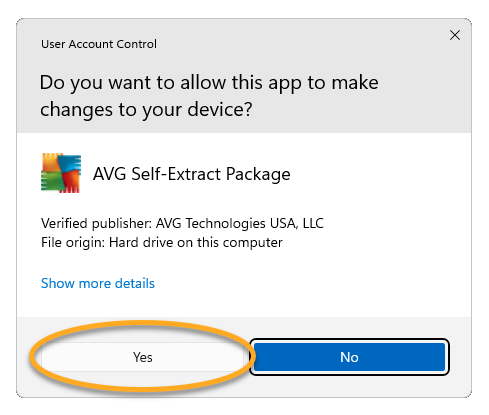
5. If prompted by User Account Control, click Yes
6. Review the End User License Agreement and Privacy Policy
7. Click Install
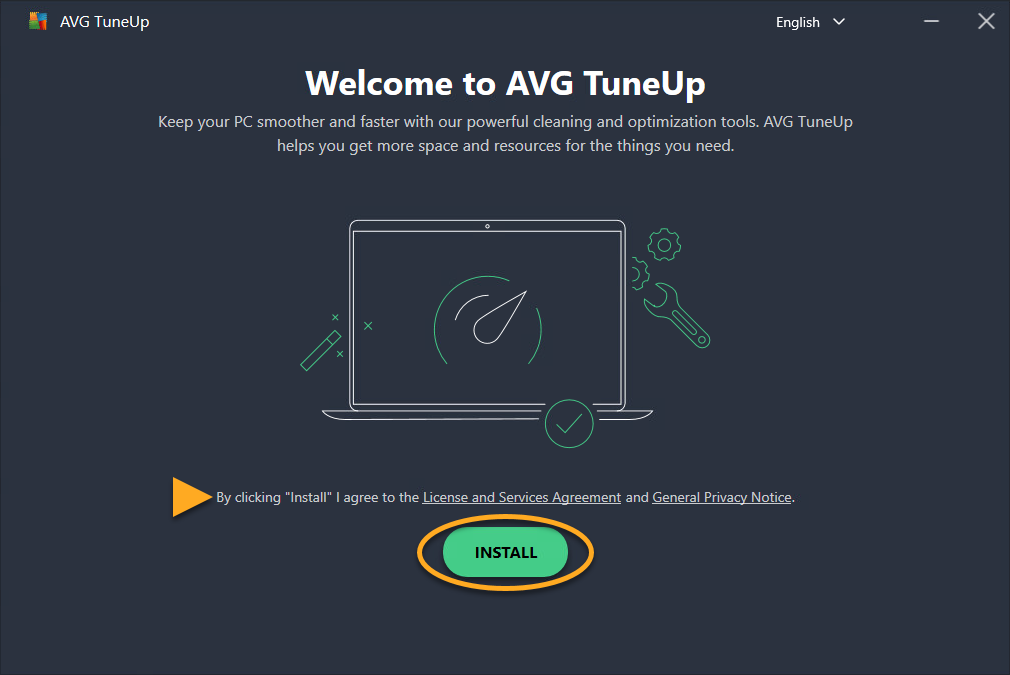
Wait for the installation to complete
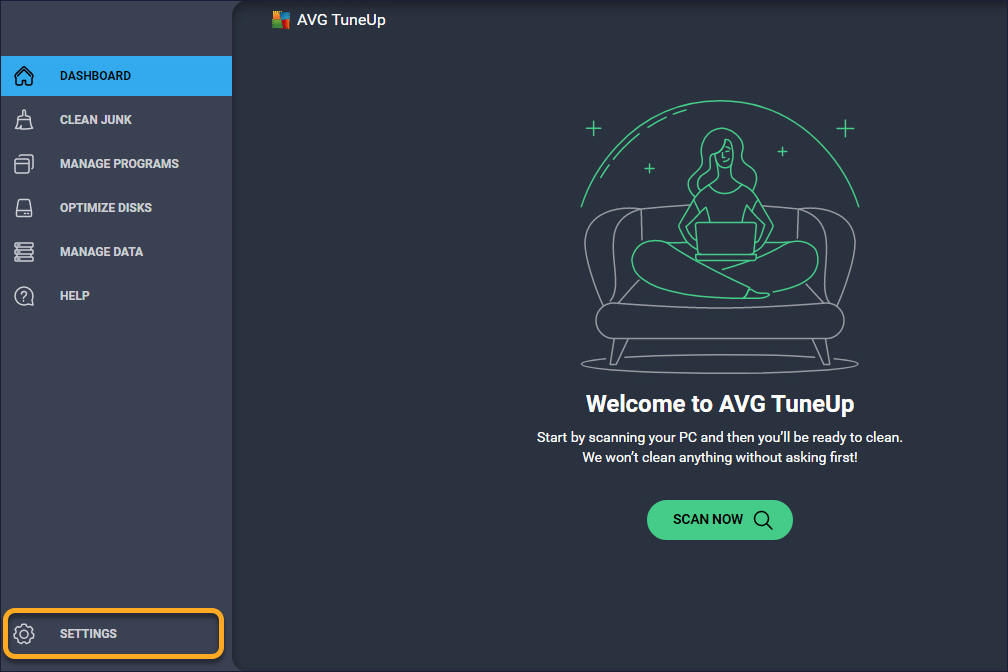
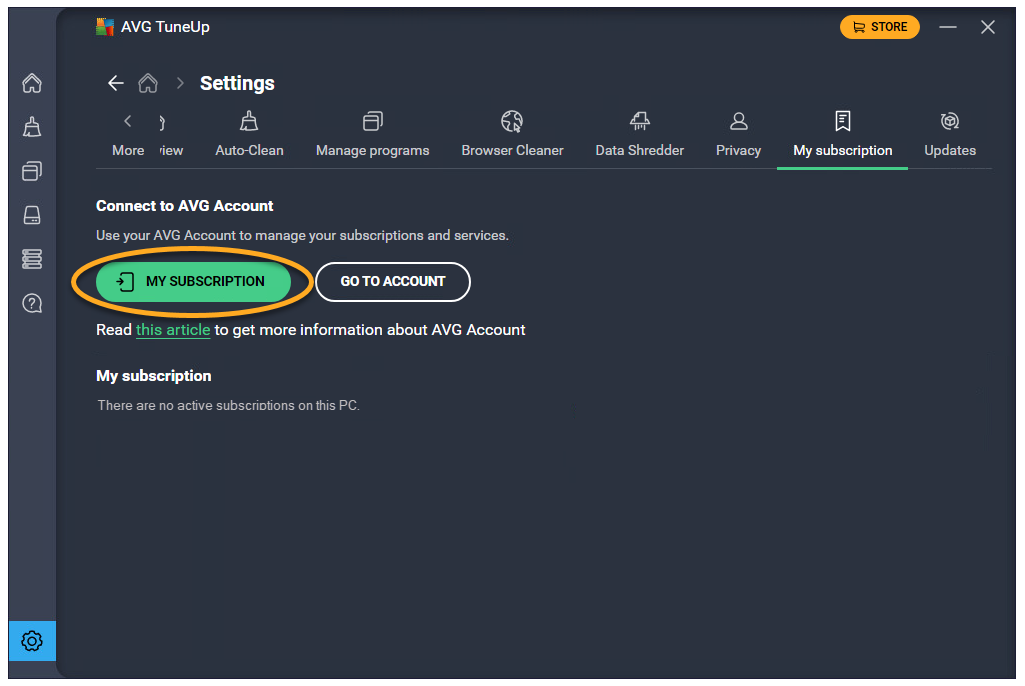
8. Open AVG TuneUp, in the side menu, then click Settings
9. Go to the My Subscription tab
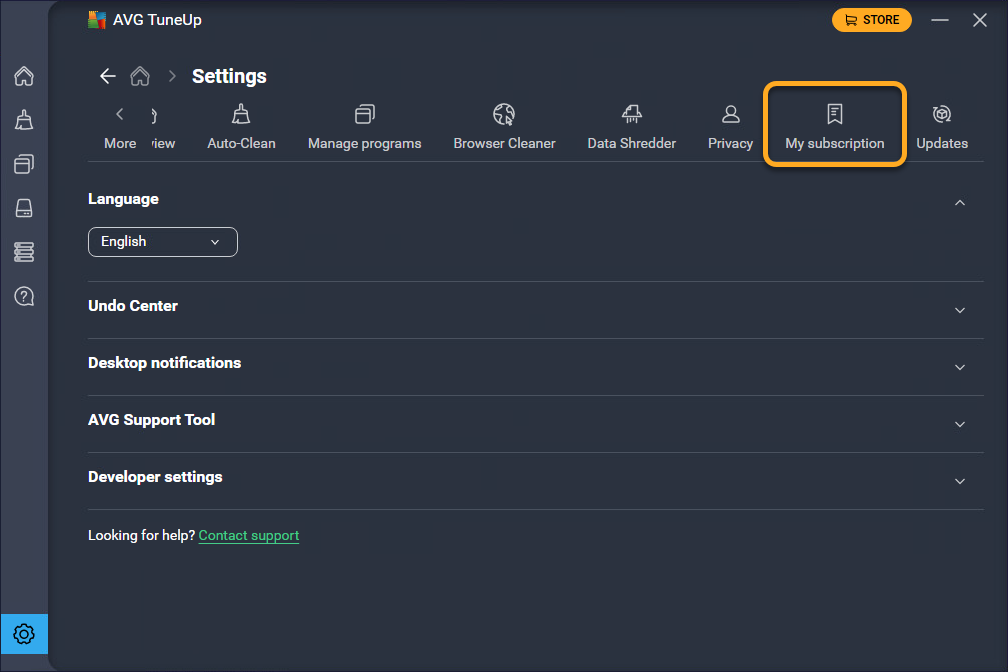
10. Click My Subscription
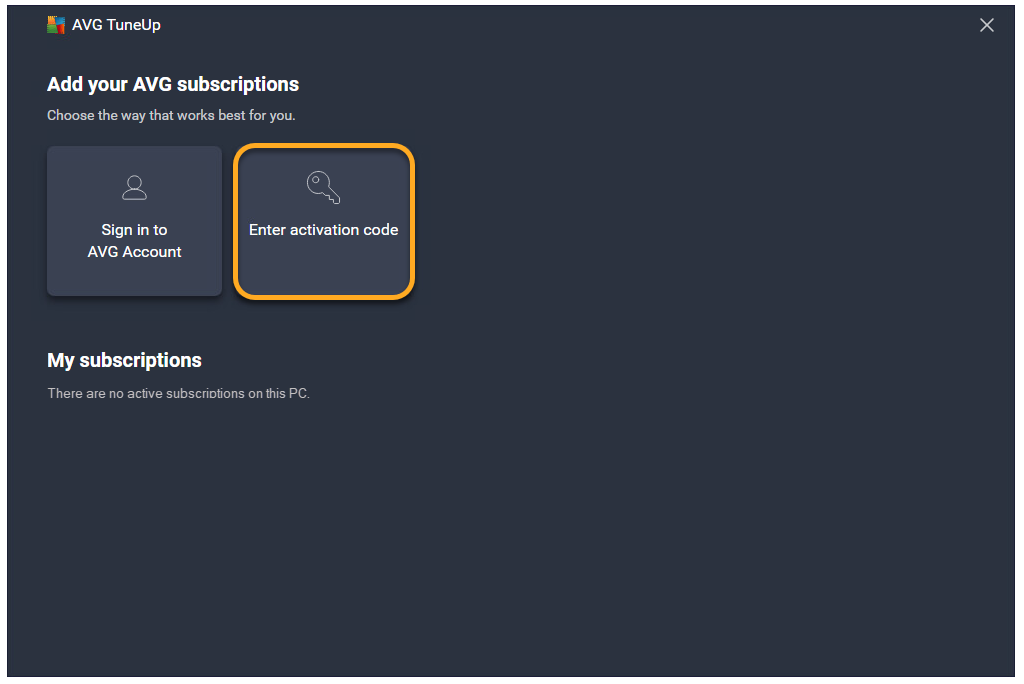
11. Select Enter activation code
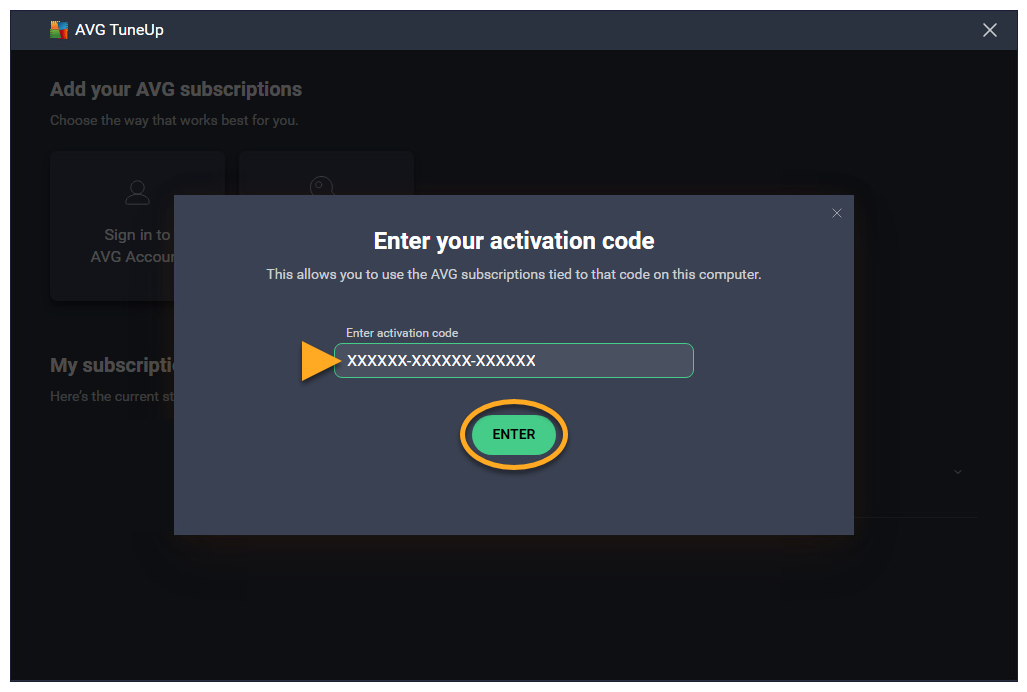
12. Enter your activation code (including hyphens). Click Enter to activate
1. Go to the KeyExpress Download Center, follow the link in the Invoice.
2. Click the download File for AVG TuneUp
3. Save the setup file (avgtuneup.dmg) to your Mac (usually in Downloads)
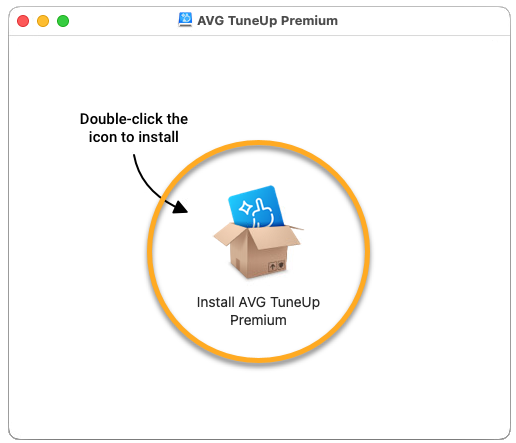
4. Double-click the downloaded .dmg file
5. Double-click the AVG TuneUp Premium icon
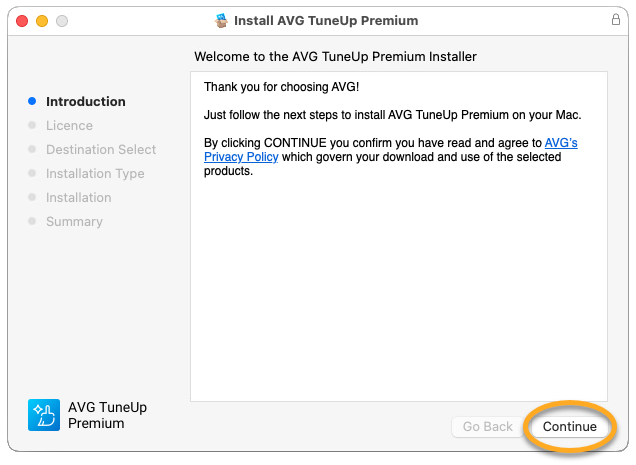
6. Click Continue to confirm the Privacy Policy
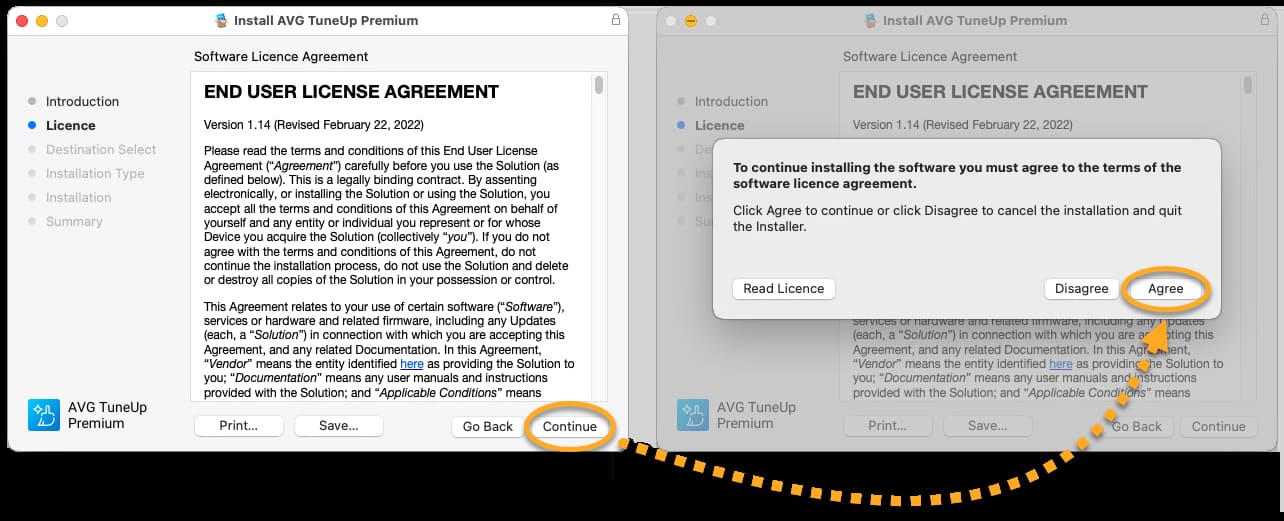
7. Click Continue, then Agree to accept the License Agreement
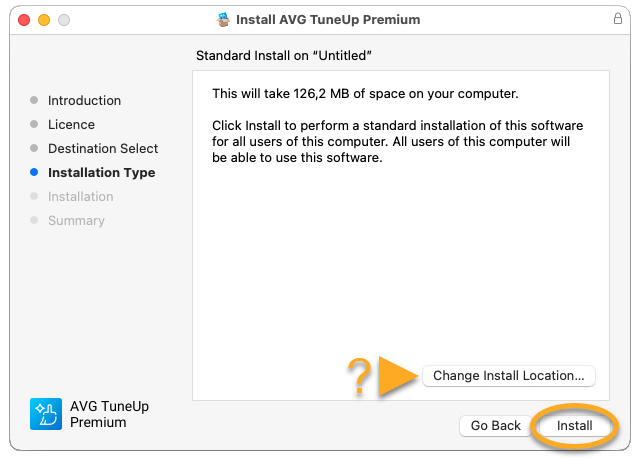
8. Click Install (or choose Change Install Location if needed)
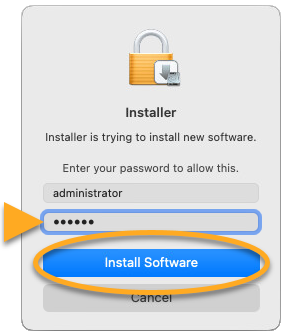
9. Enter your Mac password and click Install Software
10. Click Close, then select Move to Bin
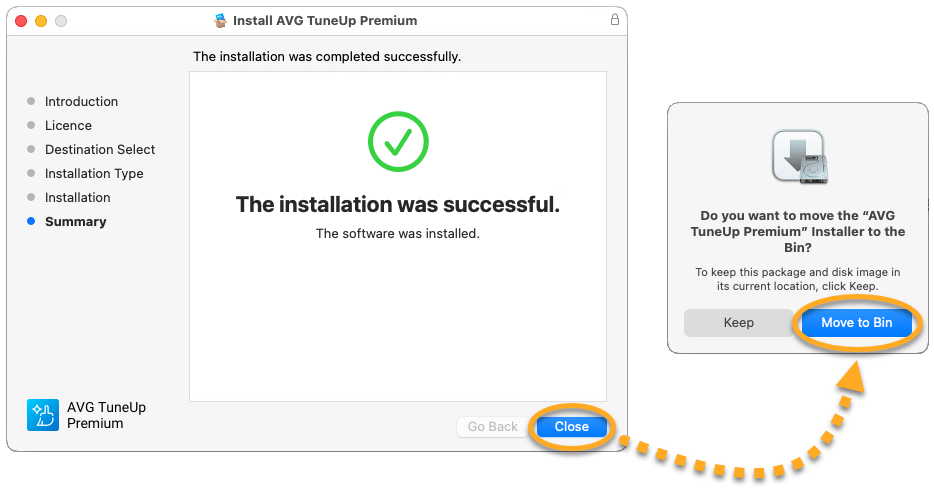
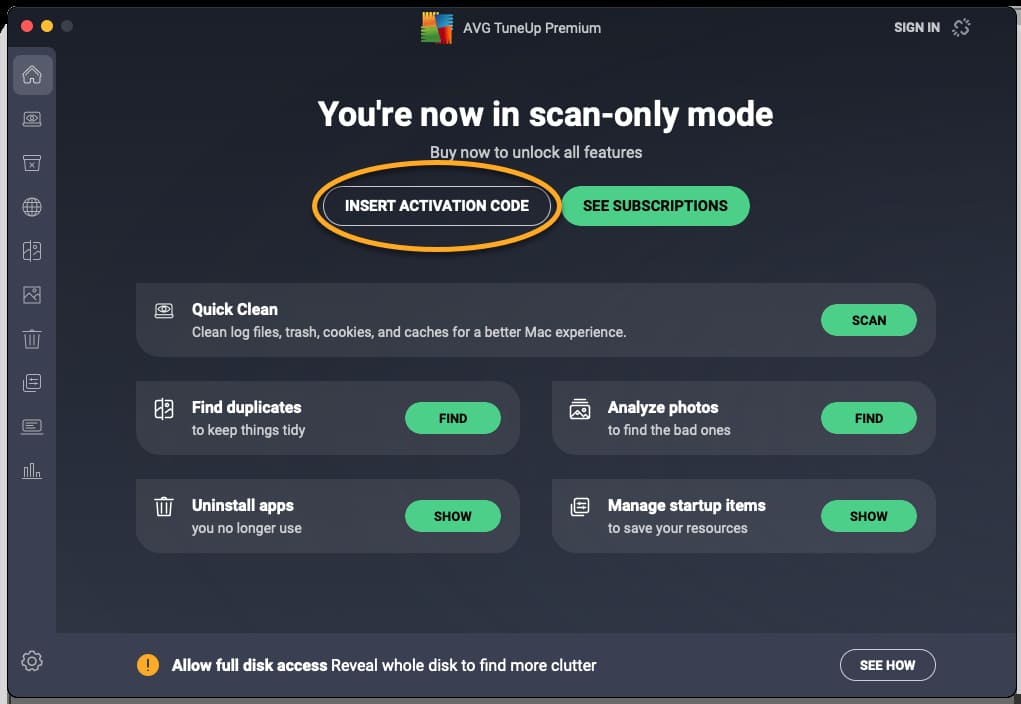
11. Open AVG TuneUp, click Insert activation code on the main screen
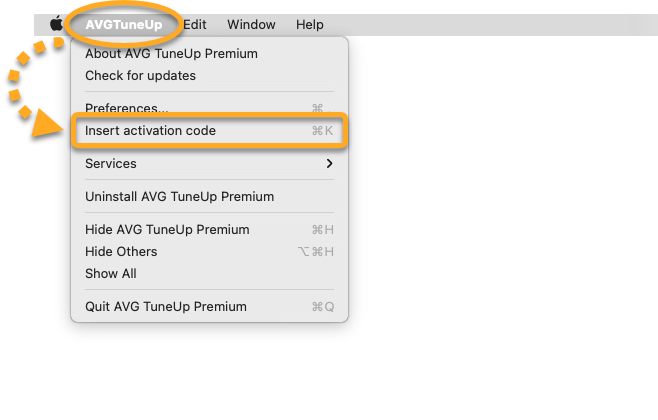
12. OR Click AVG TuneUp in the Apple menu bar, then click on Insert activation code
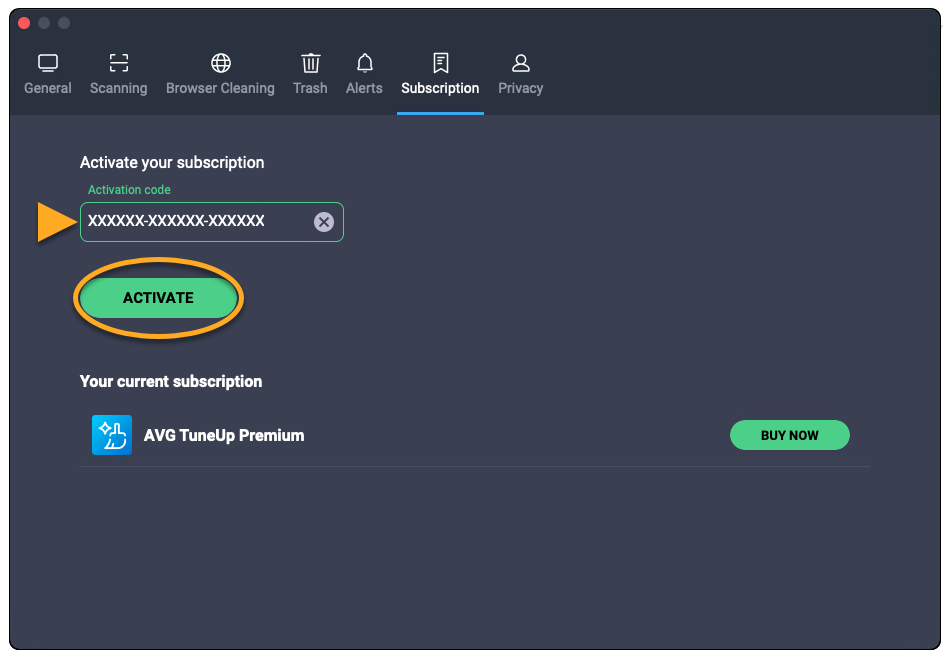
13. Enter your activation code (including hyphens)
14. Click Activate
SKU: 6666, 6667, 6668, 6669, 6670, 6671, 6672, 6673, 6674, 6675, 6676, 6677


