
For a detailed guide with screenshots, visit our step-by-step tutorial.
Open the Google Play Store on your Android phone. In the search bar, type “Bitdefender Mobile Security”.
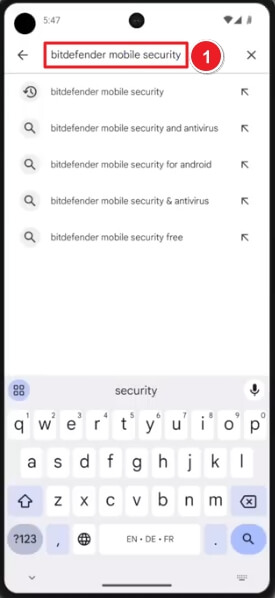
Select the app by Bitdefender, then tap Install.
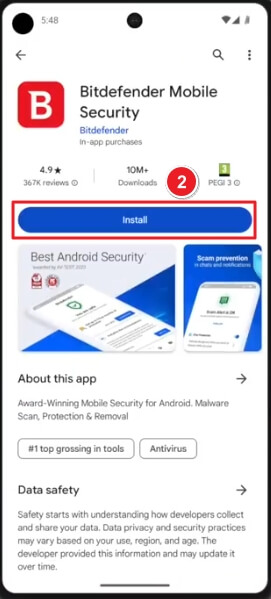
Once installed, tap Open to launch the app.
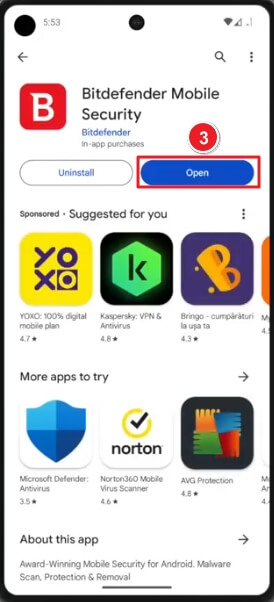
On the welcome screen, check “I agree with the Subscription agreement”. Tap Continue to proceed.
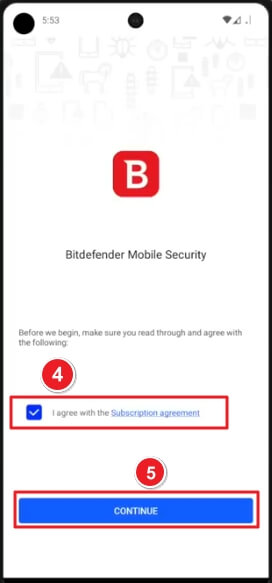
Enter your Bitdefender Central account email. Tap Next, then input your password. If you don’t have an account, select Create one and follow on-screen steps.
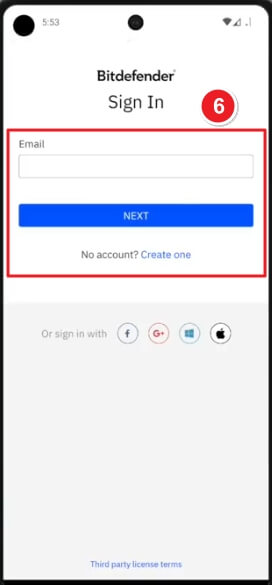
After login, Bitdefender will display your active subscription. Tap Get Started to begin securing your device.
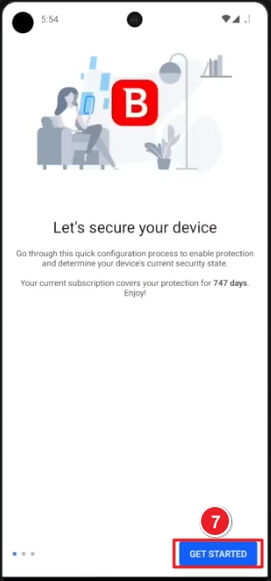
The app will prompt you to Activate Web Protection for safe browsing. Tap Activate to proceed.
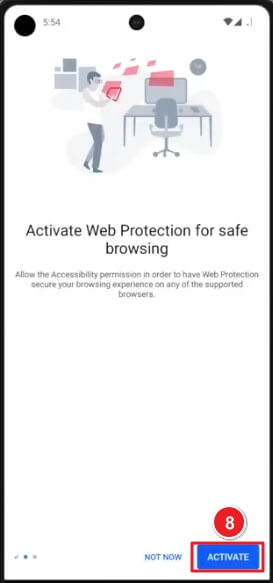
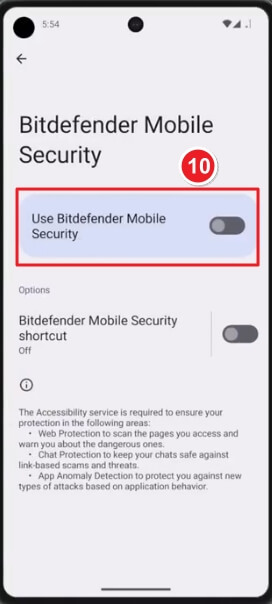
You’ll be redirected to your phone’s Accessibility settings. Tap Bitdefender Mobile Security under Downloaded apps.
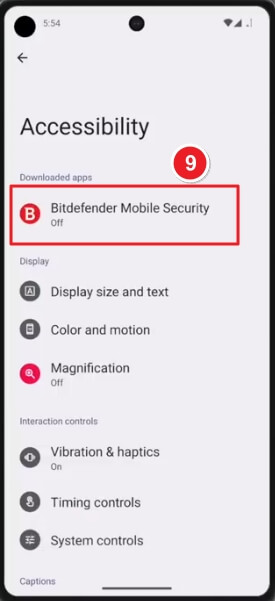
Toggle Use Bitdefender Mobile Security to On.
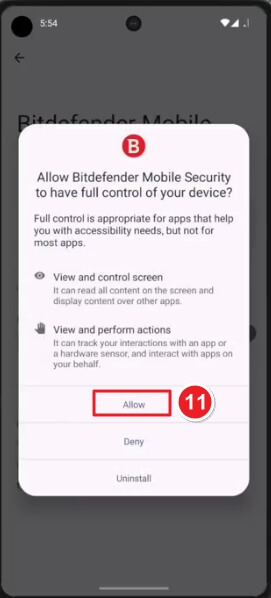
A pop-up will appear asking: “Allow Bitdefender Mobile Security to have full control of your device?” Tap Allow to confirm.
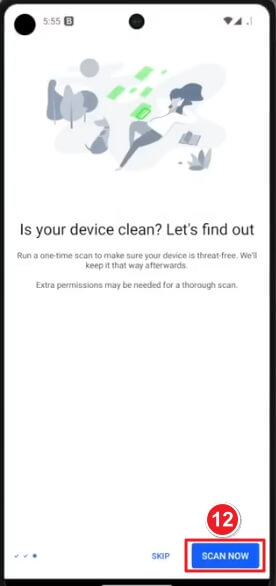
Bitdefender will now check if your device is safe. Tap Scan Now (Image ⑫) to start the first malware scan.
If you have any further problems with the installation or activation, please write to us. Simply use our contact form and send a screenshot of the error message at the same time. We will be happy to help you.
Your Keys.Express Team
SKU: 5472, 5473, 5403, 4653


